So I built a computer 2 months ago, and was doing fine until one night it turned off suddenly, and when I tried to log in it gave me a black screen. So after hours and days of trying to fix it, I decided to use a program to save the important data from the hard drive (Seagate Barracuda 1TB) and format it so I can do a clean install.
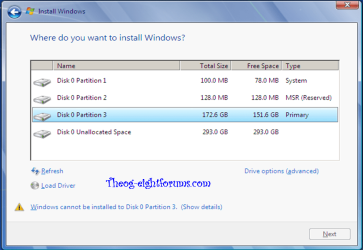
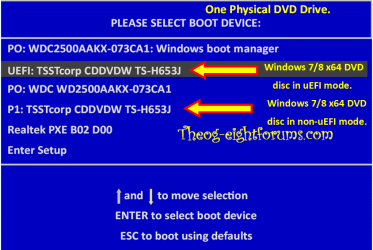
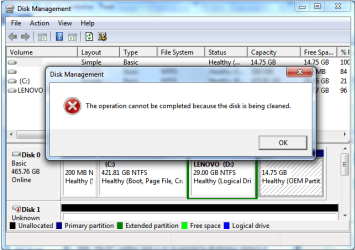
I formatted it and was healthy and fine, so I attempted to install Windows 7 Ultimate x64 via USB boot. When I got to the step where I was to choose a hard drive to install it to, my hard drive was not shown. So I again searched for an answer, where I stupidly tried to "Clean All" in disk part. I waited a very long time (6 hours) and it did not look like it changed, so i Ctrl-c'ed and stopped it. Now I cannot explore the hard drive, and it does not show up in windows. If I go to disk management, it says, "You must initialize a disk before Logical Disk Manager can access it." Image attached. And right after it says, "The operation cannot be completed because the disk is being cleaned". I cannot remove the USB cord that connects to the hard drive as it says it is in use and i do not want to damage it.
I am confused and tired and am getting frustrated. Please help me if you can and thank you.
I can supply more pictures and information if needed.
My Specs:
Intel Core i5-3570 - CPU
Gigabyte GA-H77M-D3H LGA1155 - Mother Board
Corsair Vengeance 8GB (2 x 4GB) DDR3-1600 - Memory
Seagate Barracuda 1TB 3.5" 7200RPM - Storage
Gigabyte Radeon HD 7870 2GB - Video Card
Antec 520W ATX12V / EPS12V - Power Supply
Thank you in advance.
I formatted it and was healthy and fine, so I attempted to install Windows 7 Ultimate x64 via USB boot. When I got to the step where I was to choose a hard drive to install it to, my hard drive was not shown. So I again searched for an answer, where I stupidly tried to "Clean All" in disk part. I waited a very long time (6 hours) and it did not look like it changed, so i Ctrl-c'ed and stopped it. Now I cannot explore the hard drive, and it does not show up in windows. If I go to disk management, it says, "You must initialize a disk before Logical Disk Manager can access it." Image attached. And right after it says, "The operation cannot be completed because the disk is being cleaned". I cannot remove the USB cord that connects to the hard drive as it says it is in use and i do not want to damage it.
I am confused and tired and am getting frustrated. Please help me if you can and thank you.
I can supply more pictures and information if needed.
My Specs:
Intel Core i5-3570 - CPU
Gigabyte GA-H77M-D3H LGA1155 - Mother Board
Corsair Vengeance 8GB (2 x 4GB) DDR3-1600 - Memory
Seagate Barracuda 1TB 3.5" 7200RPM - Storage
Gigabyte Radeon HD 7870 2GB - Video Card
Antec 520W ATX12V / EPS12V - Power Supply
Thank you in advance.
Attachments

Last edited:
My Computer
- OS
- Windows 7 Ultimate x64