Dzomlija
Dark Lord of the Sith
Join Date: Oct 2008
Windows Vista x64 Ultimate
301 posts
devilmycry4
Help me Please.....???
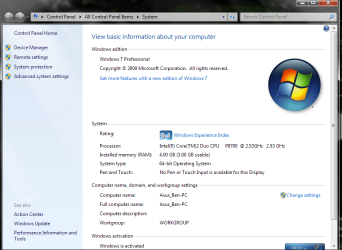
i used Windows 7 64-bit with 4GB of My RAM, But In My Computer detect Is 4GB ( 3.25 GB usable)
can i use FuLLY of may RAM.....??????
Yes, you can. Go back to using Windows 7 64 Bit (or any other 64 Bit OS).
It all comes down to architecture, and hardware. Allow me to explain:
Computers are stupid machines, and "think" about numbers in Binary - 0's and 1's. What this means is the greater numbers of bits that can be processed at any given time, the greater the number that can be represented. Binary Numbers are read from right to left, with each successive digit representing a larger number. For example, the binary number "1111" is the number 15. It is calculated as follows:
1(8) 1(4) 1(2) 1(1)
8 + 4 + 2 + 1 = 15
Using various combinations of 0's and 1's, a 4 Bit number can represent the decimal numbers 0 to 15. You can calculate the possible number of deicmal numbers of any given "Bit Depth" using a simple math equation:
2 ^ [Bit Depth]
In the above example of a 4 Bit number, 2 ^ 4 = 16. With computers, when talking about 32 Bits or 64 Bits, we are actually referring to the maximum space addressable by memory. The maximum address space of 32-Bit can be calculated as follows
2 ^ 32 = 4,294,967,296 Bytes.
A common mistake to think of a KiloByte, MegaByte, Gigabyte, etc. in units of 1000, as we do with all decimal units of measurement. This is, however, incorrect. Think in units of 1024:
1 KiloByte (KB) = 1024 Bytes
1 Mega Byte (MB) = 1024 KiloBytes
1 GigaByte (GB) = 1024 MegaBytes
1 TeraByte (TB) = 1024 GigaBytes
4,294,967,296 Bytes = 4,194,304 KB
4,194,304 KB = 4,096 MB
4,096MB = 4GB
Some people don't understand it, but the "lost" memory is being used, just not for what you may think. Whether it is for a simple device such as a clock timer or you graphics card, all your hardware device drivers are using that memory. The memory is "lost" to the "usable" pool, which is defined as the memory that is not in use by hardware after all devices have been initialized. "Usable" memory is used for data and executable programs.
It is impossible for 32-Bit to exceed a 4GB address space, so the memory allocated to devices absolutely MUST fall within the 32-Bit range of 4GB. This is the the reason why on 64-Bit you could see the full 4GB, but you only get around 3.5 usable on 32-Bit. 64-Bit address is like this:
18,446,744,073,709,551,616 Bytes
18,014,398,509,481,984 KB
17,592,186,044,416 MB
17,179,869,184 GB
16,777,216 TB
As you can see, 64-Bit is fr, far larger than 32-Bit in terms of maximum addressable space. Heck, I don't even know how to pronounce the number in bytes!
FYI, if you're curious about it, HexaDecimal (Hex for short) is nothing more than a "human readable" form of Binary, with the numbers 0-9 and A-F representing the numbers from 0-9 and 10-15. It's easier to write down "0xFFFF" to represent 65535 instead of "1111 1111 1111 1111"
Hope that cleared things up for you...
Peter Alexander Dzomlija
Do you hear, huh? The Alpha and The Omega? Death and Rebirth? And as you die, so shall I be Reborn...