polanskiman
New member
- Local time
- 9:56 AM
- Messages
- 30
Hello,
I have upgraded to Windows 7 x64 from Windows XP. With Windows XP, shutdown/reboot/sleep were working perfectly fine but now with Windows 7 x64 the PC refuses to shutdown completely. The fans/LED/CPU remain on. Same thing if I chose to sleep the computer. I need to press the power button for 4 seconds to completely shutdown the PC. I've tried:
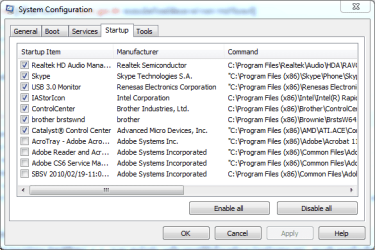
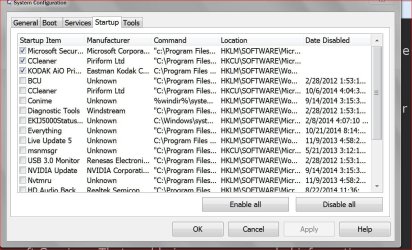
- A clean boot;
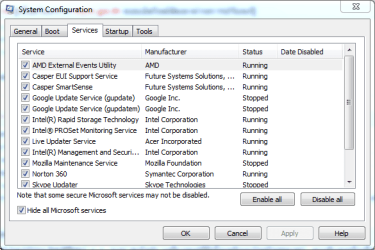
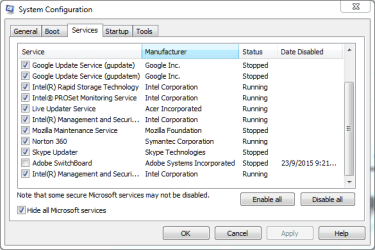
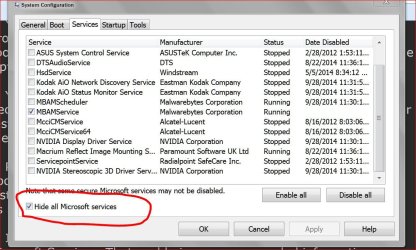
- Deactivating all non essential services;
- Looking into devices power management tabs and deactivated accordingly what was needed;
- Boot in Safe Mode;
- Reverting certain drivers to older versions (network card, GPU);
- Resetting bios. The Bios is up-to-date;
- Doing a sfc /scannow.
- Uninstalling completely Norton Antivirus.
None of the above changed a thing. The outcome is always the same. The only difference with a Safe Boot is that the shutdown process hangs at the "Shutting Down..." window and therefore I need to hard reset the computer as well. Windows 7 is fully up-to-date.
In order to eliminate possible hardware issues I booted the PC with a backup drive of my old installation of Windows XP. Shutdown works perfectly. So it does not seem to be hardware related.
I have made a Shutdown Trace that can be found here. The trace was done thanks to "cluberti" tutorial on how to make a trace. Could any expert have a look at it and tell me if he notices anything out of the ordinary?
Thank you.
I have upgraded to Windows 7 x64 from Windows XP. With Windows XP, shutdown/reboot/sleep were working perfectly fine but now with Windows 7 x64 the PC refuses to shutdown completely. The fans/LED/CPU remain on. Same thing if I chose to sleep the computer. I need to press the power button for 4 seconds to completely shutdown the PC. I've tried:
- A clean boot;
- Deactivating all non essential services;
- Looking into devices power management tabs and deactivated accordingly what was needed;
- Boot in Safe Mode;
- Reverting certain drivers to older versions (network card, GPU);
- Resetting bios. The Bios is up-to-date;
- Doing a sfc /scannow.
- Uninstalling completely Norton Antivirus.
None of the above changed a thing. The outcome is always the same. The only difference with a Safe Boot is that the shutdown process hangs at the "Shutting Down..." window and therefore I need to hard reset the computer as well. Windows 7 is fully up-to-date.
In order to eliminate possible hardware issues I booted the PC with a backup drive of my old installation of Windows XP. Shutdown works perfectly. So it does not seem to be hardware related.
I have made a Shutdown Trace that can be found here. The trace was done thanks to "cluberti" tutorial on how to make a trace. Could any expert have a look at it and tell me if he notices anything out of the ordinary?
Thank you.
Last edited:
My Computer
At a glance
Windows 7 Professional x64Intel i5-2300 CPU @ 2.80GHzKingston 8 GbAMD Radeon HD 6500 Series
- Computer type
- PC/Desktop
- Computer Manufacturer/Model Number
- Acer Predator G3600
- OS
- Windows 7 Professional x64
- CPU
- Intel i5-2300 CPU @ 2.80GHz
- Motherboard
- Acer
- Memory
- Kingston 8 Gb
- Graphics Card(s)
- AMD Radeon HD 6500 Series
- Hard Drives
- Hitachi 1TB
- Antivirus
- Norton Antivirus 360