Windows 7 - startup failing - no backup disk

John P

New member
Local time
2:13 PM
Messages
4
I'm getting a window that tells me windows failed to start and recommends startup repair, but it doesn't solve the problem. Evenutally, it ends up on a blue screen which looks like an option on screensaver. I'm pretty much a novice and would appreciate any help.
 

My Computer My Computer

At a glance

windows 7 64 bitAMD Athlon P320 DualCore Processor4096 MB; video - 256mb
Computer Manufacturer/Model Number
Acer 7551
OS
windows 7 64 bit
CPU
AMD Athlon P320 DualCore Processor
Memory
4096 MB; video - 256mb
John P, welcome to the windows 7 forums.

You might want to fill in your system specifications so that someone could give you some advice on what
to do next.

Rich
 

My Computer My Computer

At a glance

Windows 7 Pro x64 SP1Intel Core I716 GigsNVIDIA GeForce GTX 670M
Computer type
Laptop
Computer Manufacturer/Model Number
Toshiba Laptop Qosimo X870
OS
Windows 7 Pro x64 SP1
CPU
Intel Core I7
Motherboard
Toshiba Qosmio
Memory
16 Gigs
Graphics Card(s)
NVIDIA GeForce GTX 670M
Monitor(s) Displays
17.7" laptop
Screen Resolution
1600 x 900
Hard Drives
256 Gig SanDisk SSD for C
256 Gig Intel SSD for D
Internet Speed
50/25 FIOS
Antivirus
Vipre (all you can eat for 10 machines)
Browser
IE and FF
Other Info
I have dos 6.22, wfwg 3.11, win98, 2000 and xp VHD's available for testing. MS's Virtual PC works great.
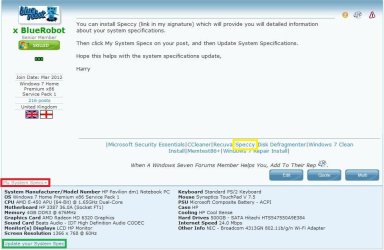
You can install Speccy (link in my signature) which will provide you will detailed information about your system specifications.

Then click My System Specs on your post, and then Update System Spec.

Hope this helps with the system specifications update,

Harry
 

Attachments

  • System Spec.JPG
    System Spec.JPG
    76.5 KB · Views: 12

My Computer My Computer

Computer type
Laptop
But the problem is that my laptop is locked up and I can't get into it.
 

My Computer My Computer

At a glance

windows 7 64 bitAMD Athlon P320 DualCore Processor4096 MB; video - 256mb
Computer Manufacturer/Model Number
Acer 7551
OS
windows 7 64 bit
CPU
AMD Athlon P320 DualCore Processor
Memory
4096 MB; video - 256mb
Just in case, did you try booting up in safe-mode? Hit F8 after the BIOS...
 

My Computer My Computer

At a glance

Windows 7 64-bit, Windows 8.1 64-bit, OSX El ...Intel i5-3350P 3.1 GHz16 GBs GSkill SniperRadeon HD 7850
Computer type
PC/Desktop
Computer Manufacturer/Model Number
Custom built at Home
OS
Windows 7 64-bit, Windows 8.1 64-bit, OSX El Capitan, Windows 10 (VMware)
CPU
Intel i5-3350P 3.1 GHz
Motherboard
Gigabyte GA-Z77X-UP5 TH
Memory
16 GBs GSkill Sniper
Graphics Card(s)
Radeon HD 7850
Sound Card
VIA HD Audio
Monitor(s) Displays
Dell U2410 24"
Screen Resolution
1920x1200
Hard Drives
1 x Intel 520 240 GBs
1 x Seagate 1TBs SATA 2.0,
1 x Seagate 1TBs eSATA 2.0
PSU
Thermaltake 850W
Case
Antec P183
Cooling
Noctua NH-D14 Heatsink 2 x 120mm fans, 4 x 120mm case fans
Keyboard
Dell Multimedia keyboard
Mouse
Logitech Trackball
Internet Speed
28.5 Mb/s
Yes - without any luck. I created a startup disk from my father in law's PC which is the same as mine - bought at the same time. It made it as far as asking for the location to enter the language for the System Recovery Options. I selected a country and clicked next without any add'l windows, just a blue screen. The screen looks like one of the screensavers that freezes.
 

My Computer My Computer

At a glance

windows 7 64 bitAMD Athlon P320 DualCore Processor4096 MB; video - 256mb
Computer Manufacturer/Model Number
Acer 7551
OS
windows 7 64 bit
CPU
AMD Athlon P320 DualCore Processor
Memory
4096 MB; video - 256mb
The repair disk should load on its own, regardless of the condition of the hard drive, it should not hang at that point of the boot process. Theoretically, you could take out the hard drive, boot to the repair disk, and it would finish loading if the other hardware works just fine. Your laptop has some hardware issues that could be any number of things.

As others suggested, you should post some specs about your laptop. Your father-in-law's laptop is the same, collect the specs from that laptop. It's important to know who made the laptop and is it still under warranty? It would be silly doing things to the laptop that voids the warranty...
 

My Computer My Computer

At a glance

Windows 7 64-bit, Windows 8.1 64-bit, OSX El ...Intel i5-3350P 3.1 GHz16 GBs GSkill SniperRadeon HD 7850
Computer type
PC/Desktop
Computer Manufacturer/Model Number
Custom built at Home
OS
Windows 7 64-bit, Windows 8.1 64-bit, OSX El Capitan, Windows 10 (VMware)
CPU
Intel i5-3350P 3.1 GHz
Motherboard
Gigabyte GA-Z77X-UP5 TH
Memory
16 GBs GSkill Sniper
Graphics Card(s)
Radeon HD 7850
Sound Card
VIA HD Audio
Monitor(s) Displays
Dell U2410 24"
Screen Resolution
1920x1200
Hard Drives
1 x Intel 520 240 GBs
1 x Seagate 1TBs SATA 2.0,
1 x Seagate 1TBs eSATA 2.0
PSU
Thermaltake 850W
Case
Antec P183
Cooling
Noctua NH-D14 Heatsink 2 x 120mm fans, 4 x 120mm case fans
Keyboard
Dell Multimedia keyboard
Mouse
Logitech Trackball
Internet Speed
28.5 Mb/s
I've added some add'l infomation on my computer. Let me know what else is needed. appreciate the help and advise.
 

My Computer My Computer

At a glance

windows 7 64 bitAMD Athlon P320 DualCore Processor4096 MB; video - 256mb
Computer Manufacturer/Model Number
Acer 7551
OS
windows 7 64 bit
CPU
AMD Athlon P320 DualCore Processor
Memory
4096 MB; video - 256mb
From what we know, it's nearly impossible to tell why the laptop does not even boot repair disk; is the laptop still under warranty?

If not and you need data off from the hard drive, you could remove the HDD and install it in your father-in-law's laptop. Doing so would eliminate your laptop's hardware issues; however, it may require re-activating Windows 7 if the OS boots just fine in its "new" home.

Alternatively, you could also get an external enclosure with USB interface, install your laptops hard drive, and connect it to a PC/laptop. You should be able to boot to the drive, if the BIOS support USB device boot, or just mount it in other running Windows PC. If you cannot access the hard drive at outside of your laptop, then the hard drive is damaged.
 

My Computer My Computer

At a glance

Windows 7 64-bit, Windows 8.1 64-bit, OSX El ...Intel i5-3350P 3.1 GHz16 GBs GSkill SniperRadeon HD 7850
Computer type
PC/Desktop
Computer Manufacturer/Model Number
Custom built at Home
OS
Windows 7 64-bit, Windows 8.1 64-bit, OSX El Capitan, Windows 10 (VMware)
CPU
Intel i5-3350P 3.1 GHz
Motherboard
Gigabyte GA-Z77X-UP5 TH
Memory
16 GBs GSkill Sniper
Graphics Card(s)
Radeon HD 7850
Sound Card
VIA HD Audio
Monitor(s) Displays
Dell U2410 24"
Screen Resolution
1920x1200
Hard Drives
1 x Intel 520 240 GBs
1 x Seagate 1TBs SATA 2.0,
1 x Seagate 1TBs eSATA 2.0
PSU
Thermaltake 850W
Case
Antec P183
Cooling
Noctua NH-D14 Heatsink 2 x 120mm fans, 4 x 120mm case fans
Keyboard
Dell Multimedia keyboard
Mouse
Logitech Trackball
Internet Speed
28.5 Mb/s
Back
Top