

- Local time
- 2:00 PM
- Messages
- 41
Last night my desktop PC with 3 HDDs got stuck booting at the pulsing Windows 7 logo. I rebooted, and ran the "Launch Startup Repair" option. After running it and rebooting the system still stuck.
I then booted from the Windows 7 installation disk and ran the 'repair your computer' option. In the 'System Recovery Options' menu that followed, there was no operating system listed.
Results from a google search suggested running diskpart from the command prompt, diskpart being something I'm familiar with. What I found was that somehow drive letters had changed. My D: drive is now C:, E: is now D:, and my original C: boot drive is listed as E:.
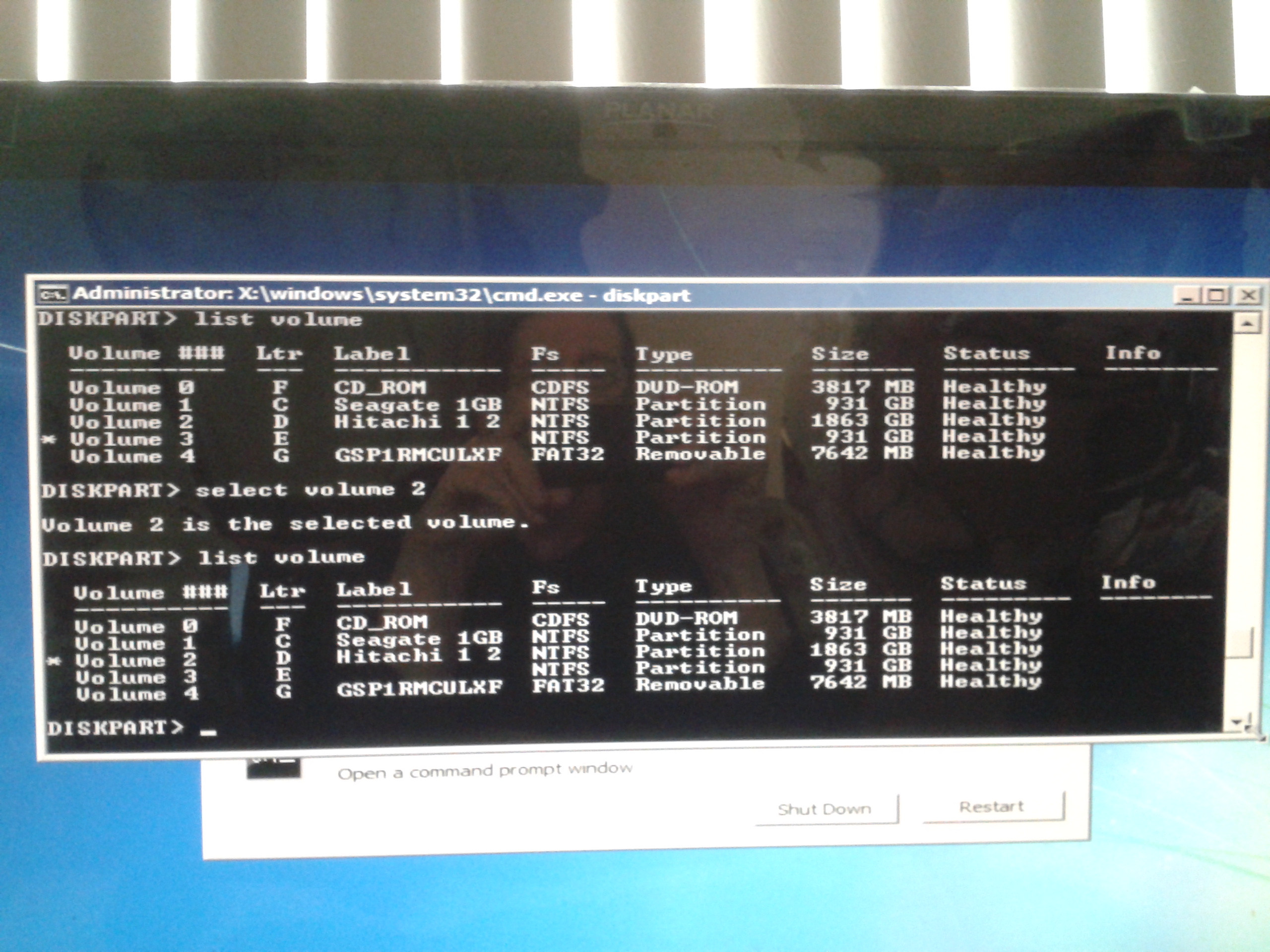
Running 'list volume' I found no volume listed as a boot volume. I found the E: drive (my original C: drive) was not listed as active. So I ran 'Active' on the single E: partition and rebooted the Windows installation disk.
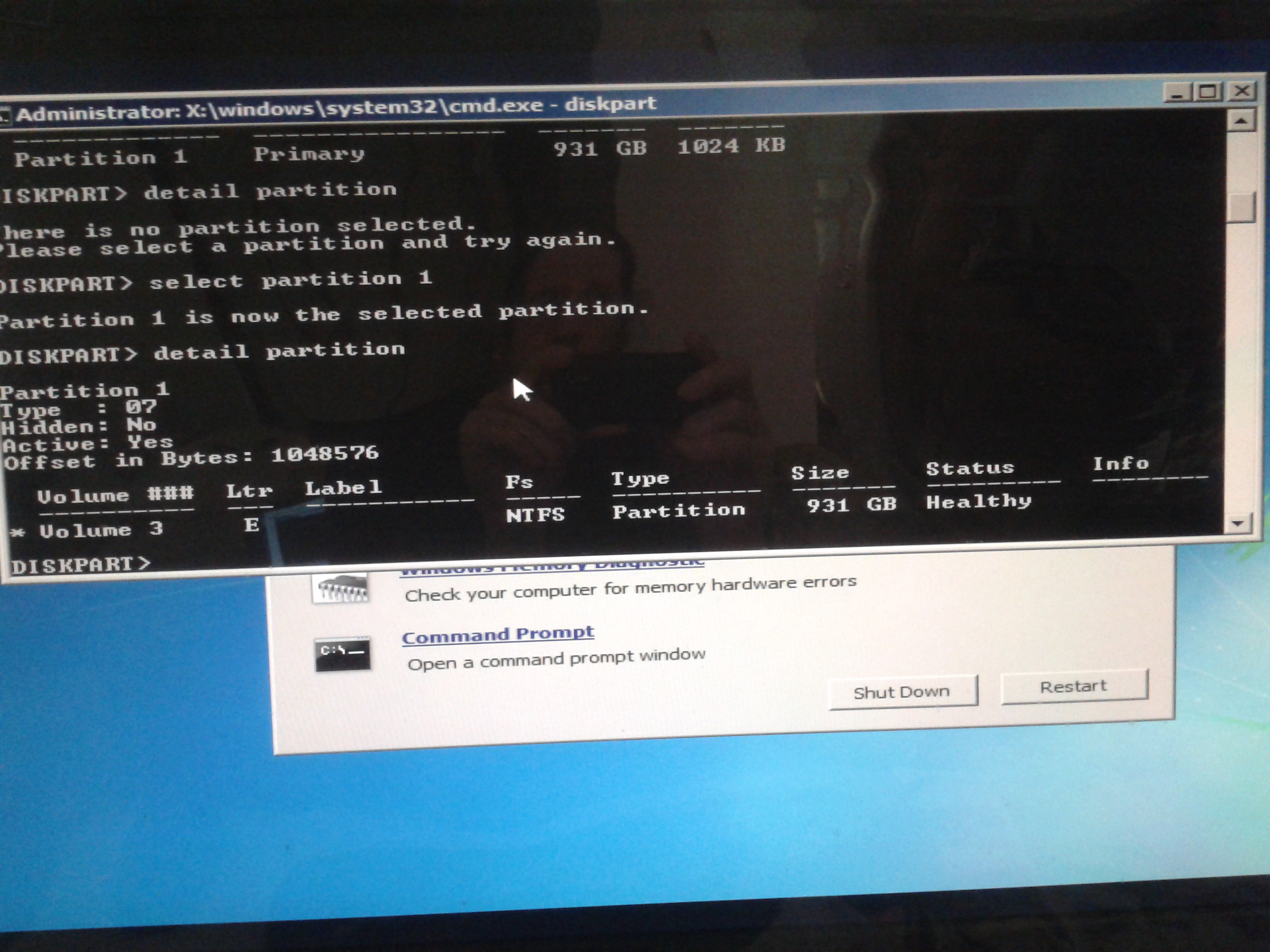
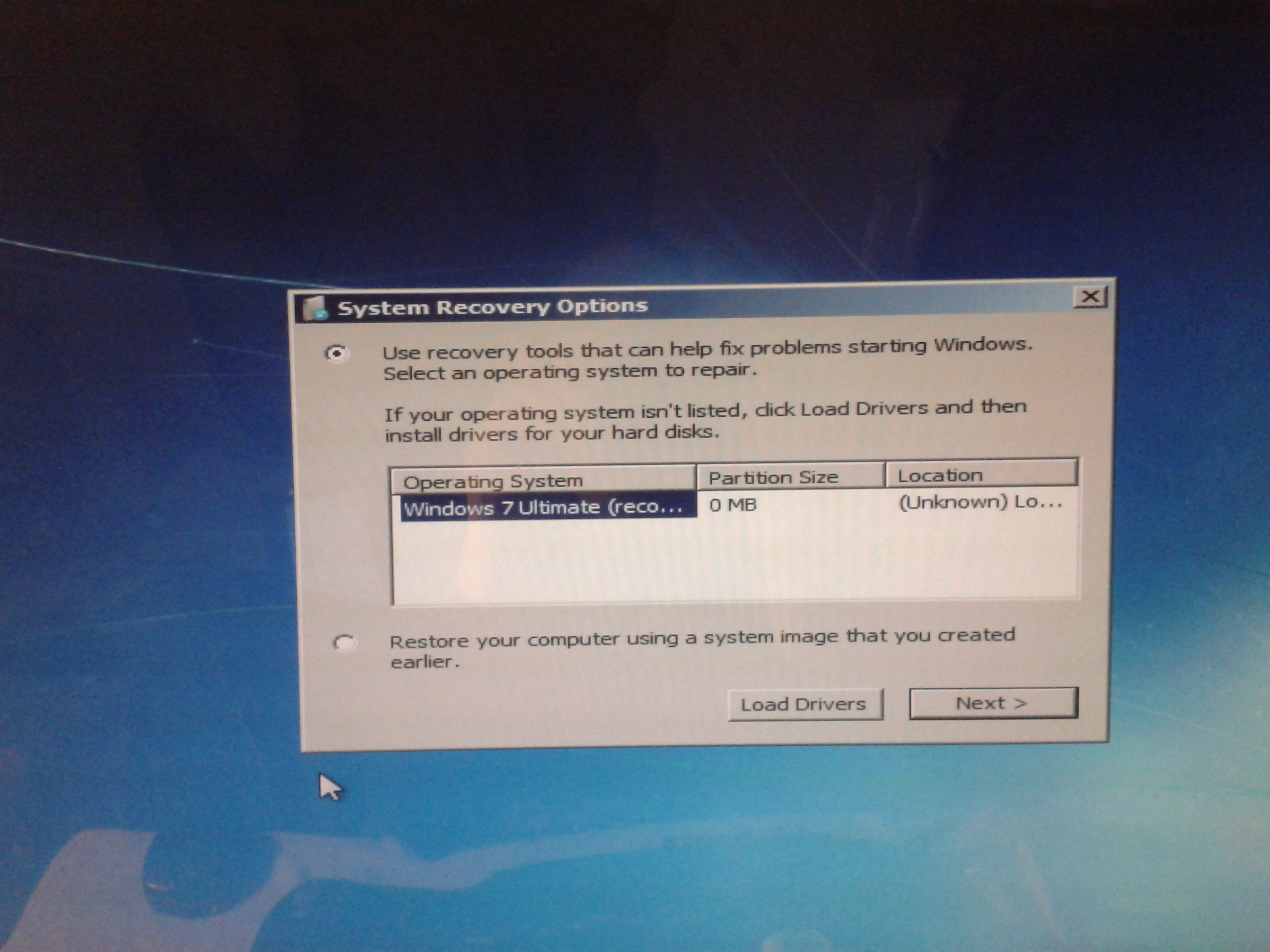
But still no OS was listed in the 'System Recovery Options' menu. Shutting down the system, I disconnected the 2 data drives, leaving only the original C: drive connected. Booting to the 'repair your computer' menu again, the Windows 7 OS was listed, but it lists partition size as 0 and location as unknown.
Running Startup Repair failed with the message that it could not repair the PC automatically. Cancelling that and running System Restore immediately returned an error "The parameter is incorrect (0x80070057)" And of course diskpart still reports the single partition on the disk as active.

I've read that the (0x80070057) may mean that system restore can only work when all of the drives originally connected to the PC are present. But when I reconnect the other 2 drives, the drive lettering goes back to showing my original C: drive as E:
I'm at a loss as to how to proceed to get this system ti boot from here. Any feedback would be greatly appreciated.
I then booted from the Windows 7 installation disk and ran the 'repair your computer' option. In the 'System Recovery Options' menu that followed, there was no operating system listed.
Results from a google search suggested running diskpart from the command prompt, diskpart being something I'm familiar with. What I found was that somehow drive letters had changed. My D: drive is now C:, E: is now D:, and my original C: boot drive is listed as E:.
Running 'list volume' I found no volume listed as a boot volume. I found the E: drive (my original C: drive) was not listed as active. So I ran 'Active' on the single E: partition and rebooted the Windows installation disk.
But still no OS was listed in the 'System Recovery Options' menu. Shutting down the system, I disconnected the 2 data drives, leaving only the original C: drive connected. Booting to the 'repair your computer' menu again, the Windows 7 OS was listed, but it lists partition size as 0 and location as unknown.
Running Startup Repair failed with the message that it could not repair the PC automatically. Cancelling that and running System Restore immediately returned an error "The parameter is incorrect (0x80070057)" And of course diskpart still reports the single partition on the disk as active.
I've read that the (0x80070057) may mean that system restore can only work when all of the drives originally connected to the PC are present. But when I reconnect the other 2 drives, the drive lettering goes back to showing my original C: drive as E:
I'm at a loss as to how to proceed to get this system ti boot from here. Any feedback would be greatly appreciated.
My Computer
- Computer type
- PC/Desktop
- Computer Manufacturer/Model Number
- Custom: MSI G41M-P28 Motherboard
- OS
- Microsoft Windows 7 Ultimate 64-bit 7601 Multiprocessor Free Service Pack 1
- CPU
- Intel(R) Core(TM)2 Quad CPU Q6600 @ 2.40GHz
- Motherboard
- MSI G41M-P28 (MS-7592)
- Memory
- 8.00 GB
- Graphics Card(s)
- AMD Radeon HD 5570
- Sound Card
- Onboard MB 1: AMD HDMI Output 2: VIA High Definition Audio
- Monitor(s) Displays
- Planar PX2710MW, Samsung MU6290 Model UN55MU6290FXZA HDTV
- Screen Resolution
- 1920 x 1080 x 32 bits (4294967296 colors) @ 60 Hz
- Hard Drives
- (1) Hitachi HDS5C3020ALA632 ATA Device (2) ST1000DM003-1CH162 ATA Device (3) WDC WD10EZEX-08WN4A0 ATA Device
- PSU
- 750w
- Internet Speed
- 66mbps
- Antivirus
- Avast 18.8.2341 build 18.5.3931.338
- Browser
- Firefox, Chrome, Internet Explorer, Opera


