
So I upgraded to Windows 10 and reverted back to Windows 7. And now my pinned / recent documents aren't showing on the taskbar icons.
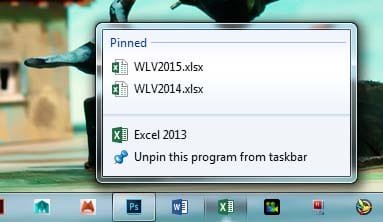
For example, I have Excel on the taskbar icons. Before the upgrade, I was able to view recently opened documents and even pinned them to the icons which I can view by simple right clicking the icons on the taskbar.
How do I get this back?
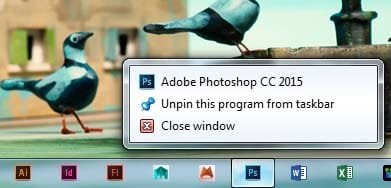
Example: PS doesn't show my pinned or recent items. Excel does.... Word doesn't.
For example, I have Excel on the taskbar icons. Before the upgrade, I was able to view recently opened documents and even pinned them to the icons which I can view by simple right clicking the icons on the taskbar.
How do I get this back?
Example: PS doesn't show my pinned or recent items. Excel does.... Word doesn't.
Attachments
My Computer
At a glance
Windows 7 Home
- Computer type
- PC/Desktop
- OS
- Windows 7 Home
