Windows 7 Ultimate, can not access network shares

Homerj

New member
Local time
5:29 PM
Messages
7
Location
Knoxville, TN
I installed Windows 7 Ultimate saturday night (I got it early to have a release party). It was an upgrade from Vista Ultimate.
I can't access any of my network shares. I am running a NSALite2 server with 3 drives and a Linksys NAS200 with 2 1Tb drives. I can access both via HTTP, but can not access them via a network share. I can ping both of them as well. I am using a laptop and connecting via wireless N. I can get on the Internet just fine. I can access the drives just fine on 2 XP machines on the network. I was able to access these drives previous using Vista Ultimate.
I have read some about changing the encryption from 128bit to 64bit, but was having trouble finding where to make this change.
Any ideas?
 

My Computer My Computer

Computer Manufacturer/Model Number
Dell
OS
Windows 7 Ultimate
Memory
4 GB
I installed Windows 7 Ultimate saturday night (I got it early to have a release party). It was an upgrade from Vista Ultimate.
I can't access any of my network shares. I am running a NSALite2 server with 3 drives and a Linksys NAS200 with 2 1Tb drives. I can access both via HTTP, but can not access them via a network share. I can ping both of them as well. I am using a laptop and connecting via wireless N. I can get on the Internet just fine. I can access the drives just fine on 2 XP machines on the network. I was able to access these drives previous using Vista Ultimate.
I have read some about changing the encryption from 128bit to 64bit, but was having trouble finding where to make this change.
Any ideas?

Homer

You running homegroup or workgroup? how are you sharing the files and who is the owner of them

thanks

Ken
 

My Computer My Computer

Computer Manufacturer/Model Number
HP Pavillion dv-7 1005 Tx
OS
Win 8 Release candidate 8400
CPU
[email protected]
Memory
4 gigs
Graphics Card(s)
Nvidia 9600M
Sound Card
HD built-in
Monitor(s) Displays
17" Wxga
Screen Resolution
1440x900
Cooling
none
Internet Speed
45Mb down 5Mb up
I tried it with both a homegroup and a workgroup, neither worked. Up till now I have not had to share the files. My wife and I have full access to all the drives. I simply mapped drives to each drive from our computers.
 

My Computer My Computer

Computer Manufacturer/Model Number
Dell
OS
Windows 7 Ultimate
Memory
4 GB
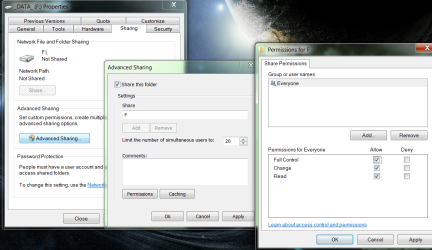
How have you set up your shared drives? I don't wanna assume anything, so I'll start with the basic version, as long as my computers were in the same workgroup, on a new install with the proper services running, the following will normally get my computers to share.
Failing this, I think you need to config ownership.
 

Attachments

  • Capture.PNG
    Capture.PNG
    99.5 KB · Views: 1,208

My Computer My Computer

Computer Manufacturer/Model Number
SevenForums
OS
7 Prof
CPU
Q9550
Motherboard
Maximus II Formula
Memory
2x2 Mushkin Ascent 8500
Graphics Card(s)
4870X2
Sound Card
X-Fi Xtreme Gamer
Monitor(s) Displays
LN32A550
Screen Resolution
1920x1080
Hard Drives
Intel G2 80GB
5x1TB
PSU
Corsair 1000
Case
Cosmos
Cooling
Yates^13
Keyboard
G15v1
Mouse
MX518
Internet Speed
6Mbps
I am getting a "Network path was not found" message. So I can not get as far as setting up sharing. I have tried to recreate the network path but no luck.
 

My Computer My Computer

Computer Manufacturer/Model Number
Dell
OS
Windows 7 Ultimate
Memory
4 GB
Are the computers in the same workgroup? If they are, do you have file/printer
sharing enabled?
 

My Computer My Computer

Computer Manufacturer/Model Number
SevenForums
OS
7 Prof
CPU
Q9550
Motherboard
Maximus II Formula
Memory
2x2 Mushkin Ascent 8500
Graphics Card(s)
4870X2
Sound Card
X-Fi Xtreme Gamer
Monitor(s) Displays
LN32A550
Screen Resolution
1920x1080
Hard Drives
Intel G2 80GB
5x1TB
PSU
Corsair 1000
Case
Cosmos
Cooling
Yates^13
Keyboard
G15v1
Mouse
MX518
Internet Speed
6Mbps
The fundamental thing here is to get the pcs talking/seeing each other (i would not look into adding or editting workgroups yet). Get all the pcs connected to the internet first (auto detect settings to start with), this would means they are on the same vlan (your home network), if they are all ok then setup the shares. Makes sure each shares has correct permissions AND which account can access it (don't assume the Everyone group can). Test mapp and if you get a logon credentials box, then that's where the IDs comes into play.
 

My Computer My Computer

Computer Manufacturer/Model Number
Lenovo ThinkPad T60
OS
Windows 7 Ultimate 64Bit
CPU
GenuineIntel Intel(R) Core(TM) DuoCore T2400 @ 1.83GHz
Motherboard
Intel(R) 82801G (ICH7 Family)
Memory
2.00 GB
Graphics Card(s)
Mobile Intel(R) 945 Express Chipset
Sound Card
SoundMAX Integrated Digital HD Audio
Monitor(s) Displays
ThinkPad Display
Screen Resolution
1400x1050
Hard Drives
100Gb SATA
Keyboard
Standard Keyboard
Mouse
HID-compliant Mouse
Internet Speed
Cable Broadband - 54Mbps
Other Info
Intel(R) PRO/1000 PL Network Connection
11a/b/g Wireless LAN Mini PCI Express Adapter
Part of the issue is that the drives I am trying to access are not running on Windows computers. 2 of the drives are in a Linksys NAS200, the other 3 are in a computer running Naslite2. The NASLite2 is showing in the same workgroup as the laptop.
 

My Computer My Computer

Computer Manufacturer/Model Number
Dell
OS
Windows 7 Ultimate
Memory
4 GB
Ok then you might have to hang on till some one who owns a NAS box can pitch in.
 

My Computer My Computer

Computer Manufacturer/Model Number
SevenForums
OS
7 Prof
CPU
Q9550
Motherboard
Maximus II Formula
Memory
2x2 Mushkin Ascent 8500
Graphics Card(s)
4870X2
Sound Card
X-Fi Xtreme Gamer
Monitor(s) Displays
LN32A550
Screen Resolution
1920x1080
Hard Drives
Intel G2 80GB
5x1TB
PSU
Corsair 1000
Case
Cosmos
Cooling
Yates^13
Keyboard
G15v1
Mouse
MX518
Internet Speed
6Mbps
I read something about the version of the software being used by NASLite was not compatible with Windows 7. Funny part was the beta worked fine, although in a netobook. Trying to figure out what I did different this time. A bit puzzled by the Linksys NAS200 not working though, may need an update from them. I am figuring there is a sharing/security setting I need to change, just trying to find it.
 

My Computer My Computer

Computer Manufacturer/Model Number
Dell
OS
Windows 7 Ultimate
Memory
4 GB
Do you have Windows Firewall enabled? If not, enable it and see if sharing works now. Also, make sure your work"groups" are all the same name.

I had a heck of a time trying to share my printer from Win7 to XP home and Vista .... I have Avira firewall and disabled Windows firewall (on all machines). I re-enabled Windows firewall and it worked! :cool:
 

My Computer My Computer

Computer type
PC/Desktop
Computer Manufacturer/Model Number
Bruce ... somewhere in his 40's
OS
Windows 7 Ultimate 32bit SP1
CPU
Intel(R) Core(TM)2 Quad CPU @ 2.40GHz, 2400 MHz
Motherboard
INTEL/D975XBX2
Memory
4 GB
Graphics Card(s)
ATI Radeon HD 2600 Pro
Monitor(s) Displays
Samsung SyncMaster 914v
Screen Resolution
1280 x 1024
Hard Drives
2/500GB each ... ST3500630AS ATA Device.
One is not connected
PSU
Rocketfish 700 W
Case
G.Skill Gigabyte Chassis
Keyboard
Standard PS/2 Keyboard
Mouse
Microsoft PS/2 Mouse
Internet Speed
DSL
Antivirus
Avira Internet Security
Browser
IE 11
Other Info
ATI HDMI Audio
Thanks, I will check that. I have the Windows firewall disabled as I am running a McAfee firewall.
 

My Computer My Computer

Computer Manufacturer/Model Number
Dell
OS
Windows 7 Ultimate
Memory
4 GB
Office Live add-in?

You didn't by chance install the Office Live add-in did you? If so try uninstalling the Live ID authentication piece of it.

Dam13n
 

My Computer My Computer

Computer Manufacturer/Model Number
Custom
OS
Windows 7 Ultimate 64bit
CPU
Intel Core i7 920 2.66
Motherboard
Asus Rampage II gene x58
Memory
CORSAIR TR3X6G1600C8 12GB PC3-12800+ Triple Chan.
Graphics Card(s)
EVGA Geforce GTX 285 1GB GDDR3 PCI Express
Sound Card
Creative Onboard
Monitor(s) Displays
27.5" Haans-G LCD (Main), 19" Dell LCD (Second)
Screen Resolution
1920x1200 (main), 1280x1024 (second)
Hard Drives
OCZ Vertex Series 60GB (SSD) SATA II Solid State Drive (boot)
WD 500GB 7200 (Data)
PSU
ULTRA Lifetime Series Professional LSP750 750W
Case
CoolerMaster MidTower
Cooling
4 120mm HiFlow Fans, 2 80mm Hi-Flo Fans
Keyboard
Logitech Elite
Mouse
Logitech G7 v1.0
Internet Speed
28884 kbps down / 2445 kbps up
I will check, I don't think I did, but I will look. Thanks
 

My Computer My Computer

Computer Manufacturer/Model Number
Dell
OS
Windows 7 Ultimate
Memory
4 GB
Back
Top