nicklemarr
New member
Here is the lowdown.
-I have 2 laptops with Windows 7 Ultimate on them.
-One is 32bit, the other is 64bit.
-I have one desktop that is 64bit.
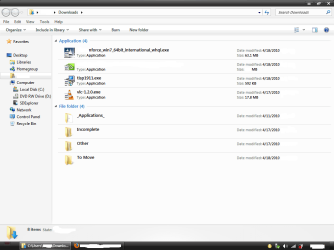
The problem I have am having is that on all of them. All my files (except native windows files ie: windows folder, etc, etc) have icons in the bottom left corner. The icon is the generic unknown file icon for windows 7. The icon is fine, there is just a smaller one in the foreground. It is quite annoying especially on video files the have previews enabled. I have not included a screenshot because I am currently at work, but when I get home, I shall post one. Any info?
PS. I have looked up Windows 7 overlays briefly here at work to no avail.
-I have 2 laptops with Windows 7 Ultimate on them.
-One is 32bit, the other is 64bit.
-I have one desktop that is 64bit.
The problem I have am having is that on all of them. All my files (except native windows files ie: windows folder, etc, etc) have icons in the bottom left corner. The icon is the generic unknown file icon for windows 7. The icon is fine, there is just a smaller one in the foreground. It is quite annoying especially on video files the have previews enabled. I have not included a screenshot because I am currently at work, but when I get home, I shall post one. Any info?
PS. I have looked up Windows 7 overlays briefly here at work to no avail.
My Computer
- Computer Manufacturer/Model Number
- Self Made.
- OS
- Windows 7 Ultimate x64
- CPU
- Athalon 64 x2 6000+
- Motherboard
- Foxconn
- Memory
- 3GB's DDR2 800
- Graphics Card(s)
- XFX 9800GTX+
- Sound Card
- Creative X-Fi
- Monitor(s) Displays
- Dell LCD
- Hard Drives
- Two 1 TB Seagates. (7200RPM)
- PSU
- Thermaltake 1000W Modular
- Case
- Self Made
- Cooling
- Self Made

 Kind-of confusing as to what you mean
  Thanks