Windows 7 Ultimate ram usage

Rob 0

New member
Local time
12:45 PM
Messages
17
Windows 7 Ultimate ram usage

Windows 95/98 used ram, took it away when a program opened and on close would not give it back, until XP came along and saved the day allowing us to abandon that nifty little Ram Booster 2.0 to recover lost memory. Not since those days have I been concerned with Ram usage, I spent 10 years on a Pentium 4 with 512mb of ram running XP to the point of steam coming out its ears, with dozens of applications, for weeks on end without rebooting. My final uptime on that system was 101 days, closing ram usage 435mb.

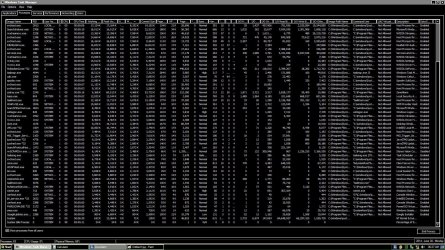
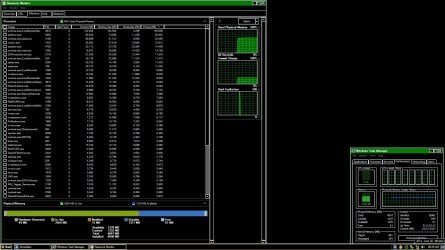
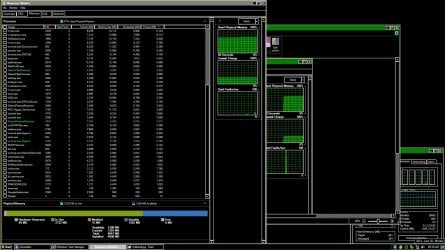
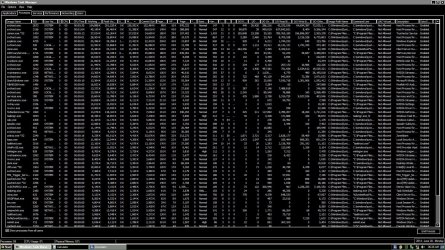
Windows 7 Ultimate under half that load grows from 890mb usage at reboot, to 2.80gb within 12 hours of my normal daily task load as perfected over the previous ten years on 1/8th the ram I have now, using all the same programs, doing all the same things. But now one week into a new, never online build of Ultimate 7 at the end of my day, with not one program still open. Not one background process running. Not one forgotten about app, or misunderstood mechanism. Not one obvious flaw in task manager with all processes showing and generally understood. with not one place left to look, I at the end of just 12 hours of uptime, 1/200th my record uptime, I am missing nearly 2gb of ram. And each new task i perform takes a little bit more away forever. [See Attached]

I am not trying to prevent Windows from using all the ram it needs. I just want it back when it is done. So where did my 2gb of ram go? I used it, it worked fine with no system errors. Now I want it back.

WHERE DID MY RAM GO?
 

Attachments
  • Untitled1.jpg
    Untitled1.jpg
    419.5 KB · Views: 10
  • Untitled2.jpg
    Untitled2.jpg
    412.2 KB · Views: 2
  • Untitled4.jpg
    Untitled4.jpg
    205.9 KB · Views: 8
  • Untitled5.jpg
    Untitled5.jpg
    223.8 KB · Views: 8

My Computer

Computer type
PC/Desktop
OS
7 Ultimate
CPU
Intel Core i7-4790 Haswell 3.6GHz LGA 1150 84W Desktop Proce
Motherboard
MSI Z97-G41 Desktop Motherboard - Intel Z97 Express Chipset
Memory
Crucial Ballistix Tactical 4GB DDR3 SDRAM Memory Module
Graphics Card(s)
GeForce GTX 560 SE
Hard Drives
Western Digital WD Blue WD10EZEX 1TB 7200 RPM 64MB Cache SATA 6.0Gbs 3.5" Internal Hard Drive
I think your RAM usage is completely normal. Windows 7 is not XP but does a perfect RAM management. I don't know what these charts are that you posted so I cannot comment on the content.

May I ask you to post a snip of Process Monitor > Memery tab like the one below. Then we have better information and may be able to give you some educated advice.


2014-06-30_1626.png
 

My Computer

Computer Manufacturer/Model Number
HP, Dell, Gateway, Toshiba - 4 laptops and 2 desktops
OS
Vista, Windows7, Mint Mate, Zorin, Windows 8
CPU
from 1.6GHz Duo to i7
Monitor(s) Displays
2x HP w2207
Hard Drives
5x HDD, 7x SSD, 12x Externals
Keyboard
with trackball - no mices
Mouse
Trackball mice
Internet Speed
DSL 6000
The only thing that is unusual is the Paged and Non Paged Kernel usage which is very high for a system with 4 GB RAM. Typically this would be caused by a driver problem, not likely by a process.
Sorry, but I can't provide much help with that.
 

My Computer

Computer type
PC/Desktop
Computer Manufacturer/Model Number
HP
OS
Windows 7 Pro 64 bit
CPU
Xeon W3520
Memory
8 GB
Graphics Card(s)
Nvidia Geforce 210
May I ask you to post a snip of Process Monitor > Memery tab like the one below. Then we have better information and may be able to give you some educated advice.

This is exactly what I did post in the photos above, they are in a different theme, look harder or be more specific what my Process Monitor photos above are not showing.

Typically this would be caused by a driver problem, not likely by a process.

This is a clean install, never online, using only the stock MSI drivers that came on the instal disk, over written by the updates downloaded from MSI. How likely is it that their drivers are in error here?

---

I do a lot of data processing with large volumes of text files. Nothing different than before though.

Does Ultimate 7 slowly increase in ram usage perhaps, as various systems wake up, then remain awake maintaining their hold on the ram they grabbed to remain instantly fast, to ultimately settle on some number of ram usage that is much higher than my 4gb will allow. My thought is a 5gb OS uses 500mb natively so then would a 25gb OS use 2.5gb natively? What I am asking is over a very long uptime of weeks or months, will this constant increase in ram usage I am seeing eventually level-off at a certain number?

Or perhaps the change I am seeing is one of bits, and tolerances. Is the ram capable 64-bit system naturally hungrier than the 32-bit version of the same OS?
 

My Computer

Computer type
PC/Desktop
OS
7 Ultimate
CPU
Intel Core i7-4790 Haswell 3.6GHz LGA 1150 84W Desktop Proce
Motherboard
MSI Z97-G41 Desktop Motherboard - Intel Z97 Express Chipset
Memory
Crucial Ballistix Tactical 4GB DDR3 SDRAM Memory Module
Graphics Card(s)
GeForce GTX 560 SE
Hard Drives
Western Digital WD Blue WD10EZEX 1TB 7200 RPM 64MB Cache SATA 6.0Gbs 3.5" Internal Hard Drive
The memory usage of any modern OS is highly dynamic. The usage of an individual process can vary by a factor of 100 and more. I have seen this. This is completely normal. It is not at all unusual for the memory usage of an OS to increase during a session. The file cache will grow and the working set of active processes can grow. The system manager will always maintain control over memory usage, always with the goal of maximizing performance.

A 64 bit OS is a larger and more capable OS with higher memory requirements. To make it possible to run 32 bit applications it must include substantial portions of a 32 bit OS. The similar user interface hides the fact that internally a 32 bit and 64 bit OS are very different.

As I mentioned previously the 960 MB paged kernel memory usage seems very high. How much this will increase RAM usage is hard to say. Nothing in Task Manager or Resource Monitor will tell you this. It would be highly unusual to say the least for a process to be responsible for this. Task Manger doesn't show this. All that is left is either a driver issue or malware.
 

My Computer

Computer type
PC/Desktop
Computer Manufacturer/Model Number
HP
OS
Windows 7 Pro 64 bit
CPU
Xeon W3520
Memory
8 GB
Graphics Card(s)
Nvidia Geforce 210
I apologize but I could not read your Peocess Monitor pictures. I am half blind and pictures with a black background like those are compltely unreadable for me.
 

My Computer

Computer Manufacturer/Model Number
HP, Dell, Gateway, Toshiba - 4 laptops and 2 desktops
OS
Vista, Windows7, Mint Mate, Zorin, Windows 8
CPU
from 1.6GHz Duo to i7
Monitor(s) Displays
2x HP w2207
Hard Drives
5x HDD, 7x SSD, 12x Externals
Keyboard
with trackball - no mices
Mouse
Trackball mice
Internet Speed
DSL 6000
a black background like those are completely unreadable for me.

And vice-versa for me. As you may know you can invert colors of most pictures in Photoshop, to make black backgrounds pure white and their white text pure black.

Task Manger doesn't show this. All that is left is either a driver issue or malware.

Or super-prefetch... "In order to increase the performance of Windows 7, the priority of superfetch has been slightly reduced." meaning superfetch will auto cache your known programs in the automated-presumption that you will run them regardless of reality. It will not do this immediately, but rather slowly, incrementally, and irrevocably taking away ram for no known or registerable reason? I am asking. Is this superfetch, a component absent in ram stable XP at work? Because I have no need to save a little time at load up at this cost.
 

My Computer

Computer type
PC/Desktop
OS
7 Ultimate
CPU
Intel Core i7-4790 Haswell 3.6GHz LGA 1150 84W Desktop Proce
Motherboard
MSI Z97-G41 Desktop Motherboard - Intel Z97 Express Chipset
Memory
Crucial Ballistix Tactical 4GB DDR3 SDRAM Memory Module
Graphics Card(s)
GeForce GTX 560 SE
Hard Drives
Western Digital WD Blue WD10EZEX 1TB 7200 RPM 64MB Cache SATA 6.0Gbs 3.5" Internal Hard Drive
meaning superfetch will auto cache your known programs in the automated-presumption that you will run them regardless of reality. It will not do this immediately, but rather slowly, incrementally, and irrevocably taking away ram for no known or registerable reason?

No.

Superfetch is often misunderstood. Superfetch does cache applications that have been identified as being frequently used. But there are 2 very important things that need to be understood.

1. Superfetch uses low priority IO so there should be only minimal impact on other IO.

2. Superfetch stores it's data in Standby memory. This memory serves a dual role. It contains useful data, in this case that used for superfetch. But this memory is also available for use by any application that needs it. When an application needs memory the system first goes to free memory and when that is insufficient it goes to the Standby list. In Vista and later the Standby list is actually 8 prioritized lists, that used for Superfetch being the lowest 2 in priority. So when the system goes to the Standby list superfetch data will be the first to go. Memory used for Superfetch is shown in the the Task Manager memory graph as being unused. But in reality all memory except for that labeled as Free is actually in use.

The description here might seem complex but is actually very much simplified.

Bottom line: Superfetch does not take away from memory available for application use.
 

My Computer

Computer type
PC/Desktop
Computer Manufacturer/Model Number
HP
OS
Windows 7 Pro 64 bit
CPU
Xeon W3520
Memory
8 GB
Graphics Card(s)
Nvidia Geforce 210
The description here might seem complex but is actually very much simplified.
That was a very good explanation. I can confirm initially that running through my usual day with Superfetch off I have both NOT noticed any change in performance, nor seen absolute proof this is my solution. Ram usage seems less, I have yet to approach 2gb usage, but have steadily, and irrevocably gained usage despite NOT being able to justifying this loss with an increase in open programs.

7 Ultimate is consuming my ram for unseen reasons. This i do know for certain. And having provided all valid details above, and received no stick-shaking suggestions, I wait and hope someone else sees this problem and its solution.

In the meantime Superfetch stays off.
 

My Computer

Computer type
PC/Desktop
OS
7 Ultimate
CPU
Intel Core i7-4790 Haswell 3.6GHz LGA 1150 84W Desktop Proce
Motherboard
MSI Z97-G41 Desktop Motherboard - Intel Z97 Express Chipset
Memory
Crucial Ballistix Tactical 4GB DDR3 SDRAM Memory Module
Graphics Card(s)
GeForce GTX 560 SE
Hard Drives
Western Digital WD Blue WD10EZEX 1TB 7200 RPM 64MB Cache SATA 6.0Gbs 3.5" Internal Hard Drive
Can I ask. Are you having performance problems? Or any problems affecting your from using the system as is?
 

My Computer

Computer type
PC/Desktop
Computer Manufacturer/Model Number
Alienware Aurora ALX R4
OS
Windows 10 Pro (x64)
CPU
Intel Core i7-3930K (3.2GHz - 4.5GHz)
Motherboard
Alienware Aurora-R4 x79
Memory
4x Samsung 4GB PC3-12800 DDR3 (16GB 1600MHz)
Graphics Card(s)
Nvidia Geforce GTX 690
Sound Card
SteelSeries Siberia Elite
Monitor(s) Displays
Dell UltraSharp U3011
Screen Resolution
2560x1600
Hard Drives
Samsung 850 Pro 256 GB, Seagate 1TB Desktop Hybrid HDD, 2x Western Digital 4TB Green HDD
PSU
875W Some Dell PSU <.<
Case
Alienware Aurora ALX
Cooling
Custom Liquid Cooling (EK CPU & GPU blocks) dual EK 480RAD
Keyboard
Logitech G710+ Mechanical
Mouse
Logitech G700s
Internet Speed
Verizon Fios (50 mbps average)
Other Info
Server: Intel NUC D54250WYK: i5-4250U, 16GB, 256 GB mSATA, Windows Server 2012 R2
RAM Usage

As far as I can work out the answer supplied by Joey T Jet here is about right:

Windows 7 High ram usage after some time - Microsoft Community

On the other hand if you want something like RAM Booster that you were using before you could try MZ RAM Booster and set it to recover RAM as per whatever settings you choose to apply. However since Windows releases RAM on an as and when needed basis - I guess that using such software is a waste of time.
 

My Computer

Computer type
Laptop
Computer Manufacturer/Model Number
ASUS
OS
Microsoft Windows 7 Home Premium 64-bit 7601 Multiprocessor Free Service Pack 1
CPU
AMD C-60 APU with Radeon(tm) HD Graphics
Motherboard
ASUSTeK COMPUTER INC. X501U
Memory
4.00 GB
Graphics Card(s)
AMD Radeon HD 6290 Graphics
Sound Card
(1) AMD High Definition Audio Device (2) Realtek High Defi
Screen Resolution
1366 x 768 x 32 bits (4294967296 colors) @ 60 Hz
Hard Drives
Hitachi HTS545050A7E380 SATA Disk Device
Antivirus
Comodo CIS & FW, SecureAplus App Whitelisting, Threatfire
Browser
Cyberfox 64bit, Opera 64bit, Airfox
Other Info
Spy-The-Spy, HitmanPro.Alert, Norton Connect Safe, MJRegWatcher, BitDefender TrafficLight, Voodoo Shield, Zemana AntiMalware
Please do not use any kind of RAM booster, optimizer, cleaner, etc. Windows 7 has excellent memory management and has no need of and will not benefit from these products. Windows is more than capable of recovering memory on it's own, when it is needed. David Solomon and Mark Russinovich, both well known Windows experts, were high critical of these programs in the Microsoft publication "Windows Internals", 5th edition.

The only very dubious benefit of these programs is to make the numbers in Task Manager more attractive to those who do not understand them.
 

My Computer

Computer type
PC/Desktop
Computer Manufacturer/Model Number
HP
OS
Windows 7 Pro 64 bit
CPU
Xeon W3520
Memory
8 GB
Graphics Card(s)
Nvidia Geforce 210
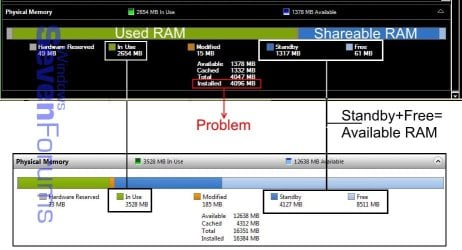
Here is a snip of your resmon and mine together. Notice the In Use figures aren't much different, I only had IE11 with one tab open at the time. Note what Available RAM is, processes can and do share it if it's needed. The same with Windows, it only caches RAM unless it's needed by another process.

In you resource Manager/Memory tab, click on the Private(KB) column to sort the highest figure to the top. This will let you see better what is using RAM that can't be used for anything else.

One problem I see is you have only 4GB RAM installed, possibly in only one module. The sweet spot is 8GB with 16GB being very common, as I have. I would recommend upgrading RAM to at least 8GB, preferably as a 2x4GB matched kit to run in dual channel mode.

I have maxed out my 16GB but only while running benchmarks since I do crazy overclocking.

resmon.JPG
 

My Computer

Computer type
PC/Desktop
Computer Manufacturer/Model Number
Home Built Desktop By DataTech
OS
Windows 7 Ultimate X64 SP1
CPU
Intel i5-2550K, Differing ~4.4-4.8GHz No built in GPU
Motherboard
ASUS P8Z68-V PRO/GEN3
Memory
16GB G.Skill Sniper 1866MHz @ 2133MHz 2x8GB
Graphics Card(s)
ASUS GTX650TIB-DC2OC-2GD5, (650TI Boost)
Sound Card
Onboard Realtek 5-1
Monitor(s) Displays
Samsung P2570HD
Screen Resolution
1920x1080
Hard Drives
Samsung 840 Pro 256GB SSD for OS, 500GB Seagate Constellation (Enterprise drive) for Data
PSU
Corsair HX650W
Case
Inwin Dragon Rider
Cooling
Hyper 212 EVO w/two Noctua fans, push-pull, @1300 RPM
Keyboard
E-Z Eyes, bright yellow keys with large characters
Mouse
steelseries SENSEI Laser Pro Gaming
Internet Speed
48-51Mbs Mbs down, 11 Mbs up Xfinity Cable
Antivirus
Norton Internet Security 2013
Browser
IE 10, Opera, Pale Moon if needed
Other Info
4 case fans, LG BluRay-RE, ASUS DVD-RW, Mr. Fusion power supply, 1.21 gigawatts.
The first lesson I learned when I went to Windows 7 from XP; DON'T try to tweak Windows 7 like we did in XP. Forget about how XP tweaks. It's dead and gone. RIP.

Window 7 will manage the ram better than the whole of us will ever do.
Just let Windows 7 do the job it was designed to do.
The only improvement we as mortals can do to help Windows 7 with ram management is add more ram.
If one has a problem with a program eating up ram or bleed ram it not a ram problem. It's a program problem.
A clean shut down and boot will also help Windows 7 manage the ram.
It is still legal to shut down a computer without using sleep or hibernation.
Try it and Windows 7 will thank you.
 

My Computer

Computer type
PC/Desktop
Computer Manufacturer/Model Number
Home made Desktop
OS
Windows 10 Pro. 64/ version 1709 Windows 7 Pro/64
CPU
Intel i7-6800K @ 4.3
Motherboard
ASUS X-99 Deluxe II
Memory
Corsair Platinum 16 gig @2400
Graphics Card(s)
EVGA GTX 1070 OC
Monitor(s) Displays
Asus 27" LED LCD/VE278Q
Screen Resolution
1920-1080 or 1280-720 HDMI
Hard Drives
INTEL SSD 730-240 Gb Sata 3.0/
PSU
EVGA Platium 1200W
Case
Phanteks Luxe Tempered Glass 8 fans/ one radiator
Cooling
XSPC/ Water Cooled CPU
Keyboard
Das 4 Professional
Mouse
Logitech M705/MX Anywhere 2-S
Internet Speed
100 mbits
Antivirus
Microsoft Security Essentials/ Malwarebytes Premium 3.0/ SAS
Browser
I.E. 11 default/Firefox/ ISP Time Warner Cable/Spectrum
Other Info
LG BluRay Burner/
Sound system-KLipsch-THX/
Icy Dock ssd Hot Swap bays.
Well said Layback Bear, I never leave a system up for 101 days. I reboot at least once a day, maybe more often. Rebooting is beneficial to a Windows system, even was with eXPired systems..
 

My Computer

Computer type
PC/Desktop
Computer Manufacturer/Model Number
Home Built Desktop By DataTech
OS
Windows 7 Ultimate X64 SP1
CPU
Intel i5-2550K, Differing ~4.4-4.8GHz No built in GPU
Motherboard
ASUS P8Z68-V PRO/GEN3
Memory
16GB G.Skill Sniper 1866MHz @ 2133MHz 2x8GB
Graphics Card(s)
ASUS GTX650TIB-DC2OC-2GD5, (650TI Boost)
Sound Card
Onboard Realtek 5-1
Monitor(s) Displays
Samsung P2570HD
Screen Resolution
1920x1080
Hard Drives
Samsung 840 Pro 256GB SSD for OS, 500GB Seagate Constellation (Enterprise drive) for Data
PSU
Corsair HX650W
Case
Inwin Dragon Rider
Cooling
Hyper 212 EVO w/two Noctua fans, push-pull, @1300 RPM
Keyboard
E-Z Eyes, bright yellow keys with large characters
Mouse
steelseries SENSEI Laser Pro Gaming
Internet Speed
48-51Mbs Mbs down, 11 Mbs up Xfinity Cable
Antivirus
Norton Internet Security 2013
Browser
IE 10, Opera, Pale Moon if needed
Other Info
4 case fans, LG BluRay-RE, ASUS DVD-RW, Mr. Fusion power supply, 1.21 gigawatts.
Back
Top