Windows 7 Ultimate where to install, 3 disk partitions...

TheGardenPixy

New member
Local time
5:48 AM
Messages
3
I'm trying to install Windows 7 the problem is I don't know where to install it so that it installs over my existing OS. During installation this is what it reads:

Disk 0 Partition 1 Total Size: 12.0 Free Space: 11.9 Type: OEM (Reserved)
Disk 0 Partition 2 Total Size: 101.0 Free Space: 63.0 Type: System
Disk 0 Partition 3 Total Size: 136.9 Free Space: 61.8 Type: Primary

If I highlight Partition 1 it says: Windows cannot be installed to this hard disk space. The partition was reserved by the computer's Original Equipment Manufacturer (OEM).

If I highlight Partition 2 it says: The selected partition requires at least 7974 free space.

I'm assuming I have to install it on partition 3 but I'm just making sure...any help appreciated.

Also would like to know if I can and/or should delete any of those previous partitions...I read in one of the threads on here:

"If you don't want to keep any partitions but also don't have a new partition scheme in mind, just click Next after Deleting all to let the installer create and format your installation partition for you."

Just want to know if that's safe

Screen shot from computer mangement:

 
Last edited:

My Computer My Computer

At a glance

Windows 7 Ultimate x64
OS
Windows 7 Ultimate x64
If you do not need your old OS, delete all partitions

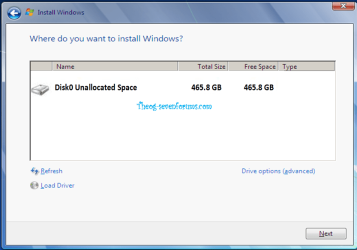
Windows 8 Downgrade-007 SB.PNG

Windows 8 Downgrade-008 SB.png

& make new in Drive options.
 
Last edited:

My Computer My Computer

At a glance

ME/XP/Vista/Win7
OS
ME/XP/Vista/Win7
"If you do need your old OS, delete all partitions"

Do I need my old OS if I want to install one over it? Here is a screen shot:


Thank you for the reply
 

My Computer My Computer

At a glance

Windows 7 Ultimate x64
OS
Windows 7 Ultimate x64
I think Theog meant to say: If you DON`T need your old os delete all partitions.

But if you want to save your recovery partition, then reinstall windows to partition 3. Make sure you format it 1st. ( but windows should do this automatically ) highlight the partition then click drive options to format.

Only format partition 3.

Have you backed up your data b4 you reinstall ?

Look at your shot of disk management, your current operating system is on C: 136 GBs
 

My Computer My Computer

At a glance

Windows 10 Pro x64Intel Core i7 6700KGSkill TridentZ RGB 16GB 3600 16-16-16-36EVGA GTX 980 Ti SC x2
Computer type
PC/Desktop
Computer Manufacturer/Model Number
Skylake Special #666
OS
Windows 10 Pro x64
CPU
Intel Core i7 6700K
Motherboard
Asus Sabertooth Z170 Mark 1
Memory
GSkill TridentZ RGB 16GB 3600 16-16-16-36
Graphics Card(s)
EVGA GTX 980 Ti SC x2
Sound Card
Realtek High Definition
Monitor(s) Displays
AOC G2460PG
Screen Resolution
1920 x 1080 144Hz
Hard Drives
Samsung 860 Pro 256GB, Seagate Barracuda 4TB x2
PSU
EVGA 1000 P2, EVGA White Custom Braided Cables
Case
Corsair Vengeance C70 Gunmetal Black
Cooling
Corsair H100i v2, Corsair ML120 x2, Thermal Grizzly Kryonaut
Keyboard
Logitech G910 Orion Spectrum
Mouse
Logitech G700s
Internet Speed
Verizon Fios Quantum Gateway 75/75
Antivirus
Windows Defender, Malwarebytes Free 3.8.3
Browser
Chrome
Other Info
Corsair SP120 x4, LG Blu-ray Drive, Durabrand HT-395 100 Watt Dolby Digital Amp, Corsair H2100 Wireless 7.1 Headset
Thank you for the clarification. Will do as you say.

No I haven't backed up anything since the laptop was a handy me down and I don't want or feel as though I need anything on it. Just want it to be as if I had just bought it.

Thank you
 

My Computer My Computer

At a glance

Windows 7 Ultimate x64
OS
Windows 7 Ultimate x64
You should get your ethernet ( network ) driver now, b4 you reinstall. Go to the manu. website and download it to a flashdrive.

I say this because someone just had to do this ( on an HP ) because windows did not install it.
 

My Computer My Computer

At a glance

Windows 10 Pro x64Intel Core i7 6700KGSkill TridentZ RGB 16GB 3600 16-16-16-36EVGA GTX 980 Ti SC x2
Computer type
PC/Desktop
Computer Manufacturer/Model Number
Skylake Special #666
OS
Windows 10 Pro x64
CPU
Intel Core i7 6700K
Motherboard
Asus Sabertooth Z170 Mark 1
Memory
GSkill TridentZ RGB 16GB 3600 16-16-16-36
Graphics Card(s)
EVGA GTX 980 Ti SC x2
Sound Card
Realtek High Definition
Monitor(s) Displays
AOC G2460PG
Screen Resolution
1920 x 1080 144Hz
Hard Drives
Samsung 860 Pro 256GB, Seagate Barracuda 4TB x2
PSU
EVGA 1000 P2, EVGA White Custom Braided Cables
Case
Corsair Vengeance C70 Gunmetal Black
Cooling
Corsair H100i v2, Corsair ML120 x2, Thermal Grizzly Kryonaut
Keyboard
Logitech G910 Orion Spectrum
Mouse
Logitech G700s
Internet Speed
Verizon Fios Quantum Gateway 75/75
Antivirus
Windows Defender, Malwarebytes Free 3.8.3
Browser
Chrome
Other Info
Corsair SP120 x4, LG Blu-ray Drive, Durabrand HT-395 100 Watt Dolby Digital Amp, Corsair H2100 Wireless 7.1 Headset
edit.
 

My Computer My Computer

At a glance

ME/XP/Vista/Win7
OS
ME/XP/Vista/Win7
If you keep the Recovery partition, it may or may not run afterwards. If it boots from F8 then it will not run and you can delete it.

Make your Recovery disks first so you have a path back to factory condition. This may affect your decision whether or not to save the Recov partition.

If you decide to keep it, then delete the second and third partitions so that Win7 installer will create a new functional System Reserved partition rather than just leave the old one non-functioning wasted space.

There are other steps here to assure you get a perfect Clean Reinstall - Factory OEM Windows 7
especially how drivers are handled in Win7 which is different than before.
 
Back
Top