Windows 7 Universal Installation Disc - Create

How to Create a Windows 7 Universal Installation Disc

Introduction

For Windows users who installed or upgraded Windows Vista, there is one big difference that will be immediately noticed when installing or upgrading to Windows 7: The Windows 7 installation wizard no longer prompts, or asks, for the user to select which edition of the operating system to install. Instead, each Windows 7 DVD disc will automatically install the specific edition which it’s limited to. So a Windows 7 Home Premium disc will only install Windows 7 HP, a Pro disc will only install Pro, etc.

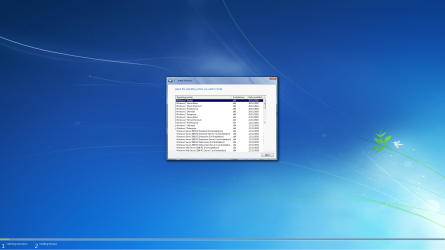
Although Microsoft does not provide any such universal Windows 7 installation media, the function is indeed feasible. (see Screenshot below) A disc such as this can be especially helpful to PC technicians, IT staff, and the like who need to reinstall Win7 frequently. Remember you will still need a valid license key specific to the version you are installing. In addition, Microsoft has eliminated the differences between the retail and OEM install discs with Windows 7, so this disc can be used to reinstall Win7 on PC’s where the owner has lost, or is unable to find, the OEM restore discs. In order to create such a disc; just delete and remove the ei.cfg from any Windows 7 ISO to convert that image into a universal disc for all editions of Windows 7.
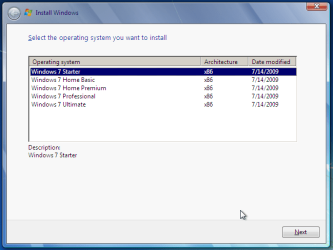
Win7 Universal Install Disc SS.PNG


STAGE 1 UNIVERSAL DVD - ALL 32 OR 64 BIT ON 1 DVD

For any user who has the Windows 7 install DVD or ISO and wishes to make a universal installer disc now there is an easier way to modify the ISO. Normally this was accomplished by manually unpacking and extracting the contents of the ISO image (or copying files from DVD to HDD), deleting the ei.cfg and then repacking the installation files back into an ISO to burn. Users can now eliminate these tedious procedures by making use of the “ei.cfg Removal Utility”.

The ei.cfg Removal Utility is a simple tool that will disable the ei.cfg from any Windows 7 ISO disc image, thereby converting the image into a “universal disc” that will prompt the user to select their preferred edition during setup. The ei.cfg Removal Utility works directly to patch the ISO image, by toggling the deletion bit in the UDF file table to instruct the operating system to ignore and remove ei.cfg, or treat it as if it does not exist. Best of all, the ei.cfg Removal Utility can reverse the patching to restore the ISO disc image to its original state when the tool is been used to apply on a disc image that previously been patched by the utility.

The ei.cfg Removal Utility is a standalone portable app, and requires no installation. In fact, the program does not have much of a user interface at all. Simply selecting the target Windows 7 ISO, and the disc image (ISO) will be patched right away. So make sure a backup copy of your ISO is created beforehand.

Download the ei.cfg Removal Utility here:eicfg_removal_utility.zip


STAGE 2 UNIVERSAL DVD - ALL 32 AND ALL 64 BIT ON 1 DVD

I was amazed at how easy it is to merge Win7 x86 and Win7 x64 editions (DVDs) in a single DVD or 4GB USB. The process is pretty simple, you need a copy of both any 32 bit and any 64 bit Windows 7 install DVD or ISO. Either copy the DVD's contents to a folder on a HDD, or extract the ISO's contents to a folder. Run 4 commands from the prompt, then create and burn your new Universal install DVD/USB.


Requirements:

  1. WAIK (Windows Automation Installation Kit) Download WAIK
  2. Windows Win7 x86 and Windows Win7 x64 DVDs.
  3. An application that can extract the files from an ISO (if using a downloaded ISO). I use WinRAR, but many apps can do this extraction.
  4. An application that allows you to build a new iso or create a bootable DVD/USB. I use UltraISO for this.
  5. Single Layer DVD, compatible DVD Burner and, of course DVD burning software… or a 4GB USB flash drive.
We will merge the four Windows 7 x64 editions into the Win7 x86 DVD contents, because Win7 x64 DVD has 64-bit content that can’t run some of the Win32 installation components.


Getting Started


1. Install WAIK in your Windows (doesn’t matter you are running Win7 or Windows XP)

2. Make two folders, in my examples I use Win7_64 and Win7_32. Now copy both Windows 7 x64 and x86 DVDs contents into their respective folders. Or extract your downloaded ISO’s into their respective folder.

   Note
If copying files over from a DVD to the above folders, you actually only need the Sources\install.wim file from the Windows 7 x64 DVD.


3. Run WAIK command prompt (Run as Administrator if UAC enabled):
Start à All Programs àWindows AIK àWindows AIK and PE Command Prompt

4. Each and every Win7 edition has an index no. in the install.wim (WIM file), you can check using the following command:
Code:
Imagex/info G:\Win7_32\Sources\install.wim
   Note
Where G:\Win7_32 represents the location of your 32 bit DVD files
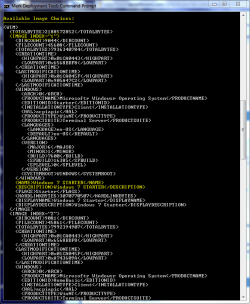

Win7 Universal Install Disc cmd 1.PNG

The results will look something like above.
This shows that INDEX=1 denotes Windows 7 Starter and so on… (you may have to scroll down to observe these entries)

5. We will use the Imagex /export command to move our x64 WIM entries into the x86 wim file.
   Note
The syntax for this command is:
   Note

imagex /export src_file src_number src_name dest_file dest_name


Now execute the following commands with appropriate INDEX no. to export a copy of the specified image to the Windows 7 32bit (x86) WIM file.

For Win7 Home Basic x64:
Code:
Imagex/export G:\Win7_64\Sources\install.wim 1 G:\Win7_32\Sources\install.wim "Windows 7 Home Basic (x64)"
For Win7 Home Premium x64:
Code:
Imagex/export G:\Win7_64\Sources\install.wim 2 G:\Win7_32\Sources\install.wim "Windows 7 Home Premium (x64)"
For Win7 Professional x64:
Code:
Imagex/export G:\Win7_64\Sources\install.wim 3 G:\Win7_32\Sources\install.wim "Windows 7 Professional (x64)"
For Win7 Ultimate x64:
Code:
Imagex /export G:\Win7_64\Sources\install.wim 4 G:\Win7_32\Sources\install.wim "Windows 7 Ultimate (x64)"
6. After execution of above commands Win7_32's WIM file will be the universal WIM file that contains all version of Win7. You can export only desired versions into the image. For example you could make a Win7 DVD, which includes Win7 Ultimate x86 and x64 version only.

7. Now to make bootable DVD image...


Last edited by a moderator:

My Computers

System One System Two

  • Computer type
    PC/Desktop
    Computer Manufacturer/Model Number
    ALWAYS UNDER CONSTRUCTION
    OS
    Windows 11 Pro
    CPU
    Ryzen 9 5900X
    Motherboard
    Asus X570 Crosshair Viii Hero
    Memory
    32GB G Skill DDR4-3600
    Graphics Card(s)
    EVGA RTX 3080 FTW 3 Ultra
    Sound Card
    On Board/Sennheiser PC37X Headset
    Monitor(s) Displays
    3 X Asus 27"
    Screen Resolution
    2560x1440
    Hard Drives
    2 X 1 TB NVME drives
    PSU
    EVGA 850
    Case
    Phanteks Eclipse P400A
    Cooling
    EVGA 280 AIO
    Keyboard
    Logitech G510s/ Logitech G13
    Mouse
    Logitech G502
    Internet Speed
    24/1
    Antivirus
    ESET/MBAM Pro/SAS Pro
    Browser
    Chrome/ Firefox/ Edge
  • Computer type
    Laptop
    System Manufacturer/Model Number
    Dell 16 Plus
    OS
    Windows 11 Pro
    CPU
    Intel Ultra 9 288V
    Memory
    32 GB LPDDR5X 8533
    Monitor(s) Displays
    16" Mini-LED HDR600 Touch 90 Hz
    Screen Resolution
    2560X1600
    Hard Drives
    1 TB NVME

My Computers

System One System Two

  • Computer type
    PC/Desktop
    Computer Manufacturer/Model Number
    ALWAYS UNDER CONSTRUCTION
    OS
    Windows 11 Pro
    CPU
    Ryzen 9 5900X
    Motherboard
    Asus X570 Crosshair Viii Hero
    Memory
    32GB G Skill DDR4-3600
    Graphics Card(s)
    EVGA RTX 3080 FTW 3 Ultra
    Sound Card
    On Board/Sennheiser PC37X Headset
    Monitor(s) Displays
    3 X Asus 27"
    Screen Resolution
    2560x1440
    Hard Drives
    2 X 1 TB NVME drives
    PSU
    EVGA 850
    Case
    Phanteks Eclipse P400A
    Cooling
    EVGA 280 AIO
    Keyboard
    Logitech G510s/ Logitech G13
    Mouse
    Logitech G502
    Internet Speed
    24/1
    Antivirus
    ESET/MBAM Pro/SAS Pro
    Browser
    Chrome/ Firefox/ Edge
  • Computer type
    Laptop
    System Manufacturer/Model Number
    Dell 16 Plus
    OS
    Windows 11 Pro
    CPU
    Intel Ultra 9 288V
    Memory
    32 GB LPDDR5X 8533
    Monitor(s) Displays
    16" Mini-LED HDR600 Touch 90 Hz
    Screen Resolution
    2560X1600
    Hard Drives
    1 TB NVME
Thanks essenbe - many moons ago, I did download and use the SP1 installer - it didn't work. I didn't try an update reset. However, I did come across some evidence that M$ had been working on tools to overcome similar issues to mine and it may have been one of those that gave me success (I did add an update to my last post detailing my experience a couple of hours ago). One of the problems identified by M$ is that failure can occur if a driver cleaner (or similar) has deleted a driver without updating the 'manifest' - their remedy was released in 2014. Clearly the stumbling blocks were many and varied but now Win10 upgrading is on the table for many pre-SP1 users, more are going to find it necessary to overcome these old problems.
 

My Computer

Computer type
PC/Desktop
OS
Vista, Win7 Starter, Win 7 Pro, Win 10 64bit
hey guys... I read the guide and I created a disc that has all installations, x86 and x64, and I can see that it is loaded with all installations if I launch the DVD from inside a desktop. Unfortunately, I can't boot to it. It is skipped and Windows is loaded. The two I made that have just x86 Windows 7 installations, the other being x64, both boot fine and work great with the cfg remover utility.

Like I said, the disc runs fine on my desktop environment in Windows 10, I just can't get any machine to boot to it.
 

My Computer

Computer type
PC/Desktop
OS
Windows 7 Professional x64
You can only activate the version you have the activation key for; but you can use the info in this tutorial to install and explore any version for up to 120 days.


Activation Trial Period - Extend Up to 120 Days

Dead link?

THe nice thing is any Win7 DVD can be used as there is no connection between the disc and the install on an OEM PC. Its all in the Key now, so this AIO DVD is best for an IT person or PC Repair person... one disc many versions, all you need is the sticker on the side of any OEM PC with the Key!

Except enterprise version, you still need the seperate DVD or ISO of it to have it in just like with 2k8?

You can make the install media from the files on the recovery partition. It shouldn't be too hard - but again - the average user wouldn't be able to.

Wait you can do that?? I thought that was not possible?!

I have tried doing that, but you can not.
If you are going to include both 32bit and 64bit images to the AIO, then the base image needs to be 32bit.

You will need to make both a 64bit and 32bit AIO if you want both Repair environments.
There would then be no point in trying to add them through a WAIK built PE or something.
This would be easier in the long run.

Yeah, that is a pain in the butt, but, if you use a large enough USB Drive and the leave the AIO's as ISO's you can then use GRUB4DOS, size and being split like that won't matter, you could have everything on one drive. IMO, CD/DVD disks are almost an outdated resource for this kind of thing. Almost, if not all modern PC's will boot a USB stick/drive.

So how does the recovery environment work with Hoopstar's AIO version when something breaks and windows boots into that mode but requires the disc to make anything work?

Hi Ton,

You should have a boot.wim.

That is the bit which loads into memory. From there you can use the 32 bit recovery options, or you can install any edition/bit version that you put into install.wim.

If you want to have the 64 bit recovery options as well , then you can include another bootable wim in the "sources" directory ( either boot.wim from the 64 bit install dvd , or winre.wim off your 64 installation hard drive).

Name it something else , e.g REC64.WIM, then add an entry to bcd to point at it.

You got a tutorial on that? I would also like to create an AIO that also includes both 32-bit and 64-bit recovery environments using Hoopstar's version.

is there a comand for add the Enterprise versions? it would be great...

Follow Hoopstar's instructions, supposedly does what you need...

Unfortunately, it seems that you have to do a separate disc for enterprise and one for all other versions. I think it has to do with enterprise being a volume license release only...with the others being oem/retail.

Nope, Hoopstar apparently did an AIO that included that (both 32 bit and 64 bit) and even 2k8 on one disc!

I tried that from, I think your info? But it didn't work.
I lost the link, can you repost it?

Yes, I'd like to try out this too and add in a recovery mode and a repair install mode to the Hoopstar's AIO version...

This ALLINONE X86 and X64 disk is actually the WIN7 X86 install disk with X64-WIM files injected.
You can't enter "recovery environment" to repair a x64 win7 installation. Are you aware of that problem?

Maybe you can modify tutorial with a TIP:


   Tip

  • Use X86 and X64 ISO's with same patchlevel. For example both SP1. Just to prevent confusion.
  • Use X86 and X64 ISO's with same language. For example both spanish. Just to prevent confusion.
  • Use latest patchlevel, for example SP1. With SP1 included you can also do "upgrade install" from a machine running WIN7 RTM. It saves you a lot of time downloading windows updates as well.

For ISO location: Official Windows 7 SP1 ISO from Digital River « My Digital Life

According to angry birds picture dude (I forgot his name...) he says its possible to also include recovery and repair environments for both 32 and 64-bit on one disc, but of course conveniently left out the instructions to do so...

Yes that works!
But this is an easier method
Download x86 and x64 ISO. remove ei.cfg from both ISO's
install http://www.joshcellsoftwares.com/2011/09/winaio-maker-professional-all-in-one.html
and use the autoAIO option (check x64 Recovery Mode). Works perfectly!

Is that the instructions to add recovery and repair modes onto the AIO disc? Site appears to be dead.....welp, there goes my chance of creating an AIO install disc with recovery and repair modes integrated....

If you already have the folders on your HD - just browse to each of the install.wim's

I have been making AIO's with 64 repair install included by hand - it's pretty easy -I even started to make a liitle app. to do the job.

Looks like someone has done it already.

Ah, there you are - angry bird picture dude; where is the tutorial with noob friendly steps????

I found something very interesting on Google. Someone has created a 50 in 1 Windows 7 DVD. I'm wondering how to do it. I made a disc before with both x86 and x64 all editions, no problem. I noticed someone had created a disc with both 7 and server 2008. I want to create something more complicated with a USB or HDD Drive. I want to have a external drive with the following OSes. Basically I just want to combine all the variant versions of the 7. I'm hopefully someone could have me a hint. Thanks.

Vista x86
Vista x64
Vista x86 SP1
Vista x64 SP1
Vista x86 SP2
Vista x64 SP2
Vista x86 Dell edition
Vista x64 Dell edition
Windows 7 x86
Windows 7 x64
Windows 7 x86 SP1
Windows 7 x64 SP1
Windows 7 x86 Dell edition
Windows 7 x64 Dell edition
Windows 7 x86 Chinese
Windows 7 x64 Chinese
Windows 7 x86 Spanish
Windows 7 x64 Spanish

Holy crap - 50 in 1 disc install media??! That must be a monster disc! What operating systems were included in this 50 in 1 install disc?

Ok, I was not sure, that is why I added mine. Never hurts to ask to clarification. Do you by chance know the answer that I am looking for. Before I burn my disk, I would like to make it complete, including Enterprise 32/64 so its all on the disk if its possible. Thanks

Did you follow Hoopstar's instructions?

Brink,
Thanks for your reply. Damn EULA!:devil:
You would think Microsoft would make it avalable on technet, for use I mean clean iso's are the only reason I dropped the $400.00 to join.
[rant]
Of course a couple of months after I joined they announce that they are discontinuing the program. I feel like screeming "I just want to help people who use your software"
jeez. I have been win MS os's since dos but I am about done. esp with the XPocolypse comming. I think i will start encouraging people to switch to linux maybe Mint-MATE LTS seems like 7 is just as susceptable as XP to malware...of course if everyone goes to Linux then I am sure you will start seeing malware there.
[/rant]

Actually with Linux type kernels, you need to *specifically* run the malware for malware to run or else it'll never run even if you have it right in front of you. I guess this would apply to terminal only linux flavours, for gui, I guess double clicking the infected file would be enough for it run...but the malware would have to be designed to run on all linux flavours and nt just say linux mate or else what if you got puppy linux but the malware only works on linux mate? Well shit, lol malware distributor fail.

Thanks to all, I have been inspired, now I want to try to put all versions of Win7 and Server 2008R2 on one disk (or USB Drive)... has this been tried by anyone?

Yes, look at Hoopstar's post...

All Windows 7 ISO's can be universal.

Jerry

Except enterprise, you still need its seperate ISO along with both 32-bit and 64-bit flavours in combination with a copy of any two other win7 varient for 32-bit and 64-bit, apparently. So you need 4 (5 or 6 if you wanna include 2k8 - cant remember if theres a 32-bit flavour of 2k8 or not...) ISOs for a universal win7 install disc that includes both 32-bit and 64-bit versions.
 

My Computer

Computer type
PC/Desktop
Computer Manufacturer/Model Number
custom build
OS
The one I am using to register is my Windows 7 Professional x64 one.
CPU
Intel Core i7-3970x
Motherboard
Asus Rampage 4 Extreme
Memory
Cosair Dominator Platinum
Graphics Card(s)
2x eVGA GTX 770 4GB CLassified with ACX cooler
Antivirus
I have KIS 2016 which is an internet security suite....?
Browser
Fiefox
Why are you quoting 11-year-old posts? most people have moved on to modern OS's years ago!!!
 

My Computer

Computer type
PC/Desktop
OS
Windows 11
Why are you quoting 11-year-old posts? most people have moved on to modern OS's years ago!!!

Because I happen to be needing an up to date universal windows 7 install disc? And it just so happens there is a thread about it that I can follow and get answers on? This is the "sevenforums" isnt it? Which *specifically* helps windows 7 users regardless the case or age of the operating system, is it not? If not, why not rename the forum to "Modern Operating Systems Help Forums Only Within The Last Couple Of Years Or Latest Supported Operating System Still In Use"? with the url changed to www.moshfowtlcofyolsossiu.com or www.modernoperatingsystemshelpforum...rlatestsupportedoperatingsystemstillinuse.com.
 

My Computer

Computer type
PC/Desktop
Computer Manufacturer/Model Number
custom build
OS
The one I am using to register is my Windows 7 Professional x64 one.
CPU
Intel Core i7-3970x
Motherboard
Asus Rampage 4 Extreme
Memory
Cosair Dominator Platinum
Graphics Card(s)
2x eVGA GTX 770 4GB CLassified with ACX cooler
Antivirus
I have KIS 2016 which is an internet security suite....?
Browser
Fiefox
Well just post that you need an update and dont chain necro post like a knob.
 

My Computer

Computer type
PC/Desktop
OS
Windows 11
Well just post that you need an update and dont chain necro post like a knob.

Well I was going through all 364 posts just in case someone has already answered my question that isnt already on the thread post. Some of the posts made me want to question more to get more answers, hence my quotes! Others I just wanted to comment to help others get pointed in the right direction or throw my opinion about.

So yeah, I'm still looking for an update for Hoopstar's AIO version with noob friendly steps for adding recovery and repair option modes for all windows 7 versions, including enterprise 32-bit and 64-bit as well as 2k8 version too (one option points to a dead link and the other relies on SIW2's instructions but he's not sharing those instructions...or has been shared but the post has been deleted or hidden from my view....)

The 120 day extension trial link is 404 - this has peaked my curiosity in case I want to test out an operating system longer, I think you get locked out after 30 days the last time tested and forgot about my test bed...

Annnnnnnnnnnnnnnnnnnddddddddd that's it if I were to condense my huge ass quote post down to a summary without fluff.
 

My Computer

Computer type
PC/Desktop
Computer Manufacturer/Model Number
custom build
OS
The one I am using to register is my Windows 7 Professional x64 one.
CPU
Intel Core i7-3970x
Motherboard
Asus Rampage 4 Extreme
Memory
Cosair Dominator Platinum
Graphics Card(s)
2x eVGA GTX 770 4GB CLassified with ACX cooler
Antivirus
I have KIS 2016 which is an internet security suite....?
Browser
Fiefox
There is an updater on this site, however it is not for multi bit version.

If you want to do multi, there is a scipt that does it. Is in Russian.
If you can find a native Russian speaker to translate it all for you - you are in luck.


video demonstration:
Пример работы UP_Integrator - YouTube


Code:
The main task of UP_Integrator is to conveniently integrate UpdatePack7R2 updates into the original install.wim from Windows 7, the ability to create mono \ multi-bit install.wim, install.esd or split install.wim into install.swm, as well as mono \ multi-bit installation ISO image of Windows 7. For UP_Integrator to work, you must have install.wim and UpdatePack7R2 files next to it.

Key features:
* Updating the original bootable ISO image of Windows 7.
* Automatic extraction of instal.wim and boot.wim files from bootable ISO images of Windows 7 and older for their subsequent processing by the integrator.
* Removing unnecessary indexes from install.wim, integrating updates into selected indexes. The ability to update all install.wim indexes by increasing the Windows edition
* Combine bit install.wim and create multi bit install.wim convertible to install.esd or install.swm.
* Integration into install.wim, boot.wim, winre.wim of the SmartFix.exe and MSDaRT utilities (md5: ECDA7B18A5C1EAE49344E825B84A06C8).
* Creation of a mono \ multi-bit bootable ISO image based on loaders from Windows 7 or later with the ability to add custom settings and applications.
* Support for your own launch keys UP_Integrator for processing adjacent files.
* Support for launch keys and additional functionality UpdatePack7R2.

Peculiarities:
- The system must have at least 10 GB of free hard disk space and at least 1 GB of free RAM. When updating the ISO image of Windows 7, the free space must be increased.
- Installation ISO images of Windows, files install.wim and boot.wim must be original, without previously integrated updates and additions.
- The names and extensions of the install.wim and boot.wim files can be anything, the files must be located near the integrator. The script will itself determine their type and bit depth.
- Integration of updates into all indexes using the upgrade method is much faster than the integration with the standard method.
- The installation interface based on Windows 8.1 and later boot loaders will be similar to that of the original Windows 7 installer.
- The date the Windows was modified in the installation window will match the UpdatePack7R2 date
- The integrator can process install.wim and boot.wim files, * .swm files in the swn folder, bootable ISO images in the Original_ISO folder. Folders and files should be near the integrator.
- An AutoUnattend_bw _ *. Xml answer file may be automatically added to boot.wim files, bypassing the end user agreement.
- Creating a multi-bit install.wim is possible only if there is one Windows 7 edition next to UP_Integrator.
- Creating a bootable image is possible only if there is a pair of install.wim and boot.wim next to UP_Integrator. Multi-bit install.wim and boot.wim pairs can create a multi-bit boot image.
The default bootable disk image is built with the Retail version. To change the version of the disk image, place your ei.cfg file in the ISO folder next to UP_Integrator.


When starting UP_Integrator with the [Shift] button held down, the following is performed:
- compression of the adjacent install.wim in install.esd
- Integration of SmartFix into the recovery environment and bootloaders if there are a number of SmartFix, winRE.wim, boot * .wim files.
- integration of Win7USB3 into install.wim indexes if there are a number of Win7USB3.exe, install * .wim files


Application Integration Keys:
UP_Integrator.exe -aiU -gm2 -fm0 - integration of Win7USB3 into all indexes install * .wim if there is Win7USB3.exe nearby.
UP_Integrator.exe -aiF -gm2 -fm0 - integration of SmartFix into boot * .wim if SmartFix.exe is available nearby.
UP_Integrator.exe -aiE -gm2 -fm0 - compress install * .wim to install * .esd
UP_Integrator.exe -aiW -gm2 -fm0 - decompress install * .esd into install * .wim
UP_Integrator.exe -aiS -gm2 -fm0 - splitting install * .wim into install * .swm files in the swm folder
UP_Integrator.exe -aiC -gm2 -fm0 - build install * .wim from install * .swm files in swm folder
UP_Integrator.exe -aiI -gm2 -fm0 - create a boot image
UP_Integrator.exe -aiM -gm2 -fm0 - modification of the boot.wim interface for Windows 8 and older under Windows 7
UP_Integrator.exe -aiX -gm2 -fm0 - extract * .wim from images in the Original_ISO folder

* wim name can be any, multiple indication of keys is possible, keys -gm2, -fm0 are optional.

- - - Updated - - -

Here you go - somebody has done it - too much effort for me, so you are lucky

UP_Integrator_v6.5.6.1_en.zip

up_integrator.jpg

you can check the video to find out where to put everything:

and check my updater thread for links to simplix updatepack7, and abbodi netframework and vc redist .wa files
Update your Win 7 installation media

- - - Updated - - -

That looks great work by Sov, there are some similarities to my much humbler updater, but Sov's has extra functions that mine doesn't and is more complicated.
 
Last edited:

My Computers

System One System Two

  • Computer type
    PC/Desktop
    OS
    7 X64
    CPU
    i5 8400
    Motherboard
    gigabyte b365m ds3h
    Memory
    2x8gb 3200mhz
    Hard Drives
    various
    PSU
    pure power 11 400w cm
    Case
    Coolermaster
    Cooling
    cryorig m9i
  • Computer type
    PC/Desktop
    OS
    7x64
    CPU
    g5400
    Motherboard
    ga b365m ds3h
    Memory
    8gb ddr4 2400
    PSU
    xfx pro 450w
There is an updater on this site, however it is not for multi bit version.

If you want to do multi, there is a scipt that does it. Is in Russian.
If you can find a native Russian speaker to translate it all for you - you are in luck.


video demonstration:
Пример работы UP_Integrator - YouTube


Code:
The main task of UP_Integrator is to conveniently integrate UpdatePack7R2 updates into the original install.wim from Windows 7, the ability to create mono \ multi-bit install.wim, install.esd or split install.wim into install.swm, as well as mono \ multi-bit installation ISO image of Windows 7. For UP_Integrator to work, you must have install.wim and UpdatePack7R2 files next to it.

Key features:
* Updating the original bootable ISO image of Windows 7.
* Automatic extraction of instal.wim and boot.wim files from bootable ISO images of Windows 7 and older for their subsequent processing by the integrator.
* Removing unnecessary indexes from install.wim, integrating updates into selected indexes. The ability to update all install.wim indexes by increasing the Windows edition
* Combine bit install.wim and create multi bit install.wim convertible to install.esd or install.swm.
* Integration into install.wim, boot.wim, winre.wim of the SmartFix.exe and MSDaRT utilities (md5: ECDA7B18A5C1EAE49344E825B84A06C8).
* Creation of a mono \ multi-bit bootable ISO image based on loaders from Windows 7 or later with the ability to add custom settings and applications.
* Support for your own launch keys UP_Integrator for processing adjacent files.
* Support for launch keys and additional functionality UpdatePack7R2.

Peculiarities:
- The system must have at least 10 GB of free hard disk space and at least 1 GB of free RAM. When updating the ISO image of Windows 7, the free space must be increased.
- Installation ISO images of Windows, files install.wim and boot.wim must be original, without previously integrated updates and additions.
- The names and extensions of the install.wim and boot.wim files can be anything, the files must be located near the integrator. The script will itself determine their type and bit depth.
- Integration of updates into all indexes using the upgrade method is much faster than the integration with the standard method.
- The installation interface based on Windows 8.1 and later boot loaders will be similar to that of the original Windows 7 installer.
- The date the Windows was modified in the installation window will match the UpdatePack7R2 date
- The integrator can process install.wim and boot.wim files, * .swm files in the swn folder, bootable ISO images in the Original_ISO folder. Folders and files should be near the integrator.
- An AutoUnattend_bw _ *. Xml answer file may be automatically added to boot.wim files, bypassing the end user agreement.
- Creating a multi-bit install.wim is possible only if there is one Windows 7 edition next to UP_Integrator.
- Creating a bootable image is possible only if there is a pair of install.wim and boot.wim next to UP_Integrator. Multi-bit install.wim and boot.wim pairs can create a multi-bit boot image.
The default bootable disk image is built with the Retail version. To change the version of the disk image, place your ei.cfg file in the ISO folder next to UP_Integrator.


When starting UP_Integrator with the [Shift] button held down, the following is performed:
- compression of the adjacent install.wim in install.esd
- Integration of SmartFix into the recovery environment and bootloaders if there are a number of SmartFix, winRE.wim, boot * .wim files.
- integration of Win7USB3 into install.wim indexes if there are a number of Win7USB3.exe, install * .wim files


Application Integration Keys:
UP_Integrator.exe -aiU -gm2 -fm0 - integration of Win7USB3 into all indexes install * .wim if there is Win7USB3.exe nearby.
UP_Integrator.exe -aiF -gm2 -fm0 - integration of SmartFix into boot * .wim if SmartFix.exe is available nearby.
UP_Integrator.exe -aiE -gm2 -fm0 - compress install * .wim to install * .esd
UP_Integrator.exe -aiW -gm2 -fm0 - decompress install * .esd into install * .wim
UP_Integrator.exe -aiS -gm2 -fm0 - splitting install * .wim into install * .swm files in the swm folder
UP_Integrator.exe -aiC -gm2 -fm0 - build install * .wim from install * .swm files in swm folder
UP_Integrator.exe -aiI -gm2 -fm0 - create a boot image
UP_Integrator.exe -aiM -gm2 -fm0 - modification of the boot.wim interface for Windows 8 and older under Windows 7
UP_Integrator.exe -aiX -gm2 -fm0 - extract * .wim from images in the Original_ISO folder

* wim name can be any, multiple indication of keys is possible, keys -gm2, -fm0 are optional.

- - - Updated - - -

Here you go - somebody has done it - too much effort for me, so you are lucky

UP_Integrator_v6.5.6.1_en.zip

View attachment 419964

you can check the video to find out where to put everything:

and check my updater thread for links to simplix updatepack7, and abbodi netframework and vc redist .wa files
Update your Win 7 installation media

- - - Updated - - -

That looks great work by Sov, there are some similarities to my much humbler updater, but Sov's has extra functions that mine doesn't and is more complicated.

Thanks for replying. With post SP1 updates, I can just use NTLite and then repeat it 10 times although an automated batch file that does it all for me would probably be a hell lot quicker than via GUI and by hand... What about the recovery and repair modes? Or is that all included in the russian video....?
 

My Computer

Computer type
PC/Desktop
Computer Manufacturer/Model Number
custom build
OS
The one I am using to register is my Windows 7 Professional x64 one.
CPU
Intel Core i7-3970x
Motherboard
Asus Rampage 4 Extreme
Memory
Cosair Dominator Platinum
Graphics Card(s)
2x eVGA GTX 770 4GB CLassified with ACX cooler
Antivirus
I have KIS 2016 which is an internet security suite....?
Browser
Fiefox
What about the recovery and repair modes? Or is that all included in the russian video....?

You will have to try it and see what it does.

I gave the english version a quick run, and it didnt work properly.

There is a newer version in Russian,Up_Int_v6.5.6.2.zip maybe that fixed the bugs.


I havent got time to examine it thoroughly at the moment
 

My Computers

System One System Two

  • Computer type
    PC/Desktop
    OS
    7 X64
    CPU
    i5 8400
    Motherboard
    gigabyte b365m ds3h
    Memory
    2x8gb 3200mhz
    Hard Drives
    various
    PSU
    pure power 11 400w cm
    Case
    Coolermaster
    Cooling
    cryorig m9i
  • Computer type
    PC/Desktop
    OS
    7x64
    CPU
    g5400
    Motherboard
    ga b365m ds3h
    Memory
    8gb ddr4 2400
    PSU
    xfx pro 450w
Sooo.. I did manage to get all versions on 1 usb. :)
se the gimagex list.png

Heres how:

Open the attached AIO manual.txt

and download the createaio.bat

follow the manual and it should work.
IF you get the error where it comes up blank when you have to choose the edition to install

then open the install.wim with GIMAGEX.exe and go to the Change tab and browse for source wim and select the image number (in my case both enterprises)
Put a Name and description on them and pres Change button.

That should make it work
You forgot to mention that your batch file isn't *exactly* ready to go by double clicking, as the folder you're suppose to create does not have a leading 7, so it's just "aio" instead of "7aio" you said to make. Also that D:\ is suppose to be C:\ if going by your instructions. Otherwise yes, the rest is easy to follow for even a noob to do with default settings. Would have been nice if you told us how to edit the name, description (maybe add your own flavour text if there isnt one or the one there sounds boring or bland) and or change the selection order, when shown the choice selections at the setup screen.... I thought I remember reading someone's post requesting assistance on this, so will be back on that to see if I can find it or not...

You will have to try it and see what it does.

I gave the english version a quick run, and it didnt work properly.

There is a newer version in Russian,Up_Int_v6.5.6.2.zip maybe that fixed the bugs.


I havent got time to examine it thoroughly at the moment

Hmmm.... So how did you do yours with your universal disc? You mentioned in a post earlier you used some sort of custom script for this? Do you still have that script or lost the script? Can you make the script again? Or is the script made by someone else and you just stole it so you could add a recovery environment and repair modes to your install media?

I can't read russian and those symbols will show up with questions marks and square boxes.:( According to this: Create your own x86 and x64 All in one Windows 7 ISO • Raymond.CC WinAIO Maker Professional can do both 32-bit and 64-bit recovery and repair modes. Unfortunately it looks like it only works for Windows 7, so I won't be able to add one for my 2008 R2 Server ones that are included in my choice selection... They also mention this can be added manually but is painstakingly long but they didnt specify any instructions to do so...so I have no leads...

But....this looks promising: Adding additional boot options to deployment USB - WinCert

Will report back of any progress.
 

My Computer

Computer type
PC/Desktop
Computer Manufacturer/Model Number
custom build
OS
The one I am using to register is my Windows 7 Professional x64 one.
CPU
Intel Core i7-3970x
Motherboard
Asus Rampage 4 Extreme
Memory
Cosair Dominator Platinum
Graphics Card(s)
2x eVGA GTX 770 4GB CLassified with ACX cooler
Antivirus
I have KIS 2016 which is an internet security suite....?
Browser
Fiefox
add other Windows PE images

That is easy enough, been doing it for years.

Give the bootable wims different names and then just add bcd entry pointing at each one.
 

My Computers

System One System Two

  • Computer type
    PC/Desktop
    OS
    7 X64
    CPU
    i5 8400
    Motherboard
    gigabyte b365m ds3h
    Memory
    2x8gb 3200mhz
    Hard Drives
    various
    PSU
    pure power 11 400w cm
    Case
    Coolermaster
    Cooling
    cryorig m9i
  • Computer type
    PC/Desktop
    OS
    7x64
    CPU
    g5400
    Motherboard
    ga b365m ds3h
    Memory
    8gb ddr4 2400
    PSU
    xfx pro 450w
Sorry, been busy with other stuff, just got time to get back to this.

Okay, the method there shows a deployment method which is different and adds more complicated (and probably unneeded steps on an otherwise simple to do tutorial shown here...) steps just to add a recovery environment. Still doesn't show if the order can be changed or not and unbroken pictures would also help.. Also Diagnostics and Recovery Toolkit (DaRT) can only be acquired via the Microsoft Desktop Optimization Pack (MDOP) which is only available to customers with Software Assurance for Windows Client OS...which of course I don't have access to.....

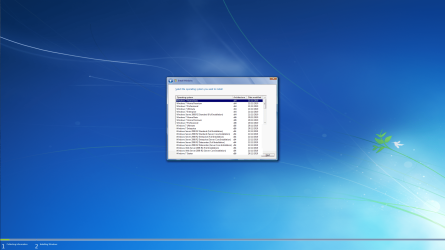
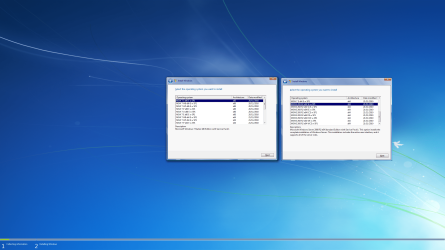
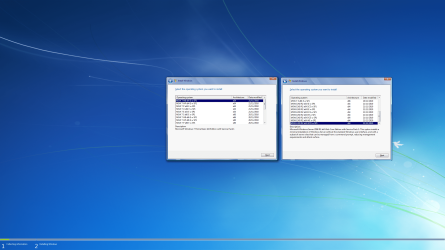
What I have found out is that you can change the name and description through GImageX and WinAIO Maker Professional, but you have to edit the entries manually one by one, though I still dunno how to change the order that shows on the setup screen. Although having the universal install media be based on x86 build seems to have a better looking order than with the x64 build as base and changing/switching the imagex /export lines don't order them as you would think it should..... Also a weird phantom entry appears on the x64 base....see attached screenies.
Mines better.pngSetup x86 base.pngSetup x64 base.PNG
 

My Computer

Computer type
PC/Desktop
Computer Manufacturer/Model Number
custom build
OS
The one I am using to register is my Windows 7 Professional x64 one.
CPU
Intel Core i7-3970x
Motherboard
Asus Rampage 4 Extreme
Memory
Cosair Dominator Platinum
Graphics Card(s)
2x eVGA GTX 770 4GB CLassified with ACX cooler
Antivirus
I have KIS 2016 which is an internet security suite....?
Browser
Fiefox
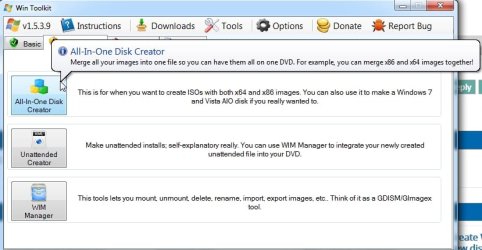
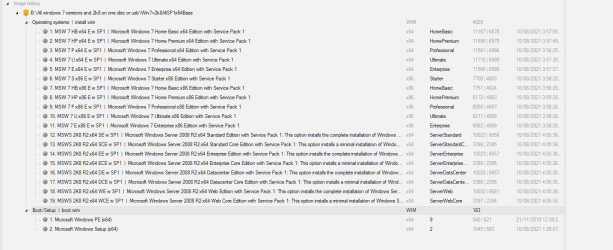
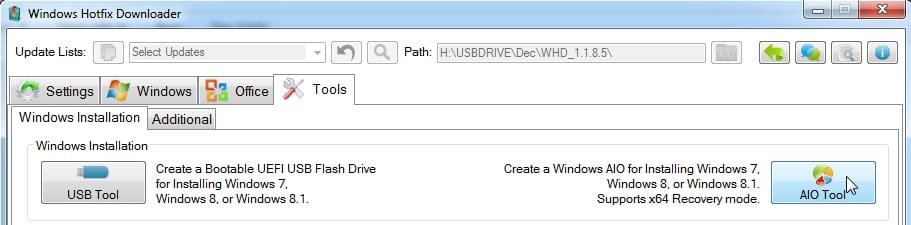
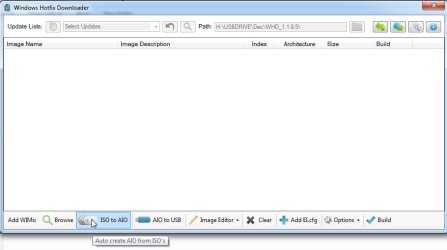
If you cant be bothered doing it manually, wintoolkit is another gui way of doing it. Also Windows Hotfix Downloader v1.1.8.5 and there might be others.

wintoolkit.jpg


whd.jpg

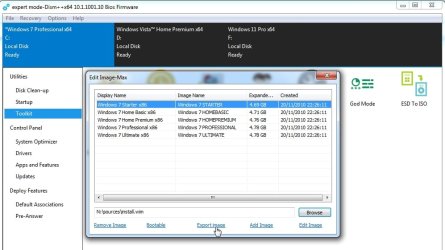
I would most likely use dism++ (gui) or wimlib (command line)

dism++.jpg
 

My Computers

System One System Two

  • Computer type
    PC/Desktop
    OS
    7 X64
    CPU
    i5 8400
    Motherboard
    gigabyte b365m ds3h
    Memory
    2x8gb 3200mhz
    Hard Drives
    various
    PSU
    pure power 11 400w cm
    Case
    Coolermaster
    Cooling
    cryorig m9i
  • Computer type
    PC/Desktop
    OS
    7x64
    CPU
    g5400
    Motherboard
    ga b365m ds3h
    Memory
    8gb ddr4 2400
    PSU
    xfx pro 450w
Ok so it took a while editing the names and description of each one. GImageX and WinAIO Maker Professional crashing 80% of the time doing this wasn't helpful and me making *one* typo resulting me redoing the whole process again since the entries aren't saved (so I cant just edit the presaved entries) and I would have to retype or repaste the names and description again and correct them.... I finally did it, check it out:

Setup x86 base.pngSetup x64 base.PNGNTLite x64 base.PNGNTLite x86 base.PNG

It looks like editing the name and description of every installment of windows 7 and 2008 seems to have removed the phantom entry! As you can see in the above screenshot it is no longer present! Weird bug.... :huh:

I guess I'll give up trying to make a recovery and repair environment for both 32-bit and 64-bit on one disc so opted to make two versions of the universal media - a 32-bit based one where the recovery and repair environment should work with any 32-bit install windows 7 and a 64-bit based one where hopefully that works with either the 64-bit version of windows 7 or 2008. Hopefully should come predone unless I still have to manually add this into either of the universal install media after making said universal media?

Assuming all is well here, the next bit is update all 19 copies of the operating systems to their latest patches and updates...
 

My Computer

Computer type
PC/Desktop
Computer Manufacturer/Model Number
custom build
OS
The one I am using to register is my Windows 7 Professional x64 one.
CPU
Intel Core i7-3970x
Motherboard
Asus Rampage 4 Extreme
Memory
Cosair Dominator Platinum
Graphics Card(s)
2x eVGA GTX 770 4GB CLassified with ACX cooler
Antivirus
I have KIS 2016 which is an internet security suite....?
Browser
Fiefox
aio.jpg
 

My Computers

System One System Two

  • Computer type
    PC/Desktop
    OS
    7 X64
    CPU
    i5 8400
    Motherboard
    gigabyte b365m ds3h
    Memory
    2x8gb 3200mhz
    Hard Drives
    various
    PSU
    pure power 11 400w cm
    Case
    Coolermaster
    Cooling
    cryorig m9i
  • Computer type
    PC/Desktop
    OS
    7x64
    CPU
    g5400
    Motherboard
    ga b365m ds3h
    Memory
    8gb ddr4 2400
    PSU
    xfx pro 450w

My Computer

Computer type
PC/Desktop
Computer Manufacturer/Model Number
custom build
OS
The one I am using to register is my Windows 7 Professional x64 one.
CPU
Intel Core i7-3970x
Motherboard
Asus Rampage 4 Extreme
Memory
Cosair Dominator Platinum
Graphics Card(s)
2x eVGA GTX 770 4GB CLassified with ACX cooler
Antivirus
I have KIS 2016 which is an internet security suite....?
Browser
Fiefox
It is patched so you can use x64 recovery environment.

Easiest to let whd do it for you. whd

whd1.jpg

whd2.jpg

whd3.jpg

whd4.jpg

whd5.jpg


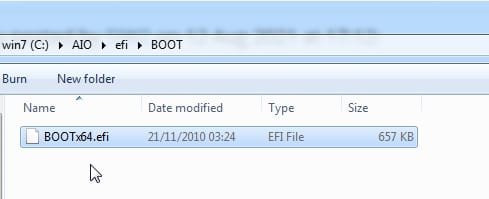
You can then manually add Boot\bootx64.efi to the efi folder

View attachment BOOT.zip

add-bootfoldewr-to-efi1.jpg

add-bootfoldewr-to-efi2.jpg
 
Last edited:

My Computers

System One System Two

  • Computer type
    PC/Desktop
    OS
    7 X64
    CPU
    i5 8400
    Motherboard
    gigabyte b365m ds3h
    Memory
    2x8gb 3200mhz
    Hard Drives
    various
    PSU
    pure power 11 400w cm
    Case
    Coolermaster
    Cooling
    cryorig m9i
  • Computer type
    PC/Desktop
    OS
    7x64
    CPU
    g5400
    Motherboard
    ga b365m ds3h
    Memory
    8gb ddr4 2400
    PSU
    xfx pro 450w
Back
Top