Hello!
Here are a couple of Methods that
could work for you. Please let me know if your issue
does -OR-
doesn't get resolved.
Here are 3 Methods that I've found, that worked for people in the past.
Note: Try to make sure you Windows Update is/isn't working by letting it "
Checking for updates" for at least 1 hour.
Method 1: Difficulty:
Easy
- Download the following tool below.
- Download this tool: Microsoft Fixit Tool
- Run the file once it finishes downloading.
- Once the window appears on your screen, click the "Next" Button.
- Let the program scan for errors, DO NOT click "Cancel". (This process may take some time.)
- Once the program finishes scanning, it will list the following errors that have been "Fixed" or "Not Fixed".
- If any errors were "Not Fixed", report them to me here. Left-Click the "Close the troubleshooter" Button.
- Restart your computer. Try to update your Windows.
If Method 1 doesn't work proceed to Method 2.
Method 2: Difficulty:
Moderate
- Press the Windows Key and the "R" Key simultaneously. [Win+R]
- A "Run" Box should appear. Type "services.msc" into the search box and press the "OK" button.
- The "Services" window should appear on your screen. Scroll down to "Windows Update" Service in the Services (Local) section.
- Right-Click on "Windows Update", then Left-Click "Stop" button. Please wait until the service completely stops. Do not close the Window.
- Press the Windows Key and the "R" Key simultaneously. [Win+R] again.
- Remove "services.msc" then type "C:\Windows\SoftwareDistribution\" into the search bar then Left-Click "OK". Windows Explorer should appear on your screen.
- Delete all contents within this folder. Left-Click + Hold + Drag until you completely highlight all the contents. Let go of Left-Click and press the "Delete" Button and Left-Click "Yes".
- Close Windows Explorer and return to the "Services" Window. Right-Click "Windows Update" then Left-Click "Start". Wait for the service to completely start then close the window.
- Restart your computer. Then try to update Windows.
If Method 2 doesn't work proceed to Method 3.
Now this Method doesn't necessarily fix Windows Update right away (does after updates are done) but rather than a bypass or a workaround. I will provide images with this Method sense it's a little tricky.
I hope this works. 99% sure it will! Good luck!
Method 3: Difficulty:
Somewhat Hard
- Please download the following tools below.
- Download: WSUS Offline Update
- Go to your downloads file. (Usually C:\Users\"Profile Name"\Downloads) and Right-Click "Extract All..."
- The Extract Window should appear on your screen. Click the "Browse" Button on the window. Navigate and Left-Click the "Desktop" icon then press the "OK" Button.
- Open the new folder that appears on your Desktop.
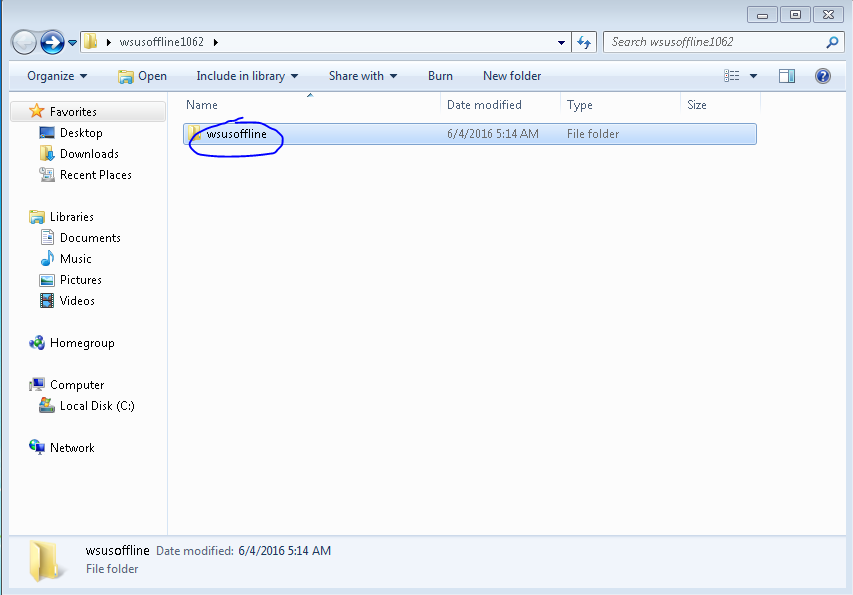
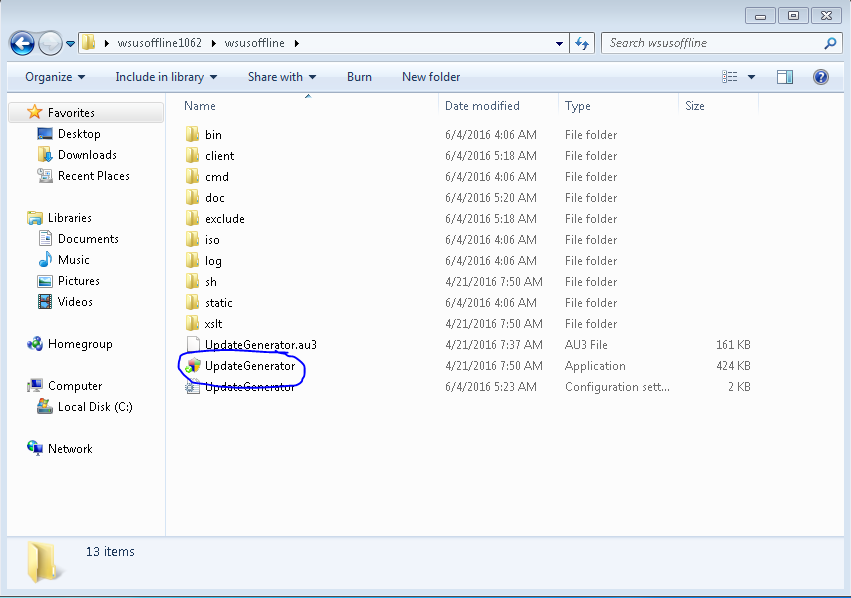
- Navigate to the following images below.
- Navigate to...
- Navigate to...
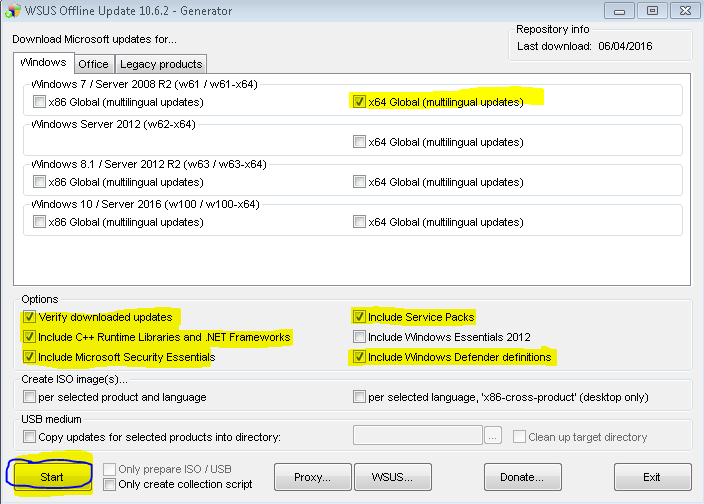
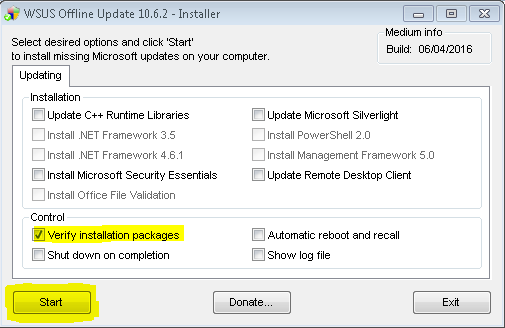
- Checkmark these boxes and click "Start"...
- This cmd will download all Windows Updates from Microsoft's Database. Please do not exit out of the cmd, it will take a while to complete.
- After the downloading is done. Close the program and navigate to the following images.
- Navigate to...
- Navigate to...
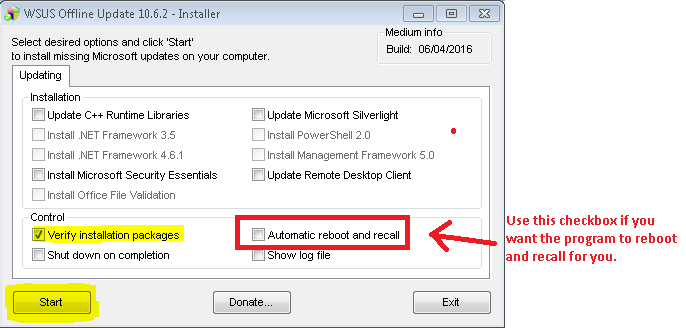
- Checkmark the following boxes and click "Start". Checkmark the other boxes once you have SP1 installed.
-OR-
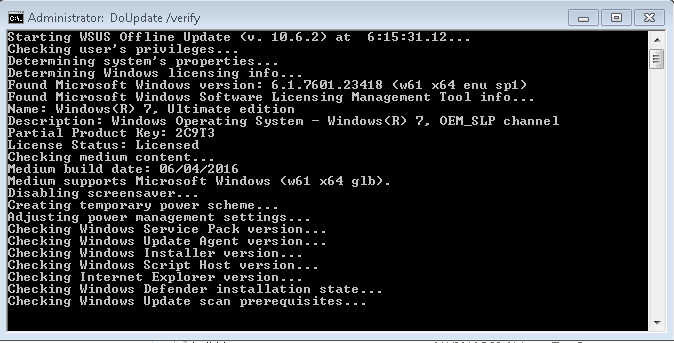
- This cmd will install all downloaded updates. You might have to run this installer more than once due to the fact that SP1 has to be installed first. Then Microsoft Security Updates.
- You will have to restart every time the installer completes a certain section of updates.
- Once most updates are installed, your Windows Updater should be working again. Around 100+ installed.
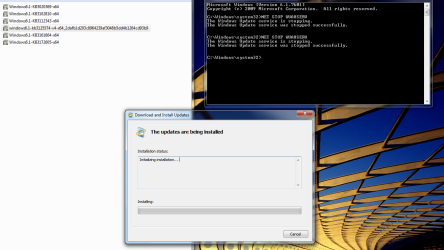
Okay I have tried 2 methods of yours and now on method 3. It seemed to be slowly working and getting some updates done. Now that I feel that it is stuck on something. I am absolutely not the best with computers but I need this computer to start updating so I can update some of my other programs that always fail. Here is what I believe it is stuck on....
Starting WSUS Offline Update (v. 10.6.2) at 16:11:02.91...
Checking user's privileges...
Determining system's properties...
Determining Windows licensing info...
Found Microsoft Windows version: 6.1.7601.17727 (w61 x64 enu sp1)
Found Microsoft Windows Software Licensing Management Tool info...
Name: Windows(R) 7, HomePremium edition
Description: Windows Operating System - Windows(R) 7, OEM_SLP channel
Partial Product Key: RMV82
License Status: Licensed
Checking medium content...
Medium build date: 11/19/2016
Medium supports Microsoft Windows (w61 x64 glb).
Disabling screensaver...
Checking Windows Service Pack version...
Checking Windows Update Agent version...
Checking Windows Installer version...
Checking Windows Script Host version...
Checking Internet Explorer version...
Checking Windows Defender installation state...
Checking Windows Update scan prerequisites...
Adjusting service 'Windows Update'...
Stopping service 'Windows Update' (wuauserv)...
Waiting for service 'wuauserv' to reach state 'STOPPED' (timeout: 180s)...
Starting service 'Windows Update' (wuauserv)...
Waiting for service 'wuauserv' to reach state 'RUNNING' (timeout: 60s)...
Verifying integrity of Windows Update catalog file...
hashdeep64.exe: Audit passed
16:12:29.35 - Listing ids of missing updates (please be patient, this will take
a while)...







 .
.
