Windows Defender

prithvitheprime

New member
Local time
3:38 PM
Messages
5
Hi all,

Am a newbie; i use lot of computers and tablets. But am just an end user. I've got a question here; most of you guys know the answer.

1. For what purpose Windows Defender and Windows Firewall are there
2. If those things are working; why we had to go for Antivirus
3. Even i tried most of the Antivirus programs all of them had got some defects.
 

My Computer

Computer type
PC/Desktop
Computer Manufacturer/Model Number
Sony, Acer, Dell
OS
Win 7 Home Premium 64 bit, Win 7 Home Basic 32 Bit, Win 7 Ultimate 64 Bit
Graphics Card(s)
ATI Radeon
Antivirus
Avast, Norton
Browser
Firefox, Opera, Chrome
Hello prithvitheprime,

Malware is getting more "sophisticated and troublesome" every day ...
Just read the news to see the latest security breach ... I think Ebay was the latest breach ...
The more security you personally use, the better your chance of avoiding "Malware" on a PC.
No security product is 100% effective.

Windows 7 Windows Defender is a weak(basic) Anti-Malware program imho.
Windows 8 Windows Defender is an Anti-Virus/Anti-Malware program, it is the same as Win 7 MS Security Essentials (MSE).

For Anti-Malware I use Malwarebytes real-time (paid) on all my systems.
I also use ONE real-time Anti-Virus program on all my systems such as MSE, Avast, Avira, etc.

MSE is the most light-weight, trouble-free security program.
It is free, and a MS program.

If you are having problems with any particular Anti-Virus program, you need to explain the problem and ask for help.
I do see things I don't like with different programs, but no show-stoppers.
It's just my preference, compared to how that "Security Program" works.

Firewall has the same considerations.
I use Windows Firewall and my Router firewall.
There are 3rd party firewalls with more "advanced capabilities".

For my personal use this works.
How easy/simple of a program to use versus how much a user "can and want to tweak things" is important ...

The most important security is the user.
Someone who clicks on anything, downloads anything, surfs anywhere, ... has more chance of getting malware.

I'm not a security expert, just an end user like you.

hth, :)
 

My Computer

Computer type
PC/Desktop
Computer Manufacturer/Model Number
home built
OS
Multi-Boot W7_Pro_x64 W8.1_Pro_x64 W10_Pro_x64 +Linux_VMs +Chromium_VM
CPU
AMD Athlon II x4 620
Motherboard
Gigabyte GA-MA785G-UD3H
Memory
6GB GSkill DDR2 800
Graphics Card(s)
AMD 4670 GPU + AMD 4200 IGP
Sound Card
on board Realtek ALC889A
Monitor(s) Displays
RCA 40" LCD TV, Insignia 32" LCD TV, HP 15" LCD monitor
Screen Resolution
1680 x 1050
Hard Drives
OCZ Vertex 3 120GB,
Samsung F3 1TB (3),
Several others - WD, Seagate, Hitachi, ...
PSU
Corsair 500 W
Case
Rosewill mid tower
Cooling
CM 90mm rifle
Keyboard
Gyration wireless, Logitech wireless, Dell USB wired
Mouse
Gyration wireless, Logitech wireless, V7 USB wired
Internet Speed
Spectrum - 100Mbps D / 10Mbps U
Antivirus
Avast, MBAM3, EMET, WinPatrol
Browser
Pale Moon, Firefox, IE
Other Info
2 multi-boot PC's
Mainly HTPC/Office/Gen purpose (no gaming).
Trendnet USB KVM.
LG DVD burner/Blue Ray Player.
Tray system for removable SATA backup drives.

Not currently OCd, under-volted.
I use Hybrid sleep, rarely re-boot or shutdown.

Hauppauge HD-PVR, Avermedia PCIe TV Tuner, Hauppauge PCI TV Tuner.
Hello prithvitheprime,

Malware is getting more "sophisticated and troublesome" every day ...
Just read the news to see the latest security breach ... I think Ebay was the latest breach ...
The more security you personally use, the better your chance of avoiding "Malware" on a PC.
No security product is 100% effective.

Windows 7 Windows Defender is a weak(basic) Anti-Malware program imho.
Windows 8 Windows Defender is an Anti-Virus/Anti-Malware program, it is the same as Win 7 MS Security Essentials (MSE).

For Anti-Malware I use Malwarebytes real-time (paid) on all my systems.
I also use ONE real-time Anti-Virus program on all my systems such as MSE, Avast, Avira, etc.

MSE is the most light-weight, trouble-free security program.
It is free, and a MS program.

If you are having problems with any particular Anti-Virus program, you need to explain the problem and ask for help.
I do see things I don't like with different programs, but no show-stoppers.
It's just my preference, compared to how that "Security Program" works.

Firewall has the same considerations.
I use Windows Firewall and my Router firewall.
There are 3rd party firewalls with more "advanced capabilities".

For my personal use this works.
How easy/simple of a program to use versus how much a user "can and want to tweak things" is important ...

The most important security is the user.
Someone who clicks on anything, downloads anything, surfs anywhere, ... has more chance of getting malware.

I'm not a security expert, just an end user like you.

hth, :)

Thank you Repped u. Now i understood the real time scenario. But just thinking of Anti malware and Anti virus programs are two different things right. So you need two different programs installed in your system to become secure?
 

My Computer

Computer type
PC/Desktop
Computer Manufacturer/Model Number
Sony, Acer, Dell
OS
Win 7 Home Premium 64 bit, Win 7 Home Basic 32 Bit, Win 7 Ultimate 64 Bit
Graphics Card(s)
ATI Radeon
Antivirus
Avast, Norton
Browser
Firefox, Opera, Chrome
Yes, Anti-Virus (AV) and Anti-Malware (AM) are technically different...
However, they do "overlap" sometimes in what they detect, making it confusing.

I use a real-time AV and real-time Malwarebytes (MBAM) for AM.
Malwarebytes is designed to run alongside a real-time Anti-Virus.
Not everyone runs a real-time Anti-Malware program ... I do as it provides an extra layer of protection.

MBAM version 1 is a Lifetime license for 1 PC, no annual fees.
MBAM version 2 is a Subscription license for 3 PCs, ANNUAL fees.

Version 1 licenses are getting hard to come by, so if you want MBAM real-time and don't get the V1 Lifetime license, you will have to pay annual fees...

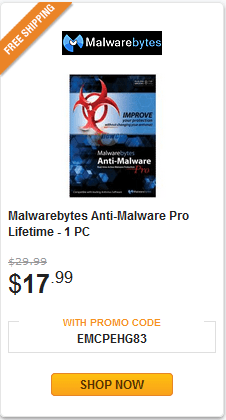
If you're interested, Newegg has the Lifetime license on sale right now through 5/26.
Anyone with a V1 license can update to MBAM V2 and not have to pay annual license fees.

Newegg.com - Malwarebytes Anti-Malware Pro Lifetime - 1 PC

MBSP01.PNG
 

My Computer

Computer type
PC/Desktop
Computer Manufacturer/Model Number
home built
OS
Multi-Boot W7_Pro_x64 W8.1_Pro_x64 W10_Pro_x64 +Linux_VMs +Chromium_VM
CPU
AMD Athlon II x4 620
Motherboard
Gigabyte GA-MA785G-UD3H
Memory
6GB GSkill DDR2 800
Graphics Card(s)
AMD 4670 GPU + AMD 4200 IGP
Sound Card
on board Realtek ALC889A
Monitor(s) Displays
RCA 40" LCD TV, Insignia 32" LCD TV, HP 15" LCD monitor
Screen Resolution
1680 x 1050
Hard Drives
OCZ Vertex 3 120GB,
Samsung F3 1TB (3),
Several others - WD, Seagate, Hitachi, ...
PSU
Corsair 500 W
Case
Rosewill mid tower
Cooling
CM 90mm rifle
Keyboard
Gyration wireless, Logitech wireless, Dell USB wired
Mouse
Gyration wireless, Logitech wireless, V7 USB wired
Internet Speed
Spectrum - 100Mbps D / 10Mbps U
Antivirus
Avast, MBAM3, EMET, WinPatrol
Browser
Pale Moon, Firefox, IE
Other Info
2 multi-boot PC's
Mainly HTPC/Office/Gen purpose (no gaming).
Trendnet USB KVM.
LG DVD burner/Blue Ray Player.
Tray system for removable SATA backup drives.

Not currently OCd, under-volted.
I use Hybrid sleep, rarely re-boot or shutdown.

Hauppauge HD-PVR, Avermedia PCIe TV Tuner, Hauppauge PCI TV Tuner.
Back
Top