Windows Error Messages - Only recently. Antispyware and Antivirus

Melissa

New member
Power User
Local time
5:53 AM
Messages
394
I recently ran a Windows Update, ever since this I have noticed that my lap top has been shutting down in a loop.
I have the the same issue when I run it in safe mode.

I have ran SFC/SCANNOW and that found nothing.

I have Norton 360 - the current version. And I have submitted in a community thread on their website.
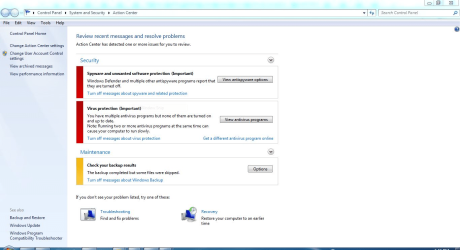
Windows does not seem to recognise the Antivirus. I was scared about my system operating that I installed Malwarebytes trail version and it found 3 files and quarantined them. But I still was getting the action centre coming up with the errors.

I wish to be protected and I am not prepared to mess with the registry or services module just in case I make the situation worse.

I know that I am running the old operating system - but it still works.

I have attached as much as I can and I am prepared to do whatever to see what has caused this.
 

Attachments
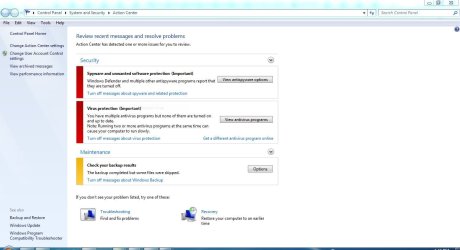
  • NORTON ANTIVIRUS ACTON CENTRE.JPG
    NORTON ANTIVIRUS ACTON CENTRE.JPG
    80.4 KB · Views: 1
  • NORTON ANTIVIRUS VERSION.JPG
    NORTON ANTIVIRUS VERSION.JPG
    32.4 KB · Views: 6
  • NORTON ANTIVIRUS - WINDOWS SECURITY.PNG
    NORTON ANTIVIRUS - WINDOWS SECURITY.PNG
    63.5 KB · Views: 2

My Computer My Computer

At a glance

Windows 7 Home Premium 64bitWindows 7 Service Pack 1 x86 NTFS4 GB
Computer type
Laptop
Computer Manufacturer/Model Number
Sony VAIO / E Series VPCEB46FG
OS
Windows 7 Home Premium 64bit
CPU
Windows 7 Service Pack 1 x86 NTFS
Motherboard
AMD E-350 Processor
Memory
4 GB
Hard Drives
500GB
Other Info
1.6GHz
I am on Windows 7 Professional SP1

I even researched some very important security updates that would be required in order to not have Windows Defender and Windows Firewall.

I looked at this windows 7 install failure | Norton Community

That is maybe more reason to keep updating products I guess. I think that I may try Norton Chat also as it may seem not a Windows 7 Forum related issue.

Thank you for posting that link.

I noticed that my action centre was flagged and perhaps a new patch of Norton may have caused a conflict.

I also used the good old Norton RnR - much to me also deleted old fragments of Norton on the C: - prior to doing LiveUpdates x 3.

Almost did everything but stand on my head ;)

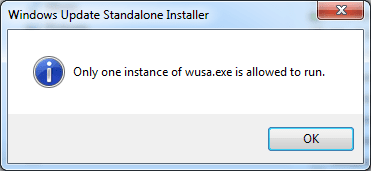
I still can not select the below:

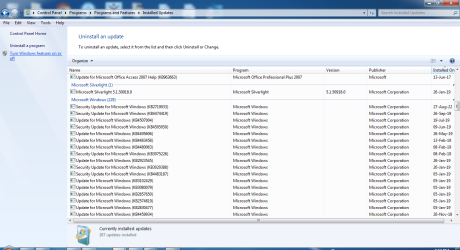
windows selection.PNG

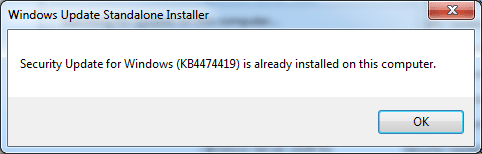
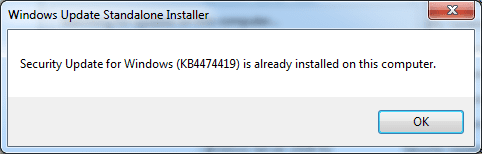
This shows that the KB number has been installed on my lap top

windows update.PNG

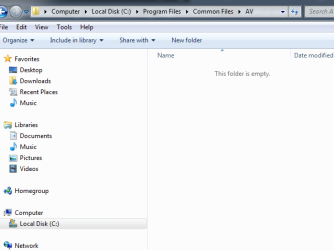
Deleting the C: fragments

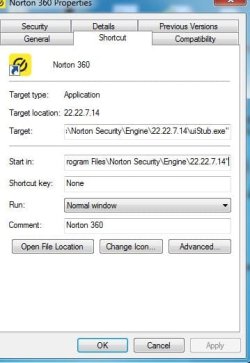
NORTON ANTIVIRUS - snip.PNG

Error messages

NORTON ANTIVIRUS ACTON CENTRE.png

Thank you for reading and the link posted
 

Attachments

  • error.PNG
    error.PNG
    6.5 KB · Views: 4

My Computer My Computer

At a glance

Windows 7 Home Premium 64bitWindows 7 Service Pack 1 x86 NTFS4 GB
Computer type
Laptop
Computer Manufacturer/Model Number
Sony VAIO / E Series VPCEB46FG
OS
Windows 7 Home Premium 64bit
CPU
Windows 7 Service Pack 1 x86 NTFS
Motherboard
AMD E-350 Processor
Memory
4 GB
Hard Drives
500GB
Other Info
1.6GHz
Hi

based on
1) system looping 1st post
2) last screenshot re WUSA

i suspect there's an update pending or trying to install

from an admin command please run this

C:\windows\winsxs\pending.xml

if you find any please delete it/them

This needs to be done in System Repair mode
 

My Computer My Computer

At a glance

W7 home premium 32bit/W7HP 64bit/w10 tp insid...E5300 dual core3gbNvidia Geforce 7100 Nforce 630i
Computer type
PC/Desktop
Computer Manufacturer/Model Number
medionl/Aspire 6930G/acer x55a
OS
W7 home premium 32bit/W7HP 64bit/w10 tp insider ring
CPU
E5300 dual core
Motherboard
medion MS7366
Memory
3gb
Graphics Card(s)
Nvidia Geforce 7100 Nforce 630i
Monitor(s) Displays
avixc
Internet Speed
n (isp resticted to 72)
Antivirus
mse/pands
Browser
palemoon
Other Info
Belkin Fd7050 n USB using Railink RT2870 drivers, more upto date
I am only a Newbie

May I please ask how you run -

from an admin command please run thisC:\windows\winsxs\pending.xml

So do you think the only solution to get me out of this big mess with Norton and my whole system.
I am getting the C: scanned every-time I log in now.

I appreciate your honesty as I would be in a mess - was told to install these two updates and struggling to make sure I have a firewall up,

On Norton community also advised to uninstall MS Security Essentials.

*****UPDATE****


I re-read the Norton Community advice about installing the two updates -

Now MBAM wants a microsoft security update - Malwarebytes for Windows Support Forum - Malwarebytes Forums

both in two steps
I tried to do all at once
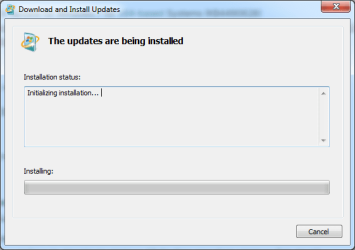
I confirmed in the pic

windows update.PNG

I now have installed the next update - but I will perhaps still be in a loop I guess

norton windows update.PNG

Thank you :p
 
Last edited:

My Computer My Computer

At a glance

Windows 7 Home Premium 64bitWindows 7 Service Pack 1 x86 NTFS4 GB
Computer type
Laptop
Computer Manufacturer/Model Number
Sony VAIO / E Series VPCEB46FG
OS
Windows 7 Home Premium 64bit
CPU
Windows 7 Service Pack 1 x86 NTFS
Motherboard
AMD E-350 Processor
Memory
4 GB
Hard Drives
500GB
Other Info
1.6GHz
Back
Top