
I've honestly tried looking around but I can't quite pin down what I'm after so I'm gonna try this and see if I can get pointed in the right direction or if this thread is entirely new.
I'm using W7 Ultimate and in the Library section you have Music, pictures, etc.
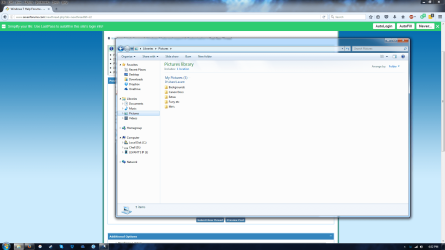
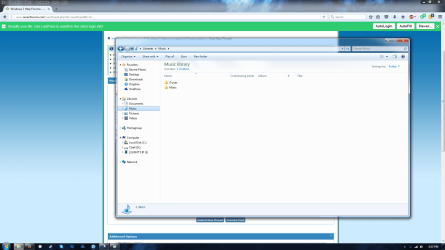
But for Pictures I have this little title tab ("My Pictures") between the folders and "Pictures Library" at the top. I know this..whatever you wanna call it, is normal. But I'm in the OCD habit of keeping things neat and pretty and for some reason My Pictures is the *only* one doing this (Images included). Is there a way to get rid of it? I did for the others originally by removing all locations but the main folder (i removed the public folders). But Pictures still keeps its tabbed location out.
I'm using W7 Ultimate and in the Library section you have Music, pictures, etc.
But for Pictures I have this little title tab ("My Pictures") between the folders and "Pictures Library" at the top. I know this..whatever you wanna call it, is normal. But I'm in the OCD habit of keeping things neat and pretty and for some reason My Pictures is the *only* one doing this (Images included). Is there a way to get rid of it? I did for the others originally by removing all locations but the main folder (i removed the public folders). But Pictures still keeps its tabbed location out.
Attachments
My Computer
- Computer type
- PC/Desktop
- Computer Manufacturer/Model Number
- Custom
- OS
- Windows 10 Pro
- CPU
- AMD RYZEN 5
- Motherboard
- MSI B350M Mortar Arctic
- Memory
- 16GB
- Graphics Card(s)
- GeForce GTX 1060 Gaming X 6G
- Sound Card
- Onboard
- Monitor(s) Displays
- Asus
- Screen Resolution
- 1920 x 1080
- Hard Drives
- 120 GB Samsung SSD 840 Pro Series,
3TB WD Black HDD
256 GB WD Black M.2 2280
- Case
- Fractal Design Mini C
- Cooling
- fans
- Keyboard
- Wireless USB
- Mouse
- Wireless USB
- Internet Speed
- 300 mbps
- Antivirus
- Avast
- Browser
- FireFox