Solved Windows Live Mail Error ID: 0x800CCC0F

Hello Neelakantan,

I'm not sure if something changed for you, as it seems the error you get changed from what you stated in post #1 and what you stated in post #5... :confused:

What I would do, is delete and re-add the Hotmail account in Windows Live Mail to see if that helps.

To remove or add a WLM email account:
1 - Click on the drop down in the upper left corner
2 - Click on Options
3 - Click on Email Accounts...

Select your Hotmail account, and click Remove

To Re-Add the account to WLM...
Click the Add button
Select Email Account and click Next
Enter your Hotmail address and click Next

Here is a screen print to get you started on my instructions that may be confusing to read...

View attachment 286926

Dear DavidW7ncus,
Thanks again for your suggestion.
I followed your instructions, removed Hotmail from WLM, restarted my computer, then added Hotmail again to WLM
I am able to send and receive mails from my BSNL account in WLM. I am able to send mails from my Hotmail account in WLM. But I am not able to receive mails into my Hotmail account in WLM. So the position has not changed even after my removing and then adding Hotmail in WLM.
Now in my hotmail account I receive the following error message:
Server Error: 0x80048849
Server: 'https://mail.services.live.com/DeltaSync_v2.0.0/Sync.aspx'
Windows Live Mail Error ID: 0x80048849
This is different from the original error message I had reported.
Best regards,
S.Neelakantan
 

My Computer

Computer type
PC/Desktop
Computer Manufacturer/Model Number
HP Pavilion p6230 AY650AA#ACJ
OS
Windows 7 Home Premium 32 bit
CPU
Intel
Motherboard
Intel
Memory
4:00 GB (3.47 usable)
Antivirus
Microsoft Security Essentials
Browser
Google Chrome

My Computer

Computer Manufacturer/Model Number
Look in my Signature.
OS
Win7 H.Prem. 32bit+SP1
Dear Roadrunner,
Thanks for your instructions about accessing WLM Options.
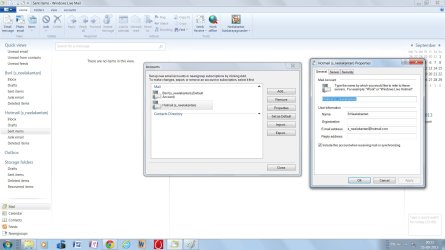
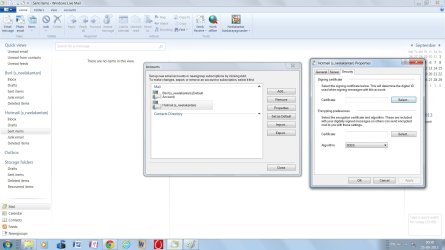
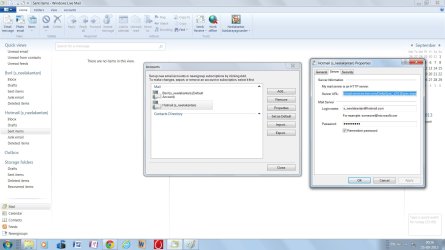
In my Windows Live Mail, Hotmail Properties has only three tabs.
They are General/Server/Security.Hotmail General.jpg

Hotmail Security.jpg

Hotmail Server.jpg

However, in my Windows Live Mail, I have BSNL account also.
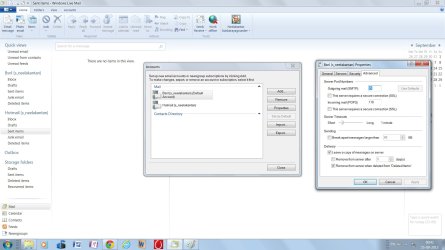
BSNL properties has four tabs. In addition to the above mentioned three, it also has advanced tab.
BSNL Advanced.jpg
I am not able to attach the screenshot of Hotmail advanced tab, as it is not available in my WLM.
Regards,
S.Neelakantan
 

My Computer

Computer type
PC/Desktop
Computer Manufacturer/Model Number
HP Pavilion p6230 AY650AA#ACJ
OS
Windows 7 Home Premium 32 bit
CPU
Intel
Motherboard
Intel
Memory
4:00 GB (3.47 usable)
Antivirus
Microsoft Security Essentials
Browser
Google Chrome
Hello Neelakantan,

You can give this a try:
In Internet Explorer, click on Tools (Gear Icon)
Select Internet Options, then Advanced tab
Scroll down to Security
Uncheck "Check for server certificate revocation"
Click OK, then restart your computer for the changes to take effect


In Post #1 you had error 0x800CCC0F, and said your Hotmail account was hacked
In Post #5 you had error 0x80048820
In Post #21 you had error 0x80048849

So it seems you have a moving target, maybe malware?
I'm no malware expert, but I suggest scanning your PC for Malware.
Run a full scan with MSE - your AV according to your specs.

Download and run full scans with these free Malware products:
SUPERAntiSpyware
Malwarebytes
At the end of the Malwarebytes install, uncheck the option for the free 14 day Pro Trial

If any of these tools find malware, keep the logs.
You'll probably need to post them in the security forum for expert advice.

You should also run a System File Check using Option Two in:
http://www.sevenforums.com/tutorials/1538-sfc-scannow-command-system-file-checker.html

You could also try setting up your Hotmail account with POP3 access in WLM to see if that works for sending and receiving.
 

My Computer

Computer type
PC/Desktop
Computer Manufacturer/Model Number
home built
OS
Multi-Boot W7_Pro_x64 W8.1_Pro_x64 W10_Pro_x64 +Linux_VMs +Chromium_VM
CPU
AMD Athlon II x4 620
Motherboard
Gigabyte GA-MA785G-UD3H
Memory
6GB GSkill DDR2 800
Graphics Card(s)
AMD 4670 GPU + AMD 4200 IGP
Sound Card
on board Realtek ALC889A
Monitor(s) Displays
RCA 40" LCD TV, Insignia 32" LCD TV, HP 15" LCD monitor
Screen Resolution
1680 x 1050
Hard Drives
OCZ Vertex 3 120GB,
Samsung F3 1TB (3),
Several others - WD, Seagate, Hitachi, ...
PSU
Corsair 500 W
Case
Rosewill mid tower
Cooling
CM 90mm rifle
Keyboard
Gyration wireless, Logitech wireless, Dell USB wired
Mouse
Gyration wireless, Logitech wireless, V7 USB wired
Internet Speed
Spectrum - 100Mbps D / 10Mbps U
Antivirus
Avast, MBAM3, EMET, WinPatrol
Browser
Pale Moon, Firefox, IE
Other Info
2 multi-boot PC's
Mainly HTPC/Office/Gen purpose (no gaming).
Trendnet USB KVM.
LG DVD burner/Blue Ray Player.
Tray system for removable SATA backup drives.

Not currently OCd, under-volted.
I use Hybrid sleep, rarely re-boot or shutdown.

Hauppauge HD-PVR, Avermedia PCIe TV Tuner, Hauppauge PCI TV Tuner.
Hi S.Neelakantan,

Here is an easier way to take a screen shot as your images are too small to read. View attachment Make an Image.pdf
As your Hotmail account has no advanced tab, means Windows set it for you automatically and should work.
-
Log in to your Hotmail account using your browser, then try sending a message to one of your other Email accounts.
 

My Computer

Computer Manufacturer/Model Number
Look in my Signature.
OS
Win7 H.Prem. 32bit+SP1
Dear Roadrunner,
I thankfully acknowledge your reply #25.
I have downloaded your "Make an Image.pdf". I will try it soon.
Meanwhile I opened my Hotmail account in my Browser. Now it is designated as Outlook account.
I sent messages from it to my Gmail account. It is received in GMail.
I sent a message from my Gmail account to Hotmail. But it is not received.
It is the same problem which I face in Windows Live mail also.
I thank you for spending so much of your valuable time in helping me.
Best regards,
S.Neelakantan.
 

My Computer

Computer type
PC/Desktop
Computer Manufacturer/Model Number
HP Pavilion p6230 AY650AA#ACJ
OS
Windows 7 Home Premium 32 bit
CPU
Intel
Motherboard
Intel
Memory
4:00 GB (3.47 usable)
Antivirus
Microsoft Security Essentials
Browser
Google Chrome
Dear Roadrunner,

I sent a message from my Gmail account to Hotmail. But it is not received.
It is the same problem which I face in Windows Live mail also.
I thank you for spending so much of your valuable time in helping me.
Best regards,
S.Neelakantan.
Did you use WLM to send from Gmail to Hotmail?
 

My Computer

Computer Manufacturer/Model Number
Look in my Signature.
OS
Win7 H.Prem. 32bit+SP1
Dear Roadrunner,
I have not added Gmail in my WLM. So I could not use Gmail to Hotmail.
However, I have BSNL in my WLM. When I sent a mail from BSNL using WLM, it was not received by Hotmail.

My Windows 7 Home addition does not have Snipping tool. Actually I used Paint in Accessaries for the first time only for sending screen prints to you!

Since the error numbers are continuously changing in WLM, DavidW7ncus suggested that there might be malware in my computer. I ran a full test with Microsoft Security Essentials. It reported severe affliction with VirTool:Win32/Obfuscator.XZ. I cleaned it by sending it to Quarantine.
Even after that, WLM Hotmail does not receive mail. It shows a different error number now.
I suspect that some other malware is present.
I will try some other Anti-Malware remedies.
Thanks again for the help.
S.Neelakantan.
 

My Computer

Computer type
PC/Desktop
Computer Manufacturer/Model Number
HP Pavilion p6230 AY650AA#ACJ
OS
Windows 7 Home Premium 32 bit
CPU
Intel
Motherboard
Intel
Memory
4:00 GB (3.47 usable)
Antivirus
Microsoft Security Essentials
Browser
Google Chrome
Hello Neelakantan,

You can give this a try:
In Internet Explorer, click on Tools (Gear Icon)
Select Internet Options, then Advanced tab
Scroll down to Security
Uncheck "Check for server certificate revocation"
Click OK, then restart your computer for the changes to take effect


In Post #1 you had error 0x800CCC0F, and said your Hotmail account was hacked
In Post #5 you had error 0x80048820
In Post #21 you had error 0x80048849

So it seems you have a moving target, maybe malware?
I'm no malware expert, but I suggest scanning your PC for Malware.
Run a full scan with MSE - your AV according to your specs.

Download and run full scans with these free Malware products:
SUPERAntiSpyware
Malwarebytes
At the end of the Malwarebytes install, uncheck the option for the free 14 day Pro Trial

If any of these tools find malware, keep the logs.
You'll probably need to post them in the security forum for expert advice.

You should also run a System File Check using Option Two in:
http://www.sevenforums.com/tutorials/1538-sfc-scannow-command-system-file-checker.html

You could also try setting up your Hotmail account with POP3 access in WLM to see if that works for sending and receiving.

Dear DavidW7ncus,
I tried unchecking "Check for server certificate revocation" in Internet Explorer.
It did not solve my problem in WLM. So I have restored to the original position.

I checked for malware by running a full test with Microsoft Security Essentials.
It detected severe infection with a malware: VirTool: Win 32/Obfuscator.XZ.
I cleaned it, and it was quarantined.
Unfortunately for me, my WLM Hotmail does not receive mails even after that.
Now the error number has again changed.
So I suspect that your diagnosis might be correct. There are other malwares present.
I will try the other anti-malware suggested by you.

I am grateful to you and Roadrunner for spending your valuable time in trying to solve my problem.
With best regards,
S.Neelakantan.
 

My Computer

Computer type
PC/Desktop
Computer Manufacturer/Model Number
HP Pavilion p6230 AY650AA#ACJ
OS
Windows 7 Home Premium 32 bit
CPU
Intel
Motherboard
Intel
Memory
4:00 GB (3.47 usable)
Antivirus
Microsoft Security Essentials
Browser
Google Chrome
Dear Roadrunner,
I acknowledge receipt of your instructions about ESET NOD32 Onlnie scanner.
I will run that and report the results to you later.

I have two EMail accounts in WLM. They are Hotmail and BSNL.
Best Regards,
S.Neelakantan
 

My Computer

Computer type
PC/Desktop
Computer Manufacturer/Model Number
HP Pavilion p6230 AY650AA#ACJ
OS
Windows 7 Home Premium 32 bit
CPU
Intel
Motherboard
Intel
Memory
4:00 GB (3.47 usable)
Antivirus
Microsoft Security Essentials
Browser
Google Chrome
Dear Roadrunner,
I ran the ESAT NOD32 Online scanner yesterday.
As instructed by you, I had disabled Windows Security Essentials before I ran it.
It detected 11 malwares, (which were present even after a full scan in Windows Security Essentials earlier).
I deleted them.
I have enabled Windows Security Essential again, as instucted by you.
I am really glad that the online scanner eliminated so many malware from my PC.

Even after eliminating the malware, my original complaint about non receipt of mails in Hotmail in WLM continues.
I tried deleting Hotmail from WLM, and adding it again after a restart.
Even then, Hotmail in WLM does not receive emails.

Best regards,
S.Neelakantan
 

My Computer

Computer type
PC/Desktop
Computer Manufacturer/Model Number
HP Pavilion p6230 AY650AA#ACJ
OS
Windows 7 Home Premium 32 bit
CPU
Intel
Motherboard
Intel
Memory
4:00 GB (3.47 usable)
Antivirus
Microsoft Security Essentials
Browser
Google Chrome
Hotmail in WLM does not receive emails.

Best regards,
S.Neelakantan
Have you tried sending mail using one of your other accounts (which one) to your hotmail account.
 

My Computer

Computer Manufacturer/Model Number
Look in my Signature.
OS
Win7 H.Prem. 32bit+SP1
Dear Roadrunner,
I sent mails from my WLM Hotmail account to WLM BSNL account.
WLM BSNL account received the mail.
However, the mail I sent from WLM BSNL account to WLM Hotmail account is not received by WLM Hotmail.
That continues to remain as my problem.
S.Neelakantan.
 

My Computer

Computer type
PC/Desktop
Computer Manufacturer/Model Number
HP Pavilion p6230 AY650AA#ACJ
OS
Windows 7 Home Premium 32 bit
CPU
Intel
Motherboard
Intel
Memory
4:00 GB (3.47 usable)
Antivirus
Microsoft Security Essentials
Browser
Google Chrome
You could sign up for a new Outlook.com email account and see if that account works with WLM.
You know your current Hotmail account was hacked, so maybe there is something wrong with the account.
MS has "replaced" Hotmail with Outlook.com email.

If I had all the malware you seem to have found, I would reinstall Windows.
No telling what system problems remain even after the malware is removed.
Actually, I would restore an offline System Backup Image, but I'm guessing you don't have System Backup Images...

Do you use torrents, open email from unknown sources, click on popup links, pay attention to what and how you download and install, use cracked programs?
Maybe time to reconsider your PC usage habits to help prevent malware getting on your PC?

You could also consider using different virus and malware prevention products that offer more protection?
i.e.
Malwarebytes Pro (real-time) is highly regarded and is a lifetime license, so there are no annual renewal fees. $25 or less USD seems like an excellent bargain to me.
Avast! free has more protection "options/features" than MSE.
 

My Computer

Computer type
PC/Desktop
Computer Manufacturer/Model Number
home built
OS
Multi-Boot W7_Pro_x64 W8.1_Pro_x64 W10_Pro_x64 +Linux_VMs +Chromium_VM
CPU
AMD Athlon II x4 620
Motherboard
Gigabyte GA-MA785G-UD3H
Memory
6GB GSkill DDR2 800
Graphics Card(s)
AMD 4670 GPU + AMD 4200 IGP
Sound Card
on board Realtek ALC889A
Monitor(s) Displays
RCA 40" LCD TV, Insignia 32" LCD TV, HP 15" LCD monitor
Screen Resolution
1680 x 1050
Hard Drives
OCZ Vertex 3 120GB,
Samsung F3 1TB (3),
Several others - WD, Seagate, Hitachi, ...
PSU
Corsair 500 W
Case
Rosewill mid tower
Cooling
CM 90mm rifle
Keyboard
Gyration wireless, Logitech wireless, Dell USB wired
Mouse
Gyration wireless, Logitech wireless, V7 USB wired
Internet Speed
Spectrum - 100Mbps D / 10Mbps U
Antivirus
Avast, MBAM3, EMET, WinPatrol
Browser
Pale Moon, Firefox, IE
Other Info
2 multi-boot PC's
Mainly HTPC/Office/Gen purpose (no gaming).
Trendnet USB KVM.
LG DVD burner/Blue Ray Player.
Tray system for removable SATA backup drives.

Not currently OCd, under-volted.
I use Hybrid sleep, rarely re-boot or shutdown.

Hauppauge HD-PVR, Avermedia PCIe TV Tuner, Hauppauge PCI TV Tuner.
Dear DavidW7ncus,
Thanks for your suggestions.
I regularly do a total backup once a month (or even more frequently) in a separate harddisk as instructed by Windows.
However I have myself never had any occassion to use the backup. When problems arose, I sent the PC along with the backup harddisk to a programmer in a neighbouring town and had my problems solved.
It is costly and time consuming.
This time I hope to try to restore system from the backup myself, after reading the instructions in Windows.
Now I have a doubt whether the external harddisk into which I have done the backup itself would have been infected by all the malware in my PC.
Am I to run the online malware scan again after connecting the external harddisk to my PC before I use the backup to restore my system?
Now the error number in Windows Live Mail Error ID: 0x800CCC0F has changed again to ID: 0x80048849!
Best regards,
S.Neelakantan
 

My Computer

Computer type
PC/Desktop
Computer Manufacturer/Model Number
HP Pavilion p6230 AY650AA#ACJ
OS
Windows 7 Home Premium 32 bit
CPU
Intel
Motherboard
Intel
Memory
4:00 GB (3.47 usable)
Antivirus
Microsoft Security Essentials
Browser
Google Chrome
Hello Neelakantan,

What program do you use to create your monthly backups?
I'm guessing you use the built in Windows backup program???
Do you create a System Backup Image, or just a data backup?
You need a System Backup Image to be able to restore the OS.

I don't believe Anti-Virus and Anti-Malware programs can scan a Backup Image file.
You might be able to mount the Backup Image as a Virtual Hard Disk, and then scan the "Backup Image file" (as a VHD).
This tutorial explains how to mount the backup image as a Virtual Hard Disk:
http://www.sevenforums.com/tutorials/24771-system-image-extract-files-using-disk-management.html

I don't use Windows Backup, I use Acronis (paid), so I can't test with a Windows Backup Image...
For me, mounting an Acronis Backup Image does allow me to scan with Avast and Malwarebytes...

Hope this helps and hope I'm not making this too confusing.
David
 

My Computer

Computer type
PC/Desktop
Computer Manufacturer/Model Number
home built
OS
Multi-Boot W7_Pro_x64 W8.1_Pro_x64 W10_Pro_x64 +Linux_VMs +Chromium_VM
CPU
AMD Athlon II x4 620
Motherboard
Gigabyte GA-MA785G-UD3H
Memory
6GB GSkill DDR2 800
Graphics Card(s)
AMD 4670 GPU + AMD 4200 IGP
Sound Card
on board Realtek ALC889A
Monitor(s) Displays
RCA 40" LCD TV, Insignia 32" LCD TV, HP 15" LCD monitor
Screen Resolution
1680 x 1050
Hard Drives
OCZ Vertex 3 120GB,
Samsung F3 1TB (3),
Several others - WD, Seagate, Hitachi, ...
PSU
Corsair 500 W
Case
Rosewill mid tower
Cooling
CM 90mm rifle
Keyboard
Gyration wireless, Logitech wireless, Dell USB wired
Mouse
Gyration wireless, Logitech wireless, V7 USB wired
Internet Speed
Spectrum - 100Mbps D / 10Mbps U
Antivirus
Avast, MBAM3, EMET, WinPatrol
Browser
Pale Moon, Firefox, IE
Other Info
2 multi-boot PC's
Mainly HTPC/Office/Gen purpose (no gaming).
Trendnet USB KVM.
LG DVD burner/Blue Ray Player.
Tray system for removable SATA backup drives.

Not currently OCd, under-volted.
I use Hybrid sleep, rarely re-boot or shutdown.

Hauppauge HD-PVR, Avermedia PCIe TV Tuner, Hauppauge PCI TV Tuner.
Dear DavidW7ncus,
I do a full Windows backup, which includes systems backup.
I will go through the Tutorial for mounting the backup image as a virtual hard disc.
Since I am busy with other items, I will report to you next week about the success of my effort in this endeavour.
Best regards,
S.Neelakantan.
 

My Computer

Computer type
PC/Desktop
Computer Manufacturer/Model Number
HP Pavilion p6230 AY650AA#ACJ
OS
Windows 7 Home Premium 32 bit
CPU
Intel
Motherboard
Intel
Memory
4:00 GB (3.47 usable)
Antivirus
Microsoft Security Essentials
Browser
Google Chrome

Dear Roadrunner,
This is in response to #35.
The Frequently Asked Questions relating to BSNL Mail is reporting the position when Hotmail was independent of Outlook. Now it is merged with Outlook. So the screens have become different. However I applied the appropriate answers for incoming and outgoing mails copying them from the answers given. Even after that, my WLM Hotmail account is not receiving mails.
Meanwhile DavidW7ncus has suggested that I should use my Backup System Image from a date earlier than when my Hotmail was hacked. I have never done that before. I will look into the tutorials and learn to do that.
I will report to both of you next week.
Best Regards,
S.Neelakantan.
 

My Computer

Computer type
PC/Desktop
Computer Manufacturer/Model Number
HP Pavilion p6230 AY650AA#ACJ
OS
Windows 7 Home Premium 32 bit
CPU
Intel
Motherboard
Intel
Memory
4:00 GB (3.47 usable)
Antivirus
Microsoft Security Essentials
Browser
Google Chrome
Back
Top