Windows Loading screen hang - Caused by secondary HDD

FilipeFerreira

New member
Local time
11:31 PM
Messages
3
Hi guys, I just built this computer a couple of months ago, yesterday I turned on my computer in the morning, and it ran fine, did my usual morning website raid on soccer etc, turned it off went out to do some errands, came back and turned it on and it kept hanging on the "Windows Loading" screen, read around about a couple of things it could be, i think I narrowed it down to my secondard hard drive (WD 500G Caviar Blue) which i use for storage and downloads, all my games and OS are installed on my solid state.

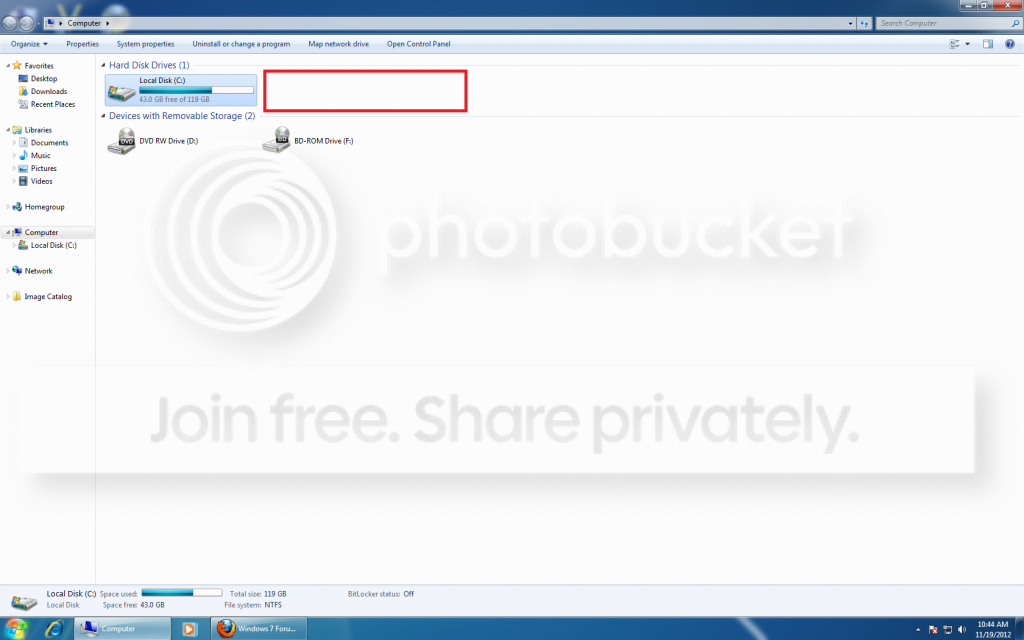
So whenever my secondary hard drive is plugged in, my comp hangs on "Windows Loading". If i unplug it, it loads up windows quick and easy like always. I turned on hot swap, and if i plugged in my HDD after my computer was already loading into windows, it would be fine than once it recognized it, it would start crashing my windows explorer etc constantly. I tried switching SATA ports, now it goes into windows with the hard drive plugged into another SATA port, the HDD is recoginzed in Disk Management, and is also recognized in device manager, but I cant access it.

It's extremely frustrating, and I need to get to some files on that secondary HDD, any help would be greatly appreciated.

These are my specs.

Intel(R) Core(TM) i5-3570 CPU @ 3.40GHz
ASUSTeK COMPUTER INC. P8Z77-V LK
OCZ-VERTEX4 128GIG SSD
WDC WD5000AAKX-004EA0 500GIG HDD
NVIDIA GeForce GTX 670
4x4Gig G Skill Rip Jaws 2133
Microsoft Windows 7 Ultimate 64-bit 7600 Multiprocessor Free
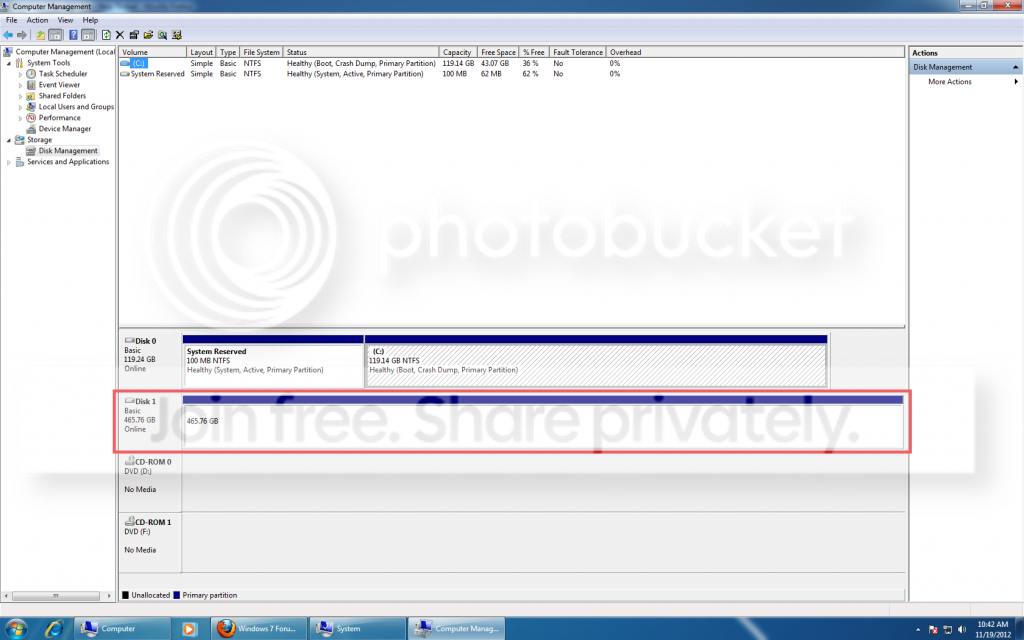
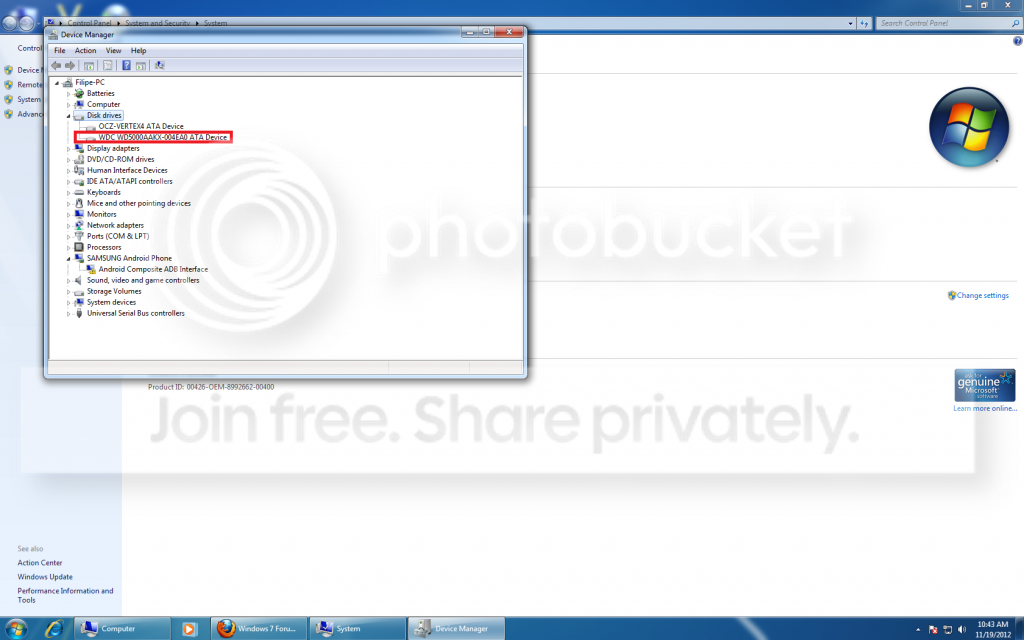
Comp1.png


comp2.png


Comp3.png
 
Last edited:

My Computer My Computer

OS
Windows 7 Ultimate x64
CPU
Intel Core I5-3570 3.4GHZ
Motherboard
Asus P8Z77-V LK
Memory
16Gigz GSkill Rip Saws
Graphics Card(s)
Nvidia Gefore GTX 670
Hard Drives
500 Gig Western Digital Caviar Blue
128 Gig Solid State OCZ-Vertex4
PSU
OCZ ModX Stream Pro M009
It sounds like you may be the victim of a failed hard drive. First I would go to disk management ( right click computer, select manage, and in the left column select disk management) Right click on the drive in question and select 'change drive letter and path', select add, then select the drive letter you want to assign to it. If Windows whants to initialize or format the drive, do not do it. You will lose all the data on it. If it just adds the drive letter, you are OK. If that does not work, go to Western Digital and download their diagnostic program, Data Guard.
(WD Support / Downloads / SATA & SAS / WD Black) run that and see if it finds the drive and only run the diagnostic tests.
 

My Computers My Computers

System One System Two

  • Computer type
    PC/Desktop
    Computer Manufacturer/Model Number
    ALWAYS UNDER CONSTRUCTION
    OS
    Windows 11 Pro
    CPU
    Ryzen 9 5900X
    Motherboard
    Asus X570 Crosshair Viii Hero
    Memory
    32GB G Skill DDR4-3600
    Graphics Card(s)
    EVGA RTX 3080 FTW 3 Ultra
    Sound Card
    On Board/Sennheiser PC37X Headset
    Monitor(s) Displays
    3 X Asus 27"
    Screen Resolution
    2560x1440
    Hard Drives
    2 X 1 TB NVME drives
    PSU
    EVGA 850
    Case
    Phanteks Eclipse P400A
    Cooling
    EVGA 280 AIO
    Keyboard
    Logitech G510s/ Logitech G13
    Mouse
    Logitech G502
    Internet Speed
    24/1
    Antivirus
    ESET/MBAM Pro/SAS Pro
    Browser
    Chrome/ Firefox/ Edge
  • Computer type
    Laptop
    System Manufacturer/Model Number
    Dell 16 Plus
    OS
    Windows 11 Pro
    CPU
    Intel Ultra 9 288V
    Memory
    32 GB LPDDR5X 8533
    Monitor(s) Displays
    16" Mini-LED HDR600 Touch 90 Hz
    Screen Resolution
    2560X1600
    Hard Drives
    1 TB NVME
It sounds like you may be the victim of a failed hard drive. First I would go to disk management ( right click computer, select manage, and in the left column select disk management) Right click on the drive in question and select 'change drive letter and path', select add, then select the drive letter you want to assign to it. If Windows whants to initialize or format the drive, do not do it. You will lose all the data on it. If it just adds the drive letter, you are OK. If that does not work, go to Western Digital and download their diagnostic program, Data Guard.
(WD Support / Downloads / SATA & SAS / WD Black) run that and see if it finds the drive and only run the diagnostic tests.

I tried to "change drive letter and path" in disk management before, and it gave me the "Disk Management Console view is not up-to-date" error. So i took out my HDD and connected it using a USB adapter I have, when the HDD loads up, it gives me an option to just view the files, or to scan and fix now, guess it might have problems?

I doubt it's a failed hard disk, i just bought it less than 3 months ago, and I have it connected now via a usb adapter, and I am currently copying all files off of it onto an external. I also downloaded Western Digital Data guard, and scanned it using the quick scan, and it said it had no problems.

Since im currently copying everything off it, im gonna to try to format it and put it back in and see if it fixes the problem.....
 

My Computer My Computer

OS
Windows 7 Ultimate x64
CPU
Intel Core I5-3570 3.4GHZ
Motherboard
Asus P8Z77-V LK
Memory
16Gigz GSkill Rip Saws
Graphics Card(s)
Nvidia Gefore GTX 670
Hard Drives
500 Gig Western Digital Caviar Blue
128 Gig Solid State OCZ-Vertex4
PSU
OCZ ModX Stream Pro M009
So i solved it, but no in the way i wanted.

I managed to connect it via a USB adapter, backed up all my data, and than proceeded to format it using disc management, than i turned off my computer, unplugged it via usb, and connected back using sata, and turned on my computer, got into windows quickly like before, and magically, it appears, ready to use.
 

My Computer My Computer

OS
Windows 7 Ultimate x64
CPU
Intel Core I5-3570 3.4GHZ
Motherboard
Asus P8Z77-V LK
Memory
16Gigz GSkill Rip Saws
Graphics Card(s)
Nvidia Gefore GTX 670
Hard Drives
500 Gig Western Digital Caviar Blue
128 Gig Solid State OCZ-Vertex4
PSU
OCZ ModX Stream Pro M009
Congratulations, well done.
 

My Computers My Computers

System One System Two

  • Computer type
    PC/Desktop
    Computer Manufacturer/Model Number
    ALWAYS UNDER CONSTRUCTION
    OS
    Windows 11 Pro
    CPU
    Ryzen 9 5900X
    Motherboard
    Asus X570 Crosshair Viii Hero
    Memory
    32GB G Skill DDR4-3600
    Graphics Card(s)
    EVGA RTX 3080 FTW 3 Ultra
    Sound Card
    On Board/Sennheiser PC37X Headset
    Monitor(s) Displays
    3 X Asus 27"
    Screen Resolution
    2560x1440
    Hard Drives
    2 X 1 TB NVME drives
    PSU
    EVGA 850
    Case
    Phanteks Eclipse P400A
    Cooling
    EVGA 280 AIO
    Keyboard
    Logitech G510s/ Logitech G13
    Mouse
    Logitech G502
    Internet Speed
    24/1
    Antivirus
    ESET/MBAM Pro/SAS Pro
    Browser
    Chrome/ Firefox/ Edge
  • Computer type
    Laptop
    System Manufacturer/Model Number
    Dell 16 Plus
    OS
    Windows 11 Pro
    CPU
    Intel Ultra 9 288V
    Memory
    32 GB LPDDR5X 8533
    Monitor(s) Displays
    16" Mini-LED HDR600 Touch 90 Hz
    Screen Resolution
    2560X1600
    Hard Drives
    1 TB NVME
Back
Top