
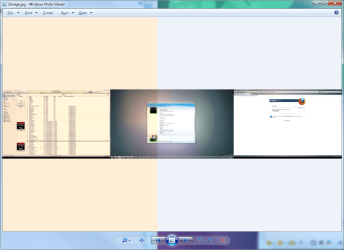
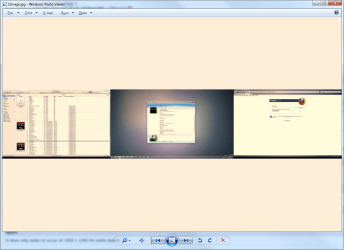
Hey, I don't know if I've change a setting or something like that but my Photo Viewer has change background colour, everything else works fine like the viewing of folders has a white background and all that but the photo viewer change colour which is weird, could I get some assistance.
First image is in half of monitor 1 and half of monitor 2<->Second image is in monitor 2, the problem is happening in monitor 1 only.
First image is in half of monitor 1 and half of monitor 2<->Second image is in monitor 2, the problem is happening in monitor 1 only.
Attachments
My Computer
- Computer Manufacturer/Model Number
- Custom Build
- OS
- Windows 7 x64 Ultimate
- CPU
- AMD Phenom II X4 955 @ 3.72GHz
- Motherboard
- Gigabyte GA-MA770T-UD3P
- Memory
- Patriot 8GB DDR3 1333MHz
- Graphics Card(s)
- NVIDIA GTX560
- Sound Card
- -
- Monitor(s) Displays
- LG 23" W2343T
- Screen Resolution
- 1920 x 1080
- Hard Drives
- 256GB Crucial M4 SSD - OS/program files
250GB - Internal HDD - User files
500GB - Internal HDD - Storage #1
1.5TB - Internal HDD - Storage #2
500GB - External HDD - Portable Storage #1
2TB - External HDD - Portable Storage #2
- PSU
- TT450W
- Case
- Thermaltake V3
- Cooling
- Blue Orb II
- Keyboard
- Compaq.
- Mouse
- Logitech MX518
- Internet Speed
- 7Mbps.
- Other Info
- Cooling (couldn't fit it above).
2 x 120mm LED Blue Fan
1 x Blue Orb II [CPU Cooler]


