Windows Search Service can't start, Error 1613

jmarevalo

New member
Local time
8:22 PM
Messages
7
Hello all,

Recently my search using the top right bar in Windows Explorer is not working.
It was working ok yesterday.

Upon looking on Services, Windows Search status is Stopped.
When I try to start Windows Search Service I get the following error.
"Windows could not start the Windows Search service on Local Computer.
Error 1613: The installation package cannot be installed by the Windows Installer service. You must install a Windows service pack that contains a newer version of the Windows Installer service."

I also checked Event Viewer and found this under Administrative Events:
"The Windows Search service terminated unexpectedly. It has done this 36 time(s)."

Your help is much appreciated.
 

My Computer My Computer

At a glance

Windows 7 Home Premium 64bit
Computer type
Laptop
OS
Windows 7 Home Premium 64bit
Jmarevalo


-First you should delete all files with .BLF and .REGTRANS-MS extension by following directory:

C:\windows\system32\config\TxR

-May be these files in the folder location above are hidden and to view these Files you should set the system under Tools - Folder Options.

-After deleting these files , reboot your system. Once rebooted, hopefully the Windows Search service will start
 

My Computer My Computer

At a glance

microsoft window7 Ultimate x64
Computer type
PC/Desktop
OS
microsoft window7 Ultimate x64
britny

Followed your suggestions and managed to locate the .BLF and .REGTRANS-MS files in the TxR folder.

5x REGTRANS-MS files
2x BLF files

Problem I encountered is it won't let me delete those files.
File in Use warning appears and says the files are open in System.
I tried using 3rd party software like Unlocker to identify process/handle using those files but the software says no locking handles are found.
 

My Computer My Computer

At a glance

Windows 7 Home Premium 64bit
Computer type
Laptop
OS
Windows 7 Home Premium 64bit
gregrocker

Windows Search Service is now set to Automatic.

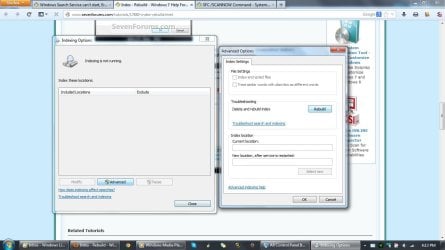
I can not seem to rebuild the index.
In attached screenshot, Indexing is not running and certain options in Advanced options are greyed out.
Nothing also seems to be happening when I press Ok after Rebuild.

SFC /SCANNOW results are Verification 100% complete.
Windows Resource Protection did not find any integrity violations.
 

Attachments

  • Indexing greyed out.jpg
    Indexing greyed out.jpg
    92.4 KB · Views: 8

My Computer My Computer

At a glance

Windows 7 Home Premium 64bit
Computer type
Laptop
OS
Windows 7 Home Premium 64bit
Click the link and follow the steps to Troubleshoot Search and Indexing.
 
Do you have SP-1 installed?
 

My Computer My Computer

At a glance

Windows 10 Pro. 64/ version 1709 Windows 7 Pr...Intel i7-6800K @ 4.3Corsair Platinum 16 gig @2400EVGA GTX 1070 OC
Computer type
PC/Desktop
Computer Manufacturer/Model Number
Home made Desktop
OS
Windows 10 Pro. 64/ version 1709 Windows 7 Pro/64
CPU
Intel i7-6800K @ 4.3
Motherboard
ASUS X-99 Deluxe II
Memory
Corsair Platinum 16 gig @2400
Graphics Card(s)
EVGA GTX 1070 OC
Monitor(s) Displays
Asus 27" LED LCD/VE278Q
Screen Resolution
1920-1080 or 1280-720 HDMI
Hard Drives
INTEL SSD 730-240 Gb Sata 3.0/
PSU
EVGA Platium 1200W
Case
Phanteks Luxe Tempered Glass 8 fans/ one radiator
Cooling
XSPC/ Water Cooled CPU
Keyboard
Das 4 Professional
Mouse
Logitech M705/MX Anywhere 2-S
Internet Speed
100 mbits
Antivirus
Microsoft Security Essentials/ Malwarebytes Premium 3.0/ SAS
Browser
I.E. 11 default/Firefox/ ISP Time Warner Cable/Spectrum
Other Info
LG BluRay Burner/
Sound system-KLipsch-THX/
Icy Dock ssd Hot Swap bays.
gregrocker

Doing the Search and Indexing troubleshooting as adminstrator here is the problem found.

"Windows Search service not running - Not Fixed - (X)"
 

My Computer My Computer

At a glance

Windows 7 Home Premium 64bit
Computer type
Laptop
OS
Windows 7 Home Premium 64bit
layback bear

Yes, the Windows 7 Home Premium OS came with SP-1 installed.
 

My Computer My Computer

At a glance

Windows 7 Home Premium 64bit
Computer type
Laptop
OS
Windows 7 Home Premium 64bit
Windows Search Service is now set to Auto (delayed)

Ran a full Malwarebytes scan, no malicious items detected.

Ran a full MSE scan, no threats detected.

Did a reboot and tried to do a search on my work folder but still no results showing.

Went to services.msc and tried to start the Windows Search Service, I still get Error 1613.

Indexing options show Indexing is not running, and certain options are greyed out like before.
 

My Computer My Computer

At a glance

Windows 7 Home Premium 64bit
Computer type
Laptop
OS
Windows 7 Home Premium 64bit

My Computer My Computer

At a glance

Windows 10 Pro X64Intel Quad Core i7-4770 @ 3.4Ghz16.0GB PC3-12800 DDR3 SDRAM 1600 MHzIntel Integrated HD Graphics
Computer type
PC/Desktop
Computer Manufacturer/Model Number
Lenovo IdeaCenter 450
OS
Windows 10 Pro X64
CPU
Intel Quad Core i7-4770 @ 3.4Ghz
Memory
16.0GB PC3-12800 DDR3 SDRAM 1600 MHz
Graphics Card(s)
Intel Integrated HD Graphics
Sound Card
Realtek HD Audio
Monitor(s) Displays
HP 22" LCD
Screen Resolution
1680 x 1050
Hard Drives
250GB Samsung EVO SATA-3 SSD
2TB Seagate ST2000DM001 SATA-2
1.5TB Seagate ST3150041AS SATA
Keyboard
Dell USB
Mouse
Lenovo USB
Internet Speed
Cable via Road Runner 3MB Upload, 30MB Download
Antivirus
Windows Defender, MBAM Pro, MBAE
Browser
Seamonkey
Other Info
UEFI/GPT
PLDS DVD-RW DH16AERSH
Ran the Microsoft Fixit and it reset the Windows Search.

But as seen in attached file, 3 issues found are "Not fixed"

- Windows Search is crashing or failing

- Windows Search does not start and gives an error message

- Windows Search does not show any results

An update on my recent testing, the search top right bar is working when doing search on a folder in C: drive, (such as C: > Games). The results come up as expected when I type a word.

But when doing search on the Libraries such as in my work folder (ie. Libraries > Documents > Work Folder), that's where the search top right bar doesn't do anything, even if I type a correct filename.
 

Attachments

My Computer My Computer

At a glance

Windows 7 Home Premium 64bit
Computer type
Laptop
OS
Windows 7 Home Premium 64bit
In Control panel>Programs under Features turn off the Search service. Reboot to turn it back on.

Type Index in Start search box, choose Indexing Options to specify the drives you want searched including any external drives when plugged in. It is sometimes necessary to Rebuild Index if it falters.

Is this the original factory preinstalled Win7, as that is a corrupt install to begin with larded with bloatware and duplicate utilities that have better versions built into Win7. You'll get much better performance and no problems like this with a Clean Reinstall - Factory OEM Windows 7.

At the minimum I'd Clean Up Factory Bloatware to relieve problems and improve performance.

You can also go over your install with Troubleshooting Steps for Windows 7
 
Last edited:
This works: Error 1613

Since this thread still shows up in Google searches, I decided to post a solution that actually works!

Remove the Windows Search feature using "Turn Windows Features On or Off" (Programs and Features panel).
Reboot the computer.

Re-install the Windows Search feature again using "Turn Windows Features on or off".
Reboot the computer.
Let the Search Index rebuild.
Try the search now.
 

My Computer My Computer

At a glance

Windows 7 Home premium 64 bit/Windows 7 Utlim...Intel Core i3-2100 3.1GHz/Intel Core i3-4130 ...
Computer type
PC/Desktop
Computer Manufacturer/Model Number
1 acer/1 custom
OS
Windows 7 Home premium 64 bit/Windows 7 Utlimate bit
CPU
Intel Core i3-2100 3.1GHz/Intel Core i3-4130 3.4GHz
Back
Top