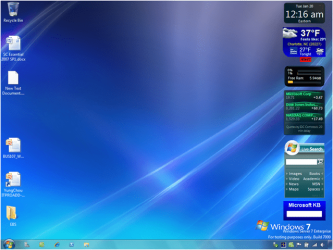
Windows Server 2008 R2. Looks like windows 95?

onlinegamesnz

New member
Member
Local time
12:30 PM
Messages
63
Topic says it all

Installed windows server 2008 r2 and it looks nothing like windows 7. It has the classic start menu, and EVERYTHING else it grey and windows 95 looking?

Any idea on what could cause this??

Thanks in advance!!

2GHz pentium 3 cpu
Asus K8V-MX mainboard
2GB RAM
80GB HDD
Radeon 9400 graphics card
 

My Computer My Computer

OS
Windows 7 home
Well, it is a server based operating system. Glitz and eye-candy isn't exactly a priority for a server based OS.
 

My Computer My Computer

Computer Manufacturer/Model Number
Self-Built in July 2009
OS
Windows 7 Ultimate x64
CPU
Intel Q9550 2.83Ghz OC'd to 3.40Ghz
Motherboard
Gigabyte GA-EP45-UD3R rev. 1.1, F12 BIOS
Memory
8GB G.Skill PI DDR2-800, 4-4-4-12 timings
Graphics Card(s)
EVGA 1280MB Nvidia GeForce GTX570
Sound Card
Realtek ALC899A 8 channel onboard audio
Monitor(s) Displays
23" Acer x233H
Screen Resolution
1920x1080
Hard Drives
Intel X25-M 80GB Gen 2 SSD
Western Digital 1TB Caviar Black, 32MB cache. WD1001FALS
PSU
Corsair 620HX modular
Case
Antec P182
Cooling
stock
Keyboard
ABS M1 Mechanical
Mouse
Logitech G9 Laser Mouse
Internet Speed
15/2 cable modem
Other Info
Windows and Linux enthusiast. Logitech G35 Headset.
Yes ok but im just woundering if this is effecting some of the os functions, or hardware related issues.

For example, when it installed it installed the driver for my PCI wireless card, but the card wont enable you click enable it says "enabling" then just goes back to disabled
 

My Computer My Computer

OS
Windows 7 home
Well, I don't have any experience with wireless cards in a server....I'd never even consider running a server with a wireless card.

However, there are quite a number of sites out there explaining how to make Server 2008 or 2008/R2 look more like a desktop. This might get you going...I know you can make it prettier...I just don't have personal experience doing it.
http://www.win2008r2workstation.com/
 

My Computer My Computer

Computer Manufacturer/Model Number
Self-Built in July 2009
OS
Windows 7 Ultimate x64
CPU
Intel Q9550 2.83Ghz OC'd to 3.40Ghz
Motherboard
Gigabyte GA-EP45-UD3R rev. 1.1, F12 BIOS
Memory
8GB G.Skill PI DDR2-800, 4-4-4-12 timings
Graphics Card(s)
EVGA 1280MB Nvidia GeForce GTX570
Sound Card
Realtek ALC899A 8 channel onboard audio
Monitor(s) Displays
23" Acer x233H
Screen Resolution
1920x1080
Hard Drives
Intel X25-M 80GB Gen 2 SSD
Western Digital 1TB Caviar Black, 32MB cache. WD1001FALS
PSU
Corsair 620HX modular
Case
Antec P182
Cooling
stock
Keyboard
ABS M1 Mechanical
Mouse
Logitech G9 Laser Mouse
Internet Speed
15/2 cable modem
Other Info
Windows and Linux enthusiast. Logitech G35 Headset.
So this is what it looks like

windows-95.jpg

and i beleive this is what it should look like after googling it

image_6.png
 

My Computer My Computer

OS
Windows 7 home
All well and good. But it is a server. You should really concentrate on providing all the CPU power to things that are connecting to it, not making it look shiny like Windows 7. Aero theme eats up some resources it does.
 

My Computer My Computer

Computer Manufacturer/Model Number
Acer Aspire TimelineX AS4820T-6645
OS
Windows 7 Home Premium 64bit
CPU
Intel Core i3 380M(2.53GHz)
Memory
4GB DDR3 1066
Graphics Card(s)
Intel HD Graphics 128MB VRAM
Screen Resolution
1366x768
Hard Drives
640GB 5400RPM SATA
It should not look like 95. Most likely you are running a power/performance theme/scheme due to settings or bottleneck.
 

My Computer My Computer

OS
7 Pro
Correct - if you *really* want the Aero theme, add the "Desktop Experience" feature from server manager, reboot, enable/start the "Themes" service (it is still disabled by default after you install the DE feature), and then you should be able to change your desktop to an Aero theme if your video card supports it and the drivers are installed properly for it (but remember, Server 2008 R2 is not Win7 and will not have any themes by default other than the stock Aero theme).

As to the wireless card, you want to make sure the driver is installed properly, was designed for Windows 7 (not an XP or Vista driver), and isn't leaving a trail of errors and warnings in the application and/or system event log when it won't enable.
 

My Computer My Computer

Computer type
PC/Desktop
Computer Manufacturer/Model Number
Custom
OS
Windows 10 Pro x64
CPU
Intel Core i7 4790K @ 4.5GHz
Motherboard
Asus Maximus Hero VII
Memory
32GB DDR3
Graphics Card(s)
Nvidia GeForce GTX970
Sound Card
Realtek HD Audio
Screen Resolution
1920x1200
Hard Drives
1x Samsung 250GB SSD
4x WD RE 2TB (RAIDZ)
PSU
Corsair AX760i
Case
Fractal Design Define R4
Cooling
Noctua NH-D15
As to the wireless card, you want to make sure the driver is installed properly, was designed for Windows 7 (not an XP or Vista driver), and isn't leaving a trail of errors and warnings in the application and/or system event log when it won't enable.

Well the driver for the wireless card would have to be for Server 2K8 would it not? Like pparks1 said, wireless cards in servers are...rare, to say the very least.
 

My Computer My Computer

Computer Manufacturer/Model Number
Acer Aspire TimelineX AS4820T-6645
OS
Windows 7 Home Premium 64bit
CPU
Intel Core i3 380M(2.53GHz)
Memory
4GB DDR3 1066
Graphics Card(s)
Intel HD Graphics 128MB VRAM
Screen Resolution
1366x768
Hard Drives
640GB 5400RPM SATA
Well yes, it would have to be for at least Vista/Win7, but preferably for Win7 (especially in an OS like Server 2008 R2, which is less forgiving of something it's not really designed for.
 

My Computer My Computer

Computer type
PC/Desktop
Computer Manufacturer/Model Number
Custom
OS
Windows 10 Pro x64
CPU
Intel Core i7 4790K @ 4.5GHz
Motherboard
Asus Maximus Hero VII
Memory
32GB DDR3
Graphics Card(s)
Nvidia GeForce GTX970
Sound Card
Realtek HD Audio
Screen Resolution
1920x1200
Hard Drives
1x Samsung 250GB SSD
4x WD RE 2TB (RAIDZ)
PSU
Corsair AX760i
Case
Fractal Design Define R4
Cooling
Noctua NH-D15
yes i know, the wireless card is temporary while i set the server up and explore with features etc. once setup and working, i will install it and it will be connected via ethernet.

by the looks of things, windows server 2008 supplies some kind of default ethernet and wireless drivers that worked for me, all i needed to do was enable the Wireless Networking function in "Add Features".

Now i need to learn to use it

Any idea how i can set up the server to allow remote data storage? so i can upload and download files to the sever remotely from anywhere? Like map network drive?

Thanks!!
 

My Computer My Computer

OS
Windows 7 home
Configure the "File Server" role. You should get the Managing Roles screen each time you log in (by default) poke around in there and you can configure your server to do what you need it to. Once you click on the role you want its just a walk through of steps for setting it up, like anything Windows ~mostly~.
 

My Computer My Computer

Computer Manufacturer/Model Number
Acer Aspire TimelineX AS4820T-6645
OS
Windows 7 Home Premium 64bit
CPU
Intel Core i3 380M(2.53GHz)
Memory
4GB DDR3 1066
Graphics Card(s)
Intel HD Graphics 128MB VRAM
Screen Resolution
1366x768
Hard Drives
640GB 5400RPM SATA
Ive sucessfully setup a VPN with teqmviewer which i guess is pretty easy, however i want to setup a VPN without the need of any third party software.

How hard is this? I found a tutorial for it but does this require extra configuration on the router side?

Also i found after setting it up with teamviewer the computer appeared in my "Network" with the computer name, click on it and it displays all shared folders l. This is exactly what i want, but would this feature work without teamviewer, if i were to use windows to configure my VPN?

One last question, Whats the diference between a VPN and a WAN?

Thanks!
 

My Computer My Computer

OS
Windows 7 home
Without third party software you need to configure the VPN on your router, how you would do it depends on the router, and VPN support is usually higher end routers, not the cheap home routers you can buy anywhere. You will still need software to connect to your VPN, but it will be software that either came with your router, or is downloaded from the router manufacturer's website (Cisco, SonicWall, etc.).
If you are on your local network then you should be able to see your computer listed in the network, and navigate to it to see the shared folders, this should be able to be accomplished without any additional software. If not something is wrong.
WAN is Wide Area Network, just means a network that spans a large geographical area, could be a city, state, whatever. Where a LAN would be like a campus or building, smaller area.
VPN is a Virtual Private Network, it is a connection made across "the cloud" (doesn't matter how you get there) but the end result is a connection to your Local Network.
Class dismissed. :D:geek:
 

My Computer My Computer

Computer Manufacturer/Model Number
Acer Aspire TimelineX AS4820T-6645
OS
Windows 7 Home Premium 64bit
CPU
Intel Core i3 380M(2.53GHz)
Memory
4GB DDR3 1066
Graphics Card(s)
Intel HD Graphics 128MB VRAM
Screen Resolution
1366x768
Hard Drives
640GB 5400RPM SATA
Ok thanks so i should just stay with teamviewer. I mean its all working fine. Why doesnt teamviewer require setting up the router?

Also what else can i do with a VPN apart from file sharing.


Cheers for the help mate
 

My Computer My Computer

OS
Windows 7 home
Well team viewer is more a remote control program than a remote access program. I've never used it personally so I'm not sure of everything you can do with it. We use a VPN to get to our local network, and then VNC or remote desktop once we are in to work on servers and computers remotely. Once you're connected to your VPN you can do anything that you would do if you were connected to the network locally including file sharing, printing, access email through outlook/exchange, remote desktop, etc.
 

My Computer My Computer

Computer Manufacturer/Model Number
Acer Aspire TimelineX AS4820T-6645
OS
Windows 7 Home Premium 64bit
CPU
Intel Core i3 380M(2.53GHz)
Memory
4GB DDR3 1066
Graphics Card(s)
Intel HD Graphics 128MB VRAM
Screen Resolution
1366x768
Hard Drives
640GB 5400RPM SATA
Topic says it all

Installed windows server 2008 r2 and it looks nothing like windows 7. It has the classic start menu, and EVERYTHING else it grey and windows 95 looking?

Any idea on what could cause this??

Thanks in advance!!

2GHz pentium 3 cpu
Asus K8V-MX mainboard
2GB RAM
80GB HDD
Radeon 9400 graphics card
it's supposed to be a server os it just works. no glitter or anything
 

My Computer My Computer

Computer Manufacturer/Model Number
HP
OS
Windows 7 Home Premium 64-bit Service Pack 1
CPU
intel core 2 duo x64
Memory
4Gb Ram
Monitor(s) Displays
1
Screen Resolution
1600x900
Mouse
Microsoft Compact Optical Mouse 500 v 2.0
Internet Speed
1MB
Other Info
Using Opera 11
Well, it is a server based operating system. Glitz and eye-candy isn't exactly a priority for a server based OS.

All well and good. But it is a server. You should really concentrate on providing all the CPU power to things that are connecting to it, not making it look shiny like Windows 7. Aero theme eats up some resources it does.

it's supposed to be a server os it just works. no glitter or anything

As we have already established.
 

My Computer My Computer

Computer Manufacturer/Model Number
Acer Aspire TimelineX AS4820T-6645
OS
Windows 7 Home Premium 64bit
CPU
Intel Core i3 380M(2.53GHz)
Memory
4GB DDR3 1066
Graphics Card(s)
Intel HD Graphics 128MB VRAM
Screen Resolution
1366x768
Hard Drives
640GB 5400RPM SATA
Yes but ive already provided a solution to fix this. Vista aero theme in adding features

Anyway, is there any way to setup file sharing remotely as a network drive, like they appear if you map a network drive, but remotely.

Im just looking for the easiest way, say im at a mates an i wanna grab a video or something, i dont want to have to download other software, just know my ip address, setup a new connection or something and boom! Your away!

Authentication aswell ofcourse.

Any ideas?

Cheers
 

My Computer My Computer

OS
Windows 7 home
Back
Top