
Windows Setup is not working

Justinor0918

New member
Local time
9:57 AM
Messages
5
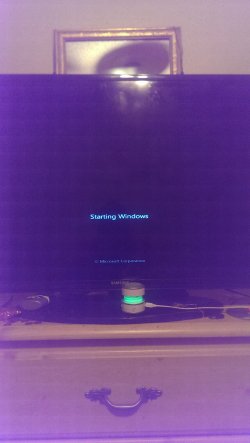
I got a computer from my friend and it was running an illegal version of Windows 7 Ultimate. I am trying to install my legal version of Windows 7 Home Pre. But when I put in the disk everything runs smooth until the reboot. When it enters the Windows Setup, it goes into the black screen saying "Windows Starting" on top of it usually is where the logo goes. But it does not pop up. It just stays in this screen without doing anything. I left it on over night and nothing. Please help. I'm attaching a picture of what happens. It stays in this screen. I've also already tried booting through CD. Same thing happens. In my boot menu (F12) the windows repair option is not there. I am just trying to use my legal copy of windows. Please help me.
 

Attachments
  • 1437789967224716531388.jpg
    1437789967224716531388.jpg
    303 KB · Views: 0

My Computer

Computer type
PC/Desktop
OS
Windows 7
Sorry, I had the disk. It's one that looks like it has swirls. Says windows 7 home premium. If you look at it in angles it says genuine. It's from Microsoft. I've tried booting it through F12 and through USB/CD and I've tried booting it through just windows setup. It always freezes here. And no I believe not. I can check on that in a bit
 

My Computer

Computer type
PC/Desktop
OS
Windows 7
If you're wanting to reinstall then you need to boot the DVD to delete all partitions and do a perfect Clean Reinstall Windows 7.

Check DVD for scratches or smudges, it may need washing. Boot it using the one-time BIOS Boot menu key. Does it still not proceed past the loading screen? If not then you need to replace it.

You might be able to extract the ISO from it and burn another DVD as described in Step 1 of Clean Reinstall Windows 7, or obtain a new ISO, confirm it's integrity and burn it as specified to DVD or stick.
Other options are discussed there to find safe media.
 
I have tried another disk. Same thing.
 

My Computer

Computer type
PC/Desktop
OS
Windows 7
I am doing a windows memory diagnostic test to see if that helps any.
 

Attachments

  • 14377983612731804906216.jpg
    14377983612731804906216.jpg
    211.1 KB · Views: 0

My Computer

Computer type
PC/Desktop
OS
Windows 7
Where did the other disk come from? What is the ISO source and How is it burned? Confirm the ISO as suggested.

I do not have confidence in your Win7 disks. You thought the first one was a CD. I suggest you confirm them following closely Step 1 of Clean Reinstall Windows 7

The only reliable way to test RAM - Test with Memtest86+ for 6/8 passes or overnight. This will also require booting a CD.

You can also test the hard drive using the maker's HD Diagnostic CD scan, which will also wipe the hard drive that will get it cleanest for reinstall. This will also tell you if the drive will boot disks.


http://www.sevenforums.com/tutorials/219487-clean-reinstall-factory-oem-windows-7-a.html#post1839164
 
Back
Top