Hi...
I'm running Win7 Home Premium (64-bit) and had no trouble in the past downloading new themes from Microsoft's own site.
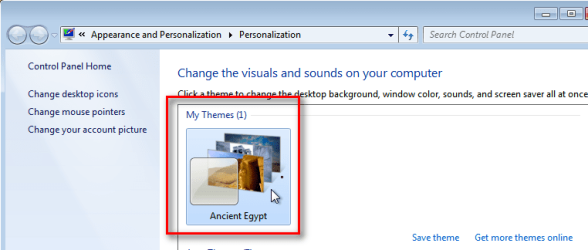
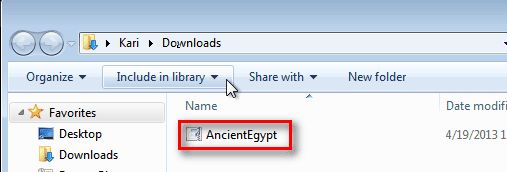
As far as I remember, all I did was download and they unpacked themselves and showed with the rest.
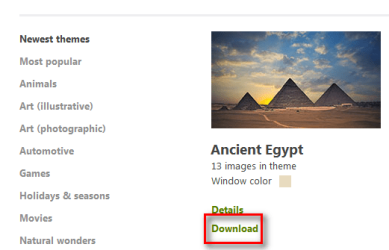
I'm clicking 'Personalize' on the desktop>Get More Themes.
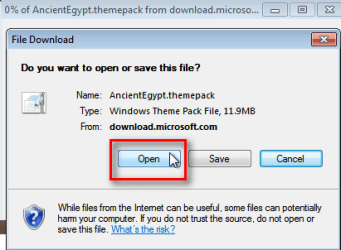
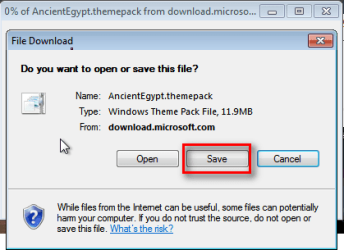
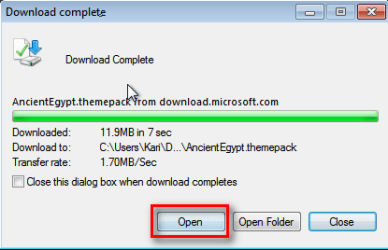
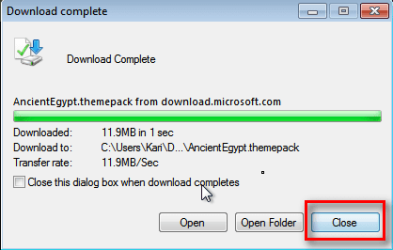
Now, I think I read somewhere you don't click 'Save' but 'Open'...to download...Yes/No?
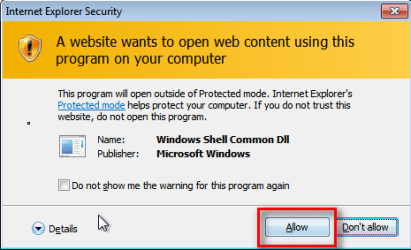
Trouble is which program do you use to Open?
Or is there something simple I'm missing?
Any help would be appreciated
My Computer
At a glance
Microsoft Windows 7 Home Premium 64-bit 7601 ...Intel(R) Core(TM) i7-2600 CPU @ 3.40GHz8.00 GBIntel(R) HD Graphics Family
Computer type
PC/Desktop
OS
Microsoft Windows 7 Home Premium 64-bit 7601 Multiprocessor Free Service Pack 1
CPU
Intel(R) Core(TM) i7-2600 CPU @ 3.40GHz
Motherboard
ASRock H61M/U3S3
Memory
8.00 GB
Graphics Card(s)
Intel(R) HD Graphics Family
Sound Card
(1) Realtek High Definition Audio (2) High Definition Audi
Screen Resolution
1920 x 1080 x 32 bits (4294967296 colors) @ 59 Hz
Hard Drives
(1) ST3500413AS ATA Device (2) ST3500413AS ATA Device (3) Generic- Card Reader USB Device