
Solved Windows update cannot currently check for updates

h0007

New member
Local time
12:46 PM
Messages
3
Hello,

I recently reinstall my windows x64 ultimate edition and after several installations (microsoft updates and some drivers on my own), it appears that microsoft update is failing.

When I look at the control panel/windows update windows there is no error code, juste the white cross with a red background indicating : "check for updates for your computer".

When I hit check for updates : "Windows update cannot currently check for updates, because the service is not running. You may need to restart your computer".

In services.msc the service is running.

the System Update Readiness Tool (SURT) fail to install : error 0xc8000247

I run a SFC /SCANNOW directly on win7, the window close by itself.

Thanks a lot for your help.
 

Attachments
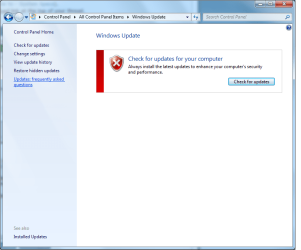
  • windows update in control panel.png
    windows update in control panel.png
    34.3 KB · Views: 0
  • windows update services.msc.png
    windows update services.msc.png
    1.3 KB · Views: 0

My Computer

Computer type
Laptop
Computer Manufacturer/Model Number
Custom
OS
Windows 7 ultimate x64
CPU
i7
Motherboard
P6T deluxe
Memory
AENEON 1600MHz
Graphics Card(s)
nvidia 770
Hard Drives
X300s 256GB
Browser
FF

My Computer

Computer type
PC/Desktop
Computer Manufacturer/Model Number
medionl/Aspire 6930G/acer x55a
OS
W7 home premium 32bit/W7HP 64bit/w10 tp insider ring
CPU
E5300 dual core
Motherboard
medion MS7366
Memory
3gb
Graphics Card(s)
Nvidia Geforce 7100 Nforce 630i
Monitor(s) Displays
avixc
Internet Speed
n (isp resticted to 72)
Antivirus
mse/pands
Browser
palemoon
Other Info
Belkin Fd7050 n USB using Railink RT2870 drivers, more upto date
Hi h009,

Please download and run the Iata-ene.exe driver set (last block W7 obviously).

https://downloadcenter.intel.com/Detail_Desc.aspx?DwnldID=22194

then follow the instruction from here
http://www.sevenforums.com/windows-...ne-activation-issue-posting-instructions.html

we'll go from there.

Roy

I uninstall the intel storage stuff.

I follow the instruction of that link: http://www.sevenforums.com/windows-...pdates-seriously-post3216495.html#post3216495

Then I install intel rapid storage (given by torchwood).

Is is useful and essential to install intel rapid storage when no raid is installed ?

REMARK : The hyperlink on driver is redirecting on a negative marked website, I used the intel one.

Now updates are getting installed. Thanks a lot.
 

My Computer

Computer type
Laptop
Computer Manufacturer/Model Number
Custom
OS
Windows 7 ultimate x64
CPU
i7
Motherboard
P6T deluxe
Memory
AENEON 1600MHz
Graphics Card(s)
nvidia 770
Hard Drives
X300s 256GB
Browser
FF
Hi H007,
Glad it worked, those drivers update the intel SATA drivers as well, so it doesn't matter if you dont have Raid.
Dont know why you got the negative thats the Intel site.
Please mark as solved.

Roy
 

My Computer

Computer type
PC/Desktop
Computer Manufacturer/Model Number
medionl/Aspire 6930G/acer x55a
OS
W7 home premium 32bit/W7HP 64bit/w10 tp insider ring
CPU
E5300 dual core
Motherboard
medion MS7366
Memory
3gb
Graphics Card(s)
Nvidia Geforce 7100 Nforce 630i
Monitor(s) Displays
avixc
Internet Speed
n (isp resticted to 72)
Antivirus
mse/pands
Browser
palemoon
Other Info
Belkin Fd7050 n USB using Railink RT2870 drivers, more upto date
Hello,

Yes it did the job.

The intel website is fine, I was referring to tweakbits.

Thank you for all the informations.

Maked as solved :) !
 

My Computer

Computer type
Laptop
Computer Manufacturer/Model Number
Custom
OS
Windows 7 ultimate x64
CPU
i7
Motherboard
P6T deluxe
Memory
AENEON 1600MHz
Graphics Card(s)
nvidia 770
Hard Drives
X300s 256GB
Browser
FF
Back
Top
