Can anyone help with this please ?
Its actually got me beat !
Noticed that MSE failed to start.
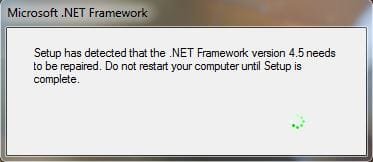
Then a box appeared stating that it was repairing .Net 4.5 !
The repair completed with no change.
A restart starts the whole procedure again.
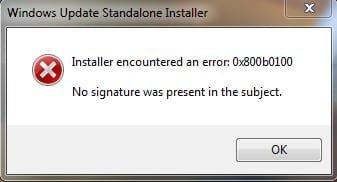
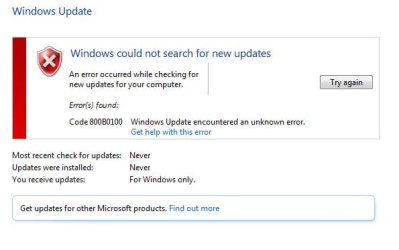
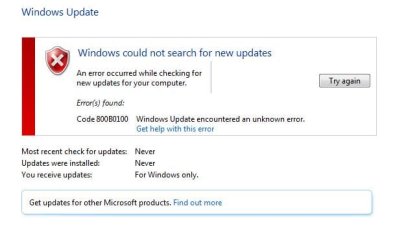
I then noted that Windows Update will not run, reporting the error 0x800b0100
I followed various fixes found online, with no change.
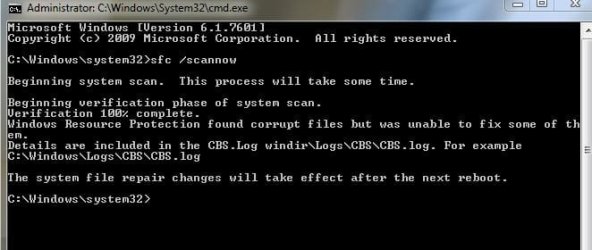
I ran SFC and CHKDSK with no change.
Malwarebytes gave a clean pass.
Getting hung up on the .Net error, I attempted its own repair procedure with no change.
I uninstalled the .Net, restarted, and installed again.
This failed reporting:
Returning IDOK. INSTALLMESSAGE_ERROR [Could not write value Version to key \SOFTWARE\Microsoft\NET Framework Setup\NDP\v4\Client. Verify that you have sufficient access to that key, or contact your support personnel.]
Do I concentrate on the .Net error, or the Windows update error code ?
Any suggestions how to proceed ?
System restore made no difference, and I even imaged back to my full backup from a couple of days ago, but the error must have been present prior to the backup !
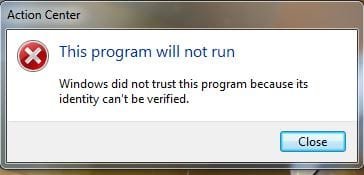
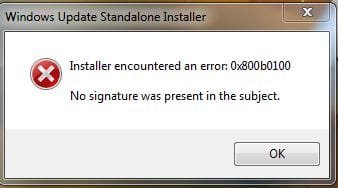
If I attempt to update MSE, I get the following error below:
This is a genuine W7 installation, that has been active for about 5 years !
Can anyone save my sanity please.
Thanks,
Andy
Its actually got me beat !
Noticed that MSE failed to start.
Then a box appeared stating that it was repairing .Net 4.5 !
The repair completed with no change.
A restart starts the whole procedure again.
I then noted that Windows Update will not run, reporting the error 0x800b0100
I followed various fixes found online, with no change.
I ran SFC and CHKDSK with no change.
Malwarebytes gave a clean pass.
Getting hung up on the .Net error, I attempted its own repair procedure with no change.
I uninstalled the .Net, restarted, and installed again.
This failed reporting:
Returning IDOK. INSTALLMESSAGE_ERROR [Could not write value Version to key \SOFTWARE\Microsoft\NET Framework Setup\NDP\v4\Client. Verify that you have sufficient access to that key, or contact your support personnel.]
Do I concentrate on the .Net error, or the Windows update error code ?
Any suggestions how to proceed ?
System restore made no difference, and I even imaged back to my full backup from a couple of days ago, but the error must have been present prior to the backup !
If I attempt to update MSE, I get the following error below:
This is a genuine W7 installation, that has been active for about 5 years !
Can anyone save my sanity please.
Thanks,
Andy
Attachments
My Computer
- Computer type
- PC/Desktop
- Computer Manufacturer/Model Number
- Mesh XGS I7
- OS
- Windows 7 Professional 64 Bit
- CPU
- Intel® Core™ i7 860 Quad Core Processor (2.80GHz, 8MB Cache)
- Motherboard
- ASUS P7P55 LX Mainboard - Intel Core™ i5 / i7 - LGA 1156 / A
- Memory
- 16GB 1600MHz Dual Channel DDR3 SDRAM, Corsair XMS3
- Graphics Card(s)
- 1GB ATI Radeon HD5750
- Sound Card
- 7.1 High Definition onboard sound card
- Monitor(s) Displays
- 22" LG FULL HD Monitor
- Screen Resolution
- 1920x1080
- Hard Drives
- 2 x 1TB Serial ATA 2 Hard Drive with 32MB Buffer
- PSU
- 550W
- Case
- XGS Gaming Chassis - Midi Tower
- Cooling
- Standard fans
- Keyboard
- Logitech Deluxe Keyboard
- Mouse
- Logitech MX620 Cordless mouse
- Internet Speed
- 60 meg
- Antivirus
- MSE
- Browser
- IE11


 )
)