maranatha4u,
Let's see if the following helps...
Press the Windows key and the R key at the same time.
In the Run box that appears, type: services.msc
Press: OK
In the list of Services, right-click on: Windows Update
Click on: Stop
Exit the Services window.
Next, go to Start > Control Panel
In the CP search box (upper right) type: Folder Options
Press: Enter
In Folder Options window, select the View tab
Under Advanced Settings, Files and Folders, select: Show hidden files and folders
Remove the check from: Hide protected operating system files
Click: OK
Now, right-click the Windows key, and select: Explore
Navigate to: C:/Windows/SoftwareDistribution
Right-click SoftwareDistribution and select: Rename
Rename the folder to: SoftwareDistribution.old
Go back to services.msc
In the Services window, right-click on: Windows Update
Click on: Start
Restart your computer.
Any luck?
________________________________________________________________________________
Hello, Cottonball!
I just want to
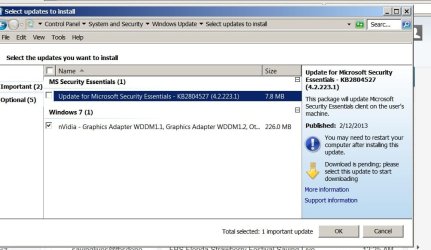
THANK YOU for your help !!!! You'll never know how appreciative I am, especially in view of the fact that I've had SCORES of other "techs" try to help me get this resolved yet NOT ONE of them was successful; all their attempts proved futile. You were the ONLY ONE who got this resolved, as I did precisely as you had instructed. Almost immediately, I received the popup that there were
84 updates to install @
664.6 MB! And, it said that it
never has been done.
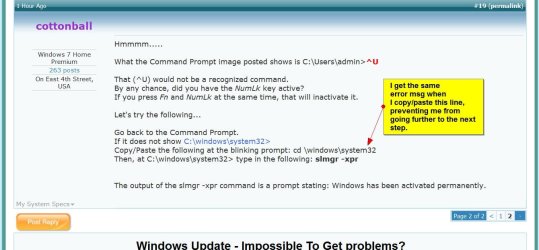
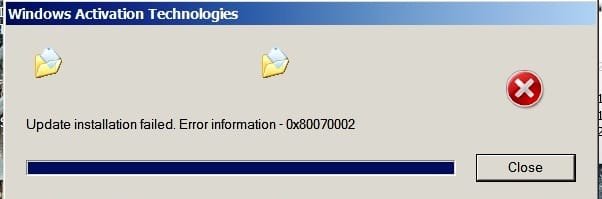
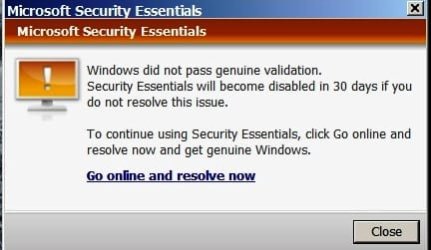
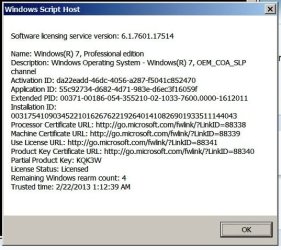
After the updates were installed (it DID take awhile!) and re-booted, I did received the message that Windows was not genuine (???). This
very much puzzles me, as I purchased this computer from an individual who purchased it directly from Dell (Dell Optiplex 760) . . . and, I had contacted Dell (I have all the communications to me via e-mail), and they asseverated the fact that my tower was
still under warranty with them. So, how can it be that fact that Windows is not genuine??? I did see, however, that there may be something wrongly installed/improperly installed that may be causing this issue also.
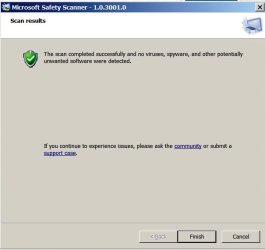
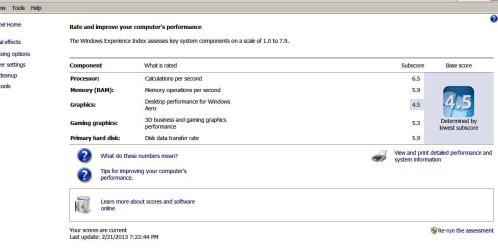
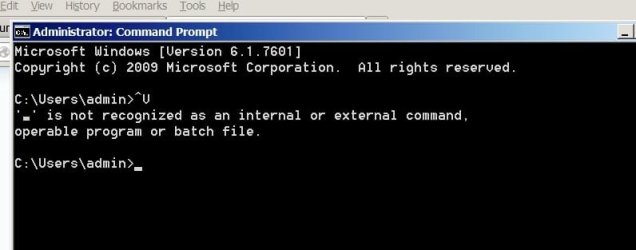
Here are a few images attached. The one message Cottonball, as you can see, "threatened" me about canceling Windows Essential antivirus program in 30 days if I don't get it resolved. Is Essential any better than Microsoft Safety Scanner (which I just found out about), or, should both be used?
Once again, thank you
SO VERY MUCH for your help. You're absolutely brilliant, and I know I'm not exaggerating here. Incidentally, we have a 20-month-old female Dachshund - our favorite of all dogs. My Facebook:
www.facebook.com/lhild




 Thank you all again for your tremendous help!