My Computer
- OS
- Windows 7 Home Premuim 64bit


Did you follow all the instructions on the cisco to set it up?
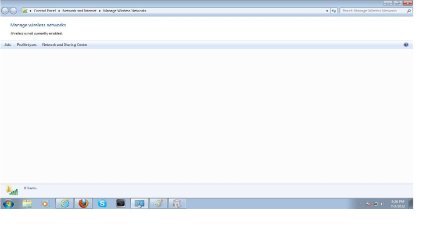
If so, then the problem would lie with the computer. Can the computer find the network, and can you enter the password to connect? How is it stopping you from managing wireless networks?

I should have asked you this before, but I need your specs on your computer. At the bottom of your post, you will see "My System Specs V" - Click it, and click Update your System Spec". I need all that information. It is a lot easier if your computer was pre-built by a company, such as dell, hp, etc. because the specs are easier to find.
Let me know once you update all the info. Also, you will want to do these tutorials:
http://www.sevenforums.com/tutorials/1538-sfc-scannow-command-system-file-checker.html - by Brink
http://www.sevenforums.com/tutorials/18203-internet-troubleshooting-guide.html - by Dinesh
:info: *The last one might help your situation, but I doubt it even applies to you. Check it out yourself to determine that.
You will want to make sure network discovery is on: http://www.sevenforums.com/tutorials/185237-network-discovery-turn-off-windows-7-a.html - by Brink
Get back to me with those specs if you can, let me know if you encounter any trouble. After that, we can troubleshoot further...
I haven't installed those programs. Just make sure you haven't changed any services, and if you have, change them back.
Make sure a WIRED connection works. If it does, you might try searching for updates that way. Before you do, turn ON automatic driver installation: http://www.sevenforums.com/tutorials/82137-drivers-turn-off-automatic-driver-installation.html - after this, install all updates and drivers offered.
Did you follow all the tutorials I gave previously?
Restart your computer
Did you set your computer up to discover networks? http://www.sevenforums.com/tutorials/185237-network-discovery-turn-off-windows-7-a.html
Did you look inside the case to 1. make sure you have a wireless network adapter (hardware) installed, and 2. that it isn't loose.
Can you search for a network now? *See below V*
Go to network and sharing center, click "connect to network". If yours isn't listed, perhaps it wasn't set up yet? Click "Set up a new connection or network" and follow the wizard.
Go to the action center and click troubleshoot, also found here:
Control Panel\All Control Panel Items\Troubleshooting . With the computer plugged in via the WIRED connection (if it works), troubleshoot network and internet problems.