Thanks Gary,
Yep ... grab some popcorn - I'm on the edge on my seat waiting to see how this ends
I checked a few things re: the Lenovo msvcrt install. I'm not sure I like what I found ... nothing to be alarmed about, just a possible Windows Update anomaly. I need to do some more research and it might turn out that there are a few more c++ redist updates to install manually (the SP1 updates). I would have expected WU to do that for you, but.... msvcrt is a different beast.
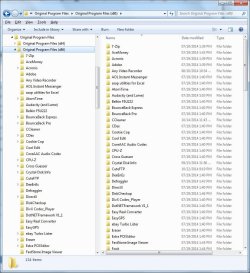
Try this to provide me with a list of all installs that I can compare to a table of c++ redists.
Attach the InstalledApps.csv file and I'll see if more c++redists (SP1 updates) need to be applied. Maybe you were right and you should have started with the PS1 files, but I think of Service Packs as something that gets installed on top of an existing base, not as a base replacement. If you do need the SP1 updates ... maybe, just maybe they will clean up all of the incremental updates.
I think I'll stay away from anything 2005 and x64 - but I might change my mind
Bill
.
Yep ... grab some popcorn - I'm on the edge on my seat waiting to see how this ends
I checked a few things re: the Lenovo msvcrt install. I'm not sure I like what I found ... nothing to be alarmed about, just a possible Windows Update anomaly. I need to do some more research and it might turn out that there are a few more c++ redist updates to install manually (the SP1 updates). I would have expected WU to do that for you, but.... msvcrt is a different beast.
Try this to provide me with a list of all installs that I can compare to a table of c++ redists.
I had some trouble running the PowerShell script on my machine by calling the file (group policy set to not allow scripts to run). The command worked fine if I executed the string in a standard PowerShell though.
Save the file to your downloads folder.
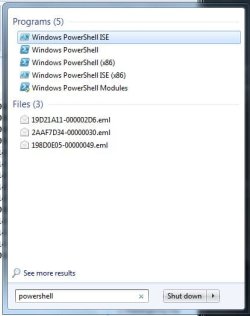
Open a PowerShell (PS) window
Change directory (cd) to your downloads folder (cd Downloads should do it if you open a std PS)
Using your text editor open the InstalledApps.ps1 file, select all, then copy.
Change the window focus to the open PowerShell (click the PowerShell window)
Paste the string you copied from the PS1 file (right click performs the paste - not sure if Ctrl-V works in PS on Win7)
The script produces a file named InstalledApps.csv in the current directory (should be your Downloads folder if you did the change directory (cd) and I didn't make any typos).
Save the file to your downloads folder.
Open a PowerShell (PS) window
Change directory (cd) to your downloads folder (cd Downloads should do it if you open a std PS)
Using your text editor open the InstalledApps.ps1 file, select all, then copy.
Change the window focus to the open PowerShell (click the PowerShell window)
Paste the string you copied from the PS1 file (right click performs the paste - not sure if Ctrl-V works in PS on Win7)
The script produces a file named InstalledApps.csv in the current directory (should be your Downloads folder if you did the change directory (cd) and I didn't make any typos).
Attach the InstalledApps.csv file and I'll see if more c++redists (SP1 updates) need to be applied. Maybe you were right and you should have started with the PS1 files, but I think of Service Packs as something that gets installed on top of an existing base, not as a base replacement. If you do need the SP1 updates ... maybe, just maybe they will clean up all of the incremental updates.
I think I'll stay away from anything 2005 and x64 - but I might change my mind
Bill
.
My Computer
At a glance
x64 (6.3.9600) Win8.1 Pro & soon dual boot x6...AMD A6-3420M APU with Radeon(tm) HD Graphics6.00 GBAMD Radeon(TM) HD 6520G
- Computer type
- Laptop
- Computer Manufacturer/Model Number
- HP Pavilion dv6-6c10us
- OS
- x64 (6.3.9600) Win8.1 Pro & soon dual boot x64 (6.1.7601) Win7_SP1 HomePrem
- CPU
- AMD A6-3420M APU with Radeon(tm) HD Graphics
- Motherboard
- Hewlett-Packard 1805
- Memory
- 6.00 GB
- Graphics Card(s)
- AMD Radeon(TM) HD 6520G
- Sound Card
- (1) AMD High Definition Audio Device (2) IDT High Definiti
- Monitor(s) Displays
- HP W2072a 20" LCD (1600 x 900) @ 60 Hz
- Screen Resolution
- 1366 x 768 x 32 bits (4294967296 colors) @ 60 Hz
- Hard Drives
- ST640LM0 00 HM641JI SATA Disk Device
- Keyboard
- Logitech k520 wireless KB
- Mouse
- Logitech m320 wireless mouse (bundled with KB)
- Internet Speed
- 15/5 | 54 MB Wireless 'n'
- Antivirus
- Realtime: Defender or Avast | On-demand: Malwarebytes, ESET
- Browser
- IE 11 on Win8, IE 10 on win 7
- Other Info
- Media: [Gimp, Audacity, VLC] || Comm: [WEmail 2012, Skype] || Productivity: [OpenOffice,| Textpad] || Utils: [Sysinternals, cCleaner, Speccy, Defraggler]