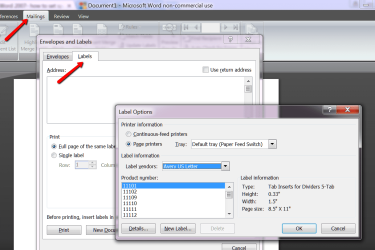
I purchased some small labels (1" x 0.375", 7 across and 22 rows on a 8 1/2 x 11" page) for inventory tags. I thought I could set up a custom label size for printing, and got stumped by Word's inability to handle measurements to 3 decimals, it rounds them down or up.
The page specs are-
Label height- 0.375"
Top margin- 0.346"
Left margin- 0.45"
Horizontal pitch- 1.1"
Vertical pitch- 0.473"
Put all of these measurements in to custom define my labels, and Word made them:
Label height- 0.38"
Top margin- 0.35"
Vertical pitch- 0.47"
(left margin and horizontal pitch obviously not a problem)
Obviously the first 10 or so rows print ok (but you can see the print output moving incrementally down), but by the time we get to the bottom of the page things are printing off the bottom of the labels.
Is there any way to get Word to use my measurements to 3 decimals?
Thanks.
The page specs are-
Label height- 0.375"
Top margin- 0.346"
Left margin- 0.45"
Horizontal pitch- 1.1"
Vertical pitch- 0.473"
Put all of these measurements in to custom define my labels, and Word made them:
Label height- 0.38"
Top margin- 0.35"
Vertical pitch- 0.47"
(left margin and horizontal pitch obviously not a problem)
Obviously the first 10 or so rows print ok (but you can see the print output moving incrementally down), but by the time we get to the bottom of the page things are printing off the bottom of the labels.
Is there any way to get Word to use my measurements to 3 decimals?
Thanks.
My Computer
At a glance
Windows 7 Home PremiumIntel i5 2450M8 GBNvidia G540M
- Computer Manufacturer/Model Number
- Acer TimelineX 4830TG
- OS
- Windows 7 Home Premium
- CPU
- Intel i5 2450M
- Memory
- 8 GB
- Graphics Card(s)
- Nvidia G540M
- Hard Drives
- SanDisk Extreme 120 GB