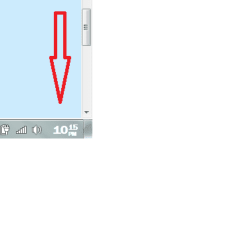
I just set up a new laptop. Win 7 HP 64 bit. I would like to replace the tray clock with a "better looking" one. I use "Free Desktop Clock v2.2" on a desktop with Win 7 HP 32 bit, and it works well. However, I can't get that, or any other clock I have downloaded, to replace the Win 7 clock. Task Manager states they are running but the clock in the tray doesn't change.
Anyone know the secret?
Thanks for any help.
Anyone know the secret?
Thanks for any help.
My Computer
- Computer type
- PC/Desktop
- Computer Manufacturer/Model Number
- Custom
- OS
- Win 7 HP 64bit w/SP1
- CPU
- AMD Athlon 64 X2 5200+
- Motherboard
- Gigabyte Technology Co., Ltd. GA-MA770-UD3 (Socket M2)
- Memory
- 6.0GB Dual-Channel DDR2 @ 387MHz (5-5-5-18)
- Graphics Card(s)
- Acer AL1906 @ 1280x1024 512MB GeForce 9500 GT (XFX Pine Grou
- Sound Card
- Realtek High Definition Audio
- Monitor(s) Displays
- Acer Generic PnP Monitor
- Hard Drives
- Crucial 128 gig M4 SSD
Seagate Backup 5T
Seagate GoFlex 2T
WDC WD1600JS-00NCB1 USB 1500 Gig
Seagate Backup 3T
- Keyboard
- Logitech HID-Compliant Keyboard
- Mouse
- PS/2 Compatible Mouse
- Internet Speed
- Cable broadband (up to 50Mbps)
- Other Info
- Nightly runs of Super AntiSpyware, CCleaner and Malware Anti-Malware and System Restore.