Unbelievable! Indescribable! I thought I had entered the Twilight Zone! Or maybe the Land of Oz!
I moved my SSD boot drive and all my other drives to a new motherboard/CPU/chipset and it all worked the first time with no problems. Can you believe it? I'm just flabbergasted.
My old system was an ASUS P6T motherboard with 6GB RAM and an Intel i7-920. The P6T has the X58 chipset which does NOT support SATA3 or USB3. In that system were 2 SSD's, 2 HDD's, 2 ODD's, and a USB3 multi-function card reader that had its own PCI card. The system's video card was an nVidia GT9600 with 1 GB RAM. I drive 2 monitors with the video card.
My new system has an ASUS P8Z77-M motherboard with 8 GB RAM and and Intel i7-3770S CPU. The P8Z77 has the Z77 chipset which does support SATA3, USB3, and also internal graphics (which I am not using.) The video card is an EVGA 630 with 2 GB RAM.
Well, I did a lot of research on transferring a fully configured Win7 system to a new PC. This is not a trivial process in most cases due to hardware differences, but in my case the 2 systems must have been similar enough to prevent any problems. For instance, I did not need to use SysPrep to gimmick my boot drive to load new drivers. I did not have to do my first boot in Safe Mode to load new drivers. I did not have to change my BIOS to AHCI - ASUS now makes this the default. And finally, I did not have to re-validate my Win7 license key.
I did use the ASUS BIOS update function to load the latest BIOS into the motherboard before I finished assembling the system. This worked surprisingly well - the board came with BIOS one level down from current.
After I got all the drives moved into the new system I used the UEFI Advanced BIOS screens to set my boot drive to the proper one, set my CD/DVD drive as a secondary boot device, set CPU fan to Silent mode, and the proceeded to boot the system.
Win7 came up with a legacy video driver which looked bad on my 1920x1200 screen, but this is the same as Safe Mode so it was still usable. Right away I got a string of "Updating device driver" messages that ran for a couple of minutes. After that I did a Restart as requested and Voila! My system was back.
Everything was as it was supposed to be - all my drives had their proper drive letters, my dual screens were A-OK, the multi-function card reader worked, and so did my optical drives. I did go ahead and update the video driver to the latest version (it too was one down from current) but other than that everything worked. My keyboard and mouse (actually a trackball) have special drivers and these worked A-OK too.
I ran benchmarks on my 2 SSD drives and their performance has improved significantly. So I know the SATA3 feature really does work.
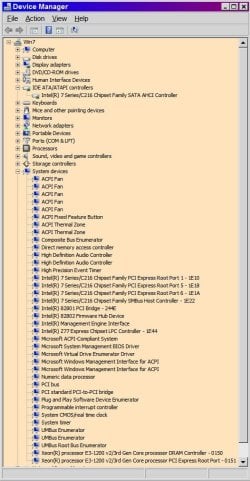
The only thing that looks wrong now is Device Manager shows 2 Other Devices that have bad drivers - an SM Bus Controller and a Universal Serial Bus (USB) controller. I don't know what these things are; all my USB devices are working OK so I'm thinking I should just deleted these to devices.
Even though I had no issues doing this upgrade I'd like to thank all the people here who have provided helpful information about making changes like this. I would not have attempted this without the feeling of confidence I got from reading all the good stuff here.
I moved my SSD boot drive and all my other drives to a new motherboard/CPU/chipset and it all worked the first time with no problems. Can you believe it? I'm just flabbergasted.
My old system was an ASUS P6T motherboard with 6GB RAM and an Intel i7-920. The P6T has the X58 chipset which does NOT support SATA3 or USB3. In that system were 2 SSD's, 2 HDD's, 2 ODD's, and a USB3 multi-function card reader that had its own PCI card. The system's video card was an nVidia GT9600 with 1 GB RAM. I drive 2 monitors with the video card.
My new system has an ASUS P8Z77-M motherboard with 8 GB RAM and and Intel i7-3770S CPU. The P8Z77 has the Z77 chipset which does support SATA3, USB3, and also internal graphics (which I am not using.) The video card is an EVGA 630 with 2 GB RAM.
Well, I did a lot of research on transferring a fully configured Win7 system to a new PC. This is not a trivial process in most cases due to hardware differences, but in my case the 2 systems must have been similar enough to prevent any problems. For instance, I did not need to use SysPrep to gimmick my boot drive to load new drivers. I did not have to do my first boot in Safe Mode to load new drivers. I did not have to change my BIOS to AHCI - ASUS now makes this the default. And finally, I did not have to re-validate my Win7 license key.
I did use the ASUS BIOS update function to load the latest BIOS into the motherboard before I finished assembling the system. This worked surprisingly well - the board came with BIOS one level down from current.
After I got all the drives moved into the new system I used the UEFI Advanced BIOS screens to set my boot drive to the proper one, set my CD/DVD drive as a secondary boot device, set CPU fan to Silent mode, and the proceeded to boot the system.
Win7 came up with a legacy video driver which looked bad on my 1920x1200 screen, but this is the same as Safe Mode so it was still usable. Right away I got a string of "Updating device driver" messages that ran for a couple of minutes. After that I did a Restart as requested and Voila! My system was back.
Everything was as it was supposed to be - all my drives had their proper drive letters, my dual screens were A-OK, the multi-function card reader worked, and so did my optical drives. I did go ahead and update the video driver to the latest version (it too was one down from current) but other than that everything worked. My keyboard and mouse (actually a trackball) have special drivers and these worked A-OK too.
I ran benchmarks on my 2 SSD drives and their performance has improved significantly. So I know the SATA3 feature really does work.
The only thing that looks wrong now is Device Manager shows 2 Other Devices that have bad drivers - an SM Bus Controller and a Universal Serial Bus (USB) controller. I don't know what these things are; all my USB devices are working OK so I'm thinking I should just deleted these to devices.
Even though I had no issues doing this upgrade I'd like to thank all the people here who have provided helpful information about making changes like this. I would not have attempted this without the feeling of confidence I got from reading all the good stuff here.
My Computer
At a glance
Win7-64Intel i7-3770S16GBnVidia GT630
- Computer type
- PC/Desktop
- Computer Manufacturer/Model Number
- Custom built
- OS
- Win7-64
- CPU
- Intel i7-3770S
- Motherboard
- ASUS P8Z77-M
- Memory
- 16GB
- Graphics Card(s)
- nVidia GT630
- Sound Card
- onboard
- Monitor(s) Displays
- dual
- Screen Resolution
- 1920x1200 (primary) 1050x1680 (secondary)
- Hard Drives
- 128GB SSD (boot)
64GB SSD (Temp/My Documents)
500GB (photos/videos)
1TB (rendered video, backups)
- PSU
- 650W
- Case
- Thermaltake A30
- Cooling
- Thermaltake
- Keyboard
- Logitech Lighted
- Mouse
- Kensington Expert Mouse (trackball)
- Internet Speed
- FIOS 35/35
- Antivirus
- MS Security Essentials
- Browser
- Chrome (beta)