XP mode without HAV?

Dick Jagger

New member
Member
Local time
10:55 PM
Messages
74
My laptop doesn't have Hardware Assisted Virtualization (HAV), is there a tutorial for getting XP mode up and wifi running on it?
 

My Computer

Computer Manufacturer/Model Number
Acer Aspire 4730Z
OS
Windows 7 Ultimate
CPU
Intel Pentium Dual CPU T3400 @ 2.16GHz
Motherboard
Acer Aspire 4730Z V1.22 GL40
Memory
4.0GB Dual-Channel DDR2 @ 332MHz
Graphics Card(s)
Mobile Intel(R) 4 Series Express Chipset Family 1309 MB
Sound Card
Realtek High Definition Audio
Monitor(s) Displays
AOC 2795V
Screen Resolution
1920 x 1080
Hard Drives
500GB Hitachi HTS545050B9A300 ATA Travelstar

My Computer

Computer type
Laptop
Computer Manufacturer/Model Number
HP EliteBook 8530w Mobile Workstation
OS
Windows 7 Ultimate x64 (XP, 98SE, 95, 3.11, DOS 7.10 on VM) + Ubuntu 10.04 LTS Lucid Lynx
CPU
Intel Core 2 Duo Processor P8600 (2.40 GHz, 3 MB L2 cache)
Motherboard
Mobile Intel PM45 Express Chipset ICH9M-Enhanced
Memory
4GB 800 MHz DDR2 SDRAM
Graphics Card(s)
ATI Mobility FireGL V5700 with 256 MB
Sound Card
SoundMAX Integrated Digital HD Audio
Monitor(s) Displays
15.4-inch WXGA anti-glare (1280 x 800 resolution)
Screen Resolution
1280 x 800
Hard Drives
500GB + 1TB
Mouse
Synaptics PS/2 Port Touchpad, USB Mouse
Internet Speed
4 Mbps
Antivirus
MSE
Browser
Firefox, Chrome, IE
Other Info
Authentec AES2810 Fingerprint Reader
1)go here: Download Windows XP Mode
2) select your OS and language
3) Download and Install Package 1
4)Restart if it prompts you to
5)Download and Install Package 2
6)Restart if it prompts you to
7)Download and Install Package 3 (needed to disable HAV checks)
8)Restart if it prompts you to
9)Run XP Mode :)

By Default, XPM will "borrow" your PC's internet connection, no installation of drivers is required, as long as the Host (Win 7) is online then the guest (XPM) will also be.
 

My Computer

Computer type
PC/Desktop
Computer Manufacturer/Model Number
Medion Erazer (note to self: insert model number) - with custom additions
OS
Windows 10 Pro x64
CPU
Intel Core i5 7400 @ 3.00GHz
Motherboard
OEM supllied with PC
Memory
8GB 2133Mhz DDR4 (OEM supplied)
Graphics Card(s)
Gygabyte Windforce GTX 1050Ti (Factory Overclocked)
Sound Card
Realtek
Monitor(s) Displays
Acer Al1980 + HKC
Screen Resolution
1360*768(HKC) / 1280*1024(Acer)
Hard Drives
1TB Toshiba
1TB WD Caviar Green
120GB Samsung Evo 840
PSU
OEM supplied (no power rating on case)
Case
OEM Supplied
Cooling
Stock
Keyboard
Logitech Wireless
Mouse
Logitect Wireless
Internet Speed
40Mb/s Down 10Mb/s Up
Antivirus
Defender
Browser
Firefox
Thanks - I've downloaded the patch in the first link and the second link looks useful.:D

severedsolo I didn't seeyour post while I was replying... I'm following those steps right now. thanks.
 

My Computer

Computer Manufacturer/Model Number
Acer Aspire 4730Z
OS
Windows 7 Ultimate
CPU
Intel Pentium Dual CPU T3400 @ 2.16GHz
Motherboard
Acer Aspire 4730Z V1.22 GL40
Memory
4.0GB Dual-Channel DDR2 @ 332MHz
Graphics Card(s)
Mobile Intel(R) 4 Series Express Chipset Family 1309 MB
Sound Card
Realtek High Definition Audio
Monitor(s) Displays
AOC 2795V
Screen Resolution
1920 x 1080
Hard Drives
500GB Hitachi HTS545050B9A300 ATA Travelstar

My Computer

Computer type
PC/Desktop
Computer Manufacturer/Model Number
Medion Erazer (note to self: insert model number) - with custom additions
OS
Windows 10 Pro x64
CPU
Intel Core i5 7400 @ 3.00GHz
Motherboard
OEM supllied with PC
Memory
8GB 2133Mhz DDR4 (OEM supplied)
Graphics Card(s)
Gygabyte Windforce GTX 1050Ti (Factory Overclocked)
Sound Card
Realtek
Monitor(s) Displays
Acer Al1980 + HKC
Screen Resolution
1360*768(HKC) / 1280*1024(Acer)
Hard Drives
1TB Toshiba
1TB WD Caviar Green
120GB Samsung Evo 840
PSU
OEM supplied (no power rating on case)
Case
OEM Supplied
Cooling
Stock
Keyboard
Logitech Wireless
Mouse
Logitect Wireless
Internet Speed
40Mb/s Down 10Mb/s Up
Antivirus
Defender
Browser
Firefox
I am now running xp in virtualPC, i am trying to access a website through IE6 that is not in english, looking for CLPexe.exe to install. Outside of the VM, in windows7, no problem to visit foreign language websites, so the language packs must be installed already on my laptop. WHat are the file extensions for language packs so that I can manually copy or install them in XP? Searching for CLPexe.exec doesnt turn up anything.

(and oh man, XP looks ridiculous)
 

My Computer

Computer Manufacturer/Model Number
Acer Aspire 4730Z
OS
Windows 7 Ultimate
CPU
Intel Pentium Dual CPU T3400 @ 2.16GHz
Motherboard
Acer Aspire 4730Z V1.22 GL40
Memory
4.0GB Dual-Channel DDR2 @ 332MHz
Graphics Card(s)
Mobile Intel(R) 4 Series Express Chipset Family 1309 MB
Sound Card
Realtek High Definition Audio
Monitor(s) Displays
AOC 2795V
Screen Resolution
1920 x 1080
Hard Drives
500GB Hitachi HTS545050B9A300 ATA Travelstar
What you're thinking of is available by going to the Control Panel, changing it to Classic View, then going to "Regional and Language Settings", clicking on the "Languages" Tab and then checking off both boxes and waiting for it to do its process to install support for both the complex and right to left languages as well as East Asian languages.

And yeah, these are already installed by default into Windows Vista and Windows 7.
 

My Computer

OS
Windows 7 Ultimate x64 SP1
CPU
Intel Core i3 530 2.93 Ghz Clarkdale
Motherboard
ASRock P55 PRO/USB3 LGA 1156
Memory
4 GB OCZ DDR3 1600 (PC12800) Low Voltage Desktop Memory
Graphics Card(s)
Nvidia GeForce GTX 550 Ti with 1 GB of RAM
Sound Card
Realtek HD ALC892
Monitor(s) Displays
20'' eMachines E202HDbmd Glare Panel Widescreen
Screen Resolution
1600 x 900
Hard Drives
Western Digital 1 TB Caviar Black Edition (7200 RPM) SATA
Hitachi Deskstar 500 GB (7200 RPM) SATA
Samsung SpinPoint 400 GB (7200 RPM) SATA
PSU
Rosewill Xtreme Series RX750-D-B ATX12V v2.2 & EPS12V (750W)
Case
Cooler Master Centurion 534 RC-534-KKN2-GP Mid-Tower
Cooling
Standard Case Fans and Stock CPU Heatsink
Keyboard
Microsoft Wireless Optical Desktop Elite
Mouse
Microsoft Wireless Optical Desktop Elite
Internet Speed
7.1 Mbps Verizon DSL
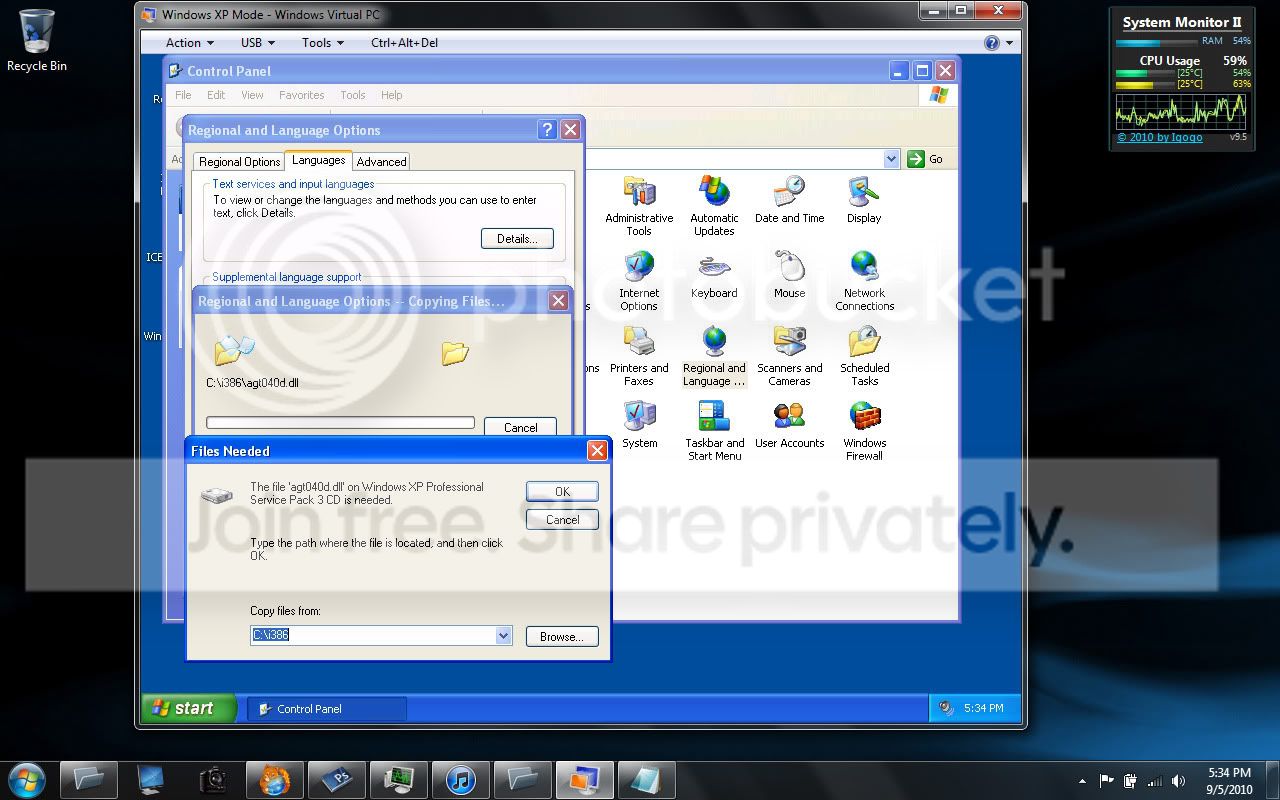
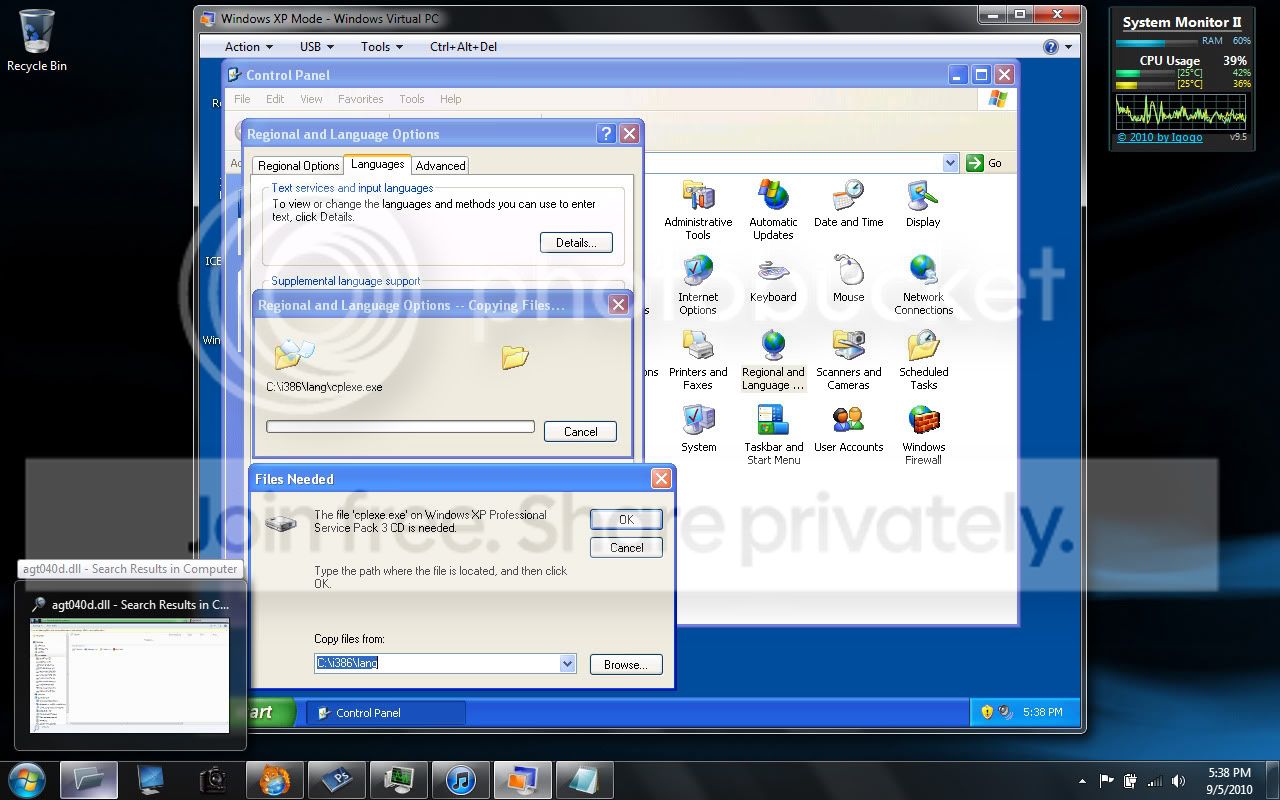
@Darician, In Windows 7, all language packs are already installed and working fine - i.e., no problems visiting any foreign language webites. In VirtualPC XP Mode, when trying to run the installation of support for both the complex and right to left languages and East Asian languages, the error message indicating files are needed from the Windows XP Professional Service Pack 3 cd, which I don't have. Screen shots below. How to locate these files manually in Windows 7 (searching for them doesn't turn up anything). Thanks.

XPmodelanguagepacksCLPexe.jpg


XPmodelanguagepacks_agt040d.jpg
 

My Computer

Computer Manufacturer/Model Number
Acer Aspire 4730Z
OS
Windows 7 Ultimate
CPU
Intel Pentium Dual CPU T3400 @ 2.16GHz
Motherboard
Acer Aspire 4730Z V1.22 GL40
Memory
4.0GB Dual-Channel DDR2 @ 332MHz
Graphics Card(s)
Mobile Intel(R) 4 Series Express Chipset Family 1309 MB
Sound Card
Realtek High Definition Audio
Monitor(s) Displays
AOC 2795V
Screen Resolution
1920 x 1080
Hard Drives
500GB Hitachi HTS545050B9A300 ATA Travelstar
Unfortunately, you will need a Windows XP CD to accomplish this. It does not have to be with SP3 as I tried with an old copy of XP Professional Gold (SP0) that I have and it worked but you will need an XP Professional CD to do this. A Home version CD might also work as I believe the language files are the same in either one.
 

My Computer

OS
Windows 7 Ultimate x64 SP1
CPU
Intel Core i3 530 2.93 Ghz Clarkdale
Motherboard
ASRock P55 PRO/USB3 LGA 1156
Memory
4 GB OCZ DDR3 1600 (PC12800) Low Voltage Desktop Memory
Graphics Card(s)
Nvidia GeForce GTX 550 Ti with 1 GB of RAM
Sound Card
Realtek HD ALC892
Monitor(s) Displays
20'' eMachines E202HDbmd Glare Panel Widescreen
Screen Resolution
1600 x 900
Hard Drives
Western Digital 1 TB Caviar Black Edition (7200 RPM) SATA
Hitachi Deskstar 500 GB (7200 RPM) SATA
Samsung SpinPoint 400 GB (7200 RPM) SATA
PSU
Rosewill Xtreme Series RX750-D-B ATX12V v2.2 & EPS12V (750W)
Case
Cooler Master Centurion 534 RC-534-KKN2-GP Mid-Tower
Cooling
Standard Case Fans and Stock CPU Heatsink
Keyboard
Microsoft Wireless Optical Desktop Elite
Mouse
Microsoft Wireless Optical Desktop Elite
Internet Speed
7.1 Mbps Verizon DSL
@Dick Jagger,

XP Mode is in actuality a separate installation of XP. You will have to language packs there also even if they are installed in Windows 7 already.
 

My Computer

Computer type
Laptop
Computer Manufacturer/Model Number
HP EliteBook 8530w Mobile Workstation
OS
Windows 7 Ultimate x64 (XP, 98SE, 95, 3.11, DOS 7.10 on VM) + Ubuntu 10.04 LTS Lucid Lynx
CPU
Intel Core 2 Duo Processor P8600 (2.40 GHz, 3 MB L2 cache)
Motherboard
Mobile Intel PM45 Express Chipset ICH9M-Enhanced
Memory
4GB 800 MHz DDR2 SDRAM
Graphics Card(s)
ATI Mobility FireGL V5700 with 256 MB
Sound Card
SoundMAX Integrated Digital HD Audio
Monitor(s) Displays
15.4-inch WXGA anti-glare (1280 x 800 resolution)
Screen Resolution
1280 x 800
Hard Drives
500GB + 1TB
Mouse
Synaptics PS/2 Port Touchpad, USB Mouse
Internet Speed
4 Mbps
Antivirus
MSE
Browser
Firefox, Chrome, IE
Other Info
Authentec AES2810 Fingerprint Reader
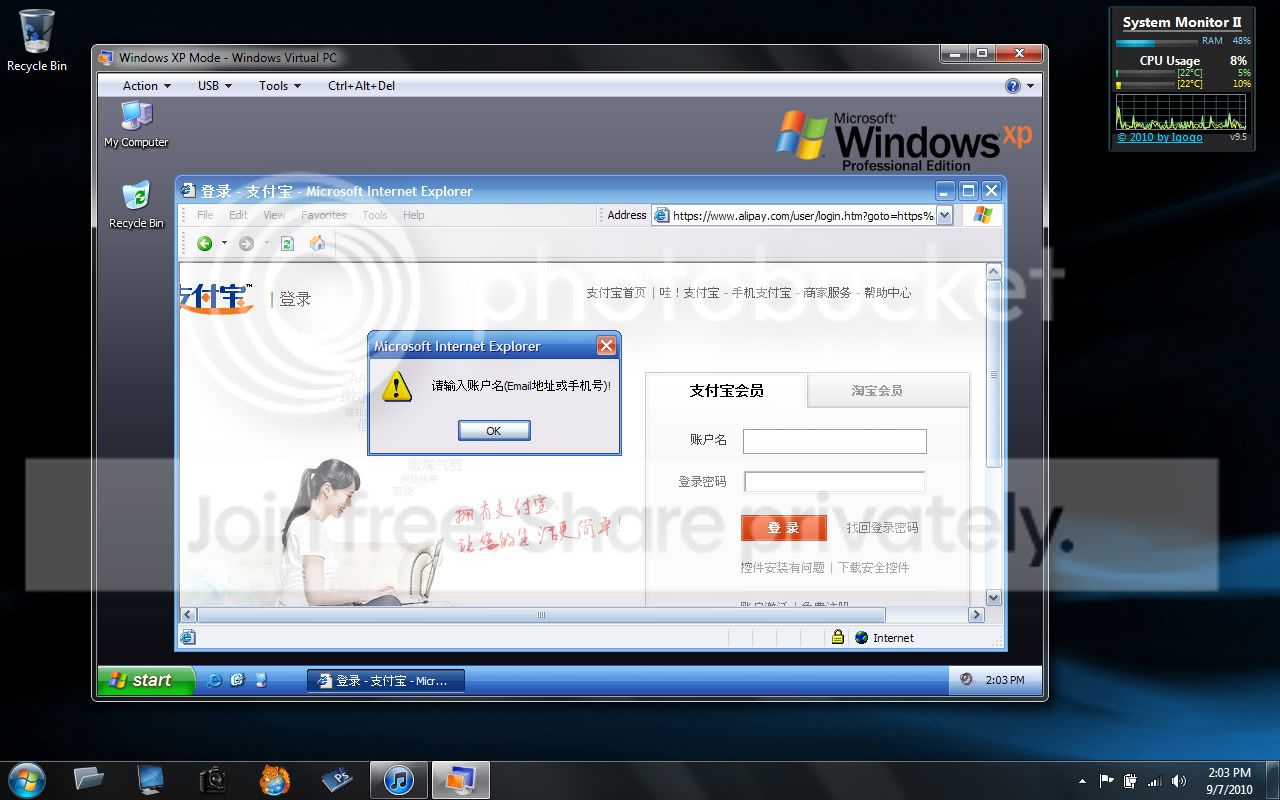
I was able to get non-English websites to display languages properly by installing a copy of Office XP that I acquired, and then running the Global IME language tool for it. So far, so good.
Scr03WebOK.jpg


However, in Windows Explorer, I am still having the same problem as before with the missing CLPExe.exe. I do not have any XP discs, all previous installations were OEM without discs and this one is the authorized XP Professional download via Microsoft Virtual PC. Is there a way to get the missing files without physically having the disc?
 

My Computer

Computer Manufacturer/Model Number
Acer Aspire 4730Z
OS
Windows 7 Ultimate
CPU
Intel Pentium Dual CPU T3400 @ 2.16GHz
Motherboard
Acer Aspire 4730Z V1.22 GL40
Memory
4.0GB Dual-Channel DDR2 @ 332MHz
Graphics Card(s)
Mobile Intel(R) 4 Series Express Chipset Family 1309 MB
Sound Card
Realtek High Definition Audio
Monitor(s) Displays
AOC 2795V
Screen Resolution
1920 x 1080
Hard Drives
500GB Hitachi HTS545050B9A300 ATA Travelstar
OK - got it all worked out by locating an install disc and then copying a majority of the contents of the i386 folder over to the XP Mode structure.
Scr04WebOKExplrOK.jpg
 

My Computer

Computer Manufacturer/Model Number
Acer Aspire 4730Z
OS
Windows 7 Ultimate
CPU
Intel Pentium Dual CPU T3400 @ 2.16GHz
Motherboard
Acer Aspire 4730Z V1.22 GL40
Memory
4.0GB Dual-Channel DDR2 @ 332MHz
Graphics Card(s)
Mobile Intel(R) 4 Series Express Chipset Family 1309 MB
Sound Card
Realtek High Definition Audio
Monitor(s) Displays
AOC 2795V
Screen Resolution
1920 x 1080
Hard Drives
500GB Hitachi HTS545050B9A300 ATA Travelstar
Back
Top