

Personalize Microsoft Edge with built-in theme colors
A few weeks ago, we officially kicked off our theming journey with the release of two dozen themes on the Microsoft Edge Add-on site. These themes allow you to change the look and feel of your browser profile with colors and imagery inspired by Microsoft 365 and some of your favorite Xbox franchises like Halo, Sea of Thieves, Microsoft Flight Simulator, and more. Sometimes, however, you just want a splash of color. Today, we’re excited to announce that we’ve made it even easier to personalize Edge with 14 brand new theme colors in Settings.
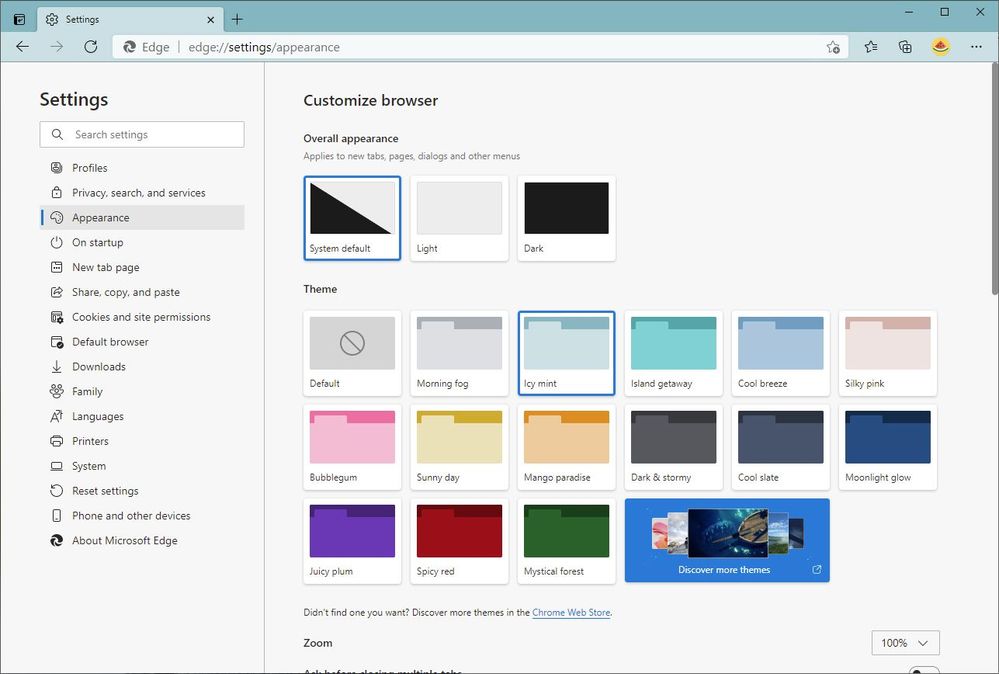
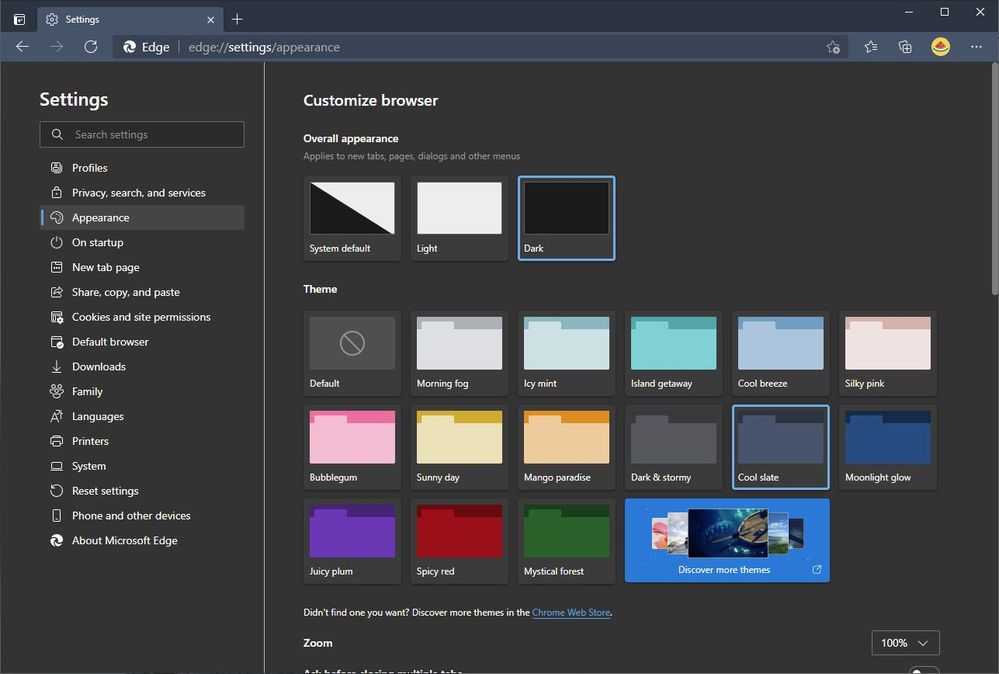
Beginning with today’s Dev channel update, we’ve updated the Appearance page in Settings to make it easier than ever to theme your browser. The Overall appearance section changes the primary look of the browser, including new tabs, pages, dialogs, and other menus. By default, Edge will try to match the appearance of your operating system, but if you prefer to always live in light or dark mode you can do that too. Like other Chromium browsers, this setting applies to all of your profiles.

To add a splash of color to your tabs, address bar, and other parts of the browser, simply select any of the color swatches in the Theme section. Edge comes with 14 theme colors to fit your every mood, from various shades of gray to fun and playful colors. These themes are unique to each profile and are great for helping you quickly understand whether you’re in your personal, work, or school profile.
Pro tip: You can also show the theme color on the New Tab Page by opening a new tab, clicking on the Page Settings button () in the top-right corner, and selecting Custom > Custom theme.
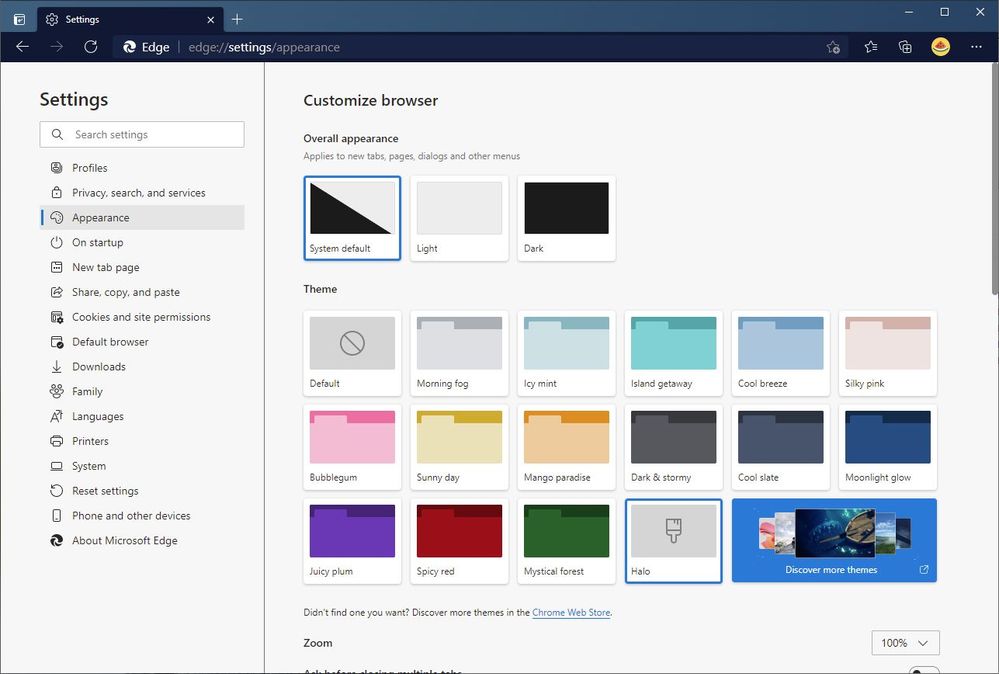
We’ve also made it easier to discover more custom themes on the Microsoft Edge Add-on site, allowing you to personalize Edge with an even wider range of themes. And when you install a custom theme from a store, a new swatch for the theme will appear near the end of the theme list. As with the built-in theme colors, simply select Default or another color to remove or change your theme.
We’ve been humbled by the excitement we’ve seen for themes over the last few weeks, and we’re thrilled to introduce even more ways to personalize Edge. Some of our eagle-eyed Insiders may have noticed us building this feature behind a flag in recent weeks. Thank you for all of the feedback and comments you’ve shared with us so far! Please continue sharing your thoughts via the Send Feedback tool (Alt+Shift+I) and in the comments, and stay tuned for more updates on themes in the future.
— William Devereux, Senior Program Manager, Microsoft Edge
Source: Personalize Microsoft Edge with built-in theme colors - Microsoft Tech Community
My Computer
At a glance
64-bit Windows 11 Pro for WorkstationsIntel i7-8700K OC'd to 5 GHz64 GB (4x16GB) G.SKILL TridentZ RGB DDR4 3600...ASUS ROG-STRIX-GTX1080TI-O11G-GAMING
- Computer type
- PC/Desktop
- Computer Manufacturer/Model Number
- Self built custom
- OS
- 64-bit Windows 11 Pro for Workstations
- CPU
- Intel i7-8700K OC'd to 5 GHz
- Motherboard
- ASUS ROG Maximus XI Formula Z390
- Memory
- 64 GB (4x16GB) G.SKILL TridentZ RGB DDR4 3600 MHz
- Graphics Card(s)
- ASUS ROG-STRIX-GTX1080TI-O11G-GAMING
- Sound Card
- Integrated
- Monitor(s) Displays
- 2 x Samsung Odyssey G7 27"
- Screen Resolution
- 2560x1440
- Hard Drives
- 1TB Samsung 990 PRO M.2,
4TB Samsung 990 PRO PRO M.2,
TerraMaster F8 SSD Plus NAS
- PSU
- Seasonic Prime Titanium 850W
- Case
- Thermaltake Core P3
- Cooling
- Corsair Hydro H115i
- Keyboard
- Logitech wireless K800
- Mouse
- Logitech MX Master 4
- Internet Speed
- 2 Gb/s Download and 100 Mb/s Upload
- Antivirus
- Malwarebyte Anti-Malware Premium
- Browser
- Google Chrome
- Other Info
- Logitech Z625 speaker system,
Logitech BRIO 4K Pro webcam,
HP Color LaserJet Pro MFP M477fdn,
APC SMART-UPS RT 1000 XL - SURT1000XLI,
Galaxy S23 Plus phone
