

How to Unlock a Locked Out User Account in Windows 7 and Windows 8
InformationNormally the account lockout duration security setting determines the number of minutes a locked out account remains locked out before automatically becoming unlocked. If the account lockout duration is set to 0 minutes, then a locked out user account will be locked out until an administrator manually unlocks that locked out user account.
This will show you how to manually unlock a user account that was locked out when it reached its account lockout threshold of invalid logon attempts.WarningYou will only be able to do this while logged in as an administrator.
EXAMPLE: Locked Out User Account
NOTE: This is the locked out message a user will get if they reach the account lockout threshold number of invalid logon attempts.
Here's How: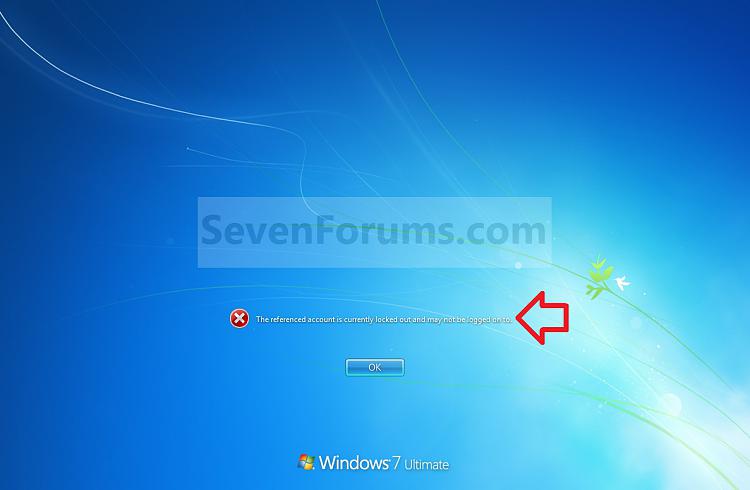
1. Open the Local Users and Groups manager.That's it,
2. In the left pane, select Users. (see screenshot below)
3. In the right pane under the Name column, double click on the locked out user account. (see screenshot above)
4. Uncheck the Account is locked out box, and click on OK. (see screenshots below)
NOTE: If the Account is locked out option is grayed out, then the selected user account is not locked out.
5. Close the Local Users and Groups manager.
Shawn
Related Tutorials
- How to Set Account Lockout Threshold for Invalid Logon Attempts
- How to Set Account Lockout Duration for Locked Out User Accounts
- How to Set the Reset Account Lockout Counter After Setting
- How to Set an Audit Policy for an Account Lockout
- How to View Detailed Information About All User Accounts on a Windows PC
Account Lockout - Unlock a Locked Out User Account
-
New #1
This is actually a great tip! Thank you for putting this in the Tutorial.
-
-
New #3
does not work to uncheck that box...
This is a very nice explanation, BUT:
1. My computer is member in a Domain
2. A user account (local not from domain) is locked out
3. I tried all this and apparently works from local admin account, but in fact it doesn't... cause, next time I look into it is still checked! (even though I unchecked that box (Account is locked out).
Could it be because of Domain membership even though the user is local and I do things from the local admin?
Is there a solution, so that I can use that account again?
Thanks in advance!
-
New #4
Hello Teofil, and welcome to Seven Forums.
Yes, the domain settings will override your local setting when you are connected to the domain. It will have to be set that way in the domain by the domain administrator.
-
New #5
Thank you Brink for the reply. Can you help me with some advice about what to do in the Win server 2008 - which is the AD? Should I go to Active Dir Users and accounts->Computers->that certain station and Disable Account? (or reset Account?)... I am the only one in the office with "knowledge" of administrator and I am a little bit nervous to do things in AD since I do not understand much, but want to learn without harming other processes around. That computer does not need to be in AD... in fact I can add it again after that, but I am nervous.
I mean:
I only need to make that local account unlocked!
The policy, I manage to change from admin local through cmd prompt! (e.g. using cmd prompt: >net accounts lockoutthreshold :15)! it worked even thought was greyed in GUI!
Thanks for your help.Last edited by Teofil; 12 Aug 2010 at 10:23.
-
New #6
I'm afraid that I do not know much about Win Server 2008 on this either. You might consider posting a separate thread on this in the "Network & Sharing" forum section to hopefully get a solution for it.
-
-
-

Account Lockout - Unlock a Locked Out User Account
How to Unlock a Locked Out User Account in Windows 7 and Windows 8Published by Brink


 Quote
Quote
Related Discussions