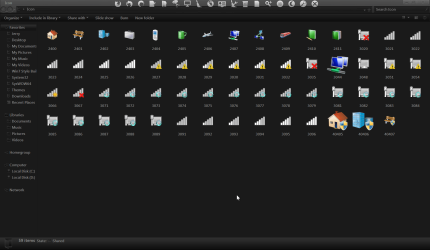
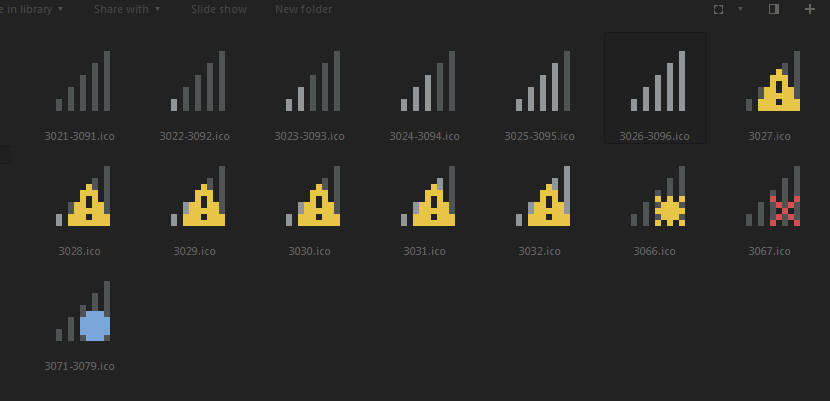
I've been having a lot of trouble changing the system tray icons for volume, network, etc.
First it seems that Kishan's tool doesn't work with 64-bit Windows, as I tried it and nothing happened...so I tried another method using this tutorial and the System File Replacer: http://www.sevenforums.com/tutorials/126435-notification-area-icons-customize.html
But again, after a reboot, it just didn't work. The icons were the same.
Finally I decided to just Take Ownership of the dlls and replace the icons manually with Resource Hacker. However, this is where my current problem comes in. I take ownership and rename the original files in system32 and sysWOW64...but when I try to copy in the new files with the replaced icons, it...doesn't seem to be there. I don't get any errors or anything like that. In fact, when I try a second time to copy the file in, Windows asks if I want to overwrite it - implying the file did, in fact, copy into the folder. But I don't SEE it. I only see the backed up file - ex. pnidui.dll.old but there appears to be no pnidui.dll in the folder. Windows acts like it copied the .dll but I don't see it. But I figure, hey, if Windows says it's in there...it must be, right? So I reboot.
Sure enough I just plain don't HAVE a network icon in my tray now. It's gone as though it doesn't exist. I even tried doing the same replacement by booting into Linux via live CD and doing the replacement that way in case something went weird with taking ownership - this time, obviously, I can confirm that the .dll ends up copied into the folder, but the problem persists. I have NO network tray icon upon booting back into Windows.
It's obviously easy to fix this by just renaming the original .dll I backed up again. Reboot again, no issue, my network icon is back in the tray where it belongs. But that's not the point. I want to CHANGE the icon to match the other icons I'm making for my system tray...that's why I'm posting this in the Customization section. I know how to 'fix' the issue of my network icon vanishing by just using the original untouched .dll but I want to know why nothing I try to actually CHANGE the tray icon is working...for now the only 'solution' I can think of is to just hide the network icon from my tray so it doesn't throw off the aesthetic I'm going for, but I like being able to see that I'm connected to the internet. So if it's actually possible to CHANGE this icon and I'm doing something wrong...I'd like some help, please.
First it seems that Kishan's tool doesn't work with 64-bit Windows, as I tried it and nothing happened...so I tried another method using this tutorial and the System File Replacer: http://www.sevenforums.com/tutorials/126435-notification-area-icons-customize.html
But again, after a reboot, it just didn't work. The icons were the same.
Finally I decided to just Take Ownership of the dlls and replace the icons manually with Resource Hacker. However, this is where my current problem comes in. I take ownership and rename the original files in system32 and sysWOW64...but when I try to copy in the new files with the replaced icons, it...doesn't seem to be there. I don't get any errors or anything like that. In fact, when I try a second time to copy the file in, Windows asks if I want to overwrite it - implying the file did, in fact, copy into the folder. But I don't SEE it. I only see the backed up file - ex. pnidui.dll.old but there appears to be no pnidui.dll in the folder. Windows acts like it copied the .dll but I don't see it. But I figure, hey, if Windows says it's in there...it must be, right? So I reboot.
Sure enough I just plain don't HAVE a network icon in my tray now. It's gone as though it doesn't exist. I even tried doing the same replacement by booting into Linux via live CD and doing the replacement that way in case something went weird with taking ownership - this time, obviously, I can confirm that the .dll ends up copied into the folder, but the problem persists. I have NO network tray icon upon booting back into Windows.
It's obviously easy to fix this by just renaming the original .dll I backed up again. Reboot again, no issue, my network icon is back in the tray where it belongs. But that's not the point. I want to CHANGE the icon to match the other icons I'm making for my system tray...that's why I'm posting this in the Customization section. I know how to 'fix' the issue of my network icon vanishing by just using the original untouched .dll but I want to know why nothing I try to actually CHANGE the tray icon is working...for now the only 'solution' I can think of is to just hide the network icon from my tray so it doesn't throw off the aesthetic I'm going for, but I like being able to see that I'm connected to the internet. So if it's actually possible to CHANGE this icon and I'm doing something wrong...I'd like some help, please.
My Computer
- Computer type
- PC/Desktop
- Computer Manufacturer/Model Number
- Dell
- OS
- Windows 7 Ultimate 64-bit
- Browser
- Comodo Dragon