Hi,
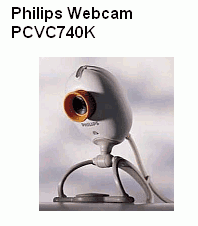
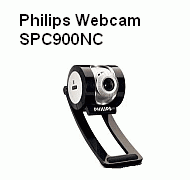
I spent the whole afternoon trying to find a solution to get a driver for my webcam on W7 HP.
I saw immediately that philips wanted me to spend extra money to buy a new cam, but I am not easy to give up :devil:
So , I looked on the web for alternatives and found this.
Now, the problem is that once I get to the end of the process, I get an error and I think it is due to the fact that I cannot disable the automatic driver installation or better, I did, but when I plugin the webcam, the system searches for the driver and obviously cannot find one.
To be clear, I went into Device Installation Settings and checked "never install driver software from windows update", but it still continues to look for it in the C drive!
In addition, I cannot change the group policy settings because this function is disabled in W7 HP.
How can I get in a situation where I plug in my webcam and after the system finds out a new device is installed, kindly ask me what I want to do??
Thanks for your help!
Alex
I spent the whole afternoon trying to find a solution to get a driver for my webcam on W7 HP.
I saw immediately that philips wanted me to spend extra money to buy a new cam, but I am not easy to give up :devil:
So , I looked on the web for alternatives and found this.
Now, the problem is that once I get to the end of the process, I get an error and I think it is due to the fact that I cannot disable the automatic driver installation or better, I did, but when I plugin the webcam, the system searches for the driver and obviously cannot find one.
To be clear, I went into Device Installation Settings and checked "never install driver software from windows update", but it still continues to look for it in the C drive!
In addition, I cannot change the group policy settings because this function is disabled in W7 HP.
How can I get in a situation where I plug in my webcam and after the system finds out a new device is installed, kindly ask me what I want to do??
Thanks for your help!
Alex
My Computer
- Computer Manufacturer/Model Number
- DELL Studio 1558
- OS
- Windows 7 Home Premium 64 bit