
External HD detected but can't be accessed

dothackjhe

New member
Member
VIP
Local time
2:45 AM
Messages
258
After some troubles with the boot of this PC, now I'm faced with another challenge --- I can't access the external hard disk that is usually plugged in this PC. Everything else in this PC works fine before it started not booting. After several attempts on fixing the computer's boot, it came to a point where the PC can detect the external HD but I can't gain access to it. I have a Western Digital external HD and I'm using Windows 7 Ultimate 32-bit as OS. Whenever I plug the External HD, the option to unplug it at the bottom-right of the screen appears (which meant the PC recognized it) and it appears at the disk management as 'Disk 1' while Disk 0 is for the main HD. But the volume for Disk 1 doesn't show. I only see C: on the disk management screen.
 

My Computer My Computer

At a glance

Windows 7 Ultimate x64 (desktop) / x64 (laptop)AMD Phenom 2 X3 720 2.8 GHz (desktop) / AMD D...4 Gb DDR3 / 4Gb DD3Nvidia GeForce GTS 450 2048 Mb / AMD Radeon H...
OS
Windows 7 Ultimate x64 (desktop) / x64 (laptop)
CPU
AMD Phenom 2 X3 720 2.8 GHz (desktop) / AMD Dual-Core E-350
Motherboard
ASRock N68-VS3 UCC / Acer Aspire 5253
Memory
4 Gb DDR3 / 4Gb DD3
Graphics Card(s)
Nvidia GeForce GTS 450 2048 Mb / AMD Radeon HD 6310
Sound Card
High Definition Audio Device
Monitor(s) Displays
ViewSonic
Screen Resolution
1024 x 768 / 1366 x 768
Hard Drives
313GB Seagate ST332041 8AS SCSI Disk Device (ATA) / 500 Gb HDD
PSU
Electron ATX-600W
Case
Some Case
Cooling
AMD built-in cooling fan
Keyboard
Logitech Keyboard
Mouse
A4tech Infrared Mouse / Philips Infrared Mouse
Internet Speed
1 Mbps
Other Info
Information of the PC's specs courtesy of Speccy freeware. Lol.
hi and welcome:)

go to device manager and find the drive in the tree go to properties and go to drivers now uninstall the driver unplug the usb connection and reboot. When you have the desktop open re-plug the usb in, windows should install the driver back again (make sure you are connected to the internet in-case windows need to access it :)
 

My Computer My Computer

At a glance

Operating System : Windows 7 Home Premium Edi...Processor : Intel Core 2 Quad Q8300 @ 2500 MHzPhysical Memory :8GB Corsair4x 2GB 800MHz C5 ...Video Card : XFX 6700 AMD
Computer Manufacturer/Model Number
packard bell IXTREME M5722
OS
Operating System : Windows 7 Home Premium Edition 6.01.7600 SP1 (x64)
CPU
Processor : Intel Core 2 Quad Q8300 @ 2500 MHz
Motherboard
Mainboard : Packard Bell (Acer EG43M )
Memory
Physical Memory :8GB Corsair4x 2GB 800MHz C5 DDR2
Graphics Card(s)
Video Card : XFX 6700 AMD
Monitor(s) Displays
Maestro 234DL - BenQ V2220 - BenQ VW2420H
Screen Resolution
Current Display :1920x1080p pixels at 60 Hz in HD LED
Hard Drives
Hard Disks : WDC (1000 GB)
Drive C: (Hard Disk) : 428 GB available on 491 GB
Drive D: (Hard Disk) : 426 GB available on 492 GB
SAMSUNG spinpoint HD103SJ 1000.2 GB
(X 2) KINGSTON SSD NOW V 30GB
PSU
XFX ProSeries 550W PSU
Case
PACKARD BELL IXTREME
Cooling
System Blower Current: 150mA Air Flow16CFM ;Akasa 90mm rear
Keyboard
Gigabyte Aivia K8100
Mouse
TRUST-Wireless Laser Mouse - Carbon edition MI-7770C
Internet Speed
TP-LINK > TL-WN951N / AV500 Gigabit Powerline Adapters
Browser
chrome dev
Other Info
EXTRA COOLING>(FAN CONTROLLER) PC Bay Cooler 3 x 40mm fans; Akasa AK-HD-BL Blue hard drive cooler 2 x 40 mm fan 4500 rpm 29.7 dBA
Bios> American Megatrends Inc.
Version : P01-A1
Date : 08/31/2009

My Computer My Computer

At a glance

Operating System : Windows 7 Home Premium Edi...Processor : Intel Core 2 Quad Q8300 @ 2500 MHzPhysical Memory :8GB Corsair4x 2GB 800MHz C5 ...Video Card : XFX 6700 AMD
Computer Manufacturer/Model Number
packard bell IXTREME M5722
OS
Operating System : Windows 7 Home Premium Edition 6.01.7600 SP1 (x64)
CPU
Processor : Intel Core 2 Quad Q8300 @ 2500 MHz
Motherboard
Mainboard : Packard Bell (Acer EG43M )
Memory
Physical Memory :8GB Corsair4x 2GB 800MHz C5 DDR2
Graphics Card(s)
Video Card : XFX 6700 AMD
Monitor(s) Displays
Maestro 234DL - BenQ V2220 - BenQ VW2420H
Screen Resolution
Current Display :1920x1080p pixels at 60 Hz in HD LED
Hard Drives
Hard Disks : WDC (1000 GB)
Drive C: (Hard Disk) : 428 GB available on 491 GB
Drive D: (Hard Disk) : 426 GB available on 492 GB
SAMSUNG spinpoint HD103SJ 1000.2 GB
(X 2) KINGSTON SSD NOW V 30GB
PSU
XFX ProSeries 550W PSU
Case
PACKARD BELL IXTREME
Cooling
System Blower Current: 150mA Air Flow16CFM ;Akasa 90mm rear
Keyboard
Gigabyte Aivia K8100
Mouse
TRUST-Wireless Laser Mouse - Carbon edition MI-7770C
Internet Speed
TP-LINK > TL-WN951N / AV500 Gigabit Powerline Adapters
Browser
chrome dev
Other Info
EXTRA COOLING>(FAN CONTROLLER) PC Bay Cooler 3 x 40mm fans; Akasa AK-HD-BL Blue hard drive cooler 2 x 40 mm fan 4500 rpm 29.7 dBA
Bios> American Megatrends Inc.
Version : P01-A1
Date : 08/31/2009
Is that a brand new disk that was never initialized? Does it have a drive letter?
 

My Computer My Computer

At a glance

Vista, Windows7, Mint Mate, Zorin, Windows 8from 1.6GHz Duo to i7
Computer Manufacturer/Model Number
HP, Dell, Gateway, Toshiba - 4 laptops and 2 desktops
OS
Vista, Windows7, Mint Mate, Zorin, Windows 8
CPU
from 1.6GHz Duo to i7
Monitor(s) Displays
2x HP w2207
Hard Drives
5x HDD, 7x SSD, 12x Externals
Keyboard
with trackball - no mices
Mouse
Trackball mice
Internet Speed
DSL 6000
It should be a plug and play device not requiring any initializing etc. - have you done anything to the disk?
I think the USB icon recognizes a USB "device" has been connected to a USB port. When you click on the icon at the bottom does it say something like external HDD.

Go to Disk Management. Does the drive appear and is it online. (A screen shot would help).
 

My Computer My Computer

At a glance

Windows 7x64 Home Premium SP1Intel i7 2600kG.Skill Ripjaws (DDR3-1600) 2x4GBNvidia GeForce GTS 450; Intel HD Graphics 300...
Computer type
PC/Desktop
Computer Manufacturer/Model Number
Own build
OS
Windows 7x64 Home Premium SP1
CPU
Intel i7 2600k
Motherboard
ASUS P8Z68 Deluxe
Memory
G.Skill Ripjaws (DDR3-1600) 2x4GB
Graphics Card(s)
Nvidia GeForce GTS 450; Intel HD Graphics 3000(GT2+)
Monitor(s) Displays
Dell Ultrasharp IPS panel U2311H, Samsung SyncMaster P2350
Screen Resolution
1920x1080
Hard Drives
Samsung 850 Pro SSD 256GB, Samsung SSD 840 120GB, Seagates 1TB Barracuda ST31000528AS x2
PSU
Seasonic M12II 520W
Case
Lian Li Lancool PC-K60
Cooling
Case: 1x120mm, 3x140mm CPU: Hyper 212+
Keyboard
Logitech MK520 (wireless)
Mouse
Logitech MK520
Internet Speed
6-7 Mbps
Antivirus
Norton Security Premium, Malwarebytes on 2 (MSE on 3rd PC)
Browser
FireFox
Other Info
Audio: Logitech Z523 2.1
Is that a brand new disk that was never initialized? Does it have a drive letter?

It's working just fine with this PC before. Even when I was still using this PC under Windows XP, the external HD works just fine. After my last successful reformat / reinstall of OS that this issue occurred. When I insert the usb of the external HD the PC does recognize it, but it just won't let me access it -- no drive icon, no drive letter.
 

My Computer My Computer

At a glance

Windows 7 Ultimate x64 (desktop) / x64 (laptop)AMD Phenom 2 X3 720 2.8 GHz (desktop) / AMD D...4 Gb DDR3 / 4Gb DD3Nvidia GeForce GTS 450 2048 Mb / AMD Radeon H...
OS
Windows 7 Ultimate x64 (desktop) / x64 (laptop)
CPU
AMD Phenom 2 X3 720 2.8 GHz (desktop) / AMD Dual-Core E-350
Motherboard
ASRock N68-VS3 UCC / Acer Aspire 5253
Memory
4 Gb DDR3 / 4Gb DD3
Graphics Card(s)
Nvidia GeForce GTS 450 2048 Mb / AMD Radeon HD 6310
Sound Card
High Definition Audio Device
Monitor(s) Displays
ViewSonic
Screen Resolution
1024 x 768 / 1366 x 768
Hard Drives
313GB Seagate ST332041 8AS SCSI Disk Device (ATA) / 500 Gb HDD
PSU
Electron ATX-600W
Case
Some Case
Cooling
AMD built-in cooling fan
Keyboard
Logitech Keyboard
Mouse
A4tech Infrared Mouse / Philips Infrared Mouse
Internet Speed
1 Mbps
Other Info
Information of the PC's specs courtesy of Speccy freeware. Lol.
It should be a plug and play device not requiring any initializing etc. - have you done anything to the disk?
I think the USB icon recognizes a USB "device" has been connected to a USB port. When you click on the icon at the bottom does it say something like external HDD.

Go to Disk Management. Does the drive appear and is it online. (A screen shot would help).

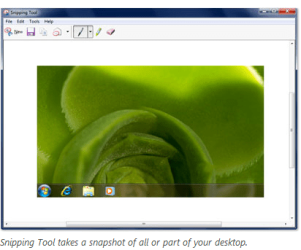
How do you do screenshots of the screen? Is it Shift + Prt Scr key? Where does the screenshot goes?
 

My Computer My Computer

At a glance

Windows 7 Ultimate x64 (desktop) / x64 (laptop)AMD Phenom 2 X3 720 2.8 GHz (desktop) / AMD D...4 Gb DDR3 / 4Gb DD3Nvidia GeForce GTS 450 2048 Mb / AMD Radeon H...
OS
Windows 7 Ultimate x64 (desktop) / x64 (laptop)
CPU
AMD Phenom 2 X3 720 2.8 GHz (desktop) / AMD Dual-Core E-350
Motherboard
ASRock N68-VS3 UCC / Acer Aspire 5253
Memory
4 Gb DDR3 / 4Gb DD3
Graphics Card(s)
Nvidia GeForce GTS 450 2048 Mb / AMD Radeon HD 6310
Sound Card
High Definition Audio Device
Monitor(s) Displays
ViewSonic
Screen Resolution
1024 x 768 / 1366 x 768
Hard Drives
313GB Seagate ST332041 8AS SCSI Disk Device (ATA) / 500 Gb HDD
PSU
Electron ATX-600W
Case
Some Case
Cooling
AMD built-in cooling fan
Keyboard
Logitech Keyboard
Mouse
A4tech Infrared Mouse / Philips Infrared Mouse
Internet Speed
1 Mbps
Other Info
Information of the PC's specs courtesy of Speccy freeware. Lol.

Attachments

  • brys snip.PNG
    brys snip.PNG
    37 KB · Views: 31
  • brys snip 2.png
    brys snip 2.png
    314.9 KB · Views: 100
Last edited:

My Computer My Computer

At a glance

Operating System : Windows 7 Home Premium Edi...Processor : Intel Core 2 Quad Q8300 @ 2500 MHzPhysical Memory :8GB Corsair4x 2GB 800MHz C5 ...Video Card : XFX 6700 AMD
Computer Manufacturer/Model Number
packard bell IXTREME M5722
OS
Operating System : Windows 7 Home Premium Edition 6.01.7600 SP1 (x64)
CPU
Processor : Intel Core 2 Quad Q8300 @ 2500 MHz
Motherboard
Mainboard : Packard Bell (Acer EG43M )
Memory
Physical Memory :8GB Corsair4x 2GB 800MHz C5 DDR2
Graphics Card(s)
Video Card : XFX 6700 AMD
Monitor(s) Displays
Maestro 234DL - BenQ V2220 - BenQ VW2420H
Screen Resolution
Current Display :1920x1080p pixels at 60 Hz in HD LED
Hard Drives
Hard Disks : WDC (1000 GB)
Drive C: (Hard Disk) : 428 GB available on 491 GB
Drive D: (Hard Disk) : 426 GB available on 492 GB
SAMSUNG spinpoint HD103SJ 1000.2 GB
(X 2) KINGSTON SSD NOW V 30GB
PSU
XFX ProSeries 550W PSU
Case
PACKARD BELL IXTREME
Cooling
System Blower Current: 150mA Air Flow16CFM ;Akasa 90mm rear
Keyboard
Gigabyte Aivia K8100
Mouse
TRUST-Wireless Laser Mouse - Carbon edition MI-7770C
Internet Speed
TP-LINK > TL-WN951N / AV500 Gigabit Powerline Adapters
Browser
chrome dev
Other Info
EXTRA COOLING>(FAN CONTROLLER) PC Bay Cooler 3 x 40mm fans; Akasa AK-HD-BL Blue hard drive cooler 2 x 40 mm fan 4500 rpm 29.7 dBA
Bios> American Megatrends Inc.
Version : P01-A1
Date : 08/31/2009
Assign a drive letter to the external in disk management. That will allow you to see it in explorer. You may also have to take ownership of the some of the folders as well.
 
Sorry it took me a while to get back on this forum. We had an internet problem due to the typhoon that just got in the country. Here's the link for the screenshot of the error that appears whenever I try to assign a drive letter on the external HD:
ExternalHDError.png picture by dothackjhe - Photobucket
 

My Computer My Computer

At a glance

Windows 7 Ultimate x64 (desktop) / x64 (laptop)AMD Phenom 2 X3 720 2.8 GHz (desktop) / AMD D...4 Gb DDR3 / 4Gb DD3Nvidia GeForce GTS 450 2048 Mb / AMD Radeon H...
OS
Windows 7 Ultimate x64 (desktop) / x64 (laptop)
CPU
AMD Phenom 2 X3 720 2.8 GHz (desktop) / AMD Dual-Core E-350
Motherboard
ASRock N68-VS3 UCC / Acer Aspire 5253
Memory
4 Gb DDR3 / 4Gb DD3
Graphics Card(s)
Nvidia GeForce GTS 450 2048 Mb / AMD Radeon HD 6310
Sound Card
High Definition Audio Device
Monitor(s) Displays
ViewSonic
Screen Resolution
1024 x 768 / 1366 x 768
Hard Drives
313GB Seagate ST332041 8AS SCSI Disk Device (ATA) / 500 Gb HDD
PSU
Electron ATX-600W
Case
Some Case
Cooling
AMD built-in cooling fan
Keyboard
Logitech Keyboard
Mouse
A4tech Infrared Mouse / Philips Infrared Mouse
Internet Speed
1 Mbps
Other Info
Information of the PC's specs courtesy of Speccy freeware. Lol.
Sorry it took me a while to get back on this forum. We had an internet problem due to the typhoon that just got in the country. Here's the link for the screenshot of the error that appears whenever I try to assign a drive letter on the external HD:
ExternalHDError.png picture by dothackjhe - Photobucket
Your disk hasn't got a drive letter so like the last post try assigning it a letter.
Go to disk management where you got the image. Select the drive, right click and then choose to assign a letter. I suggest you pick one of the higher alphabet letters eg. P.
But really Windows should assign a temporary letter when you plug the drive in so report back how you go.

Also to post a screen shot it is easier to:
- select manage attachments below where you type your message
- select Browse to select a jpg (made from the snipping tool) from your computer
- select upload
 

My Computer My Computer

At a glance

Windows 7x64 Home Premium SP1Intel i7 2600kG.Skill Ripjaws (DDR3-1600) 2x4GBNvidia GeForce GTS 450; Intel HD Graphics 300...
Computer type
PC/Desktop
Computer Manufacturer/Model Number
Own build
OS
Windows 7x64 Home Premium SP1
CPU
Intel i7 2600k
Motherboard
ASUS P8Z68 Deluxe
Memory
G.Skill Ripjaws (DDR3-1600) 2x4GB
Graphics Card(s)
Nvidia GeForce GTS 450; Intel HD Graphics 3000(GT2+)
Monitor(s) Displays
Dell Ultrasharp IPS panel U2311H, Samsung SyncMaster P2350
Screen Resolution
1920x1080
Hard Drives
Samsung 850 Pro SSD 256GB, Samsung SSD 840 120GB, Seagates 1TB Barracuda ST31000528AS x2
PSU
Seasonic M12II 520W
Case
Lian Li Lancool PC-K60
Cooling
Case: 1x120mm, 3x140mm CPU: Hyper 212+
Keyboard
Logitech MK520 (wireless)
Mouse
Logitech MK520
Internet Speed
6-7 Mbps
Antivirus
Norton Security Premium, Malwarebytes on 2 (MSE on 3rd PC)
Browser
FireFox
Other Info
Audio: Logitech Z523 2.1
Sorry it took me a while to get back on this forum. We had an internet problem due to the typhoon that just got in the country. Here's the link for the screenshot of the error that appears whenever I try to assign a drive letter on the external HD:
ExternalHDError.png picture by dothackjhe - Photobucket
Your disk hasn't got a drive letter so like the last post try assigning it a letter.
Go to disk management where you got the image. Select the drive, right click and then choose to assign a letter. I suggest you pick one of the higher alphabet letters eg. P.
But really Windows should assign a temporary letter when you plug the drive in so report back how you go.

Also to post a screen shot it is easier to:
- select manage attachments below where you type your message
- select Browse to select a jpg (made from the snipping tool) from your computer
- select upload

Dude, the screenshot that I posted is the error that occurs whenever I try to assign a drive letter to the external HD. Also, my internal HD is already failing --- that might be relevant to the problem.
 

My Computer My Computer

At a glance

Windows 7 Ultimate x64 (desktop) / x64 (laptop)AMD Phenom 2 X3 720 2.8 GHz (desktop) / AMD D...4 Gb DDR3 / 4Gb DD3Nvidia GeForce GTS 450 2048 Mb / AMD Radeon H...
OS
Windows 7 Ultimate x64 (desktop) / x64 (laptop)
CPU
AMD Phenom 2 X3 720 2.8 GHz (desktop) / AMD Dual-Core E-350
Motherboard
ASRock N68-VS3 UCC / Acer Aspire 5253
Memory
4 Gb DDR3 / 4Gb DD3
Graphics Card(s)
Nvidia GeForce GTS 450 2048 Mb / AMD Radeon HD 6310
Sound Card
High Definition Audio Device
Monitor(s) Displays
ViewSonic
Screen Resolution
1024 x 768 / 1366 x 768
Hard Drives
313GB Seagate ST332041 8AS SCSI Disk Device (ATA) / 500 Gb HDD
PSU
Electron ATX-600W
Case
Some Case
Cooling
AMD built-in cooling fan
Keyboard
Logitech Keyboard
Mouse
A4tech Infrared Mouse / Philips Infrared Mouse
Internet Speed
1 Mbps
Other Info
Information of the PC's specs courtesy of Speccy freeware. Lol.
Update:

My HDD is not failing. After replacing the serial ata cable in my PC, I'm no longer experiencing freezes in this PC which is an accompanied problem with external HD not being recognized by the PC. .
 

My Computer My Computer

At a glance

Windows 7 Ultimate x64 (desktop) / x64 (laptop)AMD Phenom 2 X3 720 2.8 GHz (desktop) / AMD D...4 Gb DDR3 / 4Gb DD3Nvidia GeForce GTS 450 2048 Mb / AMD Radeon H...
OS
Windows 7 Ultimate x64 (desktop) / x64 (laptop)
CPU
AMD Phenom 2 X3 720 2.8 GHz (desktop) / AMD Dual-Core E-350
Motherboard
ASRock N68-VS3 UCC / Acer Aspire 5253
Memory
4 Gb DDR3 / 4Gb DD3
Graphics Card(s)
Nvidia GeForce GTS 450 2048 Mb / AMD Radeon HD 6310
Sound Card
High Definition Audio Device
Monitor(s) Displays
ViewSonic
Screen Resolution
1024 x 768 / 1366 x 768
Hard Drives
313GB Seagate ST332041 8AS SCSI Disk Device (ATA) / 500 Gb HDD
PSU
Electron ATX-600W
Case
Some Case
Cooling
AMD built-in cooling fan
Keyboard
Logitech Keyboard
Mouse
A4tech Infrared Mouse / Philips Infrared Mouse
Internet Speed
1 Mbps
Other Info
Information of the PC's specs courtesy of Speccy freeware. Lol.
Back
Top