If you want to capture a snip of a menu, such as the Start menu, follow these steps:
Copied and pasted from a Win7 Tut.
- Open Snipping Tool by clicking the Start button
, clicking All Programs, clicking Accessories, and then clicking Snipping Tool.
- After you open Snipping Tool, press ESC, and then open the menu that you want to capture.
- Press CTRL+PRINT SCREEN.
- Click the arrow next to the New button, select a snip type from the menu, and then use your mouse or tablet pen to capture the menu.
Thanks for the tip, Mitchell. I think I could find that very useful.

James
My Computer
- OS
- Win7U 64 RTM
- CPU
- Q9550
- Motherboard
- GA-EP45-UD3R
- Memory
- 8GB Gskill
- Graphics Card(s)
- ASUS|EAH4850/HTDI/1GD3/A
- Sound Card
- xfi Plat
- Monitor(s) Displays
- Dell 2405fpw
- Screen Resolution
- 1920x1200
- Hard Drives
- Seagate & WD sata Drives
- PSU
- Antec
- Case
- Antec
- Keyboard
- MS Natural Ergonomic 4000
- Mouse
- Logitech MX610 USB Cordless


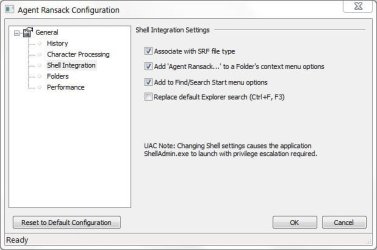


 ), a GUI search would be best in Win 7 ala Win XP. One of the most frequently asked questions on this board deals with the search function in Win 7.