Hello Everybody. I have a problem with my pc.
Every time I leave it in idle mode it starts defragment. I understand this, because i see the red button of hard disk being red and comes noise from my HDD. When I move my mouse then stops this.
How can I turn aytomatic defragment off ...?
Thanks for your help in advance
Every time I leave it in idle mode it starts defragment. I understand this, because i see the red button of hard disk being red and comes noise from my HDD. When I move my mouse then stops this.
How can I turn aytomatic defragment off ...?
Thanks for your help in advance
My Computer
At a glance
Windows 32 bitAMD Athlon X3 4GHzKingstonOn board
- OS
- Windows 32 bit
- CPU
- AMD Athlon X3 4GHz
- Motherboard
- Gigabyte
- Memory
- Kingston
- Graphics Card(s)
- On board
- Monitor(s) Displays
- LG
- Screen Resolution
- 1920X800
- Hard Drives
- Samsung
- PSU
- Lamtech
- Case
- Lamtech
- Cooling
- Water
- Keyboard
- Microsoft
- Mouse
- Microsoft
- Internet Speed
- 24/1 Mbps
- Other Info
- Nothing more


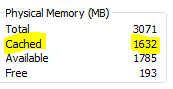
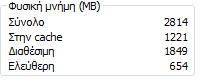
 most of the time you will be completely unaware of it. You can see how much it's holding in Superfetch by opening Task Manager and going to the Performance Tab, the amount under "Cached" is how much is being held by Superfetch