
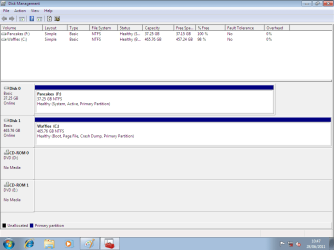
DO NOT PUT PANCaKES BACK IN THE PC AS DISK0
DISK0 MUST BE WAFFLES & FIRST BOOT IN BIOS.
DISK0 MUST BE WAFFLES & FIRST BOOT IN BIOS.
My Computer
At a glance
ME/XP/Vista/Win7
- OS
- ME/XP/Vista/Win7


Alright, so I download the ISO version of PW and burn it to a disc, then boot from that? Just want to make sure.
You know just because it's been a while since you posted this doesn't mean it's suddenly disappeared from the thread and needs to be re-added. That post was only describing what I did before I posted here, it's not representative of my method every time I try the fix. Trust me, I get it.DO NOT PUT PANCaKES BACK IN THE PC AS DISK0
DISK0 MUST BE WAFFLES & FIRST BOOT IN BIOS.
I have one more question about this. If I resize to create a separate partition on Waffles, what happens to my data? I'm sure it's not entirely contiguous on the disk, and I have a matter of a few gigabytes free on the disk. Space is why I want to format Pancakes in the first place.Boot PW CD, rightclick on D to Modify>Set to Inactive, OK.
Making sure C is still set Active, click on it's HD to highlight it, from PW Disk tab select Rebuild MBR, Apply all steps. Restart.
If this fails, unplug D to run Startup Repair up to 3 separate times or until Win7 starts, regardless of what it reports.
If repairs will not rewrite the System boot files then the config was likely messed up beyond repair in something else which was done outside these automated steps.
You can try with PW CD Resizing C from the left by 200mb, to create a Primary partition labeled System Reserved, mark it Active, no letter. Then with D unplugged run 3 Startup Repairs to see if it will create a boot partition for you which also places the Repair Console on F8.
1) Copy & paste Boot files.
2) Do a Startup Repair once.
3) Mark Data Hd inactive.
View attachment 162074
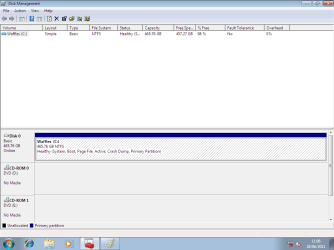
View attachment 162075
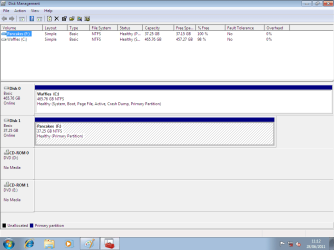
View attachment 162076


