Is your motherboard Gigabyte X58A-UD3R rev.1 or rev.2?
Open the case and look at the lower left corner of the motherboard, it will have the revision number.
Your CPUZ 'Mainboard' tab says BIOS version FE, this version is not listed on the Ver.1 or Ver.2 Gigabyte website.
Have ever updated your BIOS?
Which OCZ Agility SSD do you have?
Origional, -2 or -3?
The SandForce controller is known to have some issues on certain models.
Yes I used Memtest.
Temps are good, here's are the screens.
As of now I am having no system or browser tab crashes.
Is all your RAM from the same manufacturer?
Same timings and frequency?
Bought at the same time?
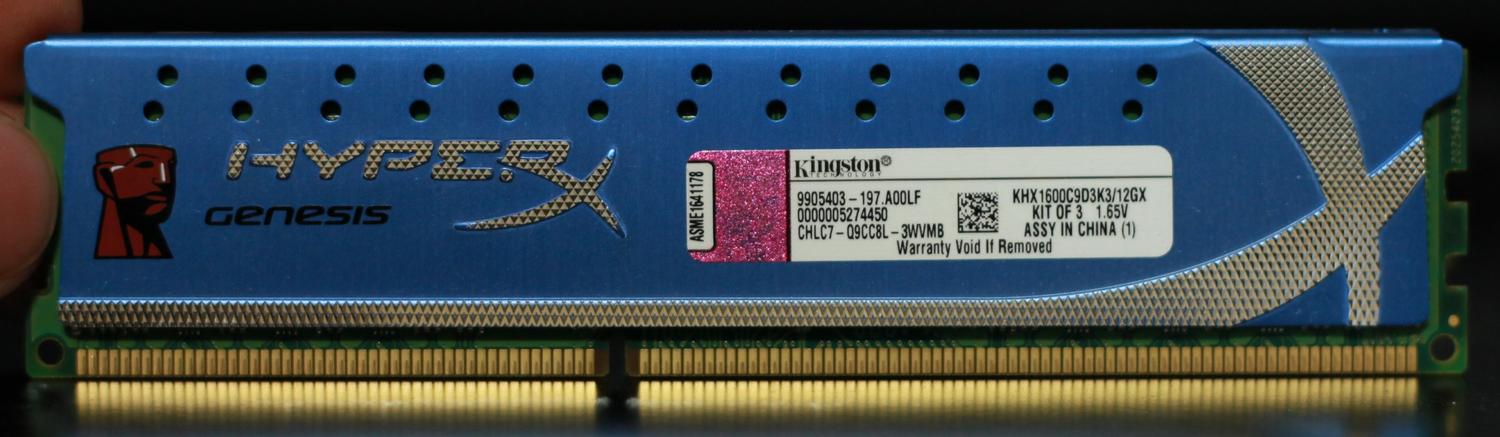
Post the brand and model numbers for all the RAM you have.
If you have two sets of three RAM cards, post the CPUZ SPD tab for both sets.
If more than two sets, post the SPD tab for all of them.
CPU vcore 1.28750
Qpi/vtt 1.175
CPU PLL 1.800
Dram 1.500
Dram termination 0.75
Again my crashes are gone. Ram is running much slower than it should. Rated for 1600.
It will depend on your BIOS settings, previously you mentioned it was running at 1066 MHz, and later you set it to 1600 MHz.
What is it set/running at now?
The CPUZ SPD tab is the RAM manufacturers tested settings.
If the 'System Memory Multiplier (SPD)' is disabled you will get the board default of 1066MHz (CPUZ will say 533MHz).
If you enable the 'Extreme Memory Profile' you will have two profiles to choose from, 1 & 2, these should be 1333MHz (CPUZ 667MHz) and 1600MHz (CPUZ 800MHz).
Extreme Memory Profile (X.M.P.)
Allows the BIOS to read the SPD data on XMP memory module(s) to enhance memory performance
when enabled.
Disabled Disables this function. (Default)
Profile1 Uses Profile 1 settings.
Profile2 Uses Profile 2 settings.
These will take some voltage bumps to get stable with 24GB RAM.
For now, with that amount of RAM I would recommend using 1333MHz, DRAM voltage is 1.50v and QPI/Vtt voltage will need a healthy bump.
If we can get it stable, then you can try 1600MHz, this setting will need DRAM 1.65v minimum, with 24GB RAM it will probably need more, which is why you should go to 1333MHz and see what voltage it takes to run stable.
The SPD settings are for 4GB or less, with your amount of RAM you will need to increase both the DRAM and QPI/Vtt voltages.
Either way, change your 'Command Rate' to 2T.
Confirm all the RAM and QPI/Vtt voltages, timings and frequencies.
Post CPUZ memory tab and the SPD tabs for each set (if bought at different times).
Check in the previous posts and your motherboard manual and set the 'Command Rate' to 2T, let me know if you have any questions on this.
As mentioned above, 24GB RAM may not run at 1600MHz without a lot of voltage.
You need to keep your QPI/Vtt and DRAM voltage within 0.50v.
With the above information, we can start to make adjustments.
During this adjustment process, it will help if you confirm each step and the changes that you have made.
Please, no 'done' replies.
In order to get 24GB RAM stable we will need to push the voltage, doing so incorrectly can cause damage to your RAM and CPU.
If at any time you don't feel comfortable with the settings suggested, it is important to tell me. If you don't make all the changes recommended, you need to tell me.
This is your system and your choice what you are willing to do with it.