Can't figure out this BSOD, keeps happening

Go to your BIOS and tell us what the CPU, RAM and the CPU integrated memory controller (QPI/Vtt for your motherboard) voltages are set at, if in auto post the voltage number displayed, if not displayed then select 'Manual' and you should see it.

This information is important, will need this in order to adjust the settings.

The RAM is being set to the board default of 1066MHz.


What is your RAM settings for XPM and SPD?
It will be under MB Intelligent Tweaker(M.I.T.), on the first page.

Look for these:
Extreme Memory Profile (X.M.P.) - Enabled or Disabled?
System Memory Multiplier (SPD) - Auto?
Memory Frequency (Mhz) 1066 <-- Is this the number listed?

Just set XMP to Profile 1 which is 1600 on this board.
RAM is 1600 at 1.65V now, Multiplier is auto.

I couldn't find an option for Command Rate. Sorry for the delay, I went out to mow the front lawn.
 

My Computer My Computer

At a glance

Windows 7 Professional x64Intel Core i7 950 @ 3.07GHz Bloomfield 45nm T...24.0 GB Triple-Channel DDR3 @ 532MHz (7-7-7-20)512MB GeForce 9800 GTX/9800 GTX+ (XFX Pine Gr...
Computer Manufacturer/Model Number
Me
OS
Windows 7 Professional x64
CPU
Intel Core i7 950 @ 3.07GHz Bloomfield 45nm Technology
Motherboard
Gigabyte Technology Co., Ltd. X58A-UD3R (Socket 1366)
Memory
24.0 GB Triple-Channel DDR3 @ 532MHz (7-7-7-20)
Graphics Card(s)
512MB GeForce 9800 GTX/9800 GTX+ (XFX Pine Group)
Sound Card
Realtek High Definition Audio
Monitor(s) Displays
Acer H233H (1920x1080@59Hz) (x2)
Hard Drives
977GB Seagate ST31000528AS ATA Device (SATA)
63GB OCZ-AGILITY ATA Device (SATA)
Case
HAF 932
Cooling
A bunch of big ass fans
First thing to do when changing the RAM settings is to run memtest86+, run 7 full tests (test #1 through #7), best to run overnight as it will take a while.
If you get any errors you can stop the test.
Let us know the results.

What is the QPI/Vtt voltage set at?

If it is still at 'Qpi/vtt 1.175' bump it to 1.220v.

The 'Command Rate' is on page 45 & 46 of your motherboard manual.
MB Intelligent Tweaker(M.I.T.)
>Advanced DRAM Features
>Channel A/B/C Timing Settings
>Command Rate(CMD)
 

My Computer My Computer

At a glance

Windows 7 Ult x64 - SP1/ Windows 8 Pro x64Intel Core i5-3570K 4.6GHz8GB (2X4GB) DDR3 1600 Corsair Vengeance CL8 1.5vSapphire HD 7770 Vapor-X OC 1GB DDR5
Computer type
PC/Desktop
Computer Manufacturer/Model Number
76~2.0
OS
Windows 7 Ult x64 - SP1/ Windows 8 Pro x64
CPU
Intel Core i5-3570K 4.6GHz
Motherboard
Gigabyte GA-Z77X UD3H, f18
Memory
8GB (2X4GB) DDR3 1600 Corsair Vengeance CL8 1.5v
Graphics Card(s)
Sapphire HD 7770 Vapor-X OC 1GB DDR5
Sound Card
Onboard VIA VT2021
Monitor(s) Displays
22" LCD Dell
Screen Resolution
1680x1050
Hard Drives
Samsung 840Pro 128GB SSD,
Seagate Barracuda 500GB SATA2 7200rpm 32MB cache, Seagate Barracuda 1TB SATA2 7200rpm 32MB cache,
PSU
Corsair HX650W
Case
Cooler Master Storm Scout
Cooling
Corsair H80 2x12cm Noctua NF P12 , 2x14cm case fans
Keyboard
Logitech Wave
Mouse
CM Sentinel
Internet Speed
Dismal
Antivirus
Avast
Browser
Opera Next
Other Info
Haswell laptop: HP Envy 17t-j, i7-4700MQ, GeForce 740M 2GB DDR3, 17.3" Full HD 1920x1080, 16GB RAM, Samsung 840 Pro 128GB, 1TB Hitachi 7200 HDD,
Desktop: eSATA ports,
External eSATA Seagate 500GB SATA2 7200rpm,
External WD USB 500GB
Seems to only happen when I have all 6 sticks in for the full 24 gigs. For the moment I have removed three of them.
 

My Computer My Computer

At a glance

Windows 7 Professional x64Intel Core i7 950 @ 3.07GHz Bloomfield 45nm T...24.0 GB Triple-Channel DDR3 @ 532MHz (7-7-7-20)512MB GeForce 9800 GTX/9800 GTX+ (XFX Pine Gr...
Computer Manufacturer/Model Number
Me
OS
Windows 7 Professional x64
CPU
Intel Core i7 950 @ 3.07GHz Bloomfield 45nm Technology
Motherboard
Gigabyte Technology Co., Ltd. X58A-UD3R (Socket 1366)
Memory
24.0 GB Triple-Channel DDR3 @ 532MHz (7-7-7-20)
Graphics Card(s)
512MB GeForce 9800 GTX/9800 GTX+ (XFX Pine Group)
Sound Card
Realtek High Definition Audio
Monitor(s) Displays
Acer H233H (1920x1080@59Hz) (x2)
Hard Drives
977GB Seagate ST31000528AS ATA Device (SATA)
63GB OCZ-AGILITY ATA Device (SATA)
Case
HAF 932
Cooling
A bunch of big ass fans
Welcome back.

That is due to the voltage settings, the more RAM cards, more memory chips, they will need more voltage to run.
The fact that is runs stable with 3x4GB RAM cards confirms it's a voltage and settings issue.

If you run 3x2GB RAM and the Qpi/vtt (integrated memory controller) voltage is 1.10v, which is the default setting they are for 4-6 GB, then you change that to 6x4GB, all the RAM cards are going to get less than 1.10v.
They won't like that, and will let you know.

Go back a few posts for how to find it and change the 'Command Rate' to 2T.

Did you bump the QPI/Vtt voltage from 1.175, 1.220v?

If you want to try and get the RAM stable at 1600Mhz you're going to have to bump the DRAM voltage and the QPI/Vtt voltage.

Bump the DRAM voltage to 1.70v and the QPI/Vtt voltage to 1.220v, check with all six RAM cards if it boots up, then run memtest86+ for a full 7 passes.
Best to run overnight, if you get any errors you can stop the test.
 

My Computer My Computer

At a glance

Windows 7 Ult x64 - SP1/ Windows 8 Pro x64Intel Core i5-3570K 4.6GHz8GB (2X4GB) DDR3 1600 Corsair Vengeance CL8 1.5vSapphire HD 7770 Vapor-X OC 1GB DDR5
Computer type
PC/Desktop
Computer Manufacturer/Model Number
76~2.0
OS
Windows 7 Ult x64 - SP1/ Windows 8 Pro x64
CPU
Intel Core i5-3570K 4.6GHz
Motherboard
Gigabyte GA-Z77X UD3H, f18
Memory
8GB (2X4GB) DDR3 1600 Corsair Vengeance CL8 1.5v
Graphics Card(s)
Sapphire HD 7770 Vapor-X OC 1GB DDR5
Sound Card
Onboard VIA VT2021
Monitor(s) Displays
22" LCD Dell
Screen Resolution
1680x1050
Hard Drives
Samsung 840Pro 128GB SSD,
Seagate Barracuda 500GB SATA2 7200rpm 32MB cache, Seagate Barracuda 1TB SATA2 7200rpm 32MB cache,
PSU
Corsair HX650W
Case
Cooler Master Storm Scout
Cooling
Corsair H80 2x12cm Noctua NF P12 , 2x14cm case fans
Keyboard
Logitech Wave
Mouse
CM Sentinel
Internet Speed
Dismal
Antivirus
Avast
Browser
Opera Next
Other Info
Haswell laptop: HP Envy 17t-j, i7-4700MQ, GeForce 740M 2GB DDR3, 17.3" Full HD 1920x1080, 16GB RAM, Samsung 840 Pro 128GB, 1TB Hitachi 7200 HDD,
Desktop: eSATA ports,
External eSATA Seagate 500GB SATA2 7200rpm,
External WD USB 500GB
Welcome back.

That is due to the voltage settings, the more RAM cards, more memory chips, they will need more voltage to run.
The fact that is runs stable with 3x4GB RAM cards confirms it's a voltage and settings issue.

If you run 3x2GB RAM and the Qpi/vtt (integrated memory controller) voltage is 1.10v, which is the default setting they are for 4-6 GB, then you change that to 6x4GB, all the RAM cards are going to get less than 1.10v.
They won't like that, and will let you know.

I was running 1.65v. That's what is printed on the RAM. I don't think I bumped this up. I can't remember at the moment.

Go back a few posts for how to find it and change the 'Command Rate' to 2T.

Did you bump the QPI/Vtt voltage from 1.175, 1.220v?

I did these two things.

If you want to try and get the RAM stable at 1600Mhz you're going to have to bump the DRAM voltage and the QPI/Vtt voltage.

Bump the DRAM voltage to 1.70v and the QPI/Vtt voltage to 1.220v, check with all six RAM cards if it boots up, then run memtest86+ for a full 7 passes.
Best to run overnight, if you get any errors you can stop the test.

I'll try setting the DRAM voltage a bit higher and check back in with the results. Thanks for the help.
 

My Computer My Computer

At a glance

Windows 7 Professional x64Intel Core i7 950 @ 3.07GHz Bloomfield 45nm T...24.0 GB Triple-Channel DDR3 @ 532MHz (7-7-7-20)512MB GeForce 9800 GTX/9800 GTX+ (XFX Pine Gr...
Computer Manufacturer/Model Number
Me
OS
Windows 7 Professional x64
CPU
Intel Core i7 950 @ 3.07GHz Bloomfield 45nm Technology
Motherboard
Gigabyte Technology Co., Ltd. X58A-UD3R (Socket 1366)
Memory
24.0 GB Triple-Channel DDR3 @ 532MHz (7-7-7-20)
Graphics Card(s)
512MB GeForce 9800 GTX/9800 GTX+ (XFX Pine Group)
Sound Card
Realtek High Definition Audio
Monitor(s) Displays
Acer H233H (1920x1080@59Hz) (x2)
Hard Drives
977GB Seagate ST31000528AS ATA Device (SATA)
63GB OCZ-AGILITY ATA Device (SATA)
Case
HAF 932
Cooling
A bunch of big ass fans
Went ahead and bumped up DRAM Voltage to 1.70. I don't see that change reflected in CPUz, though.
 

My Computer My Computer

At a glance

Windows 7 Professional x64Intel Core i7 950 @ 3.07GHz Bloomfield 45nm T...24.0 GB Triple-Channel DDR3 @ 532MHz (7-7-7-20)512MB GeForce 9800 GTX/9800 GTX+ (XFX Pine Gr...
Computer Manufacturer/Model Number
Me
OS
Windows 7 Professional x64
CPU
Intel Core i7 950 @ 3.07GHz Bloomfield 45nm Technology
Motherboard
Gigabyte Technology Co., Ltd. X58A-UD3R (Socket 1366)
Memory
24.0 GB Triple-Channel DDR3 @ 532MHz (7-7-7-20)
Graphics Card(s)
512MB GeForce 9800 GTX/9800 GTX+ (XFX Pine Group)
Sound Card
Realtek High Definition Audio
Monitor(s) Displays
Acer H233H (1920x1080@59Hz) (x2)
Hard Drives
977GB Seagate ST31000528AS ATA Device (SATA)
63GB OCZ-AGILITY ATA Device (SATA)
Case
HAF 932
Cooling
A bunch of big ass fans
Went ahead and bumped up DRAM Voltage to 1.70. I don't see that change reflected in CPUz, though.

If your looking at the CPUZ SPD tab it won't show there, the SPD Tab voltage is the manufacturer tested voltage and is a recommended setting, and since they don't test every board these need adjusting sometimes.

You have to look in your BIOS for the RAM voltages, the only real time voltage displayed in CPUZ is the CPU voltage.

Did you run memtest86+ with all 6 RAM cards installed?
 

My Computer My Computer

At a glance

Windows 7 Ult x64 - SP1/ Windows 8 Pro x64Intel Core i5-3570K 4.6GHz8GB (2X4GB) DDR3 1600 Corsair Vengeance CL8 1.5vSapphire HD 7770 Vapor-X OC 1GB DDR5
Computer type
PC/Desktop
Computer Manufacturer/Model Number
76~2.0
OS
Windows 7 Ult x64 - SP1/ Windows 8 Pro x64
CPU
Intel Core i5-3570K 4.6GHz
Motherboard
Gigabyte GA-Z77X UD3H, f18
Memory
8GB (2X4GB) DDR3 1600 Corsair Vengeance CL8 1.5v
Graphics Card(s)
Sapphire HD 7770 Vapor-X OC 1GB DDR5
Sound Card
Onboard VIA VT2021
Monitor(s) Displays
22" LCD Dell
Screen Resolution
1680x1050
Hard Drives
Samsung 840Pro 128GB SSD,
Seagate Barracuda 500GB SATA2 7200rpm 32MB cache, Seagate Barracuda 1TB SATA2 7200rpm 32MB cache,
PSU
Corsair HX650W
Case
Cooler Master Storm Scout
Cooling
Corsair H80 2x12cm Noctua NF P12 , 2x14cm case fans
Keyboard
Logitech Wave
Mouse
CM Sentinel
Internet Speed
Dismal
Antivirus
Avast
Browser
Opera Next
Other Info
Haswell laptop: HP Envy 17t-j, i7-4700MQ, GeForce 740M 2GB DDR3, 17.3" Full HD 1920x1080, 16GB RAM, Samsung 840 Pro 128GB, 1TB Hitachi 7200 HDD,
Desktop: eSATA ports,
External eSATA Seagate 500GB SATA2 7200rpm,
External WD USB 500GB
Not yet but I may not have to. Yesterday afternoon my computer randomly restarted. No error message, no crash, no blue screen. If I remember to run it tonight, I will. Brain is cluttered with flight school.
 

My Computer My Computer

At a glance

Windows 7 Professional x64Intel Core i7 950 @ 3.07GHz Bloomfield 45nm T...24.0 GB Triple-Channel DDR3 @ 532MHz (7-7-7-20)512MB GeForce 9800 GTX/9800 GTX+ (XFX Pine Gr...
Computer Manufacturer/Model Number
Me
OS
Windows 7 Professional x64
CPU
Intel Core i7 950 @ 3.07GHz Bloomfield 45nm Technology
Motherboard
Gigabyte Technology Co., Ltd. X58A-UD3R (Socket 1366)
Memory
24.0 GB Triple-Channel DDR3 @ 532MHz (7-7-7-20)
Graphics Card(s)
512MB GeForce 9800 GTX/9800 GTX+ (XFX Pine Group)
Sound Card
Realtek High Definition Audio
Monitor(s) Displays
Acer H233H (1920x1080@59Hz) (x2)
Hard Drives
977GB Seagate ST31000528AS ATA Device (SATA)
63GB OCZ-AGILITY ATA Device (SATA)
Case
HAF 932
Cooling
A bunch of big ass fans
Did you have 3 RAM cards installed or all 6?

What PSU do you have?
Brand and wattage rating.

Make sure your minidump setting are correct, as in post #2.
Then, follow the directions here to set your system for Minidumps (much smaller than the MEMORY.DMP file): Set MiniDump

A random restart is caused by a BSoD or a component fault, the PSU is the first thing to check.
 

My Computer My Computer

At a glance

Windows 7 Ult x64 - SP1/ Windows 8 Pro x64Intel Core i5-3570K 4.6GHz8GB (2X4GB) DDR3 1600 Corsair Vengeance CL8 1.5vSapphire HD 7770 Vapor-X OC 1GB DDR5
Computer type
PC/Desktop
Computer Manufacturer/Model Number
76~2.0
OS
Windows 7 Ult x64 - SP1/ Windows 8 Pro x64
CPU
Intel Core i5-3570K 4.6GHz
Motherboard
Gigabyte GA-Z77X UD3H, f18
Memory
8GB (2X4GB) DDR3 1600 Corsair Vengeance CL8 1.5v
Graphics Card(s)
Sapphire HD 7770 Vapor-X OC 1GB DDR5
Sound Card
Onboard VIA VT2021
Monitor(s) Displays
22" LCD Dell
Screen Resolution
1680x1050
Hard Drives
Samsung 840Pro 128GB SSD,
Seagate Barracuda 500GB SATA2 7200rpm 32MB cache, Seagate Barracuda 1TB SATA2 7200rpm 32MB cache,
PSU
Corsair HX650W
Case
Cooler Master Storm Scout
Cooling
Corsair H80 2x12cm Noctua NF P12 , 2x14cm case fans
Keyboard
Logitech Wave
Mouse
CM Sentinel
Internet Speed
Dismal
Antivirus
Avast
Browser
Opera Next
Other Info
Haswell laptop: HP Envy 17t-j, i7-4700MQ, GeForce 740M 2GB DDR3, 17.3" Full HD 1920x1080, 16GB RAM, Samsung 840 Pro 128GB, 1TB Hitachi 7200 HDD,
Desktop: eSATA ports,
External eSATA Seagate 500GB SATA2 7200rpm,
External WD USB 500GB
Did you have 3 RAM cards installed or all 6?

What PSU do you have?
Brand and wattage rating.

Make sure your minidump setting are correct, as in post #2.
Then, follow the directions here to set your system for Minidumps (much smaller than the MEMORY.DMP file): Set MiniDump

A random restart is caused by a BSoD or a component fault, the PSU is the first thing to check.

All 6. PSU is
APEVIA ATX-AS600W-GN 600W ATX12V / EPS12V SLI Ready Power Supply from NewEgg a few years ago. Minidump is set.
 

My Computer My Computer

At a glance

Windows 7 Professional x64Intel Core i7 950 @ 3.07GHz Bloomfield 45nm T...24.0 GB Triple-Channel DDR3 @ 532MHz (7-7-7-20)512MB GeForce 9800 GTX/9800 GTX+ (XFX Pine Gr...
Computer Manufacturer/Model Number
Me
OS
Windows 7 Professional x64
CPU
Intel Core i7 950 @ 3.07GHz Bloomfield 45nm Technology
Motherboard
Gigabyte Technology Co., Ltd. X58A-UD3R (Socket 1366)
Memory
24.0 GB Triple-Channel DDR3 @ 532MHz (7-7-7-20)
Graphics Card(s)
512MB GeForce 9800 GTX/9800 GTX+ (XFX Pine Group)
Sound Card
Realtek High Definition Audio
Monitor(s) Displays
Acer H233H (1920x1080@59Hz) (x2)
Hard Drives
977GB Seagate ST31000528AS ATA Device (SATA)
63GB OCZ-AGILITY ATA Device (SATA)
Case
HAF 932
Cooling
A bunch of big ass fans

My Computer My Computer

At a glance

Windows 7 Ult x64 - SP1/ Windows 8 Pro x64Intel Core i5-3570K 4.6GHz8GB (2X4GB) DDR3 1600 Corsair Vengeance CL8 1.5vSapphire HD 7770 Vapor-X OC 1GB DDR5
Computer type
PC/Desktop
Computer Manufacturer/Model Number
76~2.0
OS
Windows 7 Ult x64 - SP1/ Windows 8 Pro x64
CPU
Intel Core i5-3570K 4.6GHz
Motherboard
Gigabyte GA-Z77X UD3H, f18
Memory
8GB (2X4GB) DDR3 1600 Corsair Vengeance CL8 1.5v
Graphics Card(s)
Sapphire HD 7770 Vapor-X OC 1GB DDR5
Sound Card
Onboard VIA VT2021
Monitor(s) Displays
22" LCD Dell
Screen Resolution
1680x1050
Hard Drives
Samsung 840Pro 128GB SSD,
Seagate Barracuda 500GB SATA2 7200rpm 32MB cache, Seagate Barracuda 1TB SATA2 7200rpm 32MB cache,
PSU
Corsair HX650W
Case
Cooler Master Storm Scout
Cooling
Corsair H80 2x12cm Noctua NF P12 , 2x14cm case fans
Keyboard
Logitech Wave
Mouse
CM Sentinel
Internet Speed
Dismal
Antivirus
Avast
Browser
Opera Next
Other Info
Haswell laptop: HP Envy 17t-j, i7-4700MQ, GeForce 740M 2GB DDR3, 17.3" Full HD 1920x1080, 16GB RAM, Samsung 840 Pro 128GB, 1TB Hitachi 7200 HDD,
Desktop: eSATA ports,
External eSATA Seagate 500GB SATA2 7200rpm,
External WD USB 500GB
The power supply is fine. I still have no idea what's wrong. I put the board back to factory settings since the changes I made had no effect on stability.
 

My Computer My Computer

At a glance

Windows 7 Professional x64Intel Core i7 950 @ 3.07GHz Bloomfield 45nm T...24.0 GB Triple-Channel DDR3 @ 532MHz (7-7-7-20)512MB GeForce 9800 GTX/9800 GTX+ (XFX Pine Gr...
Computer Manufacturer/Model Number
Me
OS
Windows 7 Professional x64
CPU
Intel Core i7 950 @ 3.07GHz Bloomfield 45nm Technology
Motherboard
Gigabyte Technology Co., Ltd. X58A-UD3R (Socket 1366)
Memory
24.0 GB Triple-Channel DDR3 @ 532MHz (7-7-7-20)
Graphics Card(s)
512MB GeForce 9800 GTX/9800 GTX+ (XFX Pine Group)
Sound Card
Realtek High Definition Audio
Monitor(s) Displays
Acer H233H (1920x1080@59Hz) (x2)
Hard Drives
977GB Seagate ST31000528AS ATA Device (SATA)
63GB OCZ-AGILITY ATA Device (SATA)
Case
HAF 932
Cooling
A bunch of big ass fans
With 24GB RAM you are going to have to make several adjustments, voltage, command rate, maybe timings, to get it to run stable.

Setting them back to defaults won't help, let me know if you want to continue.
 

My Computer My Computer

At a glance

Windows 7 Ult x64 - SP1/ Windows 8 Pro x64Intel Core i5-3570K 4.6GHz8GB (2X4GB) DDR3 1600 Corsair Vengeance CL8 1.5vSapphire HD 7770 Vapor-X OC 1GB DDR5
Computer type
PC/Desktop
Computer Manufacturer/Model Number
76~2.0
OS
Windows 7 Ult x64 - SP1/ Windows 8 Pro x64
CPU
Intel Core i5-3570K 4.6GHz
Motherboard
Gigabyte GA-Z77X UD3H, f18
Memory
8GB (2X4GB) DDR3 1600 Corsair Vengeance CL8 1.5v
Graphics Card(s)
Sapphire HD 7770 Vapor-X OC 1GB DDR5
Sound Card
Onboard VIA VT2021
Monitor(s) Displays
22" LCD Dell
Screen Resolution
1680x1050
Hard Drives
Samsung 840Pro 128GB SSD,
Seagate Barracuda 500GB SATA2 7200rpm 32MB cache, Seagate Barracuda 1TB SATA2 7200rpm 32MB cache,
PSU
Corsair HX650W
Case
Cooler Master Storm Scout
Cooling
Corsair H80 2x12cm Noctua NF P12 , 2x14cm case fans
Keyboard
Logitech Wave
Mouse
CM Sentinel
Internet Speed
Dismal
Antivirus
Avast
Browser
Opera Next
Other Info
Haswell laptop: HP Envy 17t-j, i7-4700MQ, GeForce 740M 2GB DDR3, 17.3" Full HD 1920x1080, 16GB RAM, Samsung 840 Pro 128GB, 1TB Hitachi 7200 HDD,
Desktop: eSATA ports,
External eSATA Seagate 500GB SATA2 7200rpm,
External WD USB 500GB
Let's do it.
 

My Computer My Computer

At a glance

Windows 7 Professional x64Intel Core i7 950 @ 3.07GHz Bloomfield 45nm T...24.0 GB Triple-Channel DDR3 @ 532MHz (7-7-7-20)512MB GeForce 9800 GTX/9800 GTX+ (XFX Pine Gr...
Computer Manufacturer/Model Number
Me
OS
Windows 7 Professional x64
CPU
Intel Core i7 950 @ 3.07GHz Bloomfield 45nm Technology
Motherboard
Gigabyte Technology Co., Ltd. X58A-UD3R (Socket 1366)
Memory
24.0 GB Triple-Channel DDR3 @ 532MHz (7-7-7-20)
Graphics Card(s)
512MB GeForce 9800 GTX/9800 GTX+ (XFX Pine Group)
Sound Card
Realtek High Definition Audio
Monitor(s) Displays
Acer H233H (1920x1080@59Hz) (x2)
Hard Drives
977GB Seagate ST31000528AS ATA Device (SATA)
63GB OCZ-AGILITY ATA Device (SATA)
Case
HAF 932
Cooling
A bunch of big ass fans
Is your motherboard Gigabyte X58A-UD3R rev.1 or rev.2?
Open the case and look at the lower left corner of the motherboard, it will have the revision number.
Your CPUZ 'Mainboard' tab says BIOS version FE, this version is not listed on the Ver.1 or Ver.2 Gigabyte website.
Have ever updated your BIOS?

Which OCZ Agility SSD do you have?
Origional, -2 or -3?
The SandForce controller is known to have some issues on certain models.

Yes I used Memtest.

Temps are good, here's are the screens.

As of now I am having no system or browser tab crashes.

bO3Nl.png


VQNAQ.png


idTGD.png


dBNRe.png

Is all your RAM from the same manufacturer?
Same timings and frequency?
Bought at the same time?
Post the brand and model numbers for all the RAM you have.

If you have two sets of three RAM cards, post the CPUZ SPD tab for both sets.
If more than two sets, post the SPD tab for all of them.


CPU vcore 1.28750
Qpi/vtt 1.175
CPU PLL 1.800

Dram 1.500
Dram termination 0.75

Again my crashes are gone. Ram is running much slower than it should. Rated for 1600.
It will depend on your BIOS settings, previously you mentioned it was running at 1066 MHz, and later you set it to 1600 MHz.
What is it set/running at now?


The CPUZ SPD tab is the RAM manufacturers tested settings.

If the 'System Memory Multiplier (SPD)' is disabled you will get the board default of 1066MHz (CPUZ will say 533MHz).

If you enable the 'Extreme Memory Profile' you will have two profiles to choose from, 1 & 2, these should be 1333MHz (CPUZ 667MHz) and 1600MHz (CPUZ 800MHz).
Extreme Memory Profile (X.M.P.)
Allows the BIOS to read the SPD data on XMP memory module(s) to enhance memory performance
when enabled.
Disabled Disables this function. (Default)
Profile1 Uses Profile 1 settings.
Profile2 Uses Profile 2 settings.

These will take some voltage bumps to get stable with 24GB RAM.
For now, with that amount of RAM I would recommend using 1333MHz, DRAM voltage is 1.50v and QPI/Vtt voltage will need a healthy bump.
If we can get it stable, then you can try 1600MHz, this setting will need DRAM 1.65v minimum, with 24GB RAM it will probably need more, which is why you should go to 1333MHz and see what voltage it takes to run stable.

The SPD settings are for 4GB or less, with your amount of RAM you will need to increase both the DRAM and QPI/Vtt voltages.

Either way, change your 'Command Rate' to 2T.

Confirm all the RAM and QPI/Vtt voltages, timings and frequencies.
Post CPUZ memory tab and the SPD tabs for each set (if bought at different times).
Check in the previous posts and your motherboard manual and set the 'Command Rate' to 2T, let me know if you have any questions on this.

As mentioned above, 24GB RAM may not run at 1600MHz without a lot of voltage.

You need to keep your QPI/Vtt and DRAM voltage within 0.50v.

With the above information, we can start to make adjustments.
During this adjustment process, it will help if you confirm each step and the changes that you have made.
Please, no 'done' replies.
In order to get 24GB RAM stable we will need to push the voltage, doing so incorrectly can cause damage to your RAM and CPU.

If at any time you don't feel comfortable with the settings suggested, it is important to tell me. If you don't make all the changes recommended, you need to tell me.

This is your system and your choice what you are willing to do with it.

 
Last edited:

My Computer My Computer

At a glance

Windows 7 Ult x64 - SP1/ Windows 8 Pro x64Intel Core i5-3570K 4.6GHz8GB (2X4GB) DDR3 1600 Corsair Vengeance CL8 1.5vSapphire HD 7770 Vapor-X OC 1GB DDR5
Computer type
PC/Desktop
Computer Manufacturer/Model Number
76~2.0
OS
Windows 7 Ult x64 - SP1/ Windows 8 Pro x64
CPU
Intel Core i5-3570K 4.6GHz
Motherboard
Gigabyte GA-Z77X UD3H, f18
Memory
8GB (2X4GB) DDR3 1600 Corsair Vengeance CL8 1.5v
Graphics Card(s)
Sapphire HD 7770 Vapor-X OC 1GB DDR5
Sound Card
Onboard VIA VT2021
Monitor(s) Displays
22" LCD Dell
Screen Resolution
1680x1050
Hard Drives
Samsung 840Pro 128GB SSD,
Seagate Barracuda 500GB SATA2 7200rpm 32MB cache, Seagate Barracuda 1TB SATA2 7200rpm 32MB cache,
PSU
Corsair HX650W
Case
Cooler Master Storm Scout
Cooling
Corsair H80 2x12cm Noctua NF P12 , 2x14cm case fans
Keyboard
Logitech Wave
Mouse
CM Sentinel
Internet Speed
Dismal
Antivirus
Avast
Browser
Opera Next
Other Info
Haswell laptop: HP Envy 17t-j, i7-4700MQ, GeForce 740M 2GB DDR3, 17.3" Full HD 1920x1080, 16GB RAM, Samsung 840 Pro 128GB, 1TB Hitachi 7200 HDD,
Desktop: eSATA ports,
External eSATA Seagate 500GB SATA2 7200rpm,
External WD USB 500GB
Motherboard is Version 2
OCZ Agility is SATA II

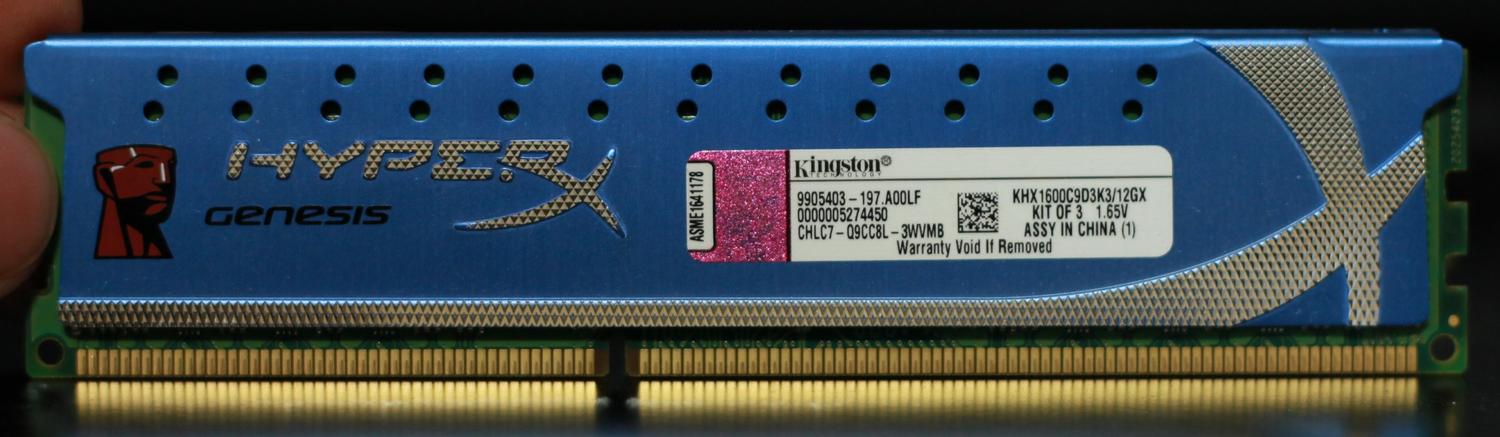
RAM is all from Kingston, all bought at the same time. Timings and frequencies are default as the profile sets them.

I'd take screenshots of the CPUZ SPD tabs but this is all being done from a laptop. I'm tired of turning the PC on just for it to crash a few moments later.

I have it set to Profile1, the only option besides the default, which runs at 1600. (799, 9-9-9-27)

Left for work the other day and threw 3 sticks in a did 8 passes in Memtest with no errors. Perhaps it is the hard drive? I've never had a lot of luck with the SSD.
 

My Computer My Computer

At a glance

Windows 7 Professional x64Intel Core i7 950 @ 3.07GHz Bloomfield 45nm T...24.0 GB Triple-Channel DDR3 @ 532MHz (7-7-7-20)512MB GeForce 9800 GTX/9800 GTX+ (XFX Pine Gr...
Computer Manufacturer/Model Number
Me
OS
Windows 7 Professional x64
CPU
Intel Core i7 950 @ 3.07GHz Bloomfield 45nm Technology
Motherboard
Gigabyte Technology Co., Ltd. X58A-UD3R (Socket 1366)
Memory
24.0 GB Triple-Channel DDR3 @ 532MHz (7-7-7-20)
Graphics Card(s)
512MB GeForce 9800 GTX/9800 GTX+ (XFX Pine Group)
Sound Card
Realtek High Definition Audio
Monitor(s) Displays
Acer H233H (1920x1080@59Hz) (x2)
Hard Drives
977GB Seagate ST31000528AS ATA Device (SATA)
63GB OCZ-AGILITY ATA Device (SATA)
Case
HAF 932
Cooling
A bunch of big ass fans

My Computer My Computer

At a glance

Windows 7 Professional x64Intel Core i7 950 @ 3.07GHz Bloomfield 45nm T...24.0 GB Triple-Channel DDR3 @ 532MHz (7-7-7-20)512MB GeForce 9800 GTX/9800 GTX+ (XFX Pine Gr...
Computer Manufacturer/Model Number
Me
OS
Windows 7 Professional x64
CPU
Intel Core i7 950 @ 3.07GHz Bloomfield 45nm Technology
Motherboard
Gigabyte Technology Co., Ltd. X58A-UD3R (Socket 1366)
Memory
24.0 GB Triple-Channel DDR3 @ 532MHz (7-7-7-20)
Graphics Card(s)
512MB GeForce 9800 GTX/9800 GTX+ (XFX Pine Group)
Sound Card
Realtek High Definition Audio
Monitor(s) Displays
Acer H233H (1920x1080@59Hz) (x2)
Hard Drives
977GB Seagate ST31000528AS ATA Device (SATA)
63GB OCZ-AGILITY ATA Device (SATA)
Case
HAF 932
Cooling
A bunch of big ass fans
The CPUZ SPD tabs will help with the settings, post them if you can.

Set the Qpi/vtt to 1.250v and the DRAM to 1.70v.
Is the 'Command Rate' still set at 2T? If not change it to 2T.
If it runs for a while without crashing, post the CPUZ SPD tabs.

Then run memtest86+ again, with all six RAM cards.

If it crashes again or fails memtest86+, You will need to switch some of the settings to manual to lock them in, also we will set the frequency to 1333 MHz (667 MHZ) to see if we can get it stable. Also set some of the timings to manual, we'll get into that in the next step.

Are you running two graphics cards?
 

My Computer My Computer

At a glance

Windows 7 Ult x64 - SP1/ Windows 8 Pro x64Intel Core i5-3570K 4.6GHz8GB (2X4GB) DDR3 1600 Corsair Vengeance CL8 1.5vSapphire HD 7770 Vapor-X OC 1GB DDR5
Computer type
PC/Desktop
Computer Manufacturer/Model Number
76~2.0
OS
Windows 7 Ult x64 - SP1/ Windows 8 Pro x64
CPU
Intel Core i5-3570K 4.6GHz
Motherboard
Gigabyte GA-Z77X UD3H, f18
Memory
8GB (2X4GB) DDR3 1600 Corsair Vengeance CL8 1.5v
Graphics Card(s)
Sapphire HD 7770 Vapor-X OC 1GB DDR5
Sound Card
Onboard VIA VT2021
Monitor(s) Displays
22" LCD Dell
Screen Resolution
1680x1050
Hard Drives
Samsung 840Pro 128GB SSD,
Seagate Barracuda 500GB SATA2 7200rpm 32MB cache, Seagate Barracuda 1TB SATA2 7200rpm 32MB cache,
PSU
Corsair HX650W
Case
Cooler Master Storm Scout
Cooling
Corsair H80 2x12cm Noctua NF P12 , 2x14cm case fans
Keyboard
Logitech Wave
Mouse
CM Sentinel
Internet Speed
Dismal
Antivirus
Avast
Browser
Opera Next
Other Info
Haswell laptop: HP Envy 17t-j, i7-4700MQ, GeForce 740M 2GB DDR3, 17.3" Full HD 1920x1080, 16GB RAM, Samsung 840 Pro 128GB, 1TB Hitachi 7200 HDD,
Desktop: eSATA ports,
External eSATA Seagate 500GB SATA2 7200rpm,
External WD USB 500GB
I'm not home now, but is it worth mentioning I did not run off the hard drive at all yesterday and had no issues? I just worked off of a live cd all night.

Only one graphic card.
 
Last edited:

My Computer My Computer

At a glance

Windows 7 Professional x64Intel Core i7 950 @ 3.07GHz Bloomfield 45nm T...24.0 GB Triple-Channel DDR3 @ 532MHz (7-7-7-20)512MB GeForce 9800 GTX/9800 GTX+ (XFX Pine Gr...
Computer Manufacturer/Model Number
Me
OS
Windows 7 Professional x64
CPU
Intel Core i7 950 @ 3.07GHz Bloomfield 45nm Technology
Motherboard
Gigabyte Technology Co., Ltd. X58A-UD3R (Socket 1366)
Memory
24.0 GB Triple-Channel DDR3 @ 532MHz (7-7-7-20)
Graphics Card(s)
512MB GeForce 9800 GTX/9800 GTX+ (XFX Pine Group)
Sound Card
Realtek High Definition Audio
Monitor(s) Displays
Acer H233H (1920x1080@59Hz) (x2)
Hard Drives
977GB Seagate ST31000528AS ATA Device (SATA)
63GB OCZ-AGILITY ATA Device (SATA)
Case
HAF 932
Cooling
A bunch of big ass fans
What live CD?

It may not be using very much RAM, so would not trigger the issue.

Let me know how the testing goes with the new settings.
 

My Computer My Computer

At a glance

Windows 7 Ult x64 - SP1/ Windows 8 Pro x64Intel Core i5-3570K 4.6GHz8GB (2X4GB) DDR3 1600 Corsair Vengeance CL8 1.5vSapphire HD 7770 Vapor-X OC 1GB DDR5
Computer type
PC/Desktop
Computer Manufacturer/Model Number
76~2.0
OS
Windows 7 Ult x64 - SP1/ Windows 8 Pro x64
CPU
Intel Core i5-3570K 4.6GHz
Motherboard
Gigabyte GA-Z77X UD3H, f18
Memory
8GB (2X4GB) DDR3 1600 Corsair Vengeance CL8 1.5v
Graphics Card(s)
Sapphire HD 7770 Vapor-X OC 1GB DDR5
Sound Card
Onboard VIA VT2021
Monitor(s) Displays
22" LCD Dell
Screen Resolution
1680x1050
Hard Drives
Samsung 840Pro 128GB SSD,
Seagate Barracuda 500GB SATA2 7200rpm 32MB cache, Seagate Barracuda 1TB SATA2 7200rpm 32MB cache,
PSU
Corsair HX650W
Case
Cooler Master Storm Scout
Cooling
Corsair H80 2x12cm Noctua NF P12 , 2x14cm case fans
Keyboard
Logitech Wave
Mouse
CM Sentinel
Internet Speed
Dismal
Antivirus
Avast
Browser
Opera Next
Other Info
Haswell laptop: HP Envy 17t-j, i7-4700MQ, GeForce 740M 2GB DDR3, 17.3" Full HD 1920x1080, 16GB RAM, Samsung 840 Pro 128GB, 1TB Hitachi 7200 HDD,
Desktop: eSATA ports,
External eSATA Seagate 500GB SATA2 7200rpm,
External WD USB 500GB
Back
Top