Solved Windows 7 Start up Problems

hcravi

New member
Local time
12:50 PM
Messages
16
Hello friends at SevenForums. I am new and this is my first post.

I have a DELL computer with Windows 7 Home Premium as the OS. It was running perfectly until yestereday when it would not start. Windows 7 logo appears and then the screen becomes hazy with all colours and goes back to start. I removed all USB's attached, tried in Safe mode and also did a System Repair - NO Success.

Then I came across your wonderful site (through my laptop) and read through this thread - Excellent.

I tried the system restore option and boom it worked and I was so happy to have found your website and registered myself assuming I might your help in the future. I never thought it would the next day itself. I normally do not switch the PC off and after an hour it goes into sleep mode. This time the problem again started - windows 7 logo appears and then the hazy colourful screen and back to start up.

Before I tried the system restore agian, I want to take the help of this forum and find out the root cause of the problem and how to fix it permenantly.

Thank guys for your help.

BTW, my PC came with the OS preinstalled and I dont have a disc.
 

My Computer My Computer

Computer Manufacturer/Model Number
DELL Studio XPS 8100
OS
Windows 7 Home Premium 64 bit
CPU
Intel Core i7 860 2.8 GHz
Memory
8.00 GB Ram
Monitor(s) Displays
Generic PnP Monitor
Keyboard
HID Keyboard
If you have it set to hibernate, then disable that option
 

My Computer My Computer

Computer type
PC/Desktop
Computer Manufacturer/Model Number
Bruce ... somewhere in his 40's
OS
Windows 7 Ultimate 32bit SP1
CPU
Intel(R) Core(TM)2 Quad CPU @ 2.40GHz, 2400 MHz
Motherboard
INTEL/D975XBX2
Memory
4 GB
Graphics Card(s)
ATI Radeon HD 2600 Pro
Monitor(s) Displays
Samsung SyncMaster 914v
Screen Resolution
1280 x 1024
Hard Drives
2/500GB each ... ST3500630AS ATA Device.
One is not connected
PSU
Rocketfish 700 W
Case
G.Skill Gigabyte Chassis
Keyboard
Standard PS/2 Keyboard
Mouse
Microsoft PS/2 Mouse
Internet Speed
DSL
Antivirus
Avira Internet Security
Browser
IE 11
Other Info
ATI HDMI Audio
No it is not set to hibernate. Thanks for the reply.
 

My Computer My Computer

Computer Manufacturer/Model Number
DELL Studio XPS 8100
OS
Windows 7 Home Premium 64 bit
CPU
Intel Core i7 860 2.8 GHz
Memory
8.00 GB Ram
Monitor(s) Displays
Generic PnP Monitor
Keyboard
HID Keyboard
Hi, and welcome to SF! You might want to do a system restore to a point before the problem began ... ;)

This will show you how to do a System Restore to restore your Windows 7 system files to an earlier point in time. It's a way to undo system changes to your computer without affecting your personal user files, such as e‑mail, documents, or photos.

System Restore
 

My Computer My Computer

Computer type
PC/Desktop
Computer Manufacturer/Model Number
LENOVO K450 @3.0GHZ
OS
64-bit Windows 8.1 Pro
CPU
Core(TM) i5 CPU 4330 Haswell @ 3.20GHz
Motherboard
LENOVO
Memory
12.00 GB
Graphics Card(s)
Intel(R) HD Graphics
Sound Card
Intel HD integtrated
Monitor(s) Displays
HP 25' ISP Monitor
Screen Resolution
1900/1020
Hard Drives
(1) ST1000DM003-1CH162 (2) Generic STORAGE DEVICE USB Device (3) Generic STORAGE DEVICE USB Device
Internet Speed
100mb down/10mb up
Thanks Tews.

As I had mentioned in my original post, I did the System Restore to a date and it worked fine. But the problem again started when it was rebooting today. I can do a system restore again, but I want a permenant solution to the problem.

Also I can do the system restore only if it boots fully, right ? It goes into a loop everytime the windows logo appears and goes back to reboot again.

I did the system restore once by pressing F8 repeatedly.
 

My Computer My Computer

Computer Manufacturer/Model Number
DELL Studio XPS 8100
OS
Windows 7 Home Premium 64 bit
CPU
Intel Core i7 860 2.8 GHz
Memory
8.00 GB Ram
Monitor(s) Displays
Generic PnP Monitor
Keyboard
HID Keyboard
Ok ... do the system restore, then open a command prompt ( type cmd in the start bar and enter sfc /scannow. This will scan/repair your critical system files, and hopefully resolve your problems. Let us know the results, before we go any further ... also, please fill in your system specs so we know what we are working with ... ;)
 

My Computer My Computer

Computer type
PC/Desktop
Computer Manufacturer/Model Number
LENOVO K450 @3.0GHZ
OS
64-bit Windows 8.1 Pro
CPU
Core(TM) i5 CPU 4330 Haswell @ 3.20GHz
Motherboard
LENOVO
Memory
12.00 GB
Graphics Card(s)
Intel(R) HD Graphics
Sound Card
Intel HD integtrated
Monitor(s) Displays
HP 25' ISP Monitor
Screen Resolution
1900/1020
Hard Drives
(1) ST1000DM003-1CH162 (2) Generic STORAGE DEVICE USB Device (3) Generic STORAGE DEVICE USB Device
Internet Speed
100mb down/10mb up
Thanks Tews.

I did the scan but the log file is 20 MB and cannot be attached. Is there something specific you want me to copy/paste here ?

In short the cmd prompt results said - Windows Resource Protection found corrupt files but was unable to fix them.

I have included the system specs as well.
 

My Computer My Computer

Computer Manufacturer/Model Number
DELL Studio XPS 8100
OS
Windows 7 Home Premium 64 bit
CPU
Intel Core i7 860 2.8 GHz
Memory
8.00 GB Ram
Monitor(s) Displays
Generic PnP Monitor
Keyboard
HID Keyboard

My Computer My Computer

Computer type
PC/Desktop
Computer Manufacturer/Model Number
Bruce ... somewhere in his 40's
OS
Windows 7 Ultimate 32bit SP1
CPU
Intel(R) Core(TM)2 Quad CPU @ 2.40GHz, 2400 MHz
Motherboard
INTEL/D975XBX2
Memory
4 GB
Graphics Card(s)
ATI Radeon HD 2600 Pro
Monitor(s) Displays
Samsung SyncMaster 914v
Screen Resolution
1280 x 1024
Hard Drives
2/500GB each ... ST3500630AS ATA Device.
One is not connected
PSU
Rocketfish 700 W
Case
G.Skill Gigabyte Chassis
Keyboard
Standard PS/2 Keyboard
Mouse
Microsoft PS/2 Mouse
Internet Speed
DSL
Antivirus
Avira Internet Security
Browser
IE 11
Other Info
ATI HDMI Audio
Hello hcravi and welcome to Seven Forums. You said after waking from Sleep the system hung at the boot screen. If you are waking from sleep, there is no booting since the PC goes into a low power state and saves everything to memory. When woke it should appear exactly as you left it. It may be you have Hybrid Sleep enabled where after sleeping for a set time, it Hibernates, saving the system state to disk and shuts down.

Go to Control Panel\All Control Panel Items\Power Options\Edit Plan Settings\Change Advanced Power Settings. Scroll down the list and see that Hibernate is set to Never.
Alternatively type cmd in Start\search, right click cmd.exe and run as Administrator, type in powercfg -h off and hit Enter, This will disable hibernate and remove the big hiberfil file.
If you want to do a new install, Dell should have a built-in system Recovery or something like that. It has a HDD partition with the Windows installer on it. It may be you press F10 or F11 or some key, to enter it while rebooting.
 

My Computer My Computer

Computer type
PC/Desktop
Computer Manufacturer/Model Number
Home Built Desktop By DataTech
OS
Windows 7 Ultimate X64 SP1
CPU
Intel i5-2550K, Differing ~4.4-4.8GHz No built in GPU
Motherboard
ASUS P8Z68-V PRO/GEN3
Memory
16GB G.Skill Sniper 1866MHz @ 2133MHz 2x8GB
Graphics Card(s)
ASUS GTX650TIB-DC2OC-2GD5, (650TI Boost)
Sound Card
Onboard Realtek 5-1
Monitor(s) Displays
Samsung P2570HD
Screen Resolution
1920x1080
Hard Drives
Samsung 840 Pro 256GB SSD for OS, 500GB Seagate Constellation (Enterprise drive) for Data
PSU
Corsair HX650W
Case
Inwin Dragon Rider
Cooling
Hyper 212 EVO w/two Noctua fans, push-pull, @1300 RPM
Keyboard
E-Z Eyes, bright yellow keys with large characters
Mouse
steelseries SENSEI Laser Pro Gaming
Internet Speed
48-51Mbs Mbs down, 11 Mbs up Xfinity Cable
Antivirus
Norton Internet Security 2013
Browser
IE 10, Opera, Pale Moon if needed
Other Info
4 case fans, LG BluRay-RE, ASUS DVD-RW, Mr. Fusion power supply, 1.21 gigawatts.
Thanks guys. All you help is much appreciated.

The problem again cropped up this morning and when I was choosing the system restore dates, I noticed that all the dates shown by the system had the same time - 11.00 pm. So I realized that the system was set to automatically download and install updates from Microsoft, which I thought might be the problem. I have now disabled the option and hoping it would take care of the problem.

Let me know if my assumption is right or wrong.
 

My Computer My Computer

Computer Manufacturer/Model Number
DELL Studio XPS 8100
OS
Windows 7 Home Premium 64 bit
CPU
Intel Core i7 860 2.8 GHz
Memory
8.00 GB Ram
Monitor(s) Displays
Generic PnP Monitor
Keyboard
HID Keyboard
I don't think auto updates will cause your issue. I set my updates to download and let me choose whether to install.

You can try to run the sfc /scannow 3 times with reboots after each one.
 

My Computer My Computer

Computer type
PC/Desktop
Computer Manufacturer/Model Number
Home Built Desktop By DataTech
OS
Windows 7 Ultimate X64 SP1
CPU
Intel i5-2550K, Differing ~4.4-4.8GHz No built in GPU
Motherboard
ASUS P8Z68-V PRO/GEN3
Memory
16GB G.Skill Sniper 1866MHz @ 2133MHz 2x8GB
Graphics Card(s)
ASUS GTX650TIB-DC2OC-2GD5, (650TI Boost)
Sound Card
Onboard Realtek 5-1
Monitor(s) Displays
Samsung P2570HD
Screen Resolution
1920x1080
Hard Drives
Samsung 840 Pro 256GB SSD for OS, 500GB Seagate Constellation (Enterprise drive) for Data
PSU
Corsair HX650W
Case
Inwin Dragon Rider
Cooling
Hyper 212 EVO w/two Noctua fans, push-pull, @1300 RPM
Keyboard
E-Z Eyes, bright yellow keys with large characters
Mouse
steelseries SENSEI Laser Pro Gaming
Internet Speed
48-51Mbs Mbs down, 11 Mbs up Xfinity Cable
Antivirus
Norton Internet Security 2013
Browser
IE 10, Opera, Pale Moon if needed
Other Info
4 case fans, LG BluRay-RE, ASUS DVD-RW, Mr. Fusion power supply, 1.21 gigawatts.
I am not sure if the updates are causing the problem or something else. But the problem still exits every time I shut down and restart and every time I am required to choose a new date for the system restore, as restoring to a previously used date also does not work.

I tried running the scan and this is what happened all the 3 times.
 

My Computer My Computer

Computer Manufacturer/Model Number
DELL Studio XPS 8100
OS
Windows 7 Home Premium 64 bit
CPU
Intel Core i7 860 2.8 GHz
Memory
8.00 GB Ram
Monitor(s) Displays
Generic PnP Monitor
Keyboard
HID Keyboard

My Computer My Computer

Computer type
PC/Desktop
Computer Manufacturer/Model Number
Home Built Desktop By DataTech
OS
Windows 7 Ultimate X64 SP1
CPU
Intel i5-2550K, Differing ~4.4-4.8GHz No built in GPU
Motherboard
ASUS P8Z68-V PRO/GEN3
Memory
16GB G.Skill Sniper 1866MHz @ 2133MHz 2x8GB
Graphics Card(s)
ASUS GTX650TIB-DC2OC-2GD5, (650TI Boost)
Sound Card
Onboard Realtek 5-1
Monitor(s) Displays
Samsung P2570HD
Screen Resolution
1920x1080
Hard Drives
Samsung 840 Pro 256GB SSD for OS, 500GB Seagate Constellation (Enterprise drive) for Data
PSU
Corsair HX650W
Case
Inwin Dragon Rider
Cooling
Hyper 212 EVO w/two Noctua fans, push-pull, @1300 RPM
Keyboard
E-Z Eyes, bright yellow keys with large characters
Mouse
steelseries SENSEI Laser Pro Gaming
Internet Speed
48-51Mbs Mbs down, 11 Mbs up Xfinity Cable
Antivirus
Norton Internet Security 2013
Browser
IE 10, Opera, Pale Moon if needed
Other Info
4 case fans, LG BluRay-RE, ASUS DVD-RW, Mr. Fusion power supply, 1.21 gigawatts.
Run SFC again to see if it will fix the files. If not, sometimes a Repair Install can set things right short of a clean reinstall or running Factory Recovery from disks or its partition.

A clean reinstall is much superior to the factory install, however, so take a look over the steps in the Perfect Reinstall link in my signature picture below to see if its something that interests you.
 

Attachments

  • snippet1.jpg
    snippet1.jpg
    193.2 KB · Views: 17

My Computer My Computer

Computer Manufacturer/Model Number
DELL Studio XPS 8100
OS
Windows 7 Home Premium 64 bit
CPU
Intel Core i7 860 2.8 GHz
Memory
8.00 GB Ram
Monitor(s) Displays
Generic PnP Monitor
Keyboard
HID Keyboard
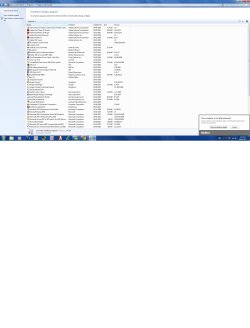
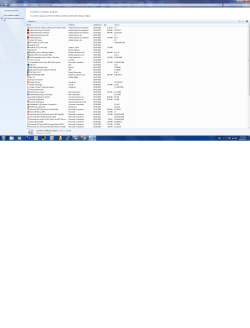
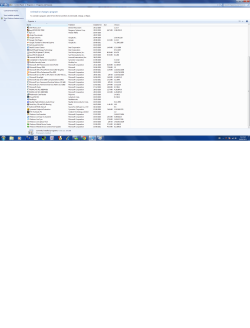
I don't know what you did wrong but those two snips aren't readable. I was going to check your installed programs for any which may cause issues.
 

My Computer My Computer

Computer type
PC/Desktop
Computer Manufacturer/Model Number
Home Built Desktop By DataTech
OS
Windows 7 Ultimate X64 SP1
CPU
Intel i5-2550K, Differing ~4.4-4.8GHz No built in GPU
Motherboard
ASUS P8Z68-V PRO/GEN3
Memory
16GB G.Skill Sniper 1866MHz @ 2133MHz 2x8GB
Graphics Card(s)
ASUS GTX650TIB-DC2OC-2GD5, (650TI Boost)
Sound Card
Onboard Realtek 5-1
Monitor(s) Displays
Samsung P2570HD
Screen Resolution
1920x1080
Hard Drives
Samsung 840 Pro 256GB SSD for OS, 500GB Seagate Constellation (Enterprise drive) for Data
PSU
Corsair HX650W
Case
Inwin Dragon Rider
Cooling
Hyper 212 EVO w/two Noctua fans, push-pull, @1300 RPM
Keyboard
E-Z Eyes, bright yellow keys with large characters
Mouse
steelseries SENSEI Laser Pro Gaming
Internet Speed
48-51Mbs Mbs down, 11 Mbs up Xfinity Cable
Antivirus
Norton Internet Security 2013
Browser
IE 10, Opera, Pale Moon if needed
Other Info
4 case fans, LG BluRay-RE, ASUS DVD-RW, Mr. Fusion power supply, 1.21 gigawatts.
snip1.png

snip2.png

See if you can read this now. I was able to zoom it and read it.
 

My Computer My Computer

Computer Manufacturer/Model Number
DELL Studio XPS 8100
OS
Windows 7 Home Premium 64 bit
CPU
Intel Core i7 860 2.8 GHz
Memory
8.00 GB Ram
Monitor(s) Displays
Generic PnP Monitor
Keyboard
HID Keyboard
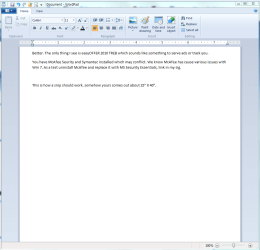
Here are my thoughts.
Capture.PNG
 

My Computer My Computer

Computer type
PC/Desktop
Computer Manufacturer/Model Number
Home Built Desktop By DataTech
OS
Windows 7 Ultimate X64 SP1
CPU
Intel i5-2550K, Differing ~4.4-4.8GHz No built in GPU
Motherboard
ASUS P8Z68-V PRO/GEN3
Memory
16GB G.Skill Sniper 1866MHz @ 2133MHz 2x8GB
Graphics Card(s)
ASUS GTX650TIB-DC2OC-2GD5, (650TI Boost)
Sound Card
Onboard Realtek 5-1
Monitor(s) Displays
Samsung P2570HD
Screen Resolution
1920x1080
Hard Drives
Samsung 840 Pro 256GB SSD for OS, 500GB Seagate Constellation (Enterprise drive) for Data
PSU
Corsair HX650W
Case
Inwin Dragon Rider
Cooling
Hyper 212 EVO w/two Noctua fans, push-pull, @1300 RPM
Keyboard
E-Z Eyes, bright yellow keys with large characters
Mouse
steelseries SENSEI Laser Pro Gaming
Internet Speed
48-51Mbs Mbs down, 11 Mbs up Xfinity Cable
Antivirus
Norton Internet Security 2013
Browser
IE 10, Opera, Pale Moon if needed
Other Info
4 case fans, LG BluRay-RE, ASUS DVD-RW, Mr. Fusion power supply, 1.21 gigawatts.
You can also monitor the logs and system resources in the Troubleshooting link in my signature picture below to look for clues to what caused your problem.

Since you have this curiousity, might as well get to know the tools which suss these things out.
 
Now I have run out of system restore dates. The system provides me with about 5 dates and I tried using all 5 of them with no success. How do I get some date, say three or four months ago ?

I did check the box "look for more dates" and it does not give any new dates.
 

My Computer My Computer

Computer Manufacturer/Model Number
DELL Studio XPS 8100
OS
Windows 7 Home Premium 64 bit
CPU
Intel Core i7 860 2.8 GHz
Memory
8.00 GB Ram
Monitor(s) Displays
Generic PnP Monitor
Keyboard
HID Keyboard
Back
Top