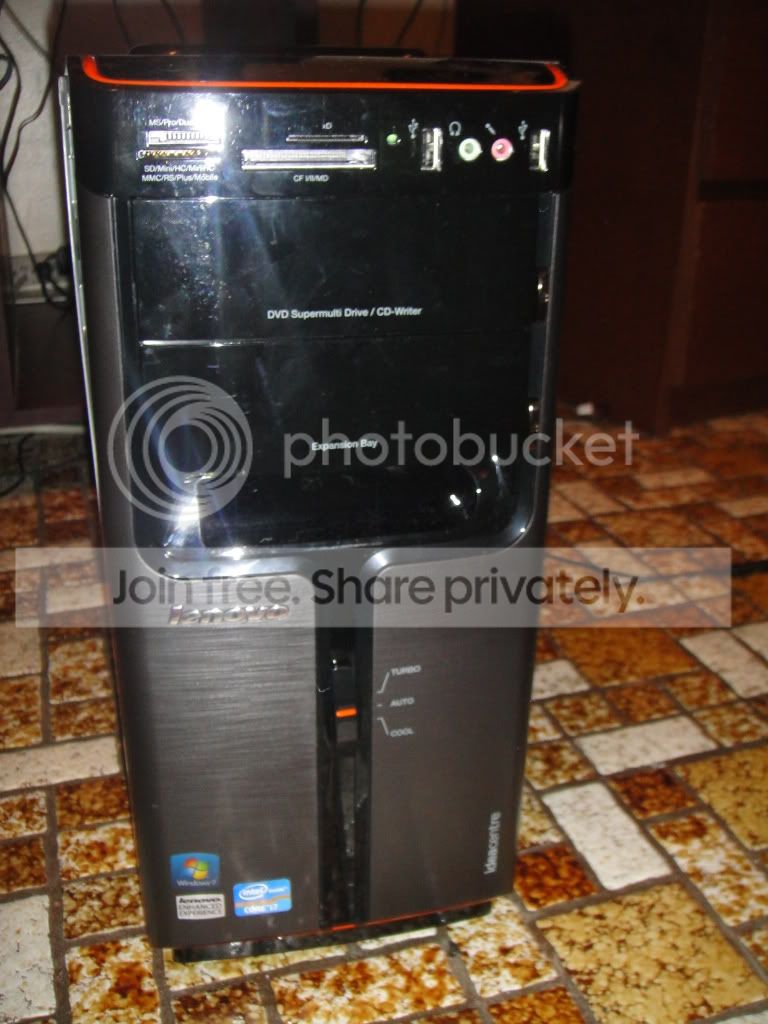
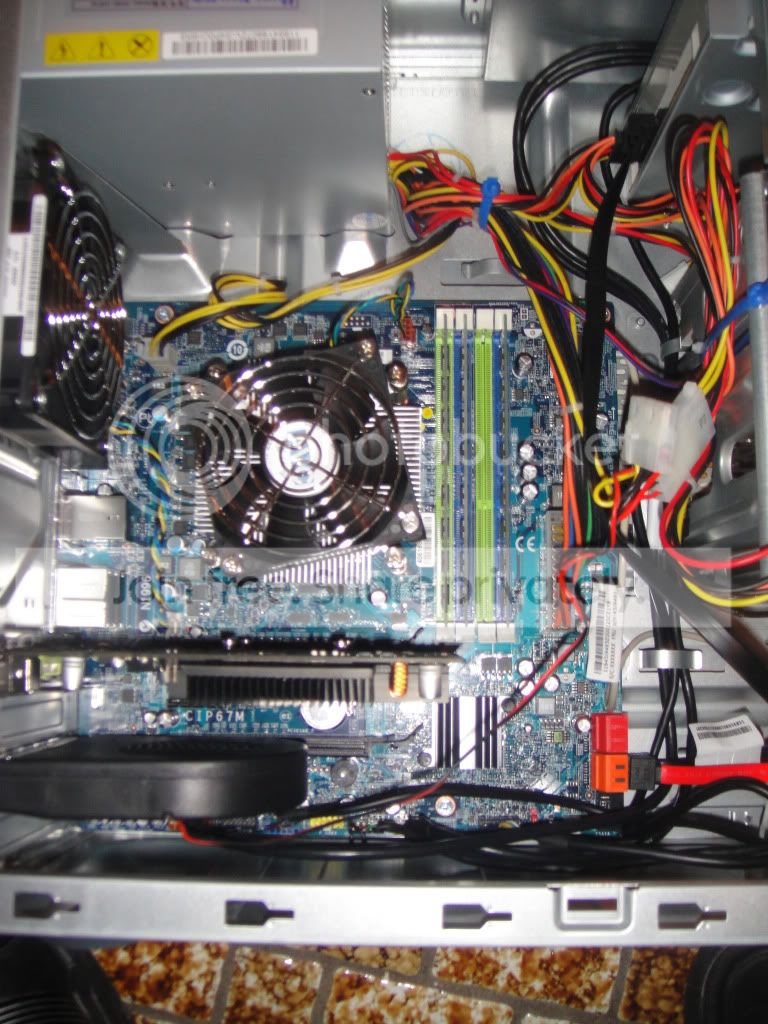
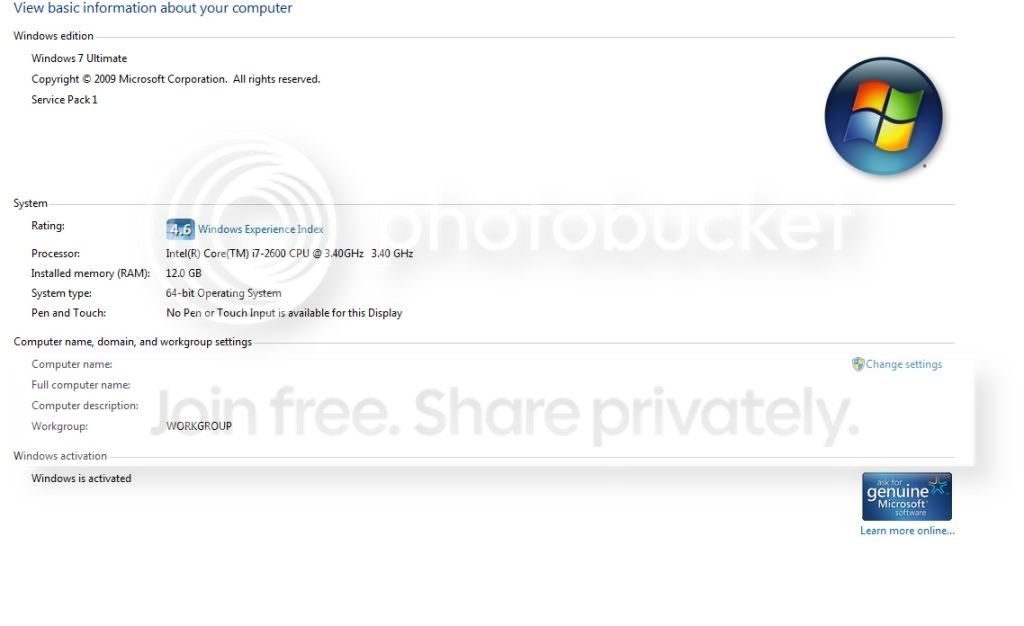
question when swapping hard drives to a new pc.

chris7021

New member
Local time
6:38 PM
Messages
23
Location
NYC
So i just ordered a new lenovo desktop (intel core i7 with 12gb ram) which im upgrading it from an hp pavilion desktop (intel core 2 duo with 4gb ram). and what im wondering is, if my hp hard drive (500gb sata) will work perfectly on the new lenovo desktop as the main bootable hd with windows 7 pro sp1 32 bit? or do i have to start from scratch?.

I try similar stuff with 2 laptops. i use a dell inspiron 1525 to reinstall windows 7 (intel core 2 duo) and put that hd on an acer aspire (intel core i5), and everything went fine. i just have to install the drivers again and the activation.
so it will work the same way as for the desktops i mention before?.. i hope yeah cuz then it will be a pain in the a_ _ to reinstall eveything again.. =) :p
 

My Computer My Computer

Computer Manufacturer/Model Number
LENOVO IDEACENTRE K330
OS
WINDOWS 7 ULTIMATE SP1 64-BIT
CPU
INTEL I7 3.40 GHZ
Memory
12GB
Hard Drives
2TB
What is your objective? Stated in as few words as possible.

As you might surmise, your objective is not clear.

Please do not suggest solutions, just state the objective.

I'm trying to give you an accurate and concise answer.
 

My Computer My Computer

Computer Manufacturer/Model Number
Toshiba Satellite S875D-S7239 laptop
OS
MS Windows 7 Ultimate SP1 64-bit
CPU
AMD A10-4600M
Motherboard
AMD Pumori (Socket FT1)
Memory
6.00 GB Dual-Channel DDR3 @ 798MHz (11-11-12-28)
Graphics Card(s)
AMD Radeon HD 7660G
Sound Card
High Definition Audio Device
Monitor(s) Displays
Generic PnP Monitor (1600x900@60Hz)
Screen Resolution
1600x900@60Hz
Hard Drives
SSD 119GB Corsair CSSD-V128GB2 ATA Device
Keyboard
Standard PS/2 Keyboard
Mouse
HP Wireless Optical Mobile Mouse Model FHA-3410
Internet Speed
What the local pub, local coffee shop offers.
Other Info
Optical Drive:MATSHITA BD-CMB UJ160B ATA Device


Also have an Asus ha1002xp netbook with Win 7 Ultimate installed.
You want to put the old drive (which contains an OS and installed apps) into the new PC to avoid having to reinstall your applications onto the new PC's hard drive--which presumably will have an OS on it when it arrives?

Sounds like you will also be dealing with a new motherboard and chipset that probably won't make nice with the Windows installation on the old hard drive.
 

My Computer My Computer

Computer type
PC/Desktop
Computer Manufacturer/Model Number
Ignatz Special; 4 speed manual gearbox; factory air conditioning; one of one
OS
Windows 7 Home Premium SP1, 64-bit
CPU
Intel Skylake i5-6600K, not overclocked
Motherboard
AsRock Z170M Extreme 4, micro ATX
Memory
8 GB HyperX DDR4-2666 (2 x 4 GB)
Graphics Card(s)
none; graphics are integrated on CPU
Sound Card
onboard: Realtek ALC1150; external: USB Behringer UF0-202
Monitor(s) Displays
Dell S2340M 23 inch IPS
Screen Resolution
1600 x 900
Hard Drives
System: Crucial MX100 series SSD, 128 GB;
Data: Samsung Spinpoint 103SJ, 1 TB;
Backup: WD Caviar Green WD30EZRX-00D8PB0, 3 TB
PSU
Rosewill SilentNight 500 watt fanless, semi-modular
Case
Antec Solo II
Cooling
Noctua NH-U12S; Noctua F12 intake, Noctua S12A exhaust
Keyboard
Microsoft 200 6JH-00001 USB
Mouse
Dell or Microsoft optical wired; USB
Antivirus
Microsoft Security Essentials and Malwarebytes Premium
Browser
Pale Moon
Other Info
All fans PWM; speeds at idle: CPU circa 500 rpm; intake circa 600 rpm; exhaust circa 600 rpm; CPU temps 27 idle and 47 C load in a warm room (27 C/81 F) when running Intel Extreme Tuning Utility stress test.
It's always worth a try - the OP did say that he did this once before and it worked fine after installing new drivers. It's always a 50-50 chance of it either working or horribly crashing and burning.

Recommend you have a safe backup of your system (at least your important personal data), but otherwise - go for it.

Let us know if you succeed. :)
 

My Computer My Computer

Computer type
PC/Desktop
Computer Manufacturer/Model Number
Custom-built
OS
Windows 7 Professional SP1 32-bit
CPU
Intel Core 2 Duo E6600 2.4GHz
Motherboard
Asus PL5D2
Memory
4GB DDR2-667 (4x1GB in dual-channel config)
Graphics Card(s)
nVidia GeForce 9800 GT
Sound Card
Creative X-Fi XtremeMusic
Monitor(s) Displays
Acer P236H
Screen Resolution
1920x1200 (DVI)
Hard Drives
OCZ SSD Vertex Plus 60GB SATA (Firmware 3.55), 64MB cache
Hitachi HD321KJ SATA, 320GB, 7200rpm, 16MB cache
PSU
Antec TruePower 2.0
Case
Cooler Master Centurion
Cooling
Too many fans
Keyboard
Standard
Mouse
Microsoft wireless optical mouse
Internet Speed
AT&T U-verse (18mbit/sec)
Antivirus
Microsoft Security Essentials
Browser
Firefox
Other Info
Other devices:
Compaq CQ-60 laptop
Google Nexus 7 (2012) tablet
Nvidia SHIELD tablet (US/LTE)
Hardkernel ODROID-XU single-board computer (Samsung Exynos 5420)
I'll go with Corazon on this.

I actually did this the other day, a friend of mine's laptop was exhibiting all the signs of a dying hard drive. It turned out to just be a completely buggered Windows install.

So, I took his hard drive, installed it into my desktop, did a "clean all" and reinstalled Windows. After I plugged it back into his laptop it just installed all the necessary drivers and got on with it, so it's certainly possible.

Take backups first though, for gods sake.
 

My Computer My Computer

Computer type
PC/Desktop
Computer Manufacturer/Model Number
Medion Erazer (note to self: insert model number) - with custom additions
OS
Windows 10 Pro x64
CPU
Intel Core i5 7400 @ 3.00GHz
Motherboard
OEM supllied with PC
Memory
8GB 2133Mhz DDR4 (OEM supplied)
Graphics Card(s)
Gygabyte Windforce GTX 1050Ti (Factory Overclocked)
Sound Card
Realtek
Monitor(s) Displays
Acer Al1980 + HKC
Screen Resolution
1360*768(HKC) / 1280*1024(Acer)
Hard Drives
1TB Toshiba
1TB WD Caviar Green
120GB Samsung Evo 840
PSU
OEM supplied (no power rating on case)
Case
OEM Supplied
Cooling
Stock
Keyboard
Logitech Wireless
Mouse
Logitect Wireless
Internet Speed
40Mb/s Down 10Mb/s Up
Antivirus
Defender
Browser
Firefox
+1 on Corazon's and SeveredSolo's advice.

Go for the gold!
 

My Computer My Computer

Computer Manufacturer/Model Number
Toshiba Satellite S875D-S7239 laptop
OS
MS Windows 7 Ultimate SP1 64-bit
CPU
AMD A10-4600M
Motherboard
AMD Pumori (Socket FT1)
Memory
6.00 GB Dual-Channel DDR3 @ 798MHz (11-11-12-28)
Graphics Card(s)
AMD Radeon HD 7660G
Sound Card
High Definition Audio Device
Monitor(s) Displays
Generic PnP Monitor (1600x900@60Hz)
Screen Resolution
1600x900@60Hz
Hard Drives
SSD 119GB Corsair CSSD-V128GB2 ATA Device
Keyboard
Standard PS/2 Keyboard
Mouse
HP Wireless Optical Mobile Mouse Model FHA-3410
Internet Speed
What the local pub, local coffee shop offers.
Other Info
Optical Drive:MATSHITA BD-CMB UJ160B ATA Device


Also have an Asus ha1002xp netbook with Win 7 Ultimate installed.
You want to put the old drive (which contains an OS and installed apps) into the new PC to avoid having to reinstall your applications onto the new PC's hard drive--which presumably will have an OS on it when it arrives?

Sounds like you will also be dealing with a new motherboard and chipset that probably won't make nice with the Windows installation on the old hard drive.

yeah, i just want to put the old drive on it so i dont have to deal again by reinstalling everything. well i will keep you guys update it when i receive my lenovo desktop (probably by the 16th of october).
 

My Computer My Computer

Computer Manufacturer/Model Number
LENOVO IDEACENTRE K330
OS
WINDOWS 7 ULTIMATE SP1 64-BIT
CPU
INTEL I7 3.40 GHZ
Memory
12GB
Hard Drives
2TB

My Computer My Computer

Computer Manufacturer/Model Number
LENOVO IDEACENTRE K330
OS
WINDOWS 7 ULTIMATE SP1 64-BIT
CPU
INTEL I7 3.40 GHZ
Memory
12GB
Hard Drives
2TB
It's always worth a try - the OP did say that he did this once before and it worked fine after installing new drivers. It's always a 50-50 chance of it either working or horribly crashing and burning.

Recommend you have a safe backup of your system (at least your important personal data), but otherwise - go for it.

Let us know if you succeed. :)

yepp i have my backup ready just in case.. yeah i will keep you guys update it when i succeed swapping the hard drives.
 

My Computer My Computer

Computer Manufacturer/Model Number
LENOVO IDEACENTRE K330
OS
WINDOWS 7 ULTIMATE SP1 64-BIT
CPU
INTEL I7 3.40 GHZ
Memory
12GB
Hard Drives
2TB
windows 7 pro sp1 32 bit
I'm at a loss as to why you'd consider this anyway. You have 12 GB of system memory in the new system, and you'd be running an OS that would only make use of 25-30% of it. If you had a specific reason to need 12 GB of system memory, you'd already be aware that you'd need Windows 7 x64 to address and use all of it. That being said, you will need to do a clean install.

Besides, with that kind of power, why not do a clean install? If you plan ahead and use common sense, you can get a clean install down to about 2 hours.
 

My Computer My Computer

OS
Windows 7 Ultimate x64 SP1
CPU
Intel Core i7-2600
Motherboard
Gigabyte GA-P67A-UD3P-B3
Memory
12 GB Patriot Extreme DDR3-1333
Graphics Card(s)
Nvidia GTX 470
Monitor(s) Displays
Dell UltraSharp 2209WA
Hard Drives
OCZ Agility3 240 GB, WD5001AALS, WD7501AALS
PSU
OCZ ModStream 700W
Case
CoolerMaster HAF 912 Advanced
Cooling
CoolerMaster Hyper 212 Plus
True. with win 32 you will be only using 4gb. You should install x64. A complete install of Win 7, of MS Office, all of your programs and the setting and configuring of your system to your preferences will last not 2 hours but 2 days from my personal experiece. In fact, am still in the midst of a completely fresh install.
 

My Computer My Computer

Computer Manufacturer/Model Number
Toshiba Satellite S875D-S7239 laptop
OS
MS Windows 7 Ultimate SP1 64-bit
CPU
AMD A10-4600M
Motherboard
AMD Pumori (Socket FT1)
Memory
6.00 GB Dual-Channel DDR3 @ 798MHz (11-11-12-28)
Graphics Card(s)
AMD Radeon HD 7660G
Sound Card
High Definition Audio Device
Monitor(s) Displays
Generic PnP Monitor (1600x900@60Hz)
Screen Resolution
1600x900@60Hz
Hard Drives
SSD 119GB Corsair CSSD-V128GB2 ATA Device
Keyboard
Standard PS/2 Keyboard
Mouse
HP Wireless Optical Mobile Mouse Model FHA-3410
Internet Speed
What the local pub, local coffee shop offers.
Other Info
Optical Drive:MATSHITA BD-CMB UJ160B ATA Device


Also have an Asus ha1002xp netbook with Win 7 Ultimate installed.
You just have to streamline the process. I keep drivers and software updated to be reinstalled on a flash drive. So I pop in the flash drive, copy over everything to my data drive, and start installing. I delete the installers as I am finished, and within two hours, my system is fully functional and updated with my main, everyday apps. That takes me around 2 hours to do, start to finish.
 

My Computer My Computer

OS
Windows 7 Ultimate x64 SP1
CPU
Intel Core i7-2600
Motherboard
Gigabyte GA-P67A-UD3P-B3
Memory
12 GB Patriot Extreme DDR3-1333
Graphics Card(s)
Nvidia GTX 470
Monitor(s) Displays
Dell UltraSharp 2209WA
Hard Drives
OCZ Agility3 240 GB, WD5001AALS, WD7501AALS
PSU
OCZ ModStream 700W
Case
CoolerMaster HAF 912 Advanced
Cooling
CoolerMaster Hyper 212 Plus
Didn't your new laptop come with Windows 7/64 installed?
Please fill in you specs of your new computer using the User CP at the top of every page. Take a look at lower left corner of my post. This allows someone trying to help you to see your specs without going here/their/every were to find your specs. Surly you and your new computer are worth a little extra time to get it right.
 

My Computer My Computer

Computer type
PC/Desktop
Computer Manufacturer/Model Number
Home made Desktop
OS
Windows 10 Pro. 64/ version 1709 Windows 7 Pro/64
CPU
Intel i7-6800K @ 4.3
Motherboard
ASUS X-99 Deluxe II
Memory
Corsair Platinum 16 gig @2400
Graphics Card(s)
EVGA GTX 1070 OC
Monitor(s) Displays
Asus 27" LED LCD/VE278Q
Screen Resolution
1920-1080 or 1280-720 HDMI
Hard Drives
INTEL SSD 730-240 Gb Sata 3.0/
PSU
EVGA Platium 1200W
Case
Phanteks Luxe Tempered Glass 8 fans/ one radiator
Cooling
XSPC/ Water Cooled CPU
Keyboard
Das 4 Professional
Mouse
Logitech M705/MX Anywhere 2-S
Internet Speed
100 mbits
Antivirus
Microsoft Security Essentials/ Malwarebytes Premium 3.0/ SAS
Browser
I.E. 11 default/Firefox/ ISP Time Warner Cable/Spectrum
Other Info
LG BluRay Burner/
Sound system-KLipsch-THX/
Icy Dock ssd Hot Swap bays.
windows 7 pro sp1 32 bit
I'm at a loss as to why you'd consider this anyway. You have 12 GB of system memory in the new system, and you'd be running an OS that would only make use of 25-30% of it. If you had a specific reason to need 12 GB of system memory, you'd already be aware that you'd need Windows 7 x64 to address and use all of it. That being said, you will need to do a clean install.

Besides, with that kind of power, why not do a clean install? If you plan ahead and use common sense, you can get a clean install down to about 2 hours.

true true!.. but i still gonna try it. and i just got a 2tb hd. sweeett!.. so guess what? i might install windows 7 ultimate 64-bit on it. then i could just migrate some data..:D
 

My Computer My Computer

Computer Manufacturer/Model Number
LENOVO IDEACENTRE K330
OS
WINDOWS 7 ULTIMATE SP1 64-BIT
CPU
INTEL I7 3.40 GHZ
Memory
12GB
Hard Drives
2TB
Didn't your new laptop come with Windows 7/64 installed?
Please fill in you specs of your new computer using the User CP at the top of every page. Take a look at lower left corner of my post. This allows someone trying to help you to see your specs without going here/their/every were to find your specs. Surly you and your new computer are worth a little extra time to get it right.


is a desktop by the way.. sure i will do that in a few when im home..
 

My Computer My Computer

Computer Manufacturer/Model Number
LENOVO IDEACENTRE K330
OS
WINDOWS 7 ULTIMATE SP1 64-BIT
CPU
INTEL I7 3.40 GHZ
Memory
12GB
Hard Drives
2TB
True. with win 32 you will be only using 4gb. You should install x64. A complete install of Win 7, of MS Office, all of your programs and the setting and configuring of your system to your preferences will last not 2 hours but 2 days from my personal experiece. In fact, am still in the midst of a completely fresh install.

yeah i think im doing that. windows 7 ultimate 64 bit on a new 2tb sata hd..
 

My Computer My Computer

Computer Manufacturer/Model Number
LENOVO IDEACENTRE K330
OS
WINDOWS 7 ULTIMATE SP1 64-BIT
CPU
INTEL I7 3.40 GHZ
Memory
12GB
Hard Drives
2TB
Have you received your new computer. When you do let us know it's specs. Any computer with 12 gigs of ram surely comes with Windows 7/64 or no operating system installed.
 

My Computer My Computer

Computer type
PC/Desktop
Computer Manufacturer/Model Number
Home made Desktop
OS
Windows 10 Pro. 64/ version 1709 Windows 7 Pro/64
CPU
Intel i7-6800K @ 4.3
Motherboard
ASUS X-99 Deluxe II
Memory
Corsair Platinum 16 gig @2400
Graphics Card(s)
EVGA GTX 1070 OC
Monitor(s) Displays
Asus 27" LED LCD/VE278Q
Screen Resolution
1920-1080 or 1280-720 HDMI
Hard Drives
INTEL SSD 730-240 Gb Sata 3.0/
PSU
EVGA Platium 1200W
Case
Phanteks Luxe Tempered Glass 8 fans/ one radiator
Cooling
XSPC/ Water Cooled CPU
Keyboard
Das 4 Professional
Mouse
Logitech M705/MX Anywhere 2-S
Internet Speed
100 mbits
Antivirus
Microsoft Security Essentials/ Malwarebytes Premium 3.0/ SAS
Browser
I.E. 11 default/Firefox/ ISP Time Warner Cable/Spectrum
Other Info
LG BluRay Burner/
Sound system-KLipsch-THX/
Icy Dock ssd Hot Swap bays.
Have you received your new computer. When you do let us know it's specs. Any computer with 12 gigs of ram surely comes with Windows 7/64 or no operating system installed.

just got it last night and is awesome. yeah it didnt have an OS. i might take some pics tonight. the only problem im having is with the videocard (looks like a defect videocard) same issue as the other post. so im usng my original videocard for now. hopefully tonight i will finish installing my stuff and doing some troubleshooting with some softwares.
 

My Computer My Computer

Computer Manufacturer/Model Number
LENOVO IDEACENTRE K330
OS
WINDOWS 7 ULTIMATE SP1 64-BIT
CPU
INTEL I7 3.40 GHZ
Memory
12GB
Hard Drives
2TB
Let me understand this correctly. You have just received a computer we have trying to help you with prior to you receiving it. Do I have this picture correctly?
Have a nice life.
 

My Computer My Computer

Computer type
PC/Desktop
Computer Manufacturer/Model Number
Home made Desktop
OS
Windows 10 Pro. 64/ version 1709 Windows 7 Pro/64
CPU
Intel i7-6800K @ 4.3
Motherboard
ASUS X-99 Deluxe II
Memory
Corsair Platinum 16 gig @2400
Graphics Card(s)
EVGA GTX 1070 OC
Monitor(s) Displays
Asus 27" LED LCD/VE278Q
Screen Resolution
1920-1080 or 1280-720 HDMI
Hard Drives
INTEL SSD 730-240 Gb Sata 3.0/
PSU
EVGA Platium 1200W
Case
Phanteks Luxe Tempered Glass 8 fans/ one radiator
Cooling
XSPC/ Water Cooled CPU
Keyboard
Das 4 Professional
Mouse
Logitech M705/MX Anywhere 2-S
Internet Speed
100 mbits
Antivirus
Microsoft Security Essentials/ Malwarebytes Premium 3.0/ SAS
Browser
I.E. 11 default/Firefox/ ISP Time Warner Cable/Spectrum
Other Info
LG BluRay Burner/
Sound system-KLipsch-THX/
Icy Dock ssd Hot Swap bays.
Let me understand this correctly. You have just received a computer we have trying to help you with prior to you receiving it. Do I have this picture correctly?
Have a nice life.

yeah correct. it didnt work the "swapping hard drives, the blue screen of death show-up". so now we all know that it will not work when migratting from intel core 2 duo to intel i7. So i started from scratch installing windows 7 ultimate 64-bit on a 2tb hard drive.


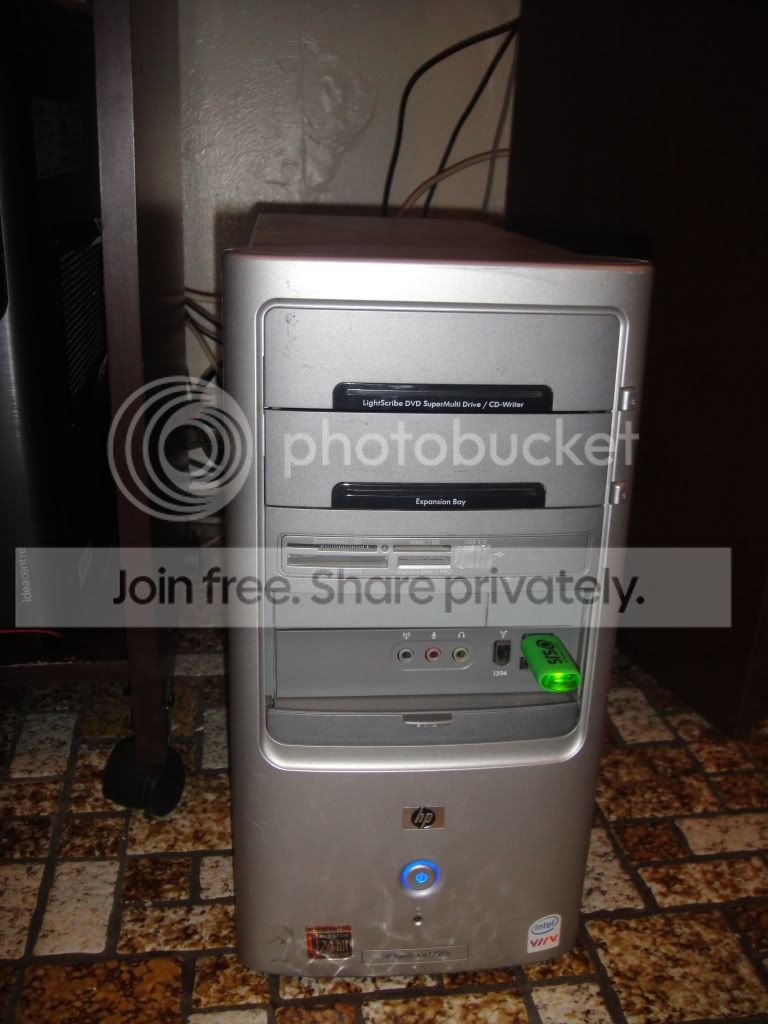
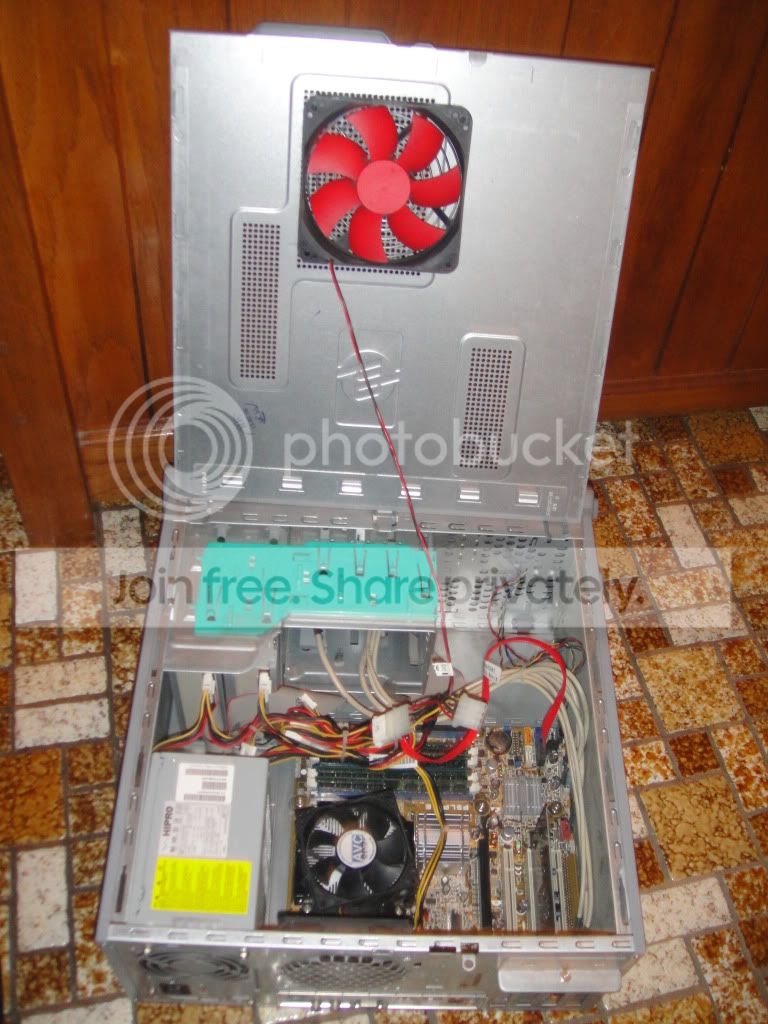
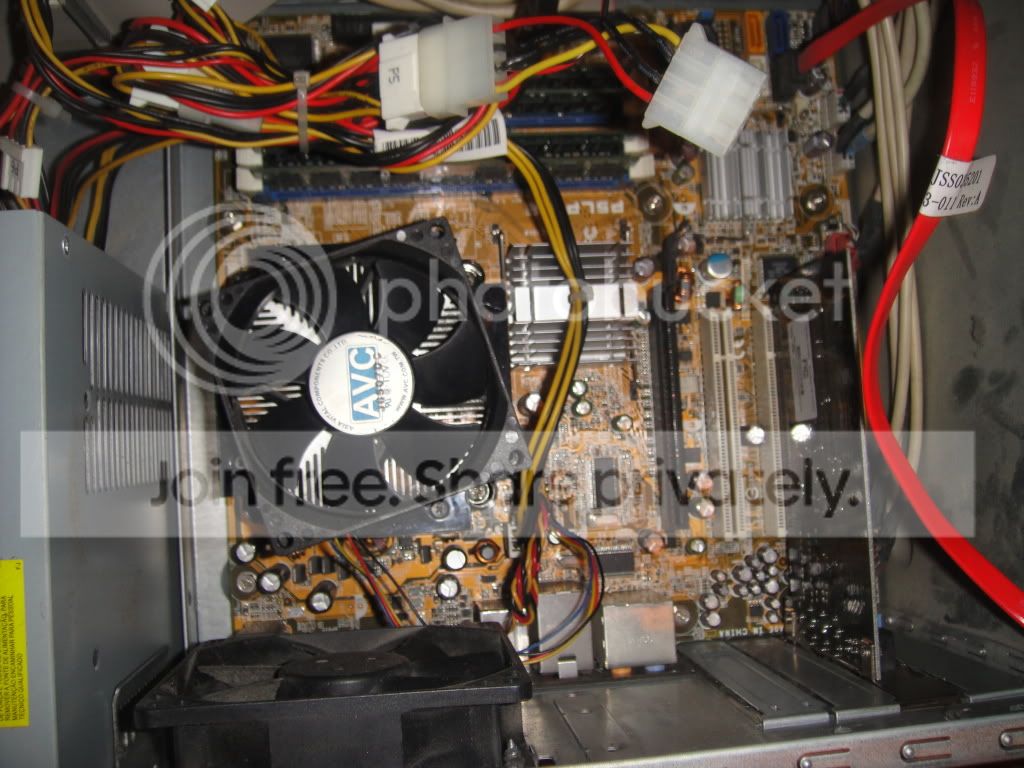
Here are the pics from my old hp desktop

DSC08056.jpg


DSC08052.jpg


DSC08053.jpg


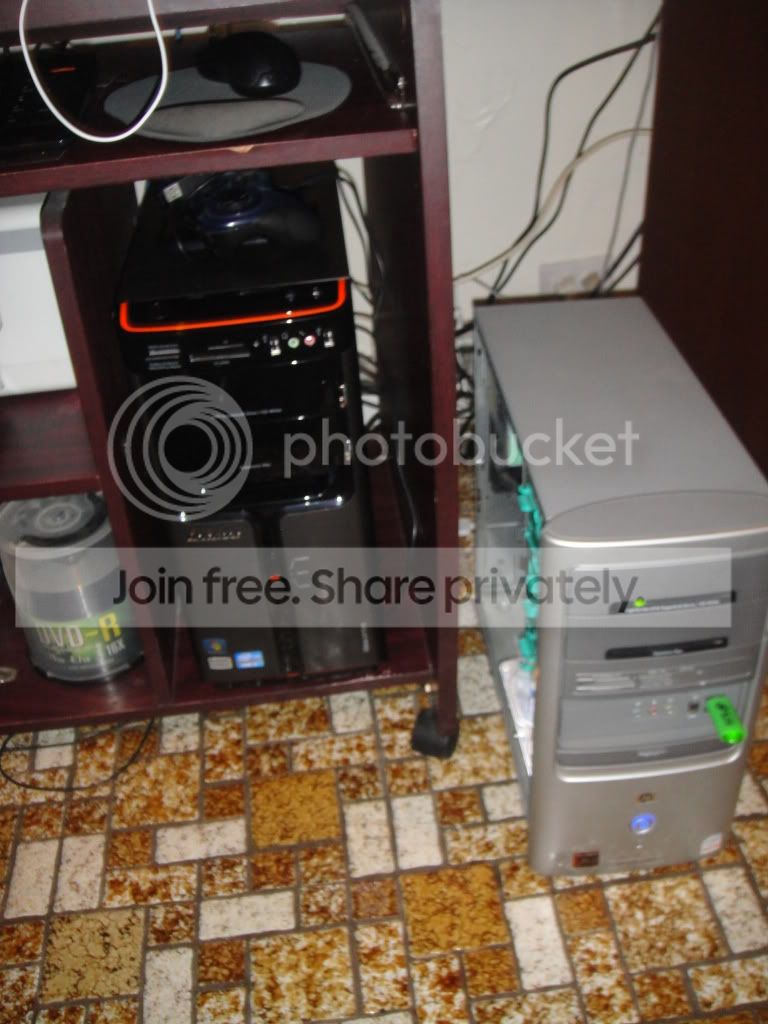
next to the new buddy

DSC08054.jpg


DSC08061.jpg


DSC08063.jpg


DSC08064.jpg


DSC08066.jpg


specs.jpg
 

My Computer My Computer

Computer Manufacturer/Model Number
LENOVO IDEACENTRE K330
OS
WINDOWS 7 ULTIMATE SP1 64-BIT
CPU
INTEL I7 3.40 GHZ
Memory
12GB
Hard Drives
2TB
Back
Top