Solved Actual print size when printing picures

TheScog

New member
Local time
5:08 PM
Messages
3
Hi,
I work quite a bit with photos and images. Since Windows 7 there no longer seems to be any way of printing pictures in their actual size and their actual resolution. There's just this wizard that assumes you want to print a standard photo size. The problem is that some of the images I work with require the rasterization to stay true. If I create an image at 600dpi that is 3x4 cm I need to be able to print the image at 600 dpi and get a print that is 3x4 cm in size. With Windows 7 I cant do this. Is there any reasonable way around this? It would seem that making Windows 7 "idiot proof" has made it less useable by non-idiots ;)

Regards
Mike
 

My Computer My Computer

OS
Windows 7 Professional x32
If it opens in MS Paint you can click File - Print - Page Setup - Scaling - Adjust to 100% normal size. This way you can print the real size, but I do not know about DPIs.
 

My Computer My Computer

Computer type
PC/Desktop
OS
Windows 8.1 ; Windows 7 x86 (Dec2008-Jan2013)
Other Info
"The scale icon at the top right of a post or tutorial is how you can give rep to the member."

My Computer My Computer

Computer Manufacturer/Model Number
HP Pavilion Elite 495UK
OS
Windows 7 Ultimate SP1 64-Bit
CPU
Intel Core i7 870 @ 2.93GHz
Motherboard
MSI 2A9C (CPU1)
Memory
8Gb Dual-Channel DDR3 @ 664MHz
Graphics Card(s)
nVidia GeForce GTX 460 1024MB dedicated RAM
Sound Card
Realtek HD Audio
Monitor(s) Displays
HP2310i
Screen Resolution
1920 x 1080
Hard Drives
1x1954GB Hitachi HDS22020ALA 330 (RAID), 1x1954GB Hitachi External for backup and storage
PSU
460W
Case
HP Elite
Cooling
Air cooled
Keyboard
Logitech K750 solar-powered keyboard
Mouse
Logitech Wireless M180 mouse
Internet Speed
2Mb
Other Info
Pure Avanti Flow Internet Radio with iPod Dock, 64Gb iPod, HP USB Speakers, Sony MDR-V500 Headphones, Sony Vaio F-Series Laptop
If it opens in MS Paint you can click File - Print - Page Setup - Scaling - Adjust to 100% normal size. This way you can print the real size, but I do not know about DPIs.

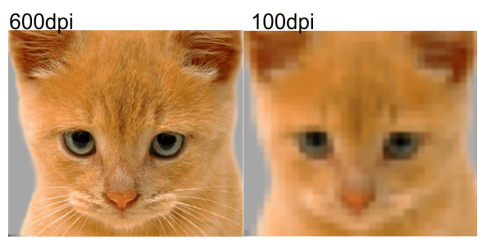
DPI stands for Dots Per Inch and put simply, a higher DPI increases the resolution of the picture. In other words the image looks a lot clearer and sharper.
 

My Computer My Computer

Computer Manufacturer/Model Number
HP Pavilion Elite 495UK
OS
Windows 7 Ultimate SP1 64-Bit
CPU
Intel Core i7 870 @ 2.93GHz
Motherboard
MSI 2A9C (CPU1)
Memory
8Gb Dual-Channel DDR3 @ 664MHz
Graphics Card(s)
nVidia GeForce GTX 460 1024MB dedicated RAM
Sound Card
Realtek HD Audio
Monitor(s) Displays
HP2310i
Screen Resolution
1920 x 1080
Hard Drives
1x1954GB Hitachi HDS22020ALA 330 (RAID), 1x1954GB Hitachi External for backup and storage
PSU
460W
Case
HP Elite
Cooling
Air cooled
Keyboard
Logitech K750 solar-powered keyboard
Mouse
Logitech Wireless M180 mouse
Internet Speed
2Mb
Other Info
Pure Avanti Flow Internet Radio with iPod Dock, 64Gb iPod, HP USB Speakers, Sony MDR-V500 Headphones, Sony Vaio F-Series Laptop

My Computer My Computer

Computer type
PC/Desktop
OS
Windows 8.1 ; Windows 7 x86 (Dec2008-Jan2013)
Other Info
"The scale icon at the top right of a post or tutorial is how you can give rep to the member."

My Computer My Computer

Computer Manufacturer/Model Number
HP Pavilion Elite 495UK
OS
Windows 7 Ultimate SP1 64-Bit
CPU
Intel Core i7 870 @ 2.93GHz
Motherboard
MSI 2A9C (CPU1)
Memory
8Gb Dual-Channel DDR3 @ 664MHz
Graphics Card(s)
nVidia GeForce GTX 460 1024MB dedicated RAM
Sound Card
Realtek HD Audio
Monitor(s) Displays
HP2310i
Screen Resolution
1920 x 1080
Hard Drives
1x1954GB Hitachi HDS22020ALA 330 (RAID), 1x1954GB Hitachi External for backup and storage
PSU
460W
Case
HP Elite
Cooling
Air cooled
Keyboard
Logitech K750 solar-powered keyboard
Mouse
Logitech Wireless M180 mouse
Internet Speed
2Mb
Other Info
Pure Avanti Flow Internet Radio with iPod Dock, 64Gb iPod, HP USB Speakers, Sony MDR-V500 Headphones, Sony Vaio F-Series Laptop
Your going to have to use your printers software to give you the best possible results. When you open the image in any software, goto your printer preferences before printing and choose the best possible results for what your trying to achieve, otherwise you might end up with poor print quality ;)
 

Attachments

  • cat.png
    cat.png
    135.2 KB · Views: 27

My Computer My Computer

Computer type
PC/Desktop
Computer Manufacturer/Model Number
Self Built
OS
Windows 7 Ultimate 64bit
CPU
AMD Phenom Quad core 9950 black edition
Motherboard
Gigabyte
Memory
16Gb
Graphics Card(s)
2x XFX Radeon 5850
Sound Card
PCI Express X-Fi Titanium / Logitech G35
Monitor(s) Displays
2x HP 2410i
Screen Resolution
1920x1080
Hard Drives
2x 500Gb Seagate
1x 300Gb Seagate
1x 1Tb Seagate
2x 1Tb Hitatchi
PSU
Jean Tech Storm 700W
Case
Cooler Master COSMOS S
Cooling
Akasa Evo Blue Pro
Keyboard
Logitech G15
Mouse
Mad Catz M.M.O. 7
Internet Speed
12mb
Thanks for the replies guys. I guess It's time to drop good old Paint.NET and perhaps invest in something proper...like Photoshop.
 

My Computer My Computer

OS
Windows 7 Professional x32
If you don't want the full-blown version of Photoshop you could always go for Photoshop Elements 10, which although more basic than its big brother is also a lot cheaper.
 

My Computer My Computer

Computer Manufacturer/Model Number
HP Pavilion Elite 495UK
OS
Windows 7 Ultimate SP1 64-Bit
CPU
Intel Core i7 870 @ 2.93GHz
Motherboard
MSI 2A9C (CPU1)
Memory
8Gb Dual-Channel DDR3 @ 664MHz
Graphics Card(s)
nVidia GeForce GTX 460 1024MB dedicated RAM
Sound Card
Realtek HD Audio
Monitor(s) Displays
HP2310i
Screen Resolution
1920 x 1080
Hard Drives
1x1954GB Hitachi HDS22020ALA 330 (RAID), 1x1954GB Hitachi External for backup and storage
PSU
460W
Case
HP Elite
Cooling
Air cooled
Keyboard
Logitech K750 solar-powered keyboard
Mouse
Logitech Wireless M180 mouse
Internet Speed
2Mb
Other Info
Pure Avanti Flow Internet Radio with iPod Dock, 64Gb iPod, HP USB Speakers, Sony MDR-V500 Headphones, Sony Vaio F-Series Laptop
Thanks for the replies guys. I guess It's time to drop good old Paint.NET and perhaps invest in something proper...like Photoshop.

Nope pal ... there's no need to purchase PS, you can carry on using paint.net or Gimp or any other free graphic package available to printout your images.
(You can even use a free image viewer program like Fasstone image viewer
Photoshop isn't going to solve the issue.
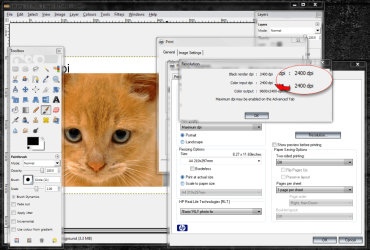
All you need to do is change your printer settings to print at a higher quality. ;)
 

Attachments

  • cat print.png
    cat print.png
    150.9 KB · Views: 411

My Computer My Computer

Computer type
PC/Desktop
Computer Manufacturer/Model Number
Self Built
OS
Windows 7 Ultimate 64bit
CPU
AMD Phenom Quad core 9950 black edition
Motherboard
Gigabyte
Memory
16Gb
Graphics Card(s)
2x XFX Radeon 5850
Sound Card
PCI Express X-Fi Titanium / Logitech G35
Monitor(s) Displays
2x HP 2410i
Screen Resolution
1920x1080
Hard Drives
2x 500Gb Seagate
1x 300Gb Seagate
1x 1Tb Seagate
2x 1Tb Hitatchi
PSU
Jean Tech Storm 700W
Case
Cooler Master COSMOS S
Cooling
Akasa Evo Blue Pro
Keyboard
Logitech G15
Mouse
Mad Catz M.M.O. 7
Internet Speed
12mb
How to get Photoshop to display actual print resolution

How to get Photoshop to display actual print resolution

1. Create a blank document that has 300 dpi print resolution, 9″ x 9″ in dimensions.

2. Fill it with white if it is not already filled

3. From the menu choose “View/Print Size”

4. With an accurate ruler and using great care not to damage your screen measure the displayed dimensions in inches. In all likelihood it will be a good deal smaller than 9 inches

5. Divide 9 inches by the actual measurement you obtain from the screen which will provide the correction factor. I am not using an example since this number may vary from one screen to another.

RKNOTE: My monitor displayed an image 6 inches wide. 9 divided by 6 = 1.5

6. Now, go to “Edit/Preferences/Units & Rulers” and find the screen resolution. Most likely it is set at 72 pixels/inch

7. Multiply the current ppi, 72, by the correction factor you calculated above and enter that in the screen resolution field. Click OK.

RKNOTE: 72 x 1.5 = 108

The resulting screen resolution may have a decimal fraction, that’s OK.

From now on, when you choose “View/Print Size” your screen will display the actual dimensions of the print.

RKNOTE:
For my 17.3 inch Laptop, the settings of 108 dpi in Photoshop automatically displays Print Size at actual resolution.
 

My Computer My Computer

Computer Manufacturer/Model Number
Toshiba L775 Laptop
OS
Windows 7 Home Premium
CPU
Intel
Memory
4 Gb
Back
Top