Loud Fan; Downgrade OS will help maybe?

Justin650

New member
Local time
2:19 AM
Messages
8
Hello, My name is Justin; a long time lurker and just recently joined.

I have a Toshiba Satellite U505; and the fan is constantly running. Not only that, but when the Laptop isn't plugged in, it lags horribly. As of now I am running Windows 7 HPx64 and this is what came pre-installed on the laptop.

What are my options, how do I decrease the fan speed, I was thinking that maybe downgrading to Vista would help slow down the processor or is there anything I can do to fix these minor issues?

Thanks. :)
 

My Computer My Computer

OS
Windows 7 HPx64
Hello, My name is Justin; a long time lurker and just recently joined.

I have a Toshiba Satellite U505; and the fan is constantly running. Not only that, but when the Laptop isn't plugged in, it lags horribly. As of now I am running Windows 7 HPx64 and this is what came pre-installed on the laptop.

What are my options, how do I decrease the fan speed, I was thinking that maybe downgrading to Vista would help slow down the processor or is there anything I can do to fix these minor issues?

Thanks. :)
Have you ever cleaned your laptop with compressed air? Have you ever cleaned your laptop at all? Most likely your laptop is clogged up with dust and you need to get the dust out. All you have to do is buy a can of compressed air and blow the air into the intake and output vents for your laptop's cooling fan. Also, be sure that you are not using the laptop on a bed or something else that could obstruct airflow. Now, onto the slowness issue, try this tutorial: http://www.sevenforums.com/tutorials/11728-optimize-windows-7-a.html
 

My Computer My Computer

Computer type
PC/Desktop
Computer Manufacturer/Model Number
HP Pavilion P7-1010
OS
Windows 7 Professional x64 Service Pack 1
CPU
AMD Athlon X4 645
Motherboard
Foxxcon N-Alvorix RS880
Memory
6GB DDR3 1066
Graphics Card(s)
Sapphire Radeon HD 5670 512MB GDDR5
Sound Card
Realtek Integrated Audio
Monitor(s) Displays
HP 2011x
Screen Resolution
1600x900
Hard Drives
1. Crucial M4 128GB SSD
2. 1TB Seagate Barracuda 7200.12 RPM
3. 1TB Western Digital Caviar Green 5400RPM
PSU
Seasonic S12 II Bronze 380 Watt
Case
HP OEM
Cooling
Coolermaster Heatsink, AVC Case Fan
Keyboard
HP OEM- Made by Chicony
Mouse
HP OEM- Made by Logitech
Internet Speed
20MBit Down/4 Up
Antivirus
Microsoft Security Essentials
Browser
Internet Explorer 10
The Laptop is about a year old, and the fan was replaced by Toshiba less than 6 months ago.

I have done most of the Optimizing part from that thread, So far it seems fine. But I am still having a problem with the Fan. Is there a Reg hack or something where it is set so I can control when it turns on and off because right now the temp is at 52 and the fan is turned on.
 

My Computer My Computer

OS
Windows 7 HPx64
The Laptop is about a year old, and the fan was replaced by Toshiba less than 6 months ago.

I have done most of the Optimizing part from that thread, So far it seems fine. But I am still having a problem with the Fan. Is there a Reg hack or something where it is set so I can control when it turns on and off because right now the temp is at 52 and the fan is turned on.
52 degrees is a bit warm. I recommend that you clean your laptop every 3 months. You will not believe the amount of dust that can build up in a laptop in 3 months. If that doesn't work, I recommend that you buy a laptop cooling pad for it. Also, be sure that you are not running it in a hot environment and make sure that the sun isn't shining on it.
 

My Computer My Computer

Computer type
PC/Desktop
Computer Manufacturer/Model Number
HP Pavilion P7-1010
OS
Windows 7 Professional x64 Service Pack 1
CPU
AMD Athlon X4 645
Motherboard
Foxxcon N-Alvorix RS880
Memory
6GB DDR3 1066
Graphics Card(s)
Sapphire Radeon HD 5670 512MB GDDR5
Sound Card
Realtek Integrated Audio
Monitor(s) Displays
HP 2011x
Screen Resolution
1600x900
Hard Drives
1. Crucial M4 128GB SSD
2. 1TB Seagate Barracuda 7200.12 RPM
3. 1TB Western Digital Caviar Green 5400RPM
PSU
Seasonic S12 II Bronze 380 Watt
Case
HP OEM
Cooling
Coolermaster Heatsink, AVC Case Fan
Keyboard
HP OEM- Made by Chicony
Mouse
HP OEM- Made by Logitech
Internet Speed
20MBit Down/4 Up
Antivirus
Microsoft Security Essentials
Browser
Internet Explorer 10
The fan slows down once I unplug the computer, and I've checked my Power options they are the same for Plugged in, and On Battery so other than the dust could there be another solution?
 

My Computer My Computer

OS
Windows 7 HPx64
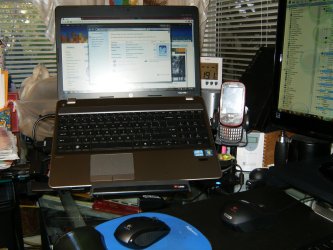
Justin, Have you ever felt the battery is it possible that it's causing more heat when the system is running off of it? Batteries give up a lot of heat when being charged and when discharging and my guess is the heat from the battery, hard drive and the CPU and GPU are all together making the fan work hard. Like previously suggested first eliminate the dust issue by blowing the unit out, then purchase a laptop cooler with a fan to push cool air into the intakes. I use one of these and i can't recommend it more highly, but an additional purchase or wireless keyboard and mouse required!
Amazon.com: 3M Vertical Notebook Riser (LX550): Office Products
HPIM1707.jpg
 

My Computer My Computer

Computer type
PC/Desktop
Computer Manufacturer/Model Number
A blend of brains, brawn and dumb luck.
OS
Windows 7 Ultimate 64
CPU
i7 3770k OC'd 4.6 @ 1.17v, also FX 8120 & i5 miniITX
Motherboard
MSI P67A-GD80 b3
Memory
32 gb G.Skill Sniper DDR3 10-12-12-31 @ 2133
Graphics Card(s)
XFX Radeon 7870 2GB DDR5
Sound Card
Sound Blaster Z Series Card
Monitor(s) Displays
(2) LG LED 23" 1920 x 1080 2ms Monitors via mini d-port
Screen Resolution
1680 X 1050 p
Hard Drives
Samsung 256 gb 830 SSD sata III
(1) 1 tb WD Black
(2) 1 tb Hitachi deskmates/sata II
(2) 1 tb WD green/sata II
(2) 3 tb Seagate Barracuda
(1) 120 gb OCZ Vertex SS
(1) Drobo 5N w/5 Seagate 3tb
PSU
EVGA modular 1000G2 80% gold rating & APC 1200 RS
Case
CoolerMaster Storm Styker
Cooling
7 case fans 140mm & 120mm, NZXT Kraken X60
Keyboard
(2) Logitech Illuminated Keyboards (1) usb (1) wireless
Mouse
Logitech G700 & T-BC21 - nano nx for the laptop
Internet Speed
Basic 120mbps down
Antivirus
Trend Micro Titanium Max Security & Malwarebytes Premium
Browser
Chrome and IE 10
Other Info
5 Noctua case fans + 3 Noctua in p/p on NZXT cooler
Integrated hot swap drive bays for 2.5" Drives
(2) Lite-on dvd/cd/Blu Ray optical 22X
Integrated fan controller and led on/off
HP Officejet Pro 8630 all-n-one
Hot-swappable 3.5" hard drive bay
Netgear Nighthawk router
Asus USB 3 & sata 6 PCIe card
Vantec IDE to sata adptr./Ultra sata adptr
Lenovo L420 i5 lappy with m sata
Drobo 5N advanced NAS
See if you have latest bios installed for your toshiba, i've seen dozens of laptops with thermal issues fixed by a bios upgrade.
 

My Computer My Computer

Computer type
PC/Desktop
OS
Microsoft Windows 10 Professional / Windows 7 Professional
CPU
Intel i5-3570
Motherboard
Lenovo Mahobay
Memory
16GB DDR3
Graphics Card(s)
AMD Radeon HD 7850 2GB
Sound Card
(1) Realtek HD Audio (2) AMD HD Audio
Monitor(s) Displays
LG LS192WS
Screen Resolution
1440 x 900 @ 32bit color
Hard Drives
(1) SUV300S37A/120G (2) ST3500413AS SATA Disk Device AHCI mode enabled.
PSU
Corsair HX620
Case
Thermaltake V4 Black Edition
Cooling
Cooler Master Hyper 212 + Artic Silver 5 on CPU/GPU
Keyboard
Dell SK-8115
Mouse
Razer Copperhead with MAPED mat (awesome!)
Internet Speed
100 Mbps up/down
Browser
Chrome
See if you have latest bios installed for your toshiba, i've seen dozens of laptops with thermal issues fixed by a bios upgrade.

TOSASU - 190
BIOS Date: 12/16/09 23:00:56 Ver: 08.00.10

That's the BIOS I have. Is there any way I can downgrade the Bios? I don't remember having this issue before I upgraded the BIOS but this was when I first bought the computer.
 

My Computer My Computer

OS
Windows 7 HPx64
Justin, Have you ever felt the battery is it possible that it's causing more heat when the system is running off of it? Batteries give up a lot of heat when being charged and when discharging and my guess is the heat from the battery, hard drive and the CPU and GPU are all together making the fan work hard. Like previously suggested first eliminate the dust issue by blowing the unit out, then purchase a laptop cooler with a fan to push cool air into the intakes. I use one of these and i can't recommend it more highly, but an additional purchase or wireless keyboard and mouse required!
Amazon.com: 3M Vertical Notebook Riser (LX550): Office Products
View attachment 215415

I have not, I'm running it on Battery now, and it seems cool. I do have a Laptop cooler, but I am also a Student so it's a bit odd to carry extra parts to a Lecture and I'd rather not.
 

My Computer My Computer

OS
Windows 7 HPx64
Make sure that you don't have a bunch of background processes running. Go to start and tyoe in msconfig and press enter. next, go to the startup tab and uncheck everything except your antivirus. Then, click ok and restart your computer. Hope this helps!
 

My Computer My Computer

Computer type
PC/Desktop
Computer Manufacturer/Model Number
HP Pavilion P7-1010
OS
Windows 7 Professional x64 Service Pack 1
CPU
AMD Athlon X4 645
Motherboard
Foxxcon N-Alvorix RS880
Memory
6GB DDR3 1066
Graphics Card(s)
Sapphire Radeon HD 5670 512MB GDDR5
Sound Card
Realtek Integrated Audio
Monitor(s) Displays
HP 2011x
Screen Resolution
1600x900
Hard Drives
1. Crucial M4 128GB SSD
2. 1TB Seagate Barracuda 7200.12 RPM
3. 1TB Western Digital Caviar Green 5400RPM
PSU
Seasonic S12 II Bronze 380 Watt
Case
HP OEM
Cooling
Coolermaster Heatsink, AVC Case Fan
Keyboard
HP OEM- Made by Chicony
Mouse
HP OEM- Made by Logitech
Internet Speed
20MBit Down/4 Up
Antivirus
Microsoft Security Essentials
Browser
Internet Explorer 10
There is a free program called RivaTuner v2.24c download from Guru3D.com that allows manual control of the fan.

I am worried that you may have more then some fan problem. It seams offul strange that you would have to have the fan changed only after 6 months. Is the unit getting enough air flow through it as it sits? If the inlet is being blocked like sitting on a carpet or something that would also cause the fan to over drive to keep it cool.
 

My Computer My Computer

Computer type
PC/Desktop
Computer Manufacturer/Model Number
Self made
OS
windows 7 home premium 64, and Windows 10 64 bit
CPU
I7 940
Motherboard
ASUS P6TX58D Premium- BIOS VERSION 1402
Memory
12 GB Dominator 3 channel 1600
Graphics Card(s)
Radeon R9 Fury Nitro
Sound Card
Z1
Monitor(s) Displays
50 Inch Panasonic TV
Screen Resolution
1920x1080
Hard Drives
Main drive OCZ Revodrive V2 and 8 TB multi drives
PSU
Coolermaster 1000
Case
CoolerMaster 932
Cooling
Coolermaster Dual fan
Keyboard
mx 5500 revolution
Mouse
mx 5500 revolution
Internet Speed
12 mb
Browser
Chrome
Other Info
set up for 3D Blue Ray applications with a surround room of 12 speaker Definitive Technology and multi amps, main is driven by yamaha M-65
They had replaced the heat sink. I've read that other users have had problems with the fan in this model but what I don't understand is why. I am downloading this program right now, let me know if you guys need any other information. Thanks again for helping. :)
 

My Computer My Computer

OS
Windows 7 HPx64

My Computer My Computer

Computer type
PC/Desktop
Computer Manufacturer/Model Number
HP Pavilion P7-1010
OS
Windows 7 Professional x64 Service Pack 1
CPU
AMD Athlon X4 645
Motherboard
Foxxcon N-Alvorix RS880
Memory
6GB DDR3 1066
Graphics Card(s)
Sapphire Radeon HD 5670 512MB GDDR5
Sound Card
Realtek Integrated Audio
Monitor(s) Displays
HP 2011x
Screen Resolution
1600x900
Hard Drives
1. Crucial M4 128GB SSD
2. 1TB Seagate Barracuda 7200.12 RPM
3. 1TB Western Digital Caviar Green 5400RPM
PSU
Seasonic S12 II Bronze 380 Watt
Case
HP OEM
Cooling
Coolermaster Heatsink, AVC Case Fan
Keyboard
HP OEM- Made by Chicony
Mouse
HP OEM- Made by Logitech
Internet Speed
20MBit Down/4 Up
Antivirus
Microsoft Security Essentials
Browser
Internet Explorer 10
No it didn't.
If your laptop is still under warrenty, I suggest that you get a completely new laptop. Maybe the new one will work better. Or, just see if you can get a newer version of that laptop that doesn't have fan issues.
 

My Computer My Computer

Computer type
PC/Desktop
Computer Manufacturer/Model Number
HP Pavilion P7-1010
OS
Windows 7 Professional x64 Service Pack 1
CPU
AMD Athlon X4 645
Motherboard
Foxxcon N-Alvorix RS880
Memory
6GB DDR3 1066
Graphics Card(s)
Sapphire Radeon HD 5670 512MB GDDR5
Sound Card
Realtek Integrated Audio
Monitor(s) Displays
HP 2011x
Screen Resolution
1600x900
Hard Drives
1. Crucial M4 128GB SSD
2. 1TB Seagate Barracuda 7200.12 RPM
3. 1TB Western Digital Caviar Green 5400RPM
PSU
Seasonic S12 II Bronze 380 Watt
Case
HP OEM
Cooling
Coolermaster Heatsink, AVC Case Fan
Keyboard
HP OEM- Made by Chicony
Mouse
HP OEM- Made by Logitech
Internet Speed
20MBit Down/4 Up
Antivirus
Microsoft Security Essentials
Browser
Internet Explorer 10
Back
Top