gadp56
New member
I've tried some solutions to this rare situation and nothing.
I mean the following:
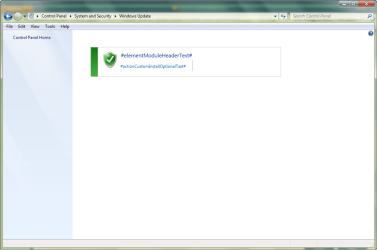
By the way, I've noted that:
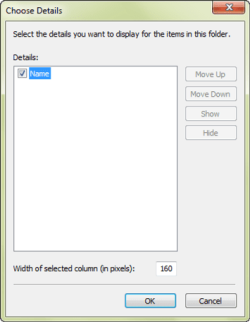
1.- In 'View-Choose Details' window, there is "Name" option only (may be this is normal):
2.- But, in 'Tools-Folder Options' window, in the 'View' tab, option "Always show menus" (normally in "Files and Folders" section, second position) has disappeared!:

I didn't pressed the "Restore Defaults" button because I think this is for other purpose, isn't it?
So, I don't know what to do... I wonder someone of you may give me a hand to solve this...
In other words, please help me!
Thanks in advance,
gadp56
I mean the following:
By the way, I've noted that:
1.- In 'View-Choose Details' window, there is "Name" option only (may be this is normal):
2.- But, in 'Tools-Folder Options' window, in the 'View' tab, option "Always show menus" (normally in "Files and Folders" section, second position) has disappeared!:
I didn't pressed the "Restore Defaults" button because I think this is for other purpose, isn't it?
So, I don't know what to do... I wonder someone of you may give me a hand to solve this...
In other words, please help me!
Thanks in advance,
gadp56
Last edited:
My Computer
- Computer Manufacturer/Model Number
- HP Pavilion dv2500
- OS
- Windows 7 Pro X64 SP1
- CPU
- AMD Turion 64 X2 TL-60 2.00GHz
- Memory
- 3 GB
- Hard Drives
- Hitachi S-ATA, 250 GB