exefile: runas and runasuser subkeys were wrong! runasuser was "visible" and it shouldn't (only with shift rightclick it should be visible). also runasuser subkey wasn't deletegated to another key, thats why it had the name runasuser in rightclickmenu.I imported the reg file you prepared under administrator. Wow. No problems with exe anymore! The runasuser option is gone both when right-clicking and shift+right-clicking. The shield next to "Run as administrator" has been restored. The UAC settings are working now. Can also open the resource monitor. Pretty much everything is working as it should! Now I can finally use the time tracker!
That was like a miracle medicine you gave my computer. Thank you very much Kaktussoft! What do you think might have caused the problem? Are there any more steps to be carried out?
All is fine now as far as exefile is concerned (and shortcuts to exe files).
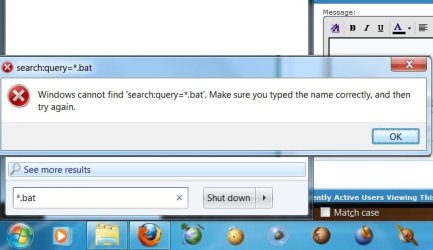
check bat,cmd,msi as well please!!
Don't know what happened and what caused it. All problems solved as far as you can see?
I think I made your day!
My Computer
- Computer type
- Laptop
- Computer Manufacturer/Model Number
- ACER ASPIRE 5742G
- OS
- Microsoft Windows 7 Home Premium 64-bits 7601 Multiprocessor Free Service Pack 1
- CPU
- Intel(R) Core(TM) i3 CPU M 370 @ 2.40GHz
- Motherboard
- Acer Aspire 5742G
- Memory
- 4,00 GB
- Graphics Card(s)
- ATI Mobility Radeon HD 5400 Series
- Sound Card
- (1) AMD High Definition Audio Device (2) Realtek High Defi
- Screen Resolution
- 1366 x 768 x 32 bits (4294967296 colors) @ 60 Hz
- Hard Drives
- WDC WD5000BEVT-22ZAT0