What is the best option for my computer when not using?

Jaypaul97

New member
Member
Local time
1:23 PM
Messages
44
Hi. I have a windows 7 computer, and it gets used a decent amount in a day for various things such as gaming or homework.

In the time it is not being used, however, what is the best option? Next to the shut down button there is only a sleep option. So should I put it into sleep, or just leave it? When in sleep it stops humming.
 

My Computer My Computer

At a glance

Windows 7 64-bit
OS
Windows 7 64-bit
There's no right or wrong answer on this. It all comes down to personal preference. For me, none of my computers run overnight, except my server. If I turn my tower or laptop on, I will leave them on throughout the day in case I use them again. If I know I won't for sure, then I power them down until the next day.
 

My Computer My Computer

At a glance

Windows 7 Ultimate x64 SP1Intel Core i7-260012 GB Patriot Extreme DDR3-1333Nvidia GTX 470
OS
Windows 7 Ultimate x64 SP1
CPU
Intel Core i7-2600
Motherboard
Gigabyte GA-P67A-UD3P-B3
Memory
12 GB Patriot Extreme DDR3-1333
Graphics Card(s)
Nvidia GTX 470
Monitor(s) Displays
Dell UltraSharp 2209WA
Hard Drives
OCZ Agility3 240 GB, WD5001AALS, WD7501AALS
PSU
OCZ ModStream 700W
Case
CoolerMaster HAF 912 Advanced
Cooling
CoolerMaster Hyper 212 Plus
It all depends on personal preference as to what is "best".

In sleep mode all actions on the computer are stopped and any open documents and applications are put in memory. You can quickly resume normal, full-power operation within a few seconds. Sleep mode is basically the same thing as “Standby” mode. Sleep mode is useful if you want to stop working for a short period of time. The computer doesn’t use much power in Sleep mode.

The Hibernate mode saves your open documents and running applications to your hard disk and shuts down the computer, which means once your computer is in Hibernate mode, it uses zero power. Once the computer is powered back on, it will resume everything where you left off. It's usually recommended to use this mode if you won’t be using the laptop for an extended period of time, and you don’t want to close your documents.

There's also a third option called Hybrid Sleep. This is a combination of the Sleep and Hibernate modes meant for desktop computers. It puts any open documents and applications both in memory and on your hard disk, and then puts your computer into a low-power state, allowing you to quickly wake the computer and resume your work. The Hybrid Sleep mode is enabled by default in Windows on desktop computers and disabled on laptops. When enabled, it automatically puts your computer into Hybrid Sleep mode. Hybrid Sleep mode is useful for desktop computers in case of a power outage. When power resumes, Windows can restore your work from the hard disk, if the memory is not accessible.

The Sleep and Hibernate options are accessed using the arrow button next to the Shut down button on the Start menu. If you don’t see the Sleep option or the Hibernate option, it may be for one of the following reasons:
- Your video card may not support the Sleep mode. Refer to the documentation for your video card.
- If you don’t have administrative rights.
- The power-saving modes in Windows may be turned on and off in your computer’s BIOS (basic input/output system). The key for accessing the BIOS differs for each computer manufacturer. Instructions for accessing BIOS generally displays on the screen as the computer boots. For more information, see your computer’s documentation or check the website for your computer’s manufacturer.
- If you don’t see the Hibernate option, the Hybrid Sleep option is mostly likely enabled.

To access and change the various power plan settings, see this tutorial.

http://www.sevenforums.com/tutorials/778-power-plan-settings-change.html

EDIT: Deacon beat me to it. He always was a better typist than me.

 

My Computer My Computer

At a glance

Win 7 Pro 64-bitIntel i5 2.4 Ghz8GB DDR3Intel HD 3000
Computer type
Laptop
Computer Manufacturer/Model Number
Sony Vaio VPCEB47GM Laptop
OS
Win 7 Pro 64-bit
CPU
Intel i5 2.4 Ghz
Memory
8GB DDR3
Graphics Card(s)
Intel HD 3000
Sound Card
IDT High Definition
Monitor(s) Displays
15.6 WGXA Anti-Glare LED
Screen Resolution
1280x800
Hard Drives
640Gb 7200rpm
Antivirus
MSE
Browser
Opera (primary) with IE9 backup
I use sleep for shorter times of inactivity and shut down for anything longer than appr. 2 hours of inactivity.
 

My Computer My Computer

At a glance

Vista, Windows7, Mint Mate, Zorin, Windows 8from 1.6GHz Duo to i7
Computer Manufacturer/Model Number
HP, Dell, Gateway, Toshiba - 4 laptops and 2 desktops
OS
Vista, Windows7, Mint Mate, Zorin, Windows 8
CPU
from 1.6GHz Duo to i7
Monitor(s) Displays
2x HP w2207
Hard Drives
5x HDD, 7x SSD, 12x Externals
Keyboard
with trackball - no mices
Mouse
Trackball mice
Internet Speed
DSL 6000
It is really personal preference. Here is what I do. My 2 media centre PC's run 24 / 7. I have the hard drives set to spin down after 20 mins in the power plan.
My 3 desktops, (1 6 year old Athlon 64 Newcastle still going strong and 2 modern PC's) I use them during the day and they are on till I go to bed then I shut them down. The hard drives are set to spin down after 20 mins. On rare occasions I'll leave them on all night such as virus scans etc. If there are thunderstorms in the area ALL computer and electronics are unplugged from the power including antenna connections. If you have overhead power lines, phone lines and cable lines I recommend you do the same. The monitors all go into standby after 20 mins. I have sleep and hibernation disabled as I don't use them on my desktops.
 

My Computer My Computer

At a glance

Windows 7 x64 Ultimate and numerous virtual m...AMD FX-8350 Vishera 32nm Technology @ 4.2 GHz...G Skill 32.0GB Dual-Channel DDR3 @ 1204MHz (1...EVGA GeForce GTX 960 4GB Super SC ACX 2.0+ wi...
Computer type
PC/Desktop
Computer Manufacturer/Model Number
Bluethunder II
OS
Windows 7 x64 Ultimate and numerous virtual machines
CPU
AMD FX-8350 Vishera 32nm Technology @ 4.2 GHz default
Motherboard
ASUSTeK COMPUTER INC. SABERTOOTH 990FX R2.0 (Socket 942)
Memory
G Skill 32.0GB Dual-Channel DDR3 @ 1204MHz (11-13-13-31)
Graphics Card(s)
EVGA GeForce GTX 960 4GB Super SC ACX 2.0+ with Back Plate
Sound Card
Creative X-Fi Titanium HD Audiophile PCIe
Monitor(s) Displays
LG L227WTG x 3
Screen Resolution
1680 x 1050 16:10
Hard Drives
238GB Samsung850 PRO SATA Disk Device (SSD)
1863GB Seagate ST2000DM 001-1CH164 (SATA)
1397GB Seagate ST1500DL 003-9VT16L(SATA)
466GB Western Digital WDC WD50 03AZEX-00K1GA0 (SATA) x 2
932GB Seagate ST310005 28AS SATA Disk Device (SATA)
PSU
Enermax Revolution87+ 1000 Watts Gold Certified Power Supply
Case
Rocketfish Full Tower
Cooling
Cooler Master Hyper 212 EVO Push Pull 120mm Fans
Keyboard
Logitech K740
Mouse
Logitech G100S Laser LED + Logitech Gamepad F310
Internet Speed
500 mbs down and 30mbs up
Antivirus
Malwarebytes Pro & Avast and MSE on certain Virtual Machines
Browser
Firefox (Main) Chrome, Internet Explorer (Back Up)
Other Info
Logitech X 230 2.1 Stereo System and 5.1 Yamaha RX V2090
B&W DM6 Monitor Speakers + Center and Surround Speakers
Using Mouse Without Borders (Google it)
IMO, if a computer is not being used, it should not be on.
 

My Computer My Computer

At a glance

Windows 10 Pro x64Intel Core i7 6700KGSkill TridentZ RGB 16GB 3600 16-16-16-36EVGA GTX 980 Ti SC x2
Computer type
PC/Desktop
Computer Manufacturer/Model Number
Skylake Special #666
OS
Windows 10 Pro x64
CPU
Intel Core i7 6700K
Motherboard
Asus Sabertooth Z170 Mark 1
Memory
GSkill TridentZ RGB 16GB 3600 16-16-16-36
Graphics Card(s)
EVGA GTX 980 Ti SC x2
Sound Card
Realtek High Definition
Monitor(s) Displays
AOC G2460PG
Screen Resolution
1920 x 1080 144Hz
Hard Drives
Samsung 860 Pro 256GB, Seagate Barracuda 4TB x2
PSU
EVGA 1000 P2, EVGA White Custom Braided Cables
Case
Corsair Vengeance C70 Gunmetal Black
Cooling
Corsair H100i v2, Corsair ML120 x2, Thermal Grizzly Kryonaut
Keyboard
Logitech G910 Orion Spectrum
Mouse
Logitech G700s
Internet Speed
Verizon Fios Quantum Gateway 75/75
Antivirus
Windows Defender, Malwarebytes Free 3.8.3
Browser
Chrome
Other Info
Corsair SP120 x4, LG Blu-ray Drive, Durabrand HT-395 100 Watt Dolby Digital Amp, Corsair H2100 Wireless 7.1 Headset
IMO, if a computer is not being used, it should not be on.
That's how I've always felt. Never understood the point of leaving client computers on overnight, unless a person sleep-surfs.
 

My Computer My Computer

At a glance

Windows 7 Ultimate x64 SP1Intel Core i7-260012 GB Patriot Extreme DDR3-1333Nvidia GTX 470
OS
Windows 7 Ultimate x64 SP1
CPU
Intel Core i7-2600
Motherboard
Gigabyte GA-P67A-UD3P-B3
Memory
12 GB Patriot Extreme DDR3-1333
Graphics Card(s)
Nvidia GTX 470
Monitor(s) Displays
Dell UltraSharp 2209WA
Hard Drives
OCZ Agility3 240 GB, WD5001AALS, WD7501AALS
PSU
OCZ ModStream 700W
Case
CoolerMaster HAF 912 Advanced
Cooling
CoolerMaster Hyper 212 Plus
IMO, if a computer is not being used, it should not be on.
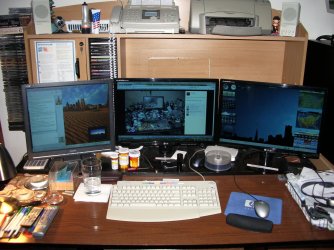
I know it sounds like I am being somewhat wasteful but I am using the 3 desktops I am running. I chat to my wife at work from time to time (She keeps an eye on me health wise) and relatives back in the UK on my oldest desktop. They can pop up at any time. I am playing music and browsing my favourite websites and playing easy games on the main one. The other main one has my email and weather gadgets and a bunch of other stuff on it. I spend a lot of time here now since my heart got very much weaker and I had to stop working due to pain. The other machines are really just DVR's recording Big Bang Theory and other stuff off of PBS since I can no longer justify cable. Plus it keeps the room I am in a tad warmer in the winter :geek: Everyone has their reasons.
 

Attachments

  • 2012-10-03 13.48.05.jpg
    2012-10-03 13.48.05.jpg
    491.6 KB · Views: 5

My Computer My Computer

At a glance

Windows 7 x64 Ultimate and numerous virtual m...AMD FX-8350 Vishera 32nm Technology @ 4.2 GHz...G Skill 32.0GB Dual-Channel DDR3 @ 1204MHz (1...EVGA GeForce GTX 960 4GB Super SC ACX 2.0+ wi...
Computer type
PC/Desktop
Computer Manufacturer/Model Number
Bluethunder II
OS
Windows 7 x64 Ultimate and numerous virtual machines
CPU
AMD FX-8350 Vishera 32nm Technology @ 4.2 GHz default
Motherboard
ASUSTeK COMPUTER INC. SABERTOOTH 990FX R2.0 (Socket 942)
Memory
G Skill 32.0GB Dual-Channel DDR3 @ 1204MHz (11-13-13-31)
Graphics Card(s)
EVGA GeForce GTX 960 4GB Super SC ACX 2.0+ with Back Plate
Sound Card
Creative X-Fi Titanium HD Audiophile PCIe
Monitor(s) Displays
LG L227WTG x 3
Screen Resolution
1680 x 1050 16:10
Hard Drives
238GB Samsung850 PRO SATA Disk Device (SSD)
1863GB Seagate ST2000DM 001-1CH164 (SATA)
1397GB Seagate ST1500DL 003-9VT16L(SATA)
466GB Western Digital WDC WD50 03AZEX-00K1GA0 (SATA) x 2
932GB Seagate ST310005 28AS SATA Disk Device (SATA)
PSU
Enermax Revolution87+ 1000 Watts Gold Certified Power Supply
Case
Rocketfish Full Tower
Cooling
Cooler Master Hyper 212 EVO Push Pull 120mm Fans
Keyboard
Logitech K740
Mouse
Logitech G100S Laser LED + Logitech Gamepad F310
Internet Speed
500 mbs down and 30mbs up
Antivirus
Malwarebytes Pro & Avast and MSE on certain Virtual Machines
Browser
Firefox (Main) Chrome, Internet Explorer (Back Up)
Other Info
Logitech X 230 2.1 Stereo System and 5.1 Yamaha RX V2090
B&W DM6 Monitor Speakers + Center and Surround Speakers
Using Mouse Without Borders (Google it)
Back
Top