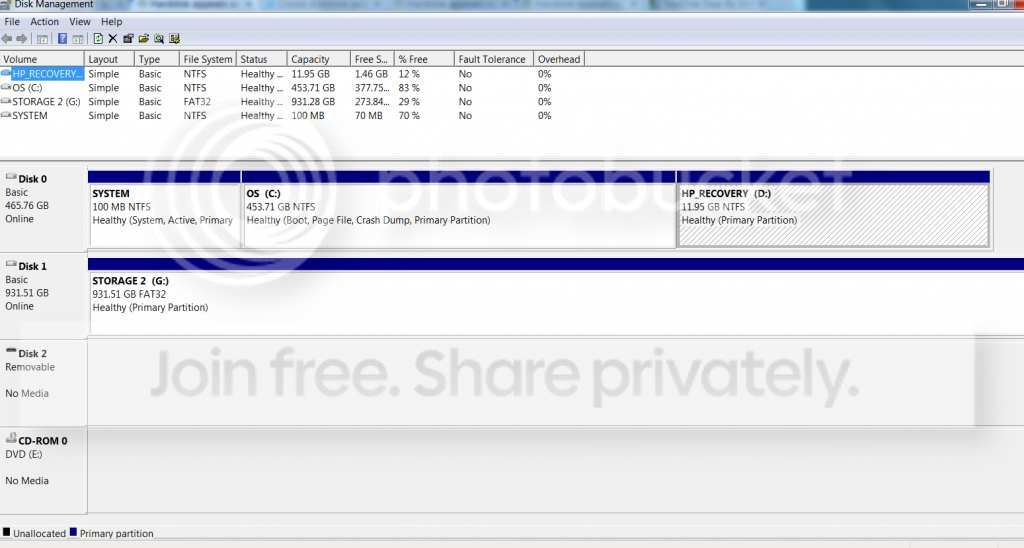
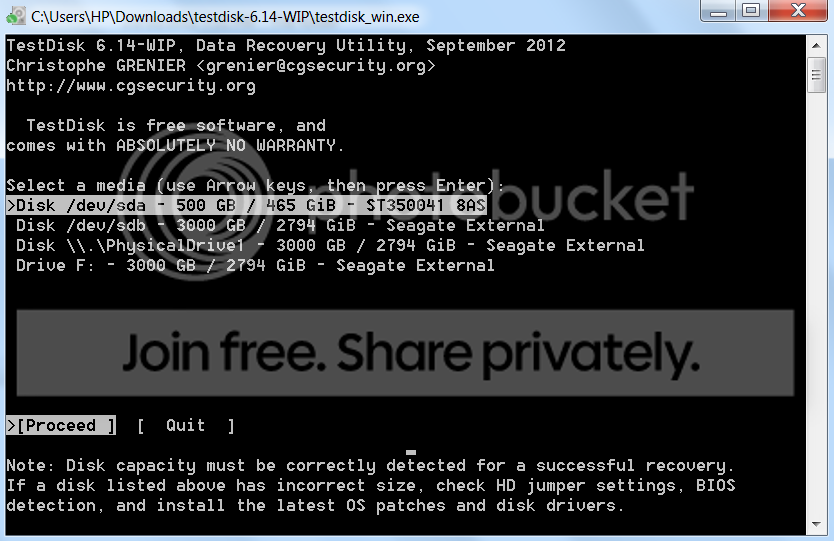
Yep, Starty I did read your PM when I switched on my PC this morning an hour or so ago but then had to go away for the morning chores

. Just finished my breakfast, with my wife sitting on my neck and admonishing me staring at the screen planning my first salvo of the day.

Hi stole away,
1. Unplug all your external HDDs and pendrives, and empty your optical drives.
2. Run Test Disk. The only and the first disk shown will be the internal disk. And it will always be the first disk shown. Leave it alone.

3. Quit.
4. Now plug in your external drive from which you want to recover and run Test Disk.
5. The second drive shown will be the external drive. You should also be able to identify it with its capacity.

Now did you go through my thread
http://www.sevenforums.com/software/190430-regain-lost-drive-using-test-disk-illustrated-guide.html
Please take your time. You can run testdisk any number of times to familiarise yourself as long as you do not hit a wrong write command.
Also see my post here.
http://www.sevenforums.com/hardware...-unallocated-disc-management.html#post1671603
As suggested by Startybart go step by step.
(just now my wife butts in and tells me that I gulped eight dosas (pancakes) as against the usual four. Even as she was serving it hot she had a queried look but I knew not why then, lost in my own thoughts.
Again, I may have to run - drive - to the hypermarket to buy groceries and vegetables. Otherwise my maid who is as good as my wife - in throttling me
- will happily let me go without lunch.)
So be patient.

 so the first thing I have to do is uninstall norton?