
Crystal Disk shows a caution on one of my old drives, a 120GB Desktar. It's been fine for years, but I recently removed it from the IDE socket and put it in a new USB enclosure. Heard clicking when it was turned on, saw the folders and files on the drive, but messages came up saying corrupted whenever I tried to open something. I couldn't access anything. Rebooted the PC, message came up in taskbar saying device driver installed for the drive (successful) but wasn't showing in my computer. Went to disk management and it said it had to be initialized! I cancelled out and didn't initialize. It said 99.04GB unallocated. This is a drive that had previously said 115GB total size, 34.9GB free space.
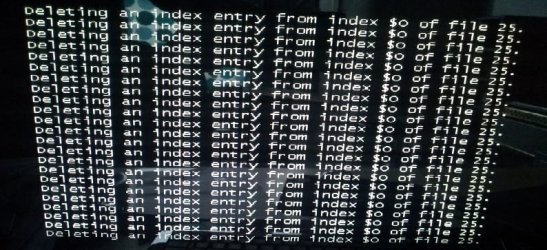
I went and found my IDE cable, took the deskstar out of the USB box, and installed it back to my motherboard. Upon booting I heard the clicks again, then got a DOS type screen saying about problems on drive F: and how it needs to perform a chkdsk. I had a few seconds to decide or opt out but I let it go into the checking. Millions upon millions of entries scrolled as in this screenshot below and I was like ..
..
But then, there was light at the end of the tunnel. After a few minutes I noticed scores of scrolling entries saying 'recovering'. Then it booted into windows and lo and behold, I can access all my stuff!
Before this happened, total size was 115GB, free space 34.9GB. Now it says 115 GB, 47.2GB. So I guess it must have deleted 12GB of files that were corrupted. Well, whatever that 12GB of stuff was, it's gone now, so there's nothing I can do and it probably wasn't very important. The only thing of importance still on the drive is my fraps folder which contains 67GB of screenshots and game movies, so I'm glad I have those back. I've transferred that stuff to my other drive. I've now done a quick format on the drive and Crystal Disk still shows the same reallocated caution.
I've got another IDE drive, an old WD Caviar Blue 320GB. I'll install that to the motherboard this time and transfer everything, just in case it's the USB enclosure that's corrupting these drives, or perhaps it's just a general IDE to USB incompatibility.
So what do I do with this 120GB drive now? Is it worth doing a full format, or using killdisk, or trying some program that might fix the reallocated sectors, or is it an unfixable dying drive and I should bin it?
I went and found my IDE cable, took the deskstar out of the USB box, and installed it back to my motherboard. Upon booting I heard the clicks again, then got a DOS type screen saying about problems on drive F: and how it needs to perform a chkdsk. I had a few seconds to decide or opt out but I let it go into the checking. Millions upon millions of entries scrolled as in this screenshot below and I was like
..But then, there was light at the end of the tunnel. After a few minutes I noticed scores of scrolling entries saying 'recovering'. Then it booted into windows and lo and behold, I can access all my stuff!
Before this happened, total size was 115GB, free space 34.9GB. Now it says 115 GB, 47.2GB. So I guess it must have deleted 12GB of files that were corrupted. Well, whatever that 12GB of stuff was, it's gone now, so there's nothing I can do and it probably wasn't very important. The only thing of importance still on the drive is my fraps folder which contains 67GB of screenshots and game movies, so I'm glad I have those back. I've transferred that stuff to my other drive. I've now done a quick format on the drive and Crystal Disk still shows the same reallocated caution.
I've got another IDE drive, an old WD Caviar Blue 320GB. I'll install that to the motherboard this time and transfer everything, just in case it's the USB enclosure that's corrupting these drives, or perhaps it's just a general IDE to USB incompatibility.
So what do I do with this 120GB drive now? Is it worth doing a full format, or using killdisk, or trying some program that might fix the reallocated sectors, or is it an unfixable dying drive and I should bin it?
Attachments
My Computer
- Computer type
- PC/Desktop
- OS
- Windows 7 HP x64 SP1
- CPU
- Phenom II x2 550BE @3.1Ghz
- Motherboard
- GA-MA770-UD3 rev 2.0
- Memory
- Patriot Viper 2x2GB DDR2 6400
- Graphics Card(s)
- Sapphire HD5850 Extreme 1GB
- Sound Card
- Onboard Realtek
- Monitor(s) Displays
- Samsung 23" S23A700D * 120Hz * 3D * 2ms response
- Screen Resolution
- 1920x1080
- Hard Drives
- SSD Samsung 830 128GB/Seagate 2TB (2 x single platter)/ WD 1TB Cav Black/ WD RE3 1TB /WD 320GB IDE/IBM 120GB IDE
- PSU
- XFX Pro 650w Core Edition
- Case
- Coolermaster CM690 Dominator
- Cooling
- TRUE Rev.C + Arctic Cooling MX-2 + various 12cm fans
- Keyboard
- Razer Lycosa
- Mouse
- Logitech MX518
- Internet Speed
- Fibre Optic 100MB Down * 6MB Up


